

Your Browsing History
- Free 30-day Returns
$120.99

Meet Your Seller

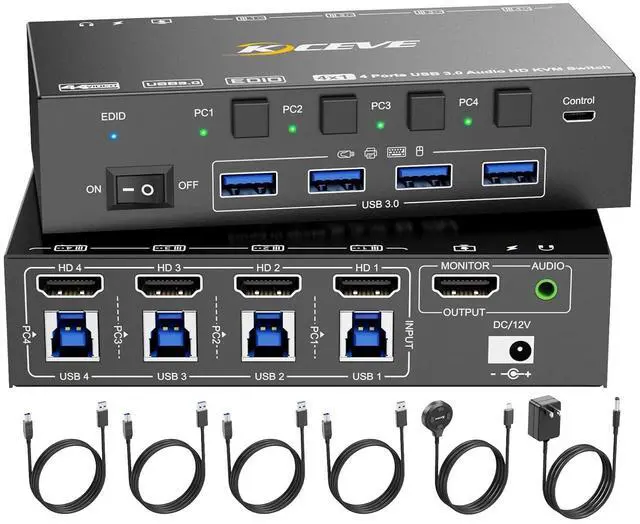
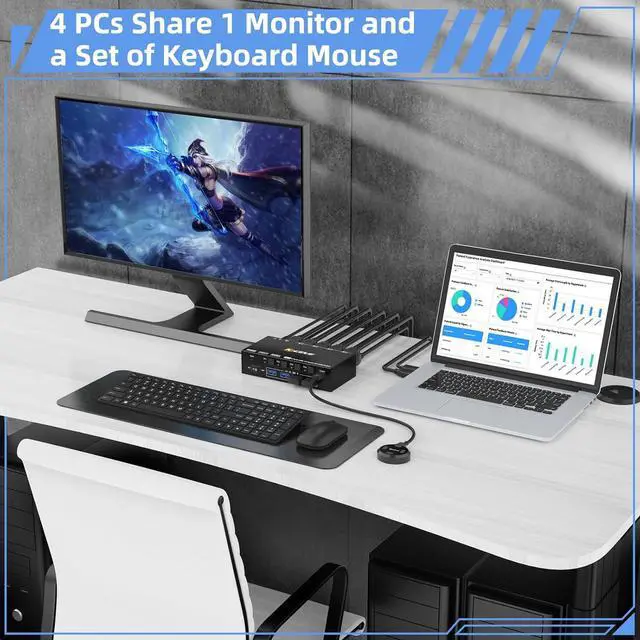


HDMI KVM Switch 4 Computers 8K@60Hz 4K@144Hz, Simulation EDID, Camgeet 4 Port USB3.0 KVM Switch with Audio for 4 Computer Share 1 Monitor and Keyboard Mouse Headset,Wired Remote,Power Adapter Included
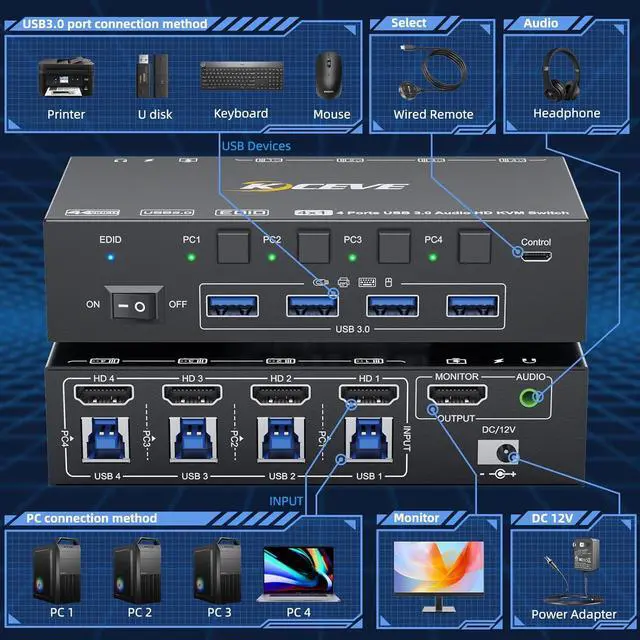
- USB 3.0 HDMI KVM SwitchesThis 4 port HDMI KVM Switch can be easily switch between 4 computers, sharing 1 monitor and 4 USB devices headset microphone, integrating monitor switch and USB switch in one.
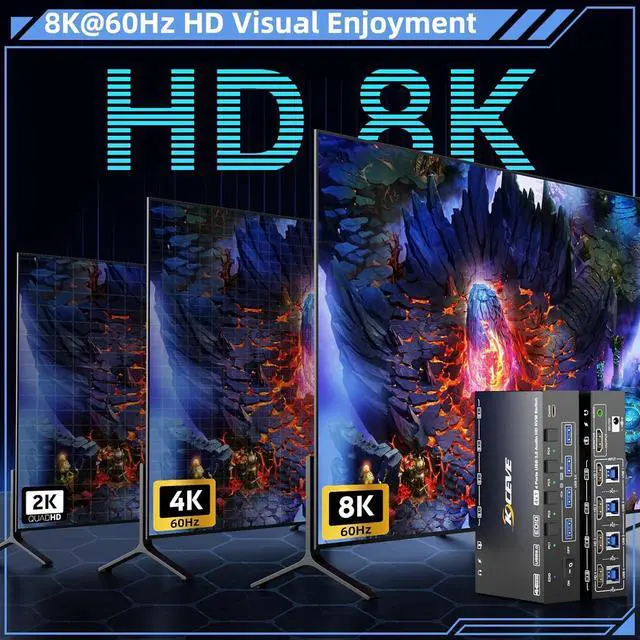
- Ultra HD 8K@60Hz 4K@144HzUSB 3.0 KVM switch HDMI support resolutions up to 8K@60Hz 4K@144Hz, Backwards compatible with 4K@60Hz,1080P and lower resolution.Please use high -quality HDMI2.0/HDMI2.1 cables less than 1.5 meter to connect KVM. tip: This 4 port HDMI KVM switch also work with ultrawide monitors.
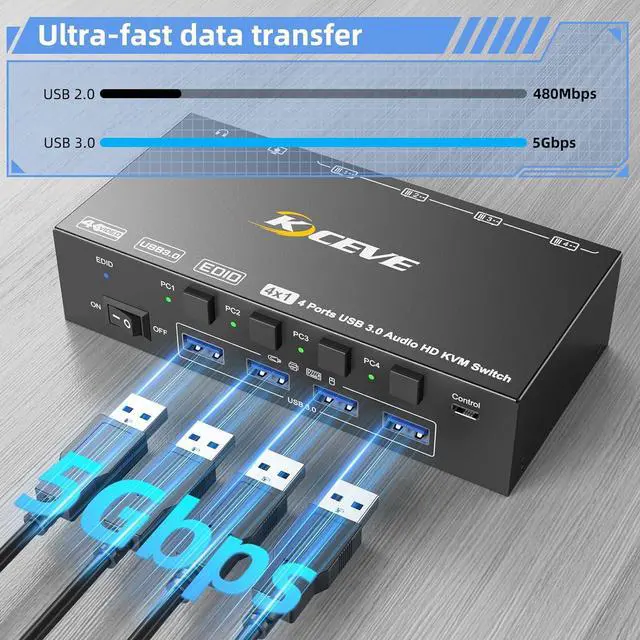
- KVM Switch with 4 USB 3.0 PortsHDMI USB Switch with 4 USB 3.0 ports which can recognize wireless keyboard,mouse,printer and other USB devices.supports ultra-fast USB 3.0 data transfer speeds up to 5Gbps,backward compatible with USB 2.0 and USB 1.1 devices.
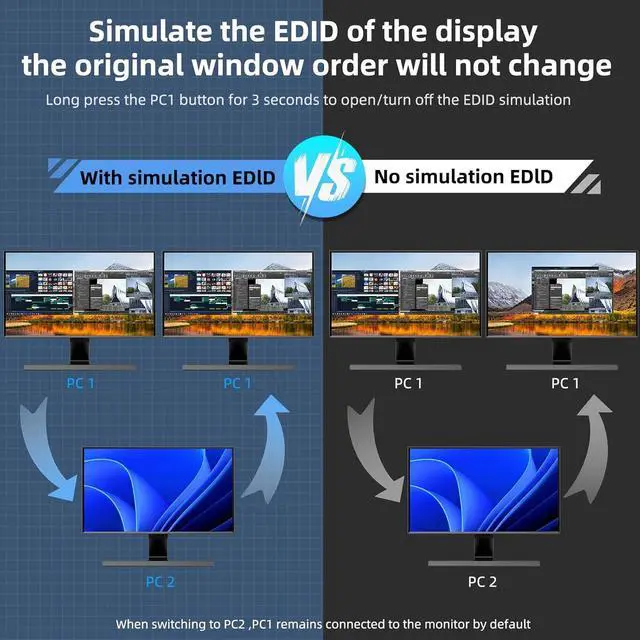
- Support Simulation EDIDCamgeet 4 Port HDMI KVM switch , With EDID function, the original windows will not be changed when switching between 4 computers. You can turn ON/ OFF EDID according
+
+
Overview
Reviews

Any questions? Our AI beta will help you find out quickly.
Try me now
4 computers share 1 monitor and 1 set of keyboard and mouse
Each PC requires 1*HDMI+1*USB cable to connect to KVM (supports USB-C/Displayport/DVI/VGA to HDMI cable or converter)
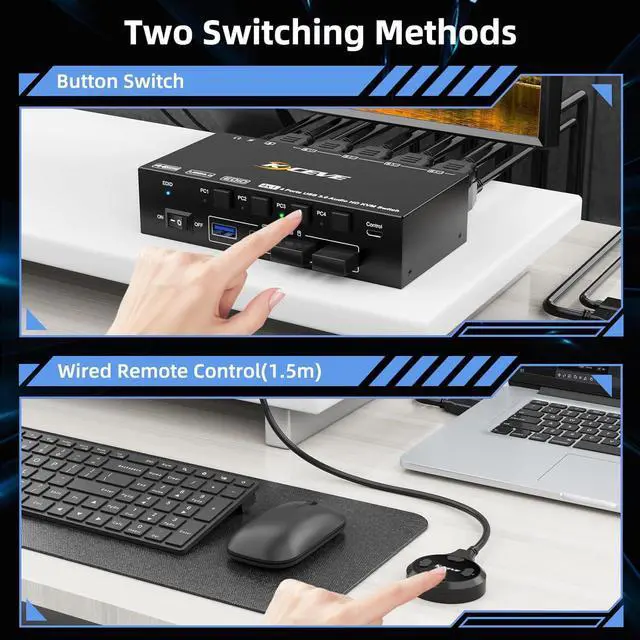
No need to cycle switching, 4 buttons indicate 4 computers
Restart KVM with one click, no need to unplug and plug cables back and forth
Our KVM switch can simulate the EDID of the display, When switching between four computers, the original window order will not change.
Make KVM work smoother and more stable when using high-power USB devices.(Suitable for DC 5-12V)
Laptop/Desktop (HDMI Port)Just use 1*HDMI +1*USB cable to connect the PC and KVM.Desktop (only DP Port)Requires 1*USB cable+1*DP to HDMI cable or (DP to HDMI converter + HDMI cable)Laptop(only USB-C Port)Requires 1*USB cable+1*USB-C to HDMI cable or (USB-C to HDMI converter + HDMI cable)PC with VGA or DVI PortSupports VGA or DVI to HDMI cable, but the resolution is up to 1080P, which is not recommended.Monitor(HDMI Port)Just use 1*HDMI to connect the KVM and Monitor.Monitor(DP Port)Requires 1*HDMI to DP cable with USB powerd or (HDMI to DP converter with USB powerd+ DP cable),Not recommendedMonitor(only DVI Port)1*HDMI to DVI cable or (HDMI to DVI converter + DVI cable)Monitor(only VGA Port)1*HDMI to VGA cable or (HDMI to VGA converter + VGA cable)About resolutionUsing conversion cables or converters may cause resolution to drop, flicker or the monitor to not work (depending on their quality and compatibility) It is recommended to use HDMI2.0/2.1 cable, and the length of a single cable should be controlled within 1.5 meters. Simplifying Office Corresponding indicator light ON/OFF switch EDID simulation 12V power adapter (included) How to use this KVM with computers/monitor without HDMI port
Each PC requires 1*HDMI+1*USB cable to connect to KVM (supports USB-C/Displayport/DVI/VGA to HDMI cable or converter)
No need to cycle switching, 4 buttons indicate 4 computers
Restart KVM with one click, no need to unplug and plug cables back and forth
Our KVM switch can simulate the EDID of the display, When switching between four computers, the original window order will not change.
Make KVM work smoother and more stable when using high-power USB devices.(Suitable for DC 5-12V)
Laptop/Desktop (HDMI Port)Just use 1*HDMI +1*USB cable to connect the PC and KVM.Desktop (only DP Port)Requires 1*USB cable+1*DP to HDMI cable or (DP to HDMI converter + HDMI cable)Laptop(only USB-C Port)Requires 1*USB cable+1*USB-C to HDMI cable or (USB-C to HDMI converter + HDMI cable)PC with VGA or DVI PortSupports VGA or DVI to HDMI cable, but the resolution is up to 1080P, which is not recommended.Monitor(HDMI Port)Just use 1*HDMI to connect the KVM and Monitor.Monitor(DP Port)Requires 1*HDMI to DP cable with USB powerd or (HDMI to DP converter with USB powerd+ DP cable),Not recommendedMonitor(only DVI Port)1*HDMI to DVI cable or (HDMI to DVI converter + DVI cable)Monitor(only VGA Port)1*HDMI to VGA cable or (HDMI to VGA converter + VGA cable)About resolutionUsing conversion cables or converters may cause resolution to drop, flicker or the monitor to not work (depending on their quality and compatibility) It is recommended to use HDMI2.0/2.1 cable, and the length of a single cable should be controlled within 1.5 meters. Simplifying Office Corresponding indicator light ON/OFF switch EDID simulation 12V power adapter (included) How to use this KVM with computers/monitor without HDMI port
Warranty & Returns
Warranty, Returns, And Additional Information
Warranty
- Please contact the Seller directly for warranty information. Warranty information may also be found on the Manufacturer's website.
- CONTACT
Return Policies
- Return for refund within: 30 days
- Return for replacement within: 30 days
- This item is covered by DHINGDOM TRADING CO., LIMITED Return Policy
Manufacturer Contact Info
- For a directory of all our manufacturers, please click below.
- Manufacturers Directory
LOADING...