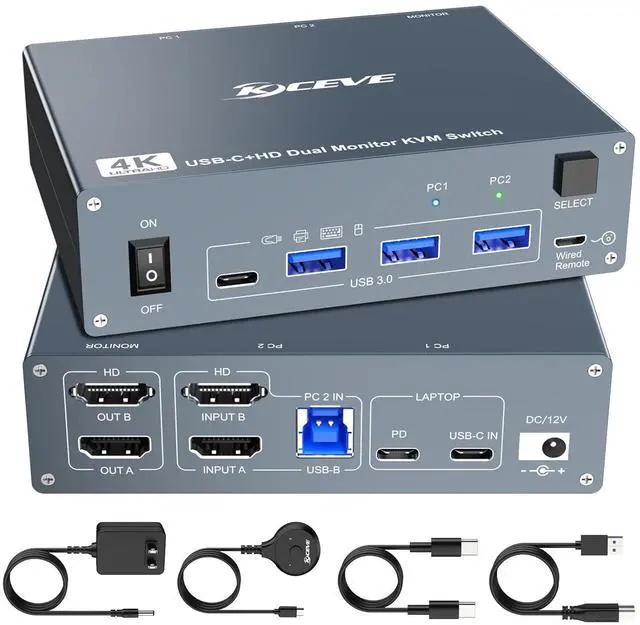
Dual monitor:Supports mirroring and extended output modes
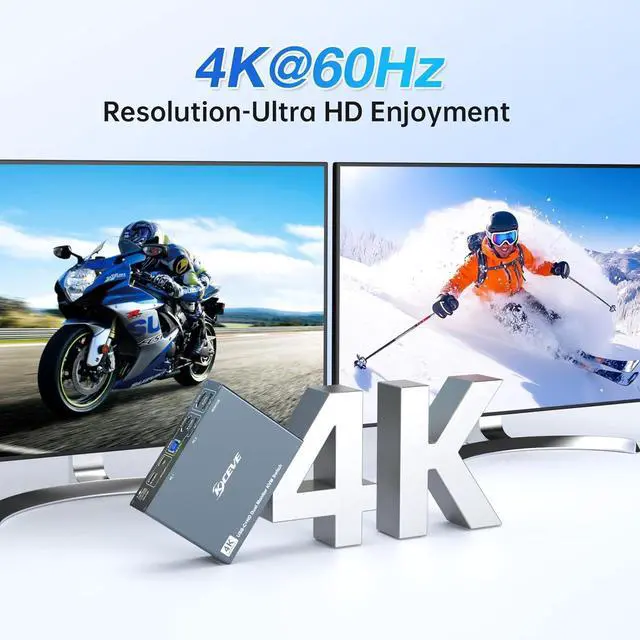
Supports 4K@60Hz:Please use high-quality cables
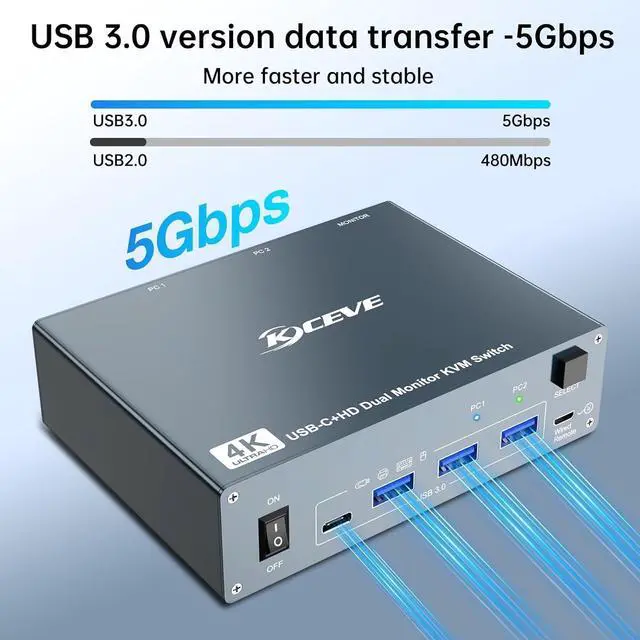
With 3*USB-A and 1*USB-C ports:Ultra-fast transfer with USB3.0 Ports--5Gbps
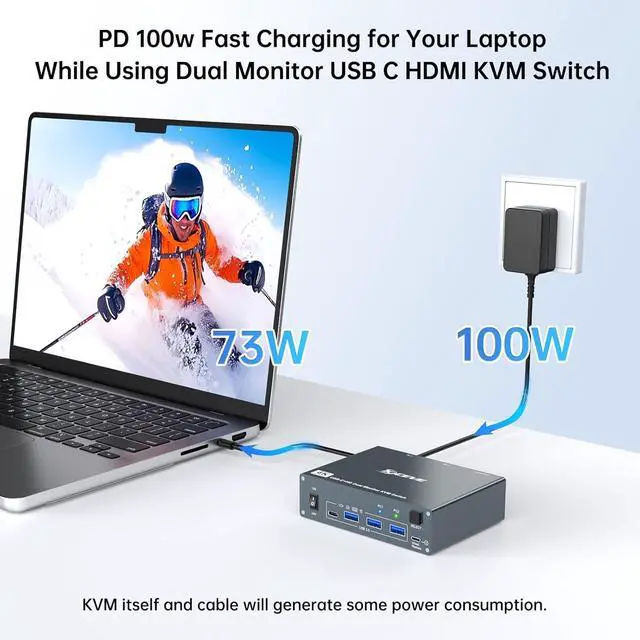
100W PD:Fast charging for Laptop while using this 2 monitor KVM switch
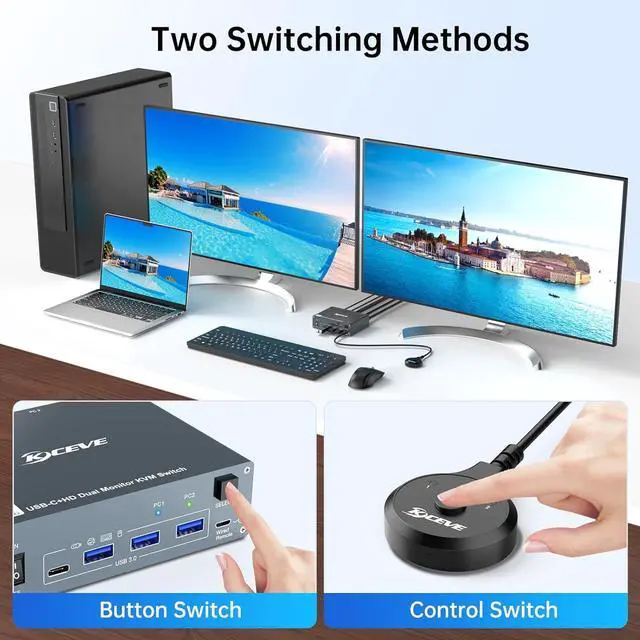
Just plug and play and without any installation,two switching methods are provided: physical button switch or wired remote(included).
This 2 computers 2 monitors switch driver-free for Windows,Mac OS,Linux and Chrome OS.Compatible with Desktop,Laptop and mini box.It is widely applied for conference room,multimedia classroom,home,and other environments,etc
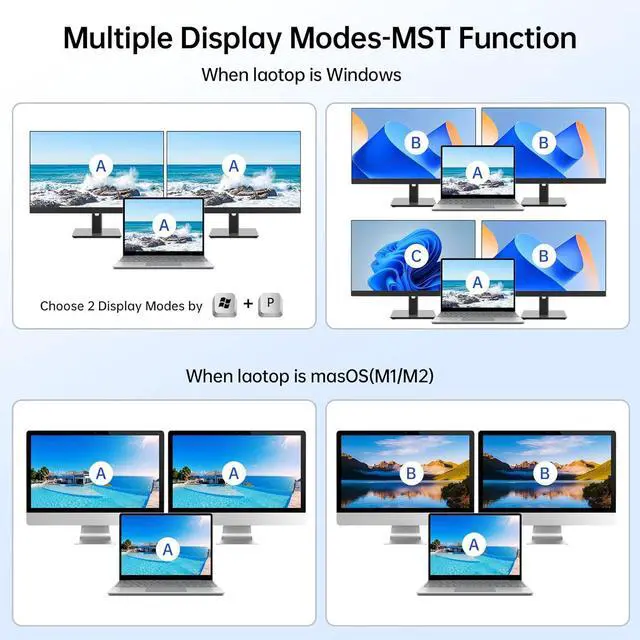
Dual monitor KVM for Laptop and Desktop supports mirroring and extended output modes,you can choose extend mode or mirror mode between two monitors as required,the extended mode can output two different screens and the mirror mode can output two identical screens.
Press "Windows + P" to select mirror mode or extended mode
Note:When your laptop is masOS(M1/M2),this KVM switch does not support the extension mode,only support mirror mode
USB devices ports:3*USB-A &1*USB-C
KVM Switch 2 monitors 2 computers with 4 USB 3.0 ports can be used to 2 PCs share USB devices,keyboard,mouse,camera,etc.The USB 3.0 transmission is more stable and faster--10 times faster than USB 2.0.A 12V power supply (included) is required when using high-power USB devices.
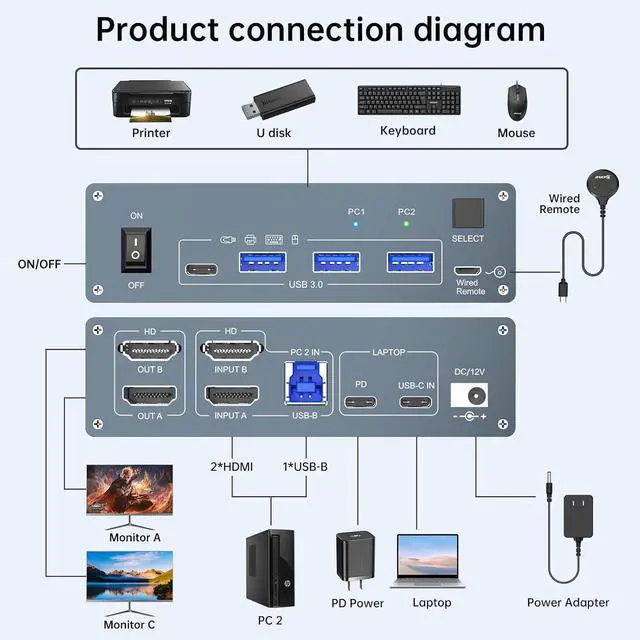
How to use our KVM switch?
DC12V Power port: Connect the DC 12V adapter to the KVM.
Input: For laptops(PC1) connect the laptop to the KVM using a USB-C to USB-C cable. If you need to charge your laptop,connect the laptop's power adapter to the KVM's PD port.For desktop(PC2): 2 * HDMI+1 * USB-B cable are required to connect the desktop to KVM. If your desktop does not have 2 HDMI ports, you can use a Displayport to HDMI cable.
Output: two monitors connected to the KVM via HDMI ports
Peripherals: mouse,keyboard,Printer and U-Disk linked via USB Port.
If you need to use wired remote control to plug into the wired remote port.You can achieve long-distance switching
NOTE:1x USB C cable and 1x USB A-B cable are in the packaging,but the HDMI cables is not in the box.You need to prepare the HDMI cables yourself.
AngTee KVM makes your life better.
No KVM Switch:Messy & Tired
Use KVM Switch:Tidy & Relaxed
Physical button switch:press the button on the KVM
Wired remote:you can hide the KVM switch under the table and keep desk tidy when using this wired remote.
USB-C&HDMI Dual Monitor KVM Switch for 2 computer--Designed for users who have USB C Laptopand HDMI computer USB C KVM Switch dual monitor allows you use 1 set of mouse,keyboard to control 1 laptop and 1 computer to share 2 monitors and 4 USB devices. Multiple Display Modes Product Connection Diagram Two easy switching methods