

Your Browsing History
- Free 30-day Returns
$23.09
Ships from China.

Meet Your Seller

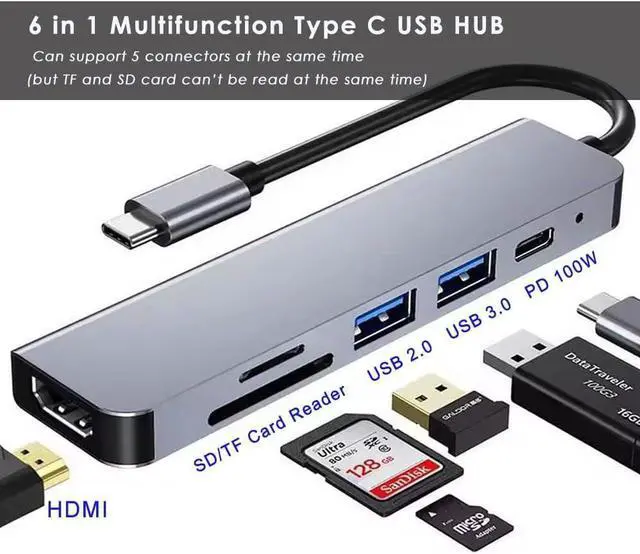
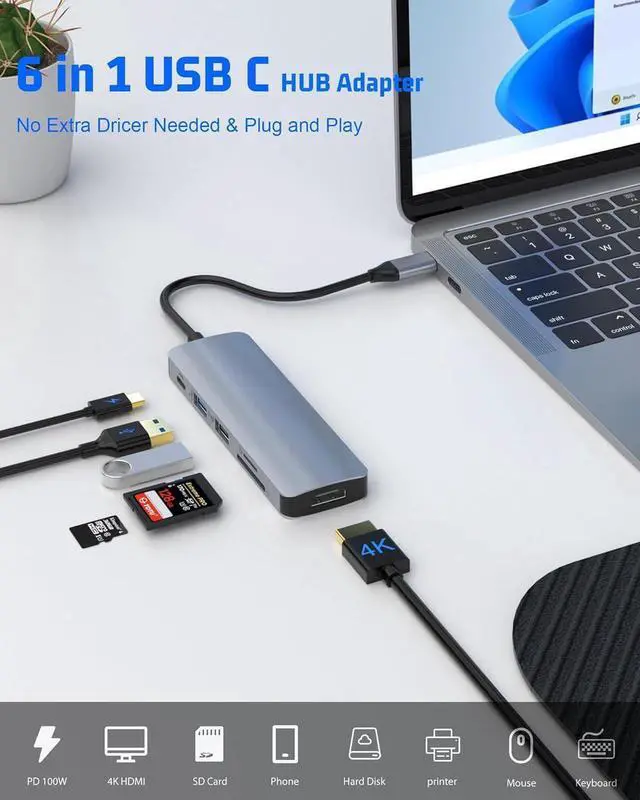


USB C Hub, 6-in-1 USB C to HDMI Adapter with 4K HDMI, 100W PD, USB 3.0, USB 2.0 and SD/TF Card Reader, Multiport Splitter Compatible with MacBook Air/Pro M1/M2, Surface Go and More
- 6-in-1 Connectivity: USB C Hub is equipped with a 100W USB C PD-IN port, a 4K HDMI port, a 5 Gbps USB 3.0 Port, a 480 Mbps USB 2.0 ports, a 104 MB/s SD Card slot, and a 104 MB/s TF Card slot
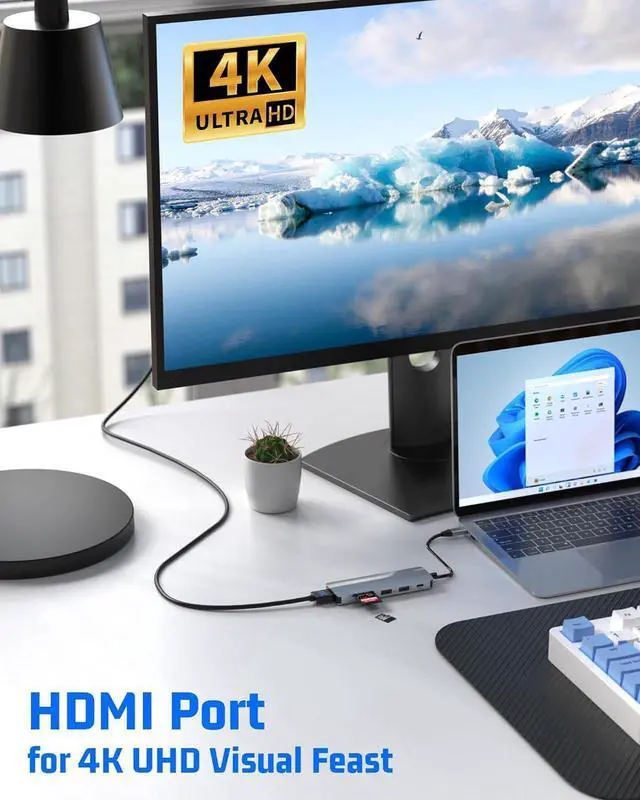
- 4K HDMI Port : Supports media display at resolutions up to 4K@30Hz
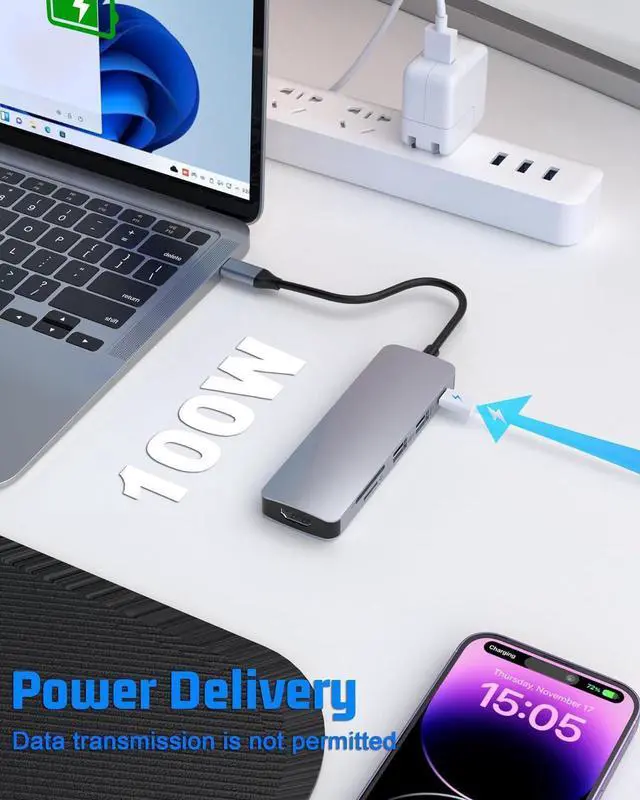
- PD-IN Port : Supports up to 100W pass-through charging. Does not support data transmission
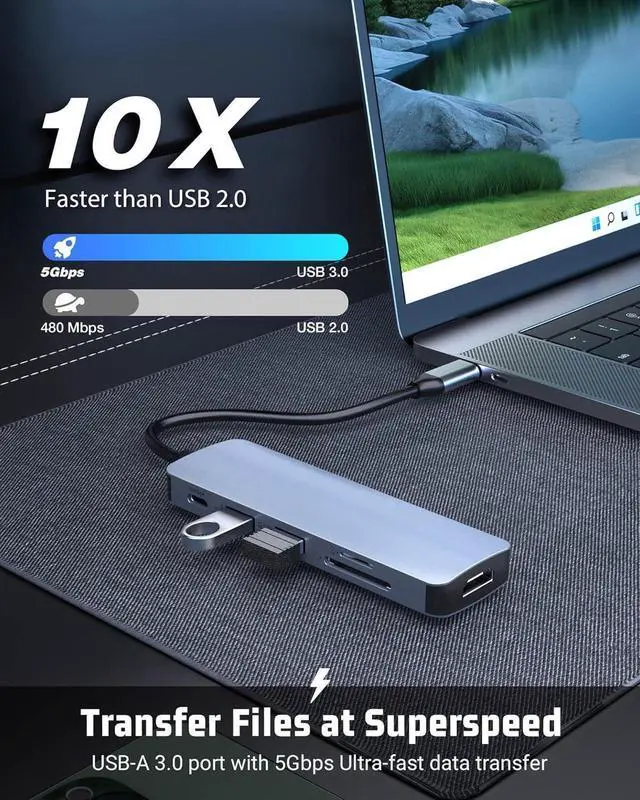
- 1 x USB-A 3.0 port : Up to 5 Gbps to the USB-A 3.0 port which is 10 times faster than USB-A 2.0
- 1 x USB-A 2.0 ports : Up to 480 Mbps (USB 2.0). Perfectly connected to your mice, keyboards, USB fans, printers, etc
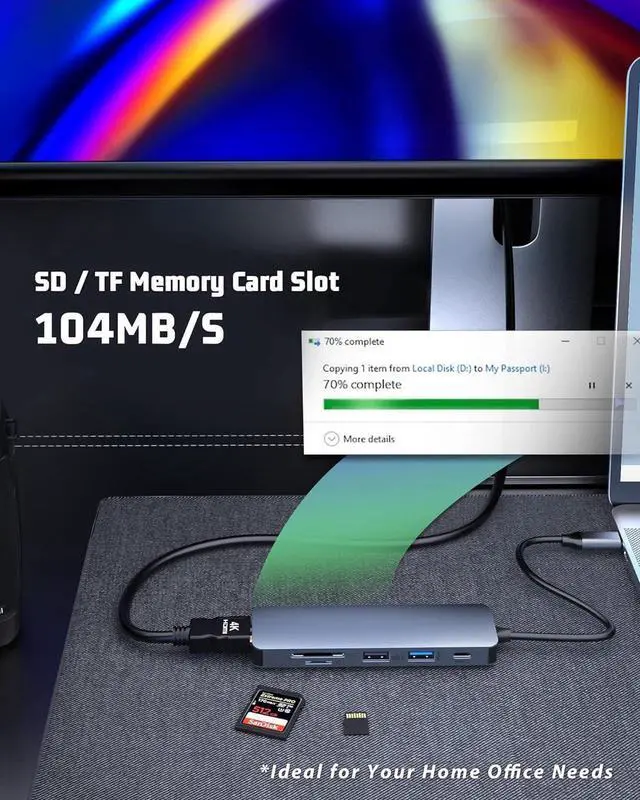
- SD and TF card slot : Up to 104 MB/s (USB 2.0). Does not support reading of 2 cards simultaneously
+
+
Overview
Specs
Reviews

Any questions? Our AI mode will help you find out quickly.
Try me now
8 IN 1 Multifunctional USB C Adapter
USB C HUB features 100W USB-C charging port, USB 3.0 interface, USB 2.0 interface, PD fast charging interface, 4K HDMI interface, SD / TF card reader slotson. You can connect keyboard, mouse, USB driver, external hard drive to your Type-C device.
USB C Hub 6 in 1 Multiport Adapter
FEATURE:
Fast charging requires fast charging adapter and fast charging cable
SD card and TF card cannot be read at the same time
To stabilize the connection, it is best not to use this adapter with high power consumption devices
USB C Hub 6 in 1 Multiport Adapter
USB C HUB 6 IN 1Your perfect partner
HDMI: Supports 4K*2K (3840x2160) 30Hz
USB 3.0: Data transfer speed up to 5Gbps
USB 2.0: Can be connected to mouse, keyboard, etc.
PD charging port: supports up to 100W fast charging
SD card slot: speed up to 104 MB / s
TF card slot: speed up to 104 MB / s
USB C Hub 6 in 1 Multiport Adapter
4K HDMI Video Output
USB C Hub HDMI interface, connect TV, projector, monitor and other large screen devices, Enjoy the charm of big screen, more convenient for office work. (HDMI: Support 4K * 2K @ 30Hz 3840x2160, backward compatible).
USB C Hub 6 in 1 Multiport Adapter
100W PD 3.0 Fast Charging
Safe PD charging The USB-C hub uses PD (Power Delivery) protocol and supports fast charging up to 100W, so you won't have any charging problems. (Note: fast charging requires a fast charging adapter).
USB C Hub 6 in 1 Multiport Adapter
USB 3.0 High Speed Transfer
The USB 3.0 port can reach up to 5 Gbps transfer speed and large files can be transferred in seconds, saving you a lot of time. You can easily connect your keyboard, mouse and USB hard drive to your laptop via the USB 2.0 port of this USB-C hub.
USB C Hub 6 in 1 Multiport Adapter
SD/TF card easily readable
This USB C HUB has SD/TF card slot, which can solve the problem of difficult card reading on laptop without card slot (Note: SD/TF card cannot be read at the same time).
USB C Hub 6 in 1 Multiport Adapter
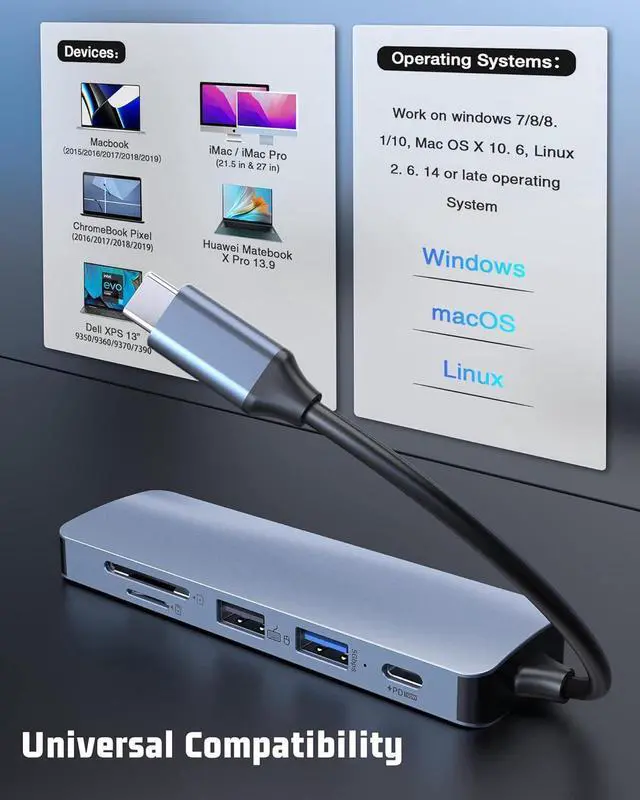
Wide Compatibility for Almost Type C Devices
1.
Compatible Laptop Include:
MacBook Air M3/M2/M1/2023/2022/2021/2020/2019/2018;
MacBook Pro M3/M2/M1/2023/2022/2021/2020/2019/2018/2017/2016;
iMac 2019 to 2017/iMac Pro/Mac Mini/New MacBook with Thunderbolt 3;
iPad Pro 2023/2022/2021/2020/2019/2018 with IOS 13.0 and above
Switch (2021/2020/2019/2018/2017)
Google Pixelbook/Chromebook Pixel
HP Spectre 13/Spectre X360/ENVY 13/ENVY X360/HP EliteBook Folio G1
DELL XPS 13/XPS 15/XPS12 9250/Precision 5510/Inspiron 15 7000/Latitude 7285
AS-US Chromebook Flip/ZenBook3/ZenBook Pro/Asus ZenBook Flip/Transformer 3 Pro T303UA
Acer swift 7/Acer Chromebook/Xiaomi Mi Notebook Air 12.5 / 13.3 /Mi Notebook Pro 15.6 ", and more
Microsoft Surface Pro X/Surface Go/Surface Book 2/Surface Pro 7/Surface Laptop 3/Microsoft Lumia 950/950 XL
Samsun*g Chromebook Pro/Plus Notebook 9 13" Galaxy Book 12" Galaxy Book 10.6 Galaxy Tab Pro S 12" Samsun*g Tab S6/S5e/S4
Lenovo Yoga/Yoga5 Pro/Yoga6 Pro/900/910/920/720/ThinkPad P50/ P70
2. Compatible Type-C 3.0
Phone Include:
iPhone15/15 Plus/15Pro/15Pro Max
HTC One U11/10/BlackBerry DTEK60/Oneplus 7 Pro/and more,
LG V20/G7/V50/V40/V30/G5 and more USB-c Port phone
HuaweiP50/50Pro/Mate40/Mate40Pro/P40/P40Pro/P30/P30Pro/P20/P20Pro/Mate30/Mate30pro/Mate 20/Mate20Pro/Mate10/Mate10Pro;
OPPO: OPPO Find Series
Samsun*gGalaxyS22/UltraS21/Plus/S21/S20 Plus/S20/S10e/S10/S10Plus/S9/S9 Plus/S8/S8Plus/Note10/Note10Plus/Note9/Note8
3.
Supported Operating System:
Chrome OS
Linux ( 2.6. 14 or later)
Android ( 7.0 or later)
Mac (OS X 10.2 or later)
Windows (11/10/8/7/Vista/XP)
4.
Supported Resolution:
up to 4K@30HZ, also down compatible with resolution 2K@60Hz, 1080P@60Hz, 1080P, 720P
Warm Tips:
TF and SD card can't read at the same time.
Media display is only supported via the HDMI port. This hub does not support media display via the USB C ports, including when using a USB-C to HDMI cable, or USB-C to DisplayPort cable.
Pls do not plug and unplug the HDMI port when the hub is power on.
We suggest just one HDD/SSD is connected at a time due to the power output limitations of some laptops.
If the wireless network is affected, please set your router from 2.4GH z to 5GHz.
USB C HUB features 100W USB-C charging port, USB 3.0 interface, USB 2.0 interface, PD fast charging interface, 4K HDMI interface, SD / TF card reader slotson. You can connect keyboard, mouse, USB driver, external hard drive to your Type-C device.
USB C Hub 6 in 1 Multiport Adapter
FEATURE:
Fast charging requires fast charging adapter and fast charging cable
SD card and TF card cannot be read at the same time
To stabilize the connection, it is best not to use this adapter with high power consumption devices
USB C Hub 6 in 1 Multiport Adapter
USB C HUB 6 IN 1Your perfect partner
HDMI: Supports 4K*2K (3840x2160) 30Hz
USB 3.0: Data transfer speed up to 5Gbps
USB 2.0: Can be connected to mouse, keyboard, etc.
PD charging port: supports up to 100W fast charging
SD card slot: speed up to 104 MB / s
TF card slot: speed up to 104 MB / s
USB C Hub 6 in 1 Multiport Adapter
4K HDMI Video Output
USB C Hub HDMI interface, connect TV, projector, monitor and other large screen devices, Enjoy the charm of big screen, more convenient for office work. (HDMI: Support 4K * 2K @ 30Hz 3840x2160, backward compatible).
USB C Hub 6 in 1 Multiport Adapter
100W PD 3.0 Fast Charging
Safe PD charging The USB-C hub uses PD (Power Delivery) protocol and supports fast charging up to 100W, so you won't have any charging problems. (Note: fast charging requires a fast charging adapter).
USB C Hub 6 in 1 Multiport Adapter
USB 3.0 High Speed Transfer
The USB 3.0 port can reach up to 5 Gbps transfer speed and large files can be transferred in seconds, saving you a lot of time. You can easily connect your keyboard, mouse and USB hard drive to your laptop via the USB 2.0 port of this USB-C hub.
USB C Hub 6 in 1 Multiport Adapter
SD/TF card easily readable
This USB C HUB has SD/TF card slot, which can solve the problem of difficult card reading on laptop without card slot (Note: SD/TF card cannot be read at the same time).
USB C Hub 6 in 1 Multiport Adapter
Wide Compatibility for Almost Type C Devices
1.
Compatible Laptop Include:
MacBook Air M3/M2/M1/2023/2022/2021/2020/2019/2018;
MacBook Pro M3/M2/M1/2023/2022/2021/2020/2019/2018/2017/2016;
iMac 2019 to 2017/iMac Pro/Mac Mini/New MacBook with Thunderbolt 3;
iPad Pro 2023/2022/2021/2020/2019/2018 with IOS 13.0 and above
Switch (2021/2020/2019/2018/2017)
Google Pixelbook/Chromebook Pixel
HP Spectre 13/Spectre X360/ENVY 13/ENVY X360/HP EliteBook Folio G1
DELL XPS 13/XPS 15/XPS12 9250/Precision 5510/Inspiron 15 7000/Latitude 7285
AS-US Chromebook Flip/ZenBook3/ZenBook Pro/Asus ZenBook Flip/Transformer 3 Pro T303UA
Acer swift 7/Acer Chromebook/Xiaomi Mi Notebook Air 12.5 / 13.3 /Mi Notebook Pro 15.6 ", and more
Microsoft Surface Pro X/Surface Go/Surface Book 2/Surface Pro 7/Surface Laptop 3/Microsoft Lumia 950/950 XL
Samsun*g Chromebook Pro/Plus Notebook 9 13" Galaxy Book 12" Galaxy Book 10.6 Galaxy Tab Pro S 12" Samsun*g Tab S6/S5e/S4
Lenovo Yoga/Yoga5 Pro/Yoga6 Pro/900/910/920/720/ThinkPad P50/ P70
2. Compatible Type-C 3.0
Phone Include:
iPhone15/15 Plus/15Pro/15Pro Max
HTC One U11/10/BlackBerry DTEK60/Oneplus 7 Pro/and more,
LG V20/G7/V50/V40/V30/G5 and more USB-c Port phone
HuaweiP50/50Pro/Mate40/Mate40Pro/P40/P40Pro/P30/P30Pro/P20/P20Pro/Mate30/Mate30pro/Mate 20/Mate20Pro/Mate10/Mate10Pro;
OPPO: OPPO Find Series
Samsun*gGalaxyS22/UltraS21/Plus/S21/S20 Plus/S20/S10e/S10/S10Plus/S9/S9 Plus/S8/S8Plus/Note10/Note10Plus/Note9/Note8
3.
Supported Operating System:
Chrome OS
Linux ( 2.6. 14 or later)
Android ( 7.0 or later)
Mac (OS X 10.2 or later)
Windows (11/10/8/7/Vista/XP)
4.
Supported Resolution:
up to 4K@30HZ, also down compatible with resolution 2K@60Hz, 1080P@60Hz, 1080P, 720P
Warm Tips:
TF and SD card can't read at the same time.
Media display is only supported via the HDMI port. This hub does not support media display via the USB C ports, including when using a USB-C to HDMI cable, or USB-C to DisplayPort cable.
Pls do not plug and unplug the HDMI port when the hub is power on.
We suggest just one HDD/SSD is connected at a time due to the power output limitations of some laptops.
If the wireless network is affected, please set your router from 2.4GH z to 5GHz.
Warranty & Returns
Warranty, Returns, And Additional Information
Warranty
- Please contact the Seller directly for warranty information. Warranty information may also be found on the Manufacturer's website.
- CONTACT
Return Policies
- Return for refund within: 30 days
- Return for replacement within: 30 days
- This item is covered by XYFEE Return Policy
Manufacturer Contact Info
- For a directory of all our manufacturers, please click below.
- Manufacturers Directory
LOADING...