

Your Browsing History

Meet Your Seller

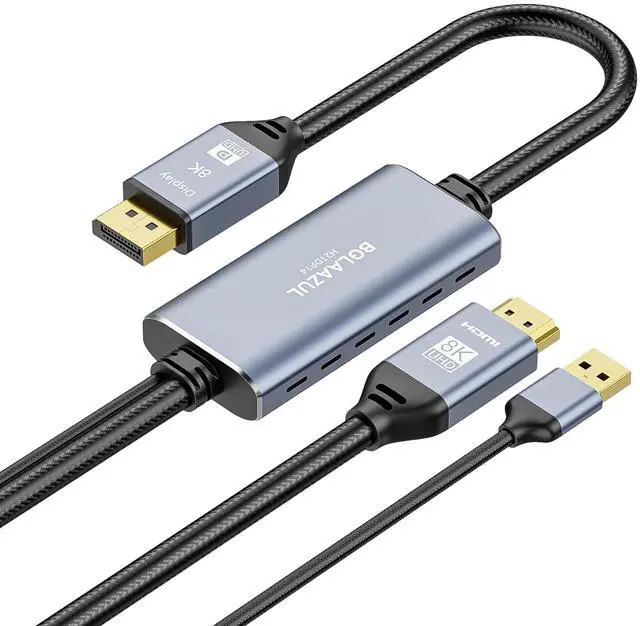


BolAAzuL HDMI 2.1 to DisplayPort Adapter Cable Uni-Directional, from HDMI Source to Display Port Display, Not Displayport to HDMI, Support 8K@30Hz 4K@120Hz 2K@144Hz, USB-Powered, Braided, 2M
- Unidirectional Transmission: Only support from HDMI source to DisplayPort display/monitor, not work from DP to HDMI
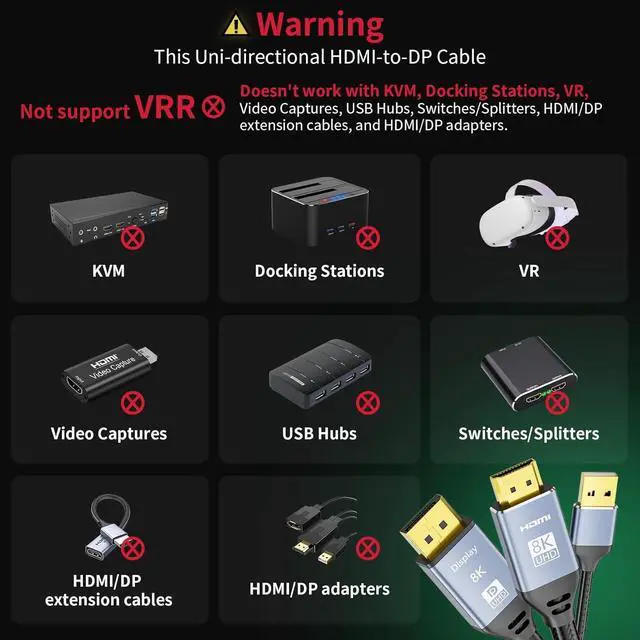
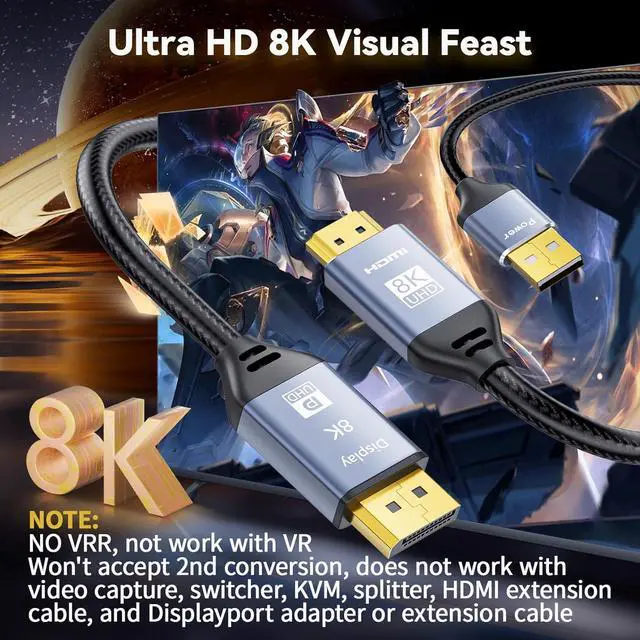
- Important Note: 1)NO VRR. This HDMI input to Displayport output cable won't accept 2nd conversion. Not working with VR headset, docking station, video capture, switcher/splitter, KVM, and HDMI/Displayport adapter/extension cable. 2)The HDMI 2.1 to Displayport 1.4 out converter cable is a bypass cable. It cannot downscale or upscale, the resolutions and refresh rates
- For PS4 Pro/PS5 Users: Can only output standard HDTV 4K resolution 3840X2160@60Hz. To get 4K resolutions, you need to make sure the Displayport of your monitor is capable of supporting 3840X2160@60Hz and HDCP 2.2. If your monitor does not support 3840X2160@60Hz, the 4K option won't be available
- For Xbox Series X/(S) Users: 1) If the DisplayPort of your monitor does not support 3840X2160@120Hz, the UHD 4K 120Hz output from your Xbox Series X won't be available. 2) If your monitor's DisplayPort only supports
+
+
Overview
Specs
Reviews

Any questions? Our AI mode will help you find out quickly.
Try me now
1. Unidirectional HDMI to Displayport
1) The HDMI to Displayport cable is not a Bi-direction cable, it works only from HDMI in to Displayport out.
2) You can not connect a PC or laptop with a Displayport to a monitor or HDTV with an HDMI port.
2. Standard HDTV resolutions only
This HDMI to Displayport cable supports only Standard HDTV resolutions input and out such as 1080@60Hz,3840X2160@60Hz.
3. External power supply needed
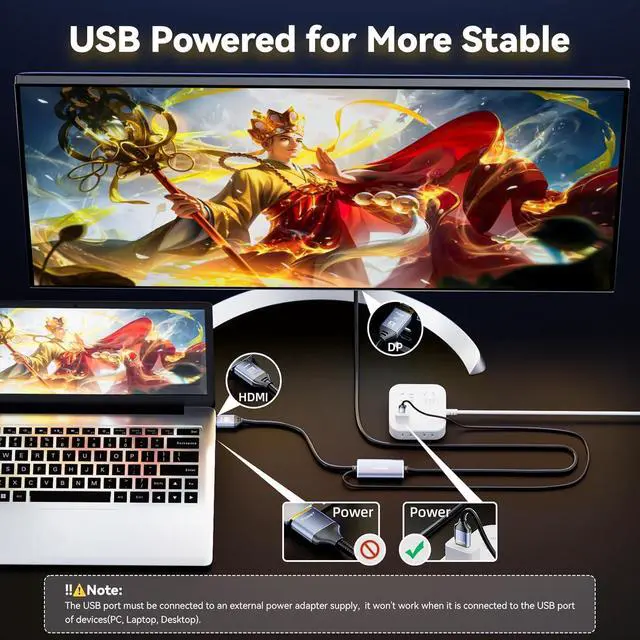
External 5V 1A and above power supply is always needed. Please connect the USB plug of the cable to the 5V external power supply (a 5V power adapter is not included).
4. Not work with VRR, VR, Headset, DP 1.2 extension cable
This HDMI to Displayport cable won't accept 2nd conversion. The HDMI plug of this cable must be inserted into the HDMI port of the video source directly. Please DO NOT connect the HDMI plug and Displayport Plug to any other video devices such as docking station, video capture, switcher, KVM, splitter, HDMI extension cable, and Displayport adapter or extension cable, that won't work.
This cable is relatively heavy and not slim in design.
Additionally, the connectors may produce heat when using the cable, which is a normal occurrence. If this is a concern, please exercise caution when considering purchasing this product.
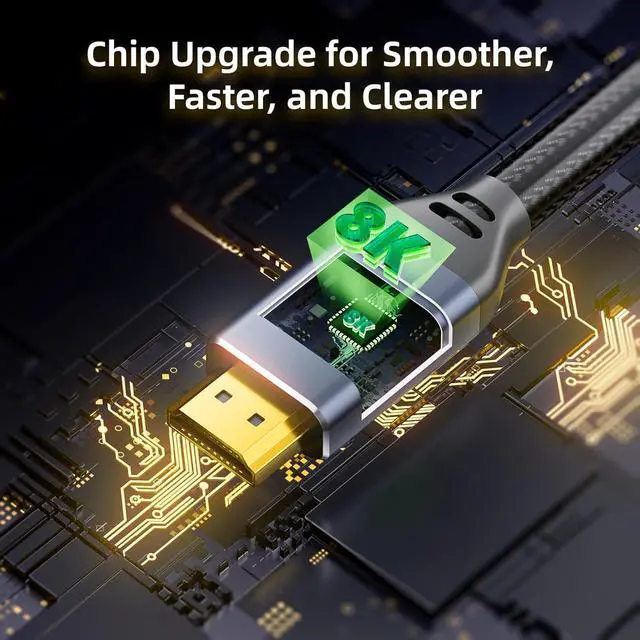
This video convert cable is an HDMI 2.1 in to DisplayPort 1.4 out cable with a built-in signal processing chip.
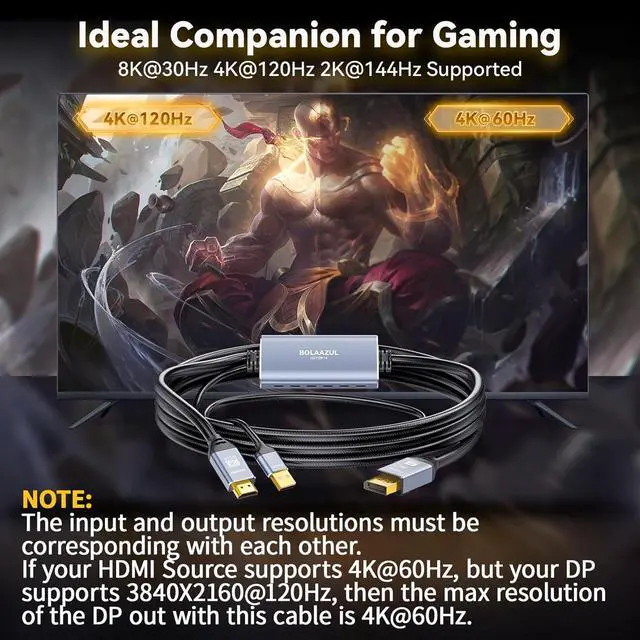
144Hz HDMI to DisplayPort : When both the HDMI video source and Display support 144Hz refresh rates, you can get up to 144Hz over the DisplayPort out. It supports Ultra HD resolutions up to 8K(7680*4320)/30HZ, 4K/120Hz, and 2K/144Hz.
It lets you connect an HDMI video source, such as your laptop, desktop, PS4, PS4 Pro, PS5, or Xbox Series X/S to a DisplayPort monitor or projector. And it supports in and out resolutions up to 7680X4320@30Hz(bypass only).
Cost-Effective
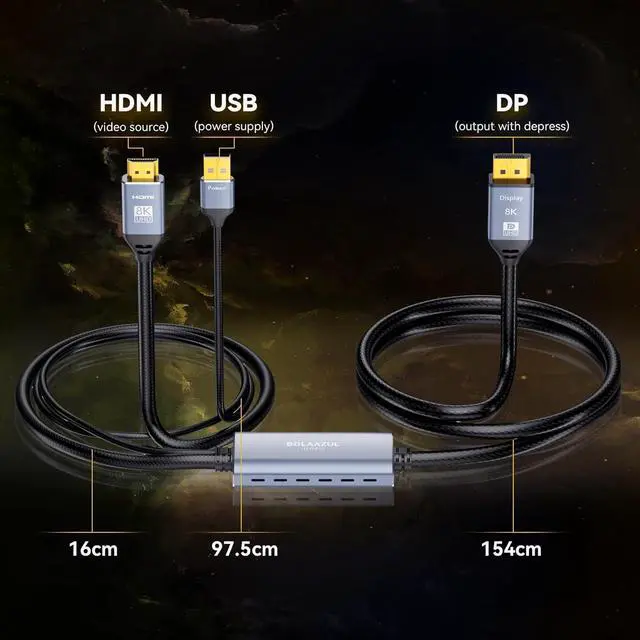
The HDMI 2.1 to Displayport 1.4 adapter cable from BolAAzuL comes with a male plug on both ends and you can connect the HDMI video source and Display with DisplayPort without any extra DP or HDMI cable.
Plug the HDMI male plug into the HDMI port of the video source, and the Displayport male plug into the DP port of the display.
Connect the USB plug of this 8k hdmi to dp cable to a 5V 2A USB wall charger (not included).
Why my DisplayPort display is not working?
Please make sure you have plugged the USB male plug of this cable into a 5V 2A power adapter. If there is still no display on the monitor, please set the resolutions and refresh rates to no more than the max of the DisplayPort of your monitor.
Why my PS5 PS4 pro cannot output 4K resolutions with this cable?
Please make sure that the DisplayPort of your monitor supports 3840X2160@60Hz and HDCP 2.2. PS5 and PS4 Pro can only support standard 4K HDTV resolutions, namely,3840X2160@60Hz. If The DP port of your Ultrawide Curved Monitors DisplayPort is 3440X1140, normally you cannot get 4K when using this cable.
The 4K UHD option of the Xbox series X is not available?
Please make sure that the DisplayPort of your monitor is DP 1.2 and above. The DisplayPort of the monitor must support 3840X2160@60Hz standard 4K UHD resolutions instead of ultra-wide resolutions such as 3440X1440.
Whats the max. refresh rates this cable can support?
This cable is an HDMI 2.1 to DisplayPort 1.4 cable, it can support 7840X4320@30Hz, 3840X2160@120Hz, 2560X1600@120Hz, 2560X1440@144hz.
My PC and monitor support 8K/30Hz, 5K/120Hz, 4K/120Hz, and 2K/144Hz, but why I cannot get such over this cable?
In some cases, you need to set such resolutions manually via the display settings in Windows and Macs. Or the video card displays settings like Nvidia and AMD control Panel.
Important Information: Warm Reminder: HDMI-to-DP Cable; NOT DisplayPort to HDMI direction 8K HDMI 2.1 to DisplayPort
1) The HDMI to Displayport cable is not a Bi-direction cable, it works only from HDMI in to Displayport out.
2) You can not connect a PC or laptop with a Displayport to a monitor or HDTV with an HDMI port.
2. Standard HDTV resolutions only
This HDMI to Displayport cable supports only Standard HDTV resolutions input and out such as 1080@60Hz,3840X2160@60Hz.
3. External power supply needed
External 5V 1A and above power supply is always needed. Please connect the USB plug of the cable to the 5V external power supply (a 5V power adapter is not included).
4. Not work with VRR, VR, Headset, DP 1.2 extension cable
This HDMI to Displayport cable won't accept 2nd conversion. The HDMI plug of this cable must be inserted into the HDMI port of the video source directly. Please DO NOT connect the HDMI plug and Displayport Plug to any other video devices such as docking station, video capture, switcher, KVM, splitter, HDMI extension cable, and Displayport adapter or extension cable, that won't work.
This cable is relatively heavy and not slim in design.
Additionally, the connectors may produce heat when using the cable, which is a normal occurrence. If this is a concern, please exercise caution when considering purchasing this product.
This video convert cable is an HDMI 2.1 in to DisplayPort 1.4 out cable with a built-in signal processing chip.
144Hz HDMI to DisplayPort : When both the HDMI video source and Display support 144Hz refresh rates, you can get up to 144Hz over the DisplayPort out. It supports Ultra HD resolutions up to 8K(7680*4320)/30HZ, 4K/120Hz, and 2K/144Hz.
It lets you connect an HDMI video source, such as your laptop, desktop, PS4, PS4 Pro, PS5, or Xbox Series X/S to a DisplayPort monitor or projector. And it supports in and out resolutions up to 7680X4320@30Hz(bypass only).
Cost-Effective
The HDMI 2.1 to Displayport 1.4 adapter cable from BolAAzuL comes with a male plug on both ends and you can connect the HDMI video source and Display with DisplayPort without any extra DP or HDMI cable.
Plug the HDMI male plug into the HDMI port of the video source, and the Displayport male plug into the DP port of the display.
Connect the USB plug of this 8k hdmi to dp cable to a 5V 2A USB wall charger (not included).
Why my DisplayPort display is not working?
Please make sure you have plugged the USB male plug of this cable into a 5V 2A power adapter. If there is still no display on the monitor, please set the resolutions and refresh rates to no more than the max of the DisplayPort of your monitor.
Why my PS5 PS4 pro cannot output 4K resolutions with this cable?
Please make sure that the DisplayPort of your monitor supports 3840X2160@60Hz and HDCP 2.2. PS5 and PS4 Pro can only support standard 4K HDTV resolutions, namely,3840X2160@60Hz. If The DP port of your Ultrawide Curved Monitors DisplayPort is 3440X1140, normally you cannot get 4K when using this cable.
The 4K UHD option of the Xbox series X is not available?
Please make sure that the DisplayPort of your monitor is DP 1.2 and above. The DisplayPort of the monitor must support 3840X2160@60Hz standard 4K UHD resolutions instead of ultra-wide resolutions such as 3440X1440.
Whats the max. refresh rates this cable can support?
This cable is an HDMI 2.1 to DisplayPort 1.4 cable, it can support 7840X4320@30Hz, 3840X2160@120Hz, 2560X1600@120Hz, 2560X1440@144hz.
My PC and monitor support 8K/30Hz, 5K/120Hz, 4K/120Hz, and 2K/144Hz, but why I cannot get such over this cable?
In some cases, you need to set such resolutions manually via the display settings in Windows and Macs. Or the video card displays settings like Nvidia and AMD control Panel.
Important Information: Warm Reminder: HDMI-to-DP Cable; NOT DisplayPort to HDMI direction 8K HDMI 2.1 to DisplayPort
Warranty & Returns
Warranty, Returns, And Additional Information
Warranty
- Please contact the Seller directly for warranty information. Warranty information may also be found on the Manufacturer's website.
- CONTACT
Return Policies
- Return for refund within: 30 days
- Return for replacement within: 30 days
- This item is covered by HAITAO CROSS BORDER E-COMMERCE LIMITED Return Policy
Manufacturer Contact Info
- For a directory of all our manufacturers, please click below.
- Manufacturers Directory
LOADING...