

Your Browsing History

Meet Your Seller

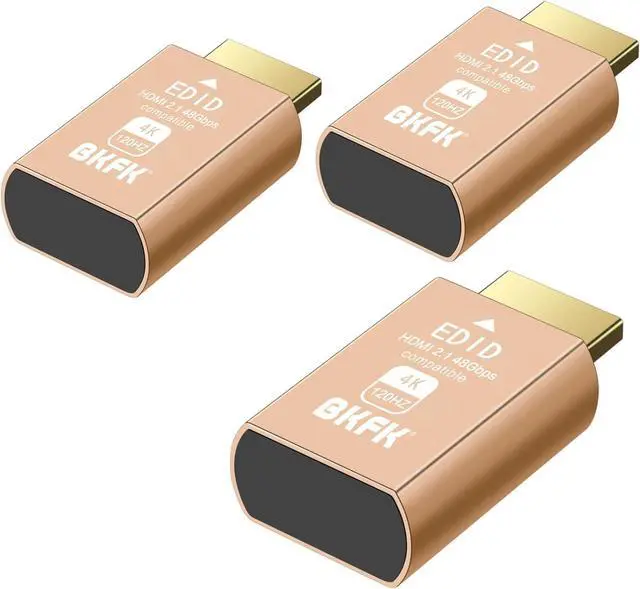


4K 120Hz hdmi Dummy Plug - Display to hdmi Adapter, Luna Display Virtual Window for Home-edid Emulator-Dummy, displayport Headless dummie dongle(HDMI-2.1port-4K-120Hz-3P)
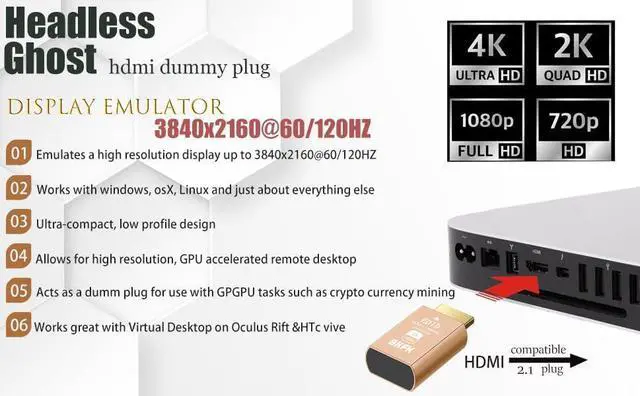
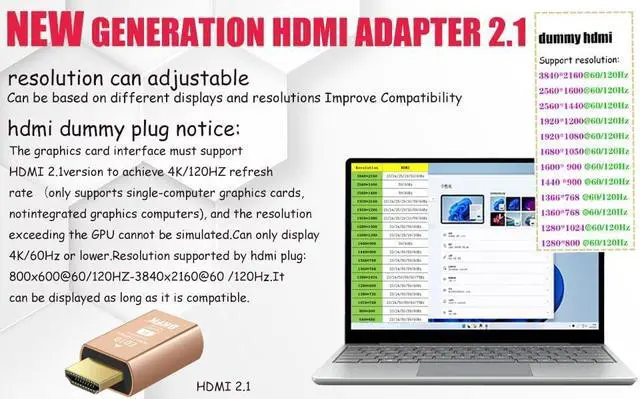
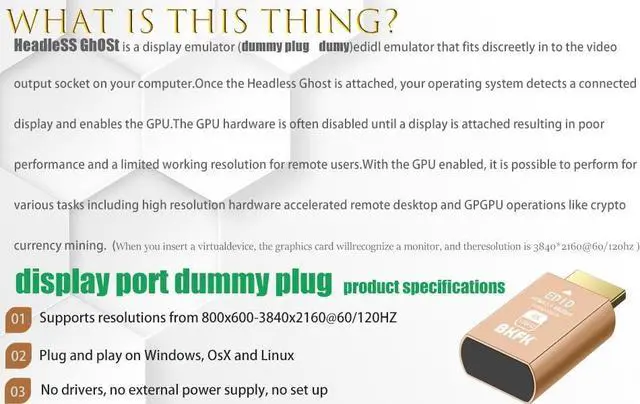
- Hdmi dummy plug Functionality: The 4K@120Hz HDMI dummy plug enables your PC to activate the GPU and create a virtual display for tasks, simulating high resolutions for remote control. Supports up to 4K@60Hz/120Hz, compatible with 1440p@60Hz/120Hz, 1080p@60Hz/120Hz, etc. (Notice: The graphics card interface must support HDMI 2.1 version to achieve 4K/120Hz refresh rate.)
- Dummy hdmi Advantages: Allows your computer to run "headless," offering a low-cost alternative to expensive real displays. Saves energy and is environmentally friendly. Ideal solution for servers, colocation farms, SOHO, home servers, and remotely deployed headless PCs.
- Hdmi dummy Easy to Use: Plug & Playno drivers, no software, no power required. Supports hot swapping. Low power consumption. Ensures stability for cryptocurrency mining, video rendering, and simulation mirroring.
- Hdmi 2.1 dummy plug Compatibility: Applicable to any discrete graphics card or laptop with HDMI output. Supports PC Windows, Mac Mini OSX,
+
+
Overview
Specs
Reviews

Any questions? Our AI mode will help you find out quickly.
Try me now
At BKFK, were dedicated to delivering professional-grade virtual display solutions. Our 4K@120Hz HDMI dummy plug is crafted for developers, gamers, and system builders who demand performance and reliability in headless environments. Whether you're using a Mac Mini, gaming GPU, or mining rig BKFK helps you unlock your GPUs full potential.
.
.
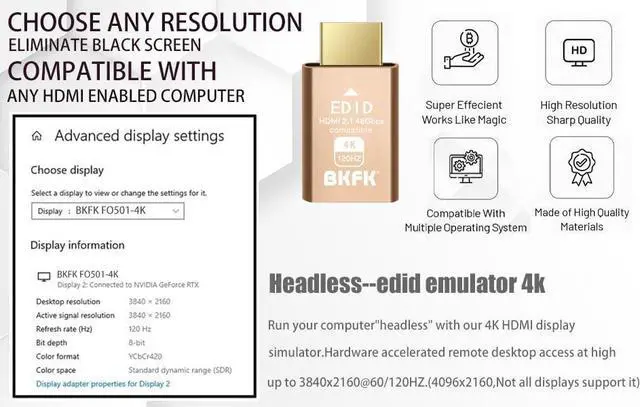
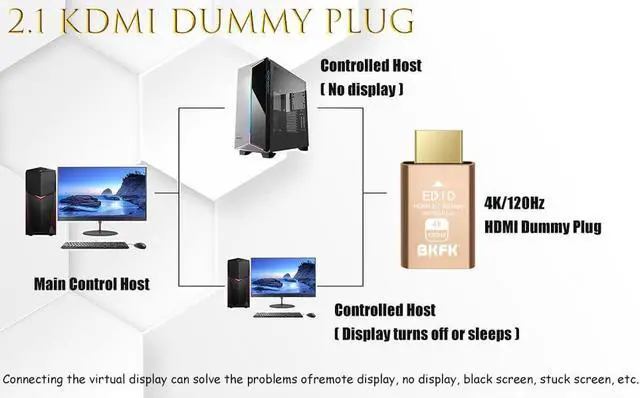
This is a compact HDMI emulator that plugs into your computers HDMI port. It simulates a 4K@120Hz high-refresh-rate display by emulating EDID (Extended Display Identification Data), allowing your GPU to activate full display output and create a "virtual monitor" for remote desktops, GPU rendering, or headless server environments.
.
.
1. Remote desktop is blurry or stuck at low resolution?
Scenario:You're using Remote Desktop (RDP, TeamViewer, AnyDesk) but only get 800x600 resolution or can't go fullscreen.
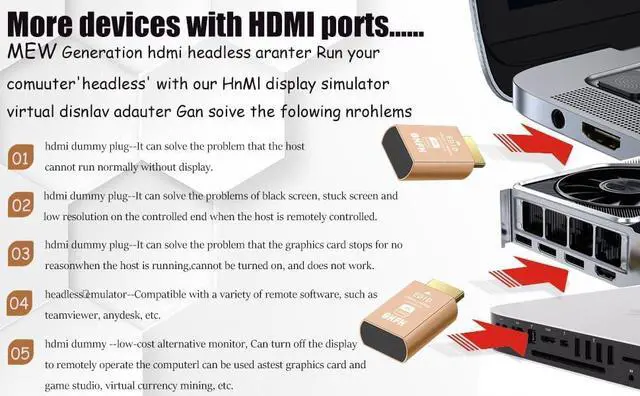
Solution:Insert the HDMI dummy plug to simulate a monitor. Your system will unlock higher resolutions immediately for sharper, full-screen remote sessions.
2. GPU driver errors or GPU not working properly?
Scenario:Your GPU doesnt spin up, drivers fail to load, or fan doesnt run because no monitor is connected.
Solution:The dummy plug sends a valid EDID signal to the GPU, allowing it to fully activate and work as expected.
3. Game streaming is choppy or limited in quality?
Scenario:When using Steam Link, Parsec, or Moonlight without a monitor, your system limits output resolution and frame rate.
Solution:The dummy plug enables high-refresh-rate virtual displays (up to 4K@120Hz) for a smoother, more immersive cloud gaming experience.
4. AI model training or GPU computing fails to initialize?
Scenario:AI training tasks or GPU-accelerated rendering require full GPU activation, which may fail without a connected display.
Solution:With the dummy plug, the GPU operates as if a monitor is attached, allowing full computational functionality.
5. Mining rig shows unstable clock speeds or crashes?
Scenario:Some GPUs throttle or behave unpredictably in mining rigs when no display is detected.
Solution:The dummy plug keeps the GPU in a stable operating state, preventing frequency drops or system errors.
Detailed Resolution Support:
3840x2160 @ 60Hz / 120Hz
2560x1600 @ 60Hz / 120Hz
2560x1440 @ 60Hz / 120Hz
1920x1200 @ 60Hz / 120Hz
1920x1080 @ 60Hz / 120Hz (Full HD)
1680x1050 @ 60Hz / 120Hz
1600x900 @ 60Hz / 120Hz
1440x900 @ 60Hz / 120Hz
1366x768 @ 60Hz / 120Hz
1360x768 @ 60Hz / 120Hz
1280x1024 @ 60Hz / 120Hz
1280x800 @ 60Hz / 120Hz
800x600 @ 60Hz / 120Hz
Notice:4K resolution simulation requires HDMI 2.0 ports, RX460, GTX1050 or above (only supports single-computer graphics cards, not integrated graphics computers), and the resolution exceeding the GPU cannot be simulated.
.
.
Frequently Asked Questions
Q1: Will this work with my RTX 4070 / 3080? Yes! As long as your GPU supports HDMI 2.1, youll get 4K@120Hz output virtually.
Q2: Can I use this with Mac Mini or Intel NUC? Definitely. It works seamlessly to simulate a display and maintain full resolution for headless operation.
Q3: Do I need to install software? No. Its completely plug-and-play no drivers or configuration needed.
.
.
BKFK Precision Display Emulation for the Pros 4K@120Hz HDMI Dummy Plug (EDID Emulator) When Do You Need an HDMI Dummy Plug? . . 4K@120Hz HDMI EDID Emulator Only from BKFK
.
.
This is a compact HDMI emulator that plugs into your computers HDMI port. It simulates a 4K@120Hz high-refresh-rate display by emulating EDID (Extended Display Identification Data), allowing your GPU to activate full display output and create a "virtual monitor" for remote desktops, GPU rendering, or headless server environments.
.
.
1. Remote desktop is blurry or stuck at low resolution?
Scenario:You're using Remote Desktop (RDP, TeamViewer, AnyDesk) but only get 800x600 resolution or can't go fullscreen.
Solution:Insert the HDMI dummy plug to simulate a monitor. Your system will unlock higher resolutions immediately for sharper, full-screen remote sessions.
2. GPU driver errors or GPU not working properly?
Scenario:Your GPU doesnt spin up, drivers fail to load, or fan doesnt run because no monitor is connected.
Solution:The dummy plug sends a valid EDID signal to the GPU, allowing it to fully activate and work as expected.
3. Game streaming is choppy or limited in quality?
Scenario:When using Steam Link, Parsec, or Moonlight without a monitor, your system limits output resolution and frame rate.
Solution:The dummy plug enables high-refresh-rate virtual displays (up to 4K@120Hz) for a smoother, more immersive cloud gaming experience.
4. AI model training or GPU computing fails to initialize?
Scenario:AI training tasks or GPU-accelerated rendering require full GPU activation, which may fail without a connected display.
Solution:With the dummy plug, the GPU operates as if a monitor is attached, allowing full computational functionality.
5. Mining rig shows unstable clock speeds or crashes?
Scenario:Some GPUs throttle or behave unpredictably in mining rigs when no display is detected.
Solution:The dummy plug keeps the GPU in a stable operating state, preventing frequency drops or system errors.
Detailed Resolution Support:
3840x2160 @ 60Hz / 120Hz
2560x1600 @ 60Hz / 120Hz
2560x1440 @ 60Hz / 120Hz
1920x1200 @ 60Hz / 120Hz
1920x1080 @ 60Hz / 120Hz (Full HD)
1680x1050 @ 60Hz / 120Hz
1600x900 @ 60Hz / 120Hz
1440x900 @ 60Hz / 120Hz
1366x768 @ 60Hz / 120Hz
1360x768 @ 60Hz / 120Hz
1280x1024 @ 60Hz / 120Hz
1280x800 @ 60Hz / 120Hz
800x600 @ 60Hz / 120Hz
Notice:4K resolution simulation requires HDMI 2.0 ports, RX460, GTX1050 or above (only supports single-computer graphics cards, not integrated graphics computers), and the resolution exceeding the GPU cannot be simulated.
.
.
Frequently Asked Questions
Q1: Will this work with my RTX 4070 / 3080? Yes! As long as your GPU supports HDMI 2.1, youll get 4K@120Hz output virtually.
Q2: Can I use this with Mac Mini or Intel NUC? Definitely. It works seamlessly to simulate a display and maintain full resolution for headless operation.
Q3: Do I need to install software? No. Its completely plug-and-play no drivers or configuration needed.
.
.
BKFK Precision Display Emulation for the Pros 4K@120Hz HDMI Dummy Plug (EDID Emulator) When Do You Need an HDMI Dummy Plug? . . 4K@120Hz HDMI EDID Emulator Only from BKFK
Warranty & Returns
Warranty, Returns, And Additional Information
Warranty
- Please contact the Seller directly for warranty information. Warranty information may also be found on the Manufacturer's website.
- CONTACT
Return Policies
- Return for refund within: 30 days
- Return for replacement within: 30 days
- This item is covered by HAITAO CROSS BORDER E-COMMERCE LIMITED Return Policy
Manufacturer Contact Info
- For a directory of all our manufacturers, please click below.
- Manufacturers Directory
LOADING...