

Your Browsing History

Meet Your Seller

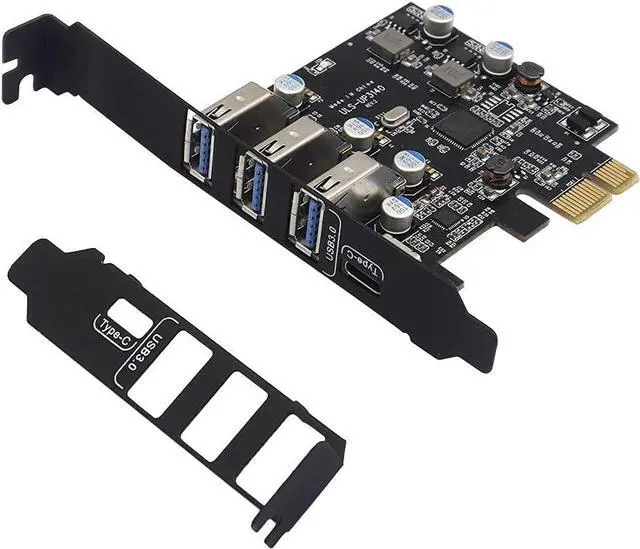
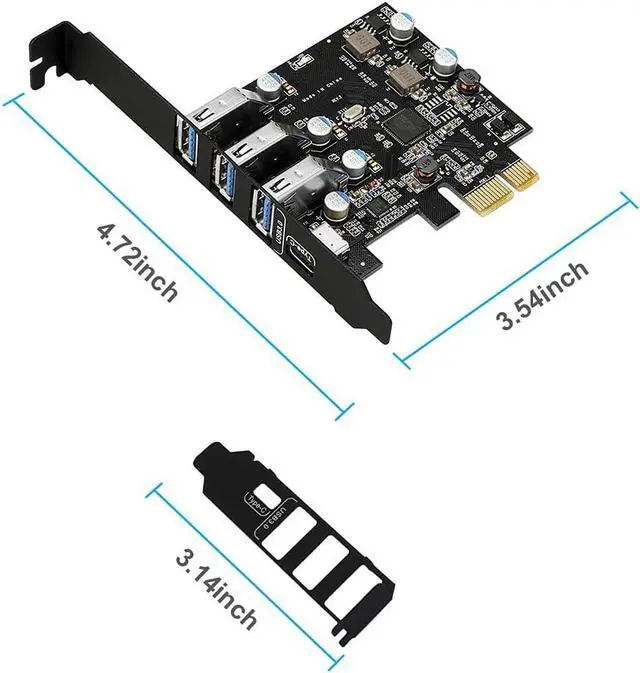


PCI-E to USB 3.0 4 Ports(1 X USB-C - 3 X USB-A) Expansion Card, PCI Express USB Add in Expansion Card, Internal USB3 Hub for Desktop PC Host Card Support Windows 10/8/7/XP and MAC OS 10.8.2 Above
- Improve Work Quality and EfficiencySupports transfer rates of up to 5Gbps copying HD videos, music, photos, data files between USB devices and the computer at blazing fast speeds. Note:The actual transmission speed is limited by the setting of the device connected.
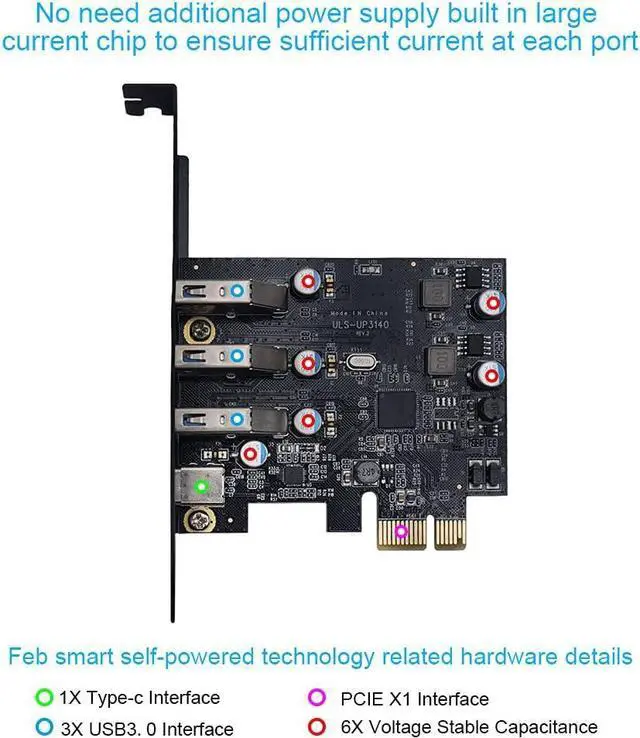
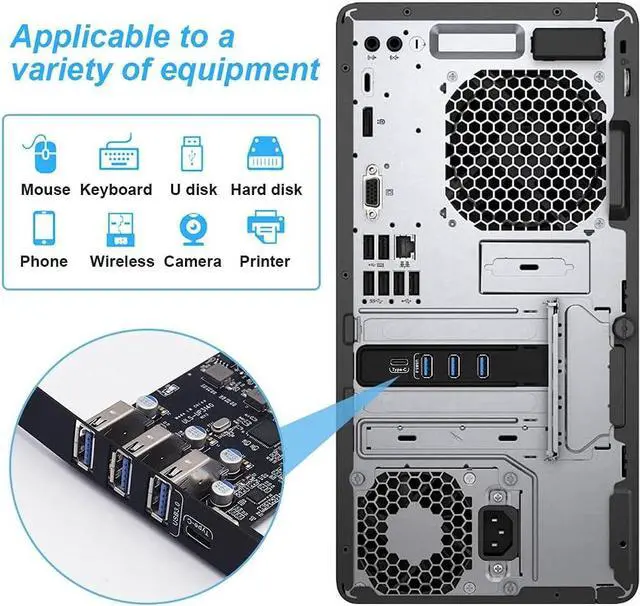
- Multiple USB InterfacesUpdate your computer to 4 ports USB3.0 - 1 port Type C and 3 ports Type A. You can connect keyboard, mouse, external hard drives, CD/DVD drives, webcams,usb printers, scanners, game controllers,USB VR, digital cameras, etc
+
+
Overview
Specs
Reviews

Any questions? Our AI mode will help you find out quickly.
Try me now
Improve Work Quality and EfficiencySupports transfer rates of up to 5Gbps copying HD videos, music, photos, data files between USB devices and the computer at blazing fast speeds.
Note: The actual transmission speed is limited by the setting of the device connected.
Multiple USB InterfacesUpdate your computer to 4 ports USB 3.0 - 1 port Type C and 3 ports Type A. You can connect keyboard, mouse, external hard drives, CD/DVD drives, webcams, usb printers, scanners, game controllers, USB VR, digital cameras, etc
Widely CompatibilityIts suitable for small computer case. Operating system supports windows win 7/8/10 / XP, server 2008 R2 32/64-bit, and Mac 0s ( 10.8. 2 above).
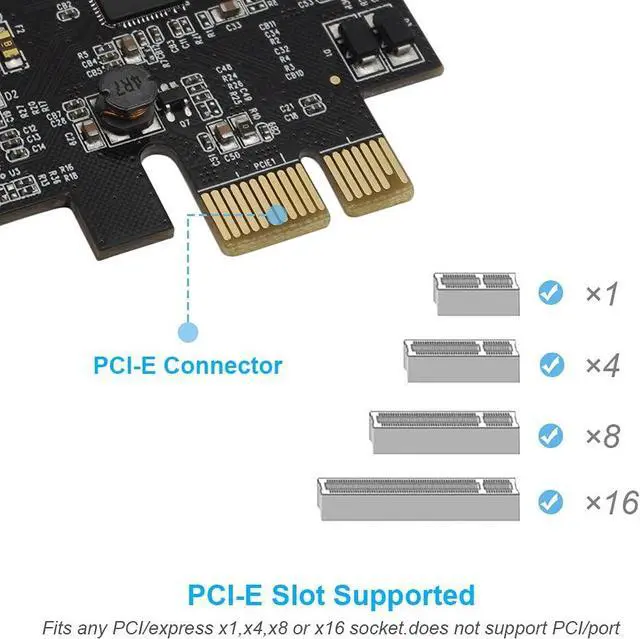
Note: windows XP/Vista/7, server, requires driver installation, windows 10 and Mac OS 10.8. 2 above don' t need drivers. Comply with PCI-e 3.0 PCIe 2.0 and PCIe 1.0 motherboards, fits PCI express x1, x4, x8, x16 socket
Easy to InstallShut down the PC, unplug the power supply, remove the PC case, push the card in pcie socket and tighten the screws, and close the PC case cover, turn on the PC and install the driver. Quick and easy installation, a simple solution for connecting to and using USB 3.0 devices on your standard desktop PC
Friendly Customer ServiceFor defective products, can get a 60-day worry-free replacement, a 180-day worry-free warranty and friendly customer service. Packing list1x USB 3.0 PCI-E expansion card, 1x CD driver, 2 x installation screws, a 2U Low Profile Bracket and 1x user manual
Note: The actual transmission speed is limited by the setting of the device connected.
Multiple USB InterfacesUpdate your computer to 4 ports USB 3.0 - 1 port Type C and 3 ports Type A. You can connect keyboard, mouse, external hard drives, CD/DVD drives, webcams, usb printers, scanners, game controllers, USB VR, digital cameras, etc
Widely CompatibilityIts suitable for small computer case. Operating system supports windows win 7/8/10 / XP, server 2008 R2 32/64-bit, and Mac 0s ( 10.8. 2 above).
Note: windows XP/Vista/7, server, requires driver installation, windows 10 and Mac OS 10.8. 2 above don' t need drivers. Comply with PCI-e 3.0 PCIe 2.0 and PCIe 1.0 motherboards, fits PCI express x1, x4, x8, x16 socket
Easy to InstallShut down the PC, unplug the power supply, remove the PC case, push the card in pcie socket and tighten the screws, and close the PC case cover, turn on the PC and install the driver. Quick and easy installation, a simple solution for connecting to and using USB 3.0 devices on your standard desktop PC
Friendly Customer ServiceFor defective products, can get a 60-day worry-free replacement, a 180-day worry-free warranty and friendly customer service. Packing list1x USB 3.0 PCI-E expansion card, 1x CD driver, 2 x installation screws, a 2U Low Profile Bracket and 1x user manual
Warranty & Returns
Warranty, Returns, And Additional Information
Warranty
- Please contact the Seller directly for warranty information. Warranty information may also be found on the Manufacturer's website.
- CONTACT
Return Policies
- Return for refund within: 30 days
- Return for replacement within: 30 days
- This item is covered by EmpressTech Return Policy
Manufacturer Contact Info
- For a directory of all our manufacturers, please click below.
- Manufacturers Directory
LOADING...