Your Browsing History
- Free 30-day Returns
$83.86
Meet Your Seller
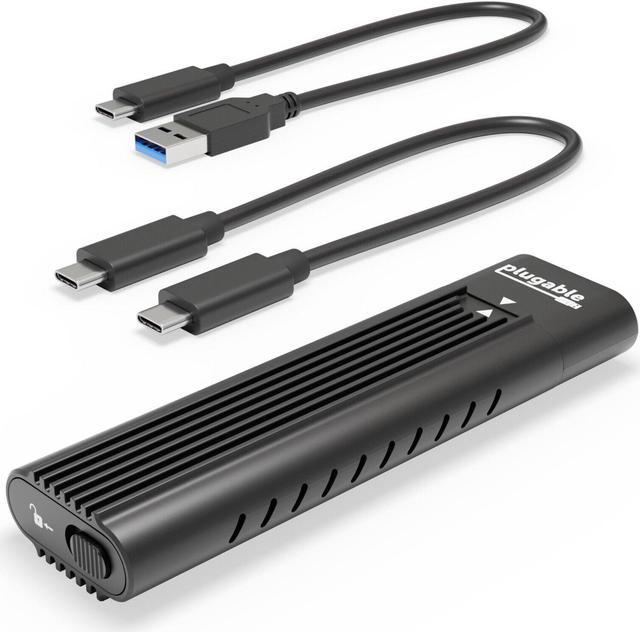
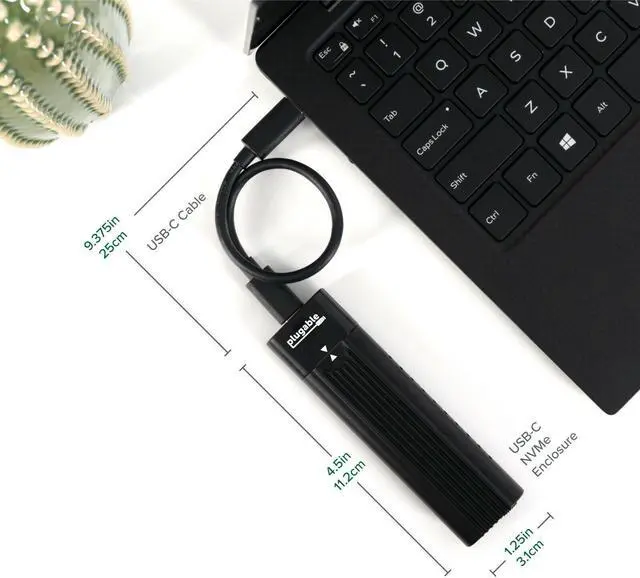
USB C to M.2 NVMe Tool-free Enclosure USB C & Thunderbolt 3 Compatible
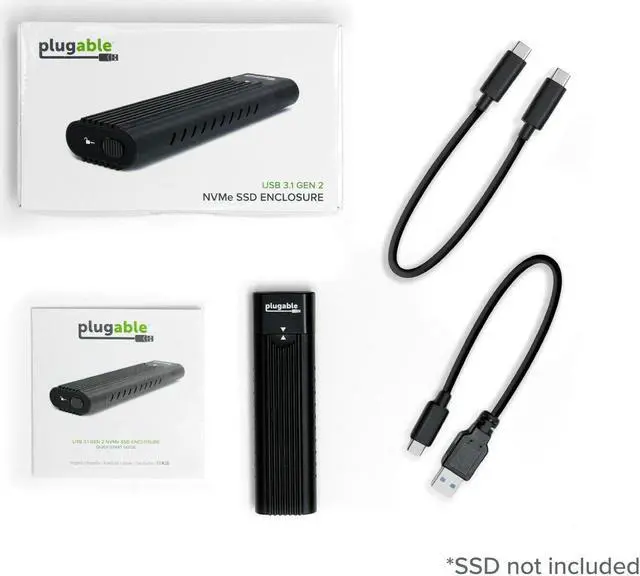
- HIGH SPEED - Connect your NVMe SSD to a USB-C (Gen 2) or Thunderbolt 3 port at USB 3.1 Gen 2 10Gbps speeds. Capable of performance over 800MB/s read/write when
- using high performance NVMe media. Includes both USB Type-C and USB 3.0 (Type-A) cables
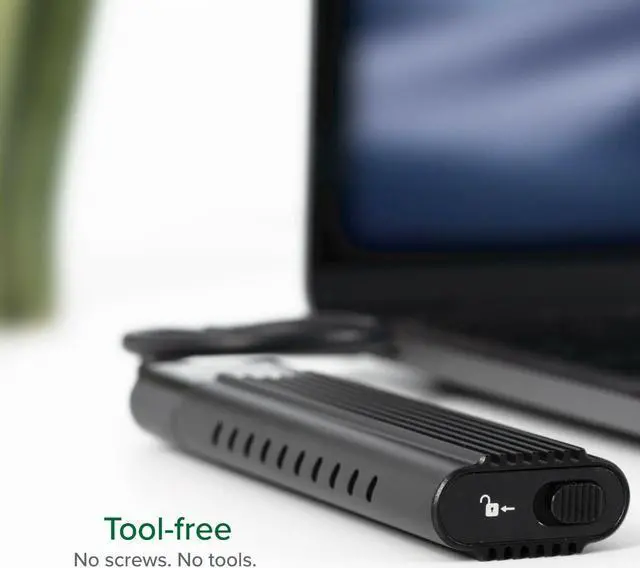
- TOOL-FREE DESIGN - The world's first tool-less NVMe enclosure allows quick and easy installation of your M.2 NVMe SSDs. Compact and portable, this SSD enclosure
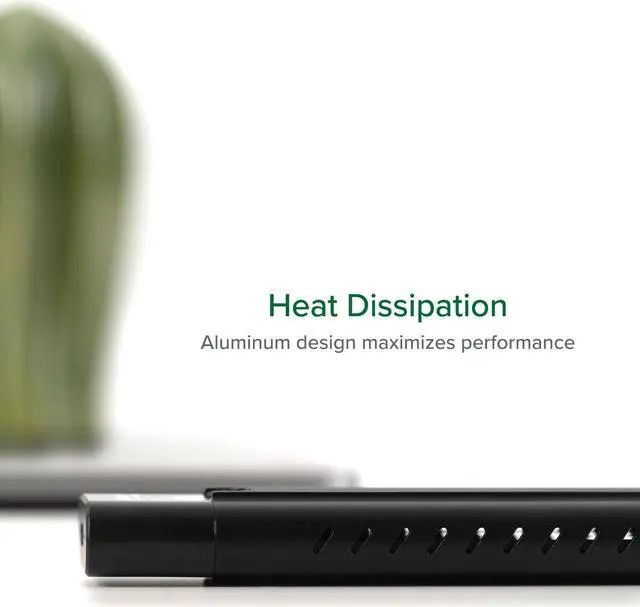
- has a sleek black anodized aluminum with extruded fins to aid heat dissipation
- COMPATIBILITY - M.2 NVMe SSDs (SSD not included). USB-C Gen 2 or Thunderbolt 3 hosts up to 10Gbps, USB-C Gen 1 and USB 3.0 systems capable of up to 5Gbps.
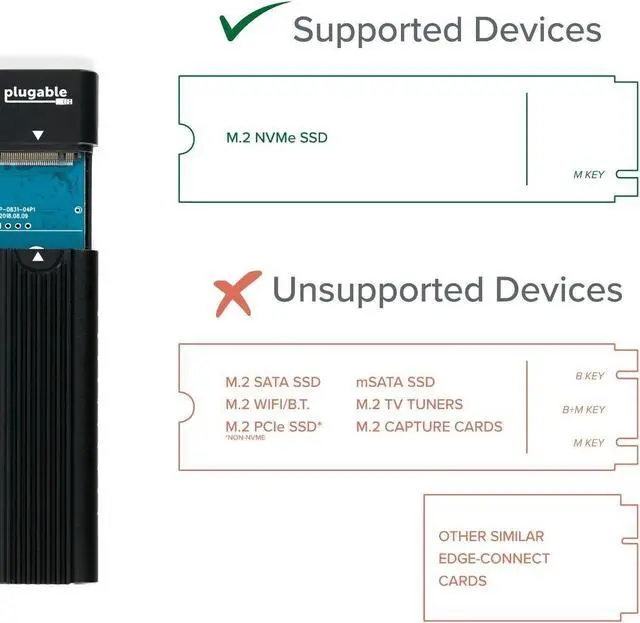
- Not compatible with M.2 SATA SSDs, M.2 PCIe AHCI SSDs, or other M.2 PCIe devices
- OS SUPPORT - SSD USB adapter offers plug-and-play compatibility with Windows, Mac, and Linux. SSD file system must be supported on host operating system to be accessible.
+
+
Overview
Specs
Reviews
Any questions? Our AI beta will help you find out quickly.
Try me now
Tool-free design and fastest USB storage speeds!
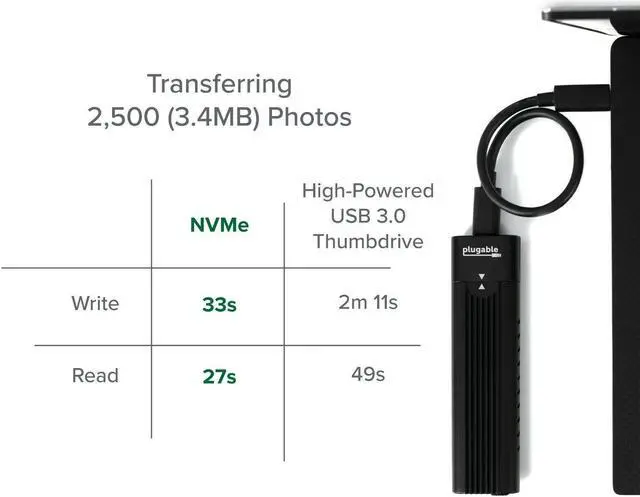
Backup and save files faster than ever before over USB, with read and write speeds of over 900 MB/s, when connected to a USB-C, Thunderbolt 3, or USB (10Gbps) port. Over 40% faster read speeds and over 200% faster write speeds than conventional USB 3.0 (5Gbps) SATA SSD enclosures and USB 3.0 (5Gbps) flash drives, make long wait times a thing of the past.
Our USB-C to NVMe SSD enclosure's innovative tool-free design allows the quick installation of an M. 2 NVMe SSD in just a couple of seconds. Simply remove the aluminum cover using the locking latch at the back of the enclosure, then insert the SSD and secure with the flexible SSD retention peg, then reinstall the cover. The SSD retention peg can be moved to support multiple M. 2
NVMe SSD form factors including: 2280, 2260, 2242, 2230.
NVMe SSD Compatibility
Compatible with M. 2 NVMe SSDs
Not compatible with M. 2 SATA SSDs, M. 2 PCIe AHCI SSDs, or other M. 2 non-NVMe devices
Older NVMe drives with less efficient flash media may not perform as well as newer drives
New NVMe SSDs are not partitioned and will need to be both partitioned and formatted when first connected to the computer before they will be recognized in Windows Explorer or macOS Finder
System Requirements and Compatibility
USB (10Gbps) port or USB-C (10Gbps) port is required for maximum performance
USB 3.0 (5Gbps) compatible at up to 5Gbps speeds
USB Standard-A, USB Type-C, compatible with Thunderbolt 3 ports as a USB-C (10Gbps) device
Operating system compatibility: Windows, macOS, and Linux
Performance may be limited based on the file system, source data files (when copying files) and system specifications
NVMe SSDs removed from computers or formatted on one system may have OS-specific file systems that are not recognized by either Windows or macOS. We recommend exFat file systems for working with both Windows and macOS computers
Heat Dissipation and Thermal Throttling
NVMe SSDs are high performance drives that get hot while reading and writing data. This enclosure features slots for airflow on either side of the SSD as well as extruded aluminum fins for heat dissipation. Even with these features some SSDs may still enter a reduced performance state as they heat up, especially when under heavy load. This is most common with older NVMe SSDs with less efficient flash storage.
Modern NVMe SSDs include built-in thermal protection and will slow down performance if they begin to get too hot. The threshold for this is generally above 60° C and closer to 70° C for many SSDs. Under heavy loads the enclosure can become hot to the touch, in our extended testing in a room temperature environment and allowing for the enclosure to passively dissipate heat, the samples did not reach temperatures above 50° C.

Backup and save files faster than ever before over USB, with read and write speeds of over 900 MB/s, when connected to a USB-C, Thunderbolt 3, or USB (10Gbps) port. Over 40% faster read speeds and over 200% faster write speeds than conventional USB 3.0 (5Gbps) SATA SSD enclosures and USB 3.0 (5Gbps) flash drives, make long wait times a thing of the past.
Our USB-C to NVMe SSD enclosure's innovative tool-free design allows the quick installation of an M. 2 NVMe SSD in just a couple of seconds. Simply remove the aluminum cover using the locking latch at the back of the enclosure, then insert the SSD and secure with the flexible SSD retention peg, then reinstall the cover. The SSD retention peg can be moved to support multiple M. 2
NVMe SSD form factors including: 2280, 2260, 2242, 2230.
NVMe SSD Compatibility
Compatible with M. 2 NVMe SSDs
Not compatible with M. 2 SATA SSDs, M. 2 PCIe AHCI SSDs, or other M. 2 non-NVMe devices
Older NVMe drives with less efficient flash media may not perform as well as newer drives
New NVMe SSDs are not partitioned and will need to be both partitioned and formatted when first connected to the computer before they will be recognized in Windows Explorer or macOS Finder
System Requirements and Compatibility
USB (10Gbps) port or USB-C (10Gbps) port is required for maximum performance
USB 3.0 (5Gbps) compatible at up to 5Gbps speeds
USB Standard-A, USB Type-C, compatible with Thunderbolt 3 ports as a USB-C (10Gbps) device
Operating system compatibility: Windows, macOS, and Linux
Performance may be limited based on the file system, source data files (when copying files) and system specifications
NVMe SSDs removed from computers or formatted on one system may have OS-specific file systems that are not recognized by either Windows or macOS. We recommend exFat file systems for working with both Windows and macOS computers
Heat Dissipation and Thermal Throttling
NVMe SSDs are high performance drives that get hot while reading and writing data. This enclosure features slots for airflow on either side of the SSD as well as extruded aluminum fins for heat dissipation. Even with these features some SSDs may still enter a reduced performance state as they heat up, especially when under heavy load. This is most common with older NVMe SSDs with less efficient flash storage.
Modern NVMe SSDs include built-in thermal protection and will slow down performance if they begin to get too hot. The threshold for this is generally above 60° C and closer to 70° C for many SSDs. Under heavy loads the enclosure can become hot to the touch, in our extended testing in a room temperature environment and allowing for the enclosure to passively dissipate heat, the samples did not reach temperatures above 50° C.
Warranty & Returns
Warranty, Returns, And Additional Information
Warranty
- Please contact the Seller directly for warranty information. Warranty information may also be found on the Manufacturer's website.
- CONTACT
Return Policies
- Return for refund within: 30 days
- Return for replacement within: 30 days
- This item is covered by Halo Electronics Return Policy
Manufacturer Contact Info
- For a directory of all our manufacturers, please click below.
- Manufacturers Directory
LOADING...