

Your Browsing History
- Free 30-day Returns
$97.99

Meet Your Seller



Mac mini M4 Dock with 4TB M.2 SSD Enclosure (SSD NOT Included), Mac mini M4/ M4 Pro Hub Stand with HDMI 4K@60Hz, 2024 MacMini USB C Hub Accessories, 3 USB A 2.0, SD/TF, 3.5mm Audio
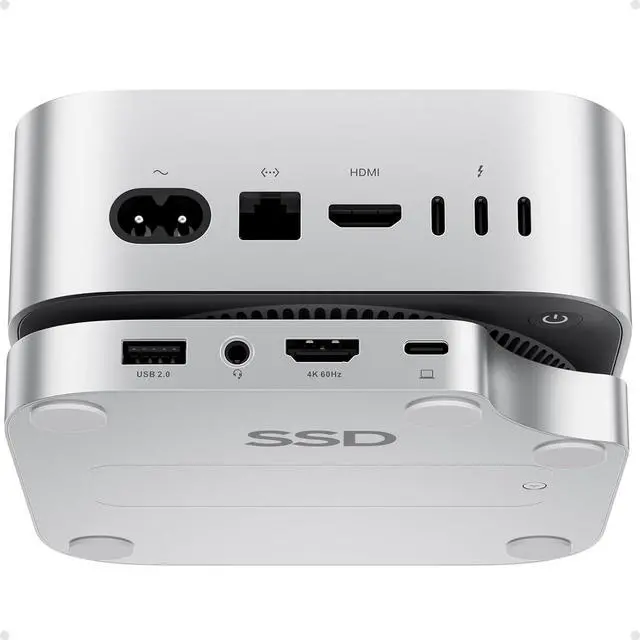
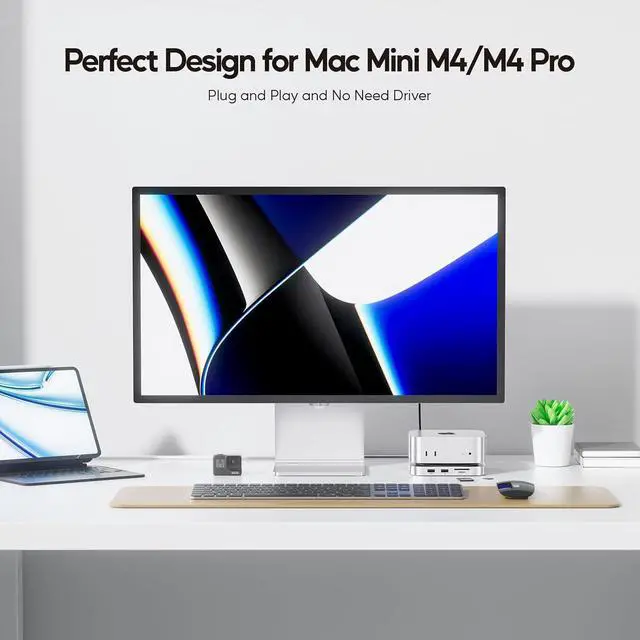
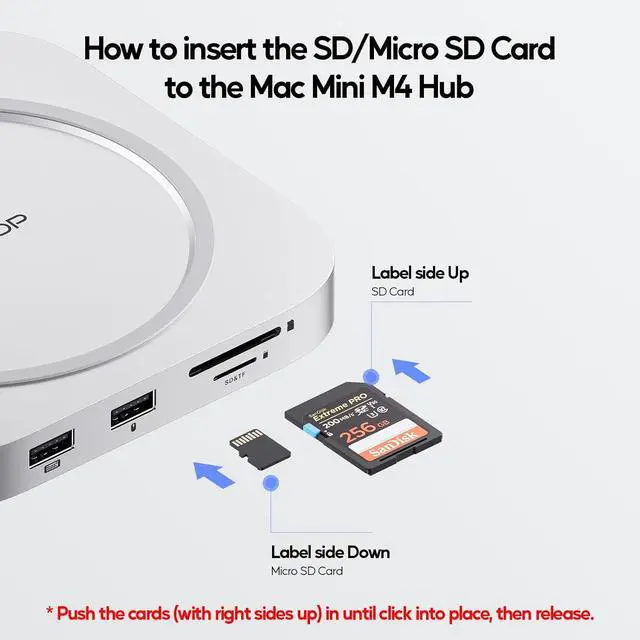
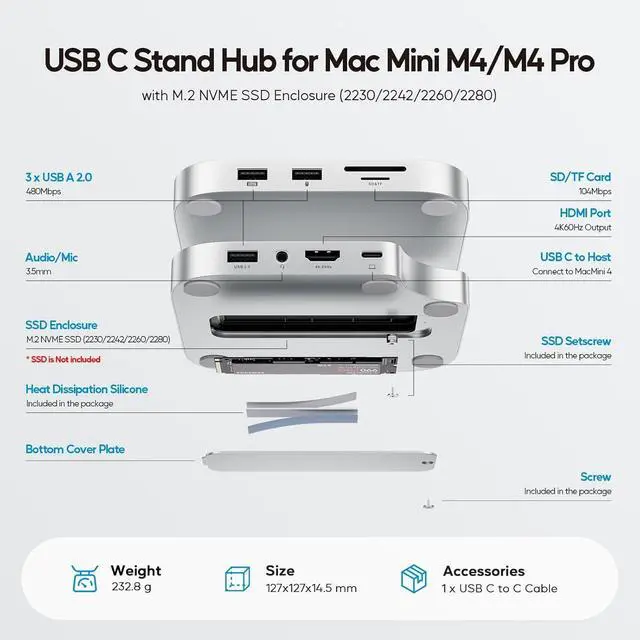
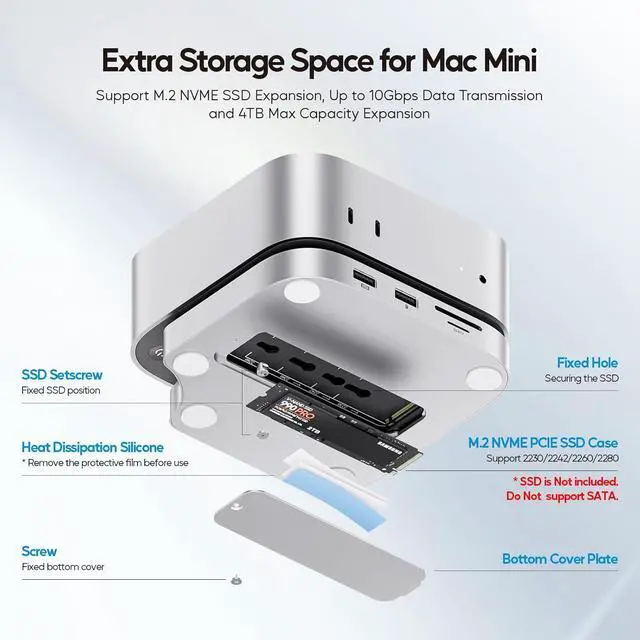
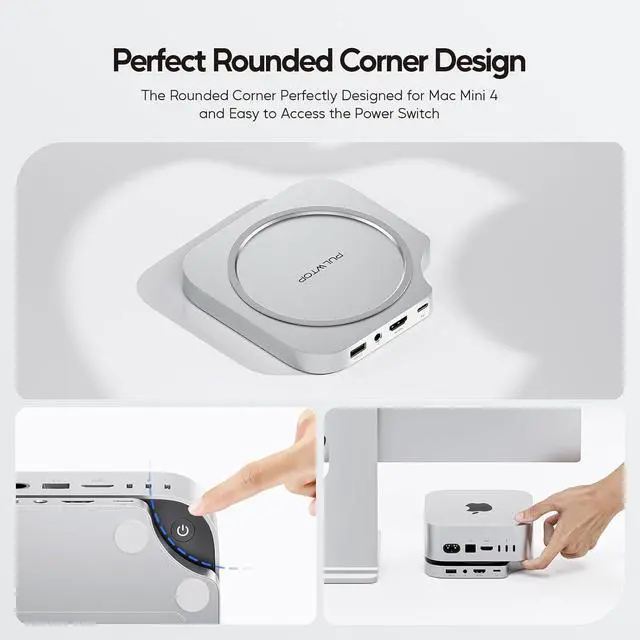
- USB C HUB FOR MAC MINI M4 - Custom-designed for Mac Mini M4, both a Mac Mini M4 2024 mount and a USB-C dock with an up to 4TB M.2 SSD external hard drive expansion slot. The mac mini m4 hub also features a 4K 60Hz HDMI, 3 x USB-A 2.0 data ports (Max 480Mbps) for mouse and keyboard, SD/Micro SD Card slots (104 Mbps), a 3.5mm audio/mic jack for convenient access to the essential peripherals and achieve memory expansion
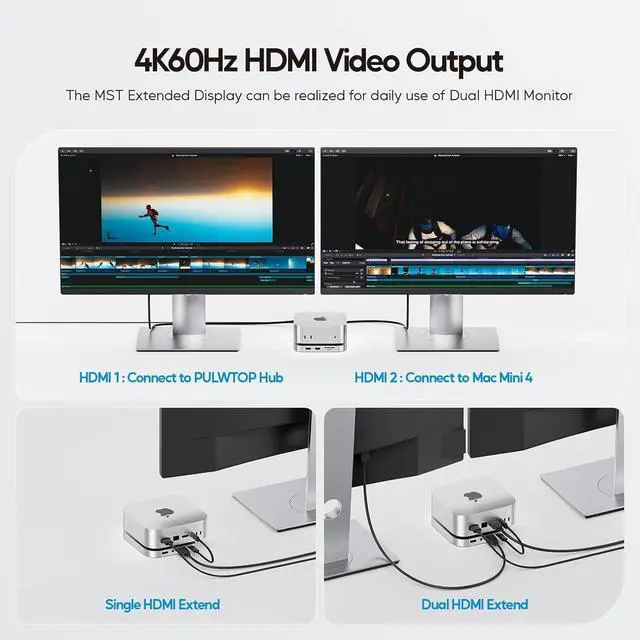
- 4K HDMI HD OUTPUT - Equipped with USB-C to Host port (up to 10Gbps) to connect and expend your Mac mini. Via the HDMI output up to 4K@60Hz, you can be easy and convenient to mirror or extend your mac mini m4 to HDTV, monitor or projector to enjoy vivid video synchronization. Use both HDMIs of the hub and Mac Mini M4, it supports SST or MST mode for 2 monitors simultaneously. NOTE: If you Audio jack does not work, please Go to PC Settings - Click Sound - Select USB Audio System in the Output column
- SUPPORTS 4TB M.2 SSD EXPANSION - The Mac Mini M4 2024 hub stand supports
+
+
Overview
Reviews

Any questions? Our AI beta will help you find out quickly.
Try me now
Product Name9 in 1 USB C Hub Mount for Mac Mini M4 /Mac
Mini M4 Pro 2024 (Model: BD240A)InputUSB-C port 10GbpsOutput1 x 4K 60Hz HDMI; 3 x USB-A 2.0 (up to 480Mbps); 1 x 3.5 mm Audio/Mic jack; 1 x SD/TF 3.0 (up to 104Mbps); 1 x M. 2 SSD Enclosure (up to 10Gbps); 1 x USB-C to Host (up to 10Gbps) Compatible DevicesUSB C Hub Specially Designed for Mac Mini M4/ M4 Pro 2024. As universal USB-C Hub, it is also compatible with USB4, and full-featured USB-C laptops (support Power Delivery, Data Transfer and Display Alt Mode)Cable LengthDetachable TPE Cable, 20cm USB-C (M) to USB-C (M) cableMaterialsAluminumPackage WeightApprox. 329gPackage DimensionApprox. 125 x 125 x 15mmCompatible SSDs TypeSupport up to 4TB PCIe NVMe M. 2 SSD (2230/2242/2260/2280) that complies with M key and B+M Key, NOT support SATA SSD and SSDs with heat sink.
NOTE: If your SSD are new, please format your new SSD into "exFat" or "apfs " format.
STEPS: 1) PUT new SSD into the dock; 2) Connect the dock to your device; 3) Click the "Disk Utility"and format Some Compatible SSDsSamsung 980 Pro, Samsung 970 EVO; Western Digital Black SN850, Western Digital Black SN750, Western; Digital Blue SN550; Acer FA100; Crucial P2; Intel 670P Series; Siliconmotion SM2263XT, etc. Note 1Please format your new SSD in "exFat" format before use; Note 2All USB-A ports ONLY support data transfer, DO NOT support charging; Note 3All USB-A ports do not support CD readers, Apple SuperDriveNote 4Use all the HDMI and Audio ports of the Mac Mini M4 and the hub at the same time, ONLY pick the first one to work. Need to pre-set the audio output device, detailed setting steps refer to the product video on product description to know more. Note5As all the ports share the 10Gbps bandwidth, the transfer speed cannot reach the maximum value of each port when all data ports are used simultaneously. Note6 The max-bandwidth of this hub is 10Gbps, so if you install a NVMe SSD greater 10Gbps (such as 40Gbps), it can ONLY reach the max 10Gbps.
Specification
Mini M4 Pro 2024 (Model: BD240A)InputUSB-C port 10GbpsOutput1 x 4K 60Hz HDMI; 3 x USB-A 2.0 (up to 480Mbps); 1 x 3.5 mm Audio/Mic jack; 1 x SD/TF 3.0 (up to 104Mbps); 1 x M. 2 SSD Enclosure (up to 10Gbps); 1 x USB-C to Host (up to 10Gbps) Compatible DevicesUSB C Hub Specially Designed for Mac Mini M4/ M4 Pro 2024. As universal USB-C Hub, it is also compatible with USB4, and full-featured USB-C laptops (support Power Delivery, Data Transfer and Display Alt Mode)Cable LengthDetachable TPE Cable, 20cm USB-C (M) to USB-C (M) cableMaterialsAluminumPackage WeightApprox. 329gPackage DimensionApprox. 125 x 125 x 15mmCompatible SSDs TypeSupport up to 4TB PCIe NVMe M. 2 SSD (2230/2242/2260/2280) that complies with M key and B+M Key, NOT support SATA SSD and SSDs with heat sink.
NOTE: If your SSD are new, please format your new SSD into "exFat" or "apfs " format.
STEPS: 1) PUT new SSD into the dock; 2) Connect the dock to your device; 3) Click the "Disk Utility"and format Some Compatible SSDsSamsung 980 Pro, Samsung 970 EVO; Western Digital Black SN850, Western Digital Black SN750, Western; Digital Blue SN550; Acer FA100; Crucial P2; Intel 670P Series; Siliconmotion SM2263XT, etc. Note 1Please format your new SSD in "exFat" format before use; Note 2All USB-A ports ONLY support data transfer, DO NOT support charging; Note 3All USB-A ports do not support CD readers, Apple SuperDriveNote 4Use all the HDMI and Audio ports of the Mac Mini M4 and the hub at the same time, ONLY pick the first one to work. Need to pre-set the audio output device, detailed setting steps refer to the product video on product description to know more. Note5As all the ports share the 10Gbps bandwidth, the transfer speed cannot reach the maximum value of each port when all data ports are used simultaneously. Note6 The max-bandwidth of this hub is 10Gbps, so if you install a NVMe SSD greater 10Gbps (such as 40Gbps), it can ONLY reach the max 10Gbps.
Specification
Warranty & Returns
Warranty, Returns, And Additional Information
Warranty
- Please contact the Seller directly for warranty information. Warranty information may also be found on the Manufacturer's website.
- CONTACT
Return Policies
- Return for refund within: 30 days
- Return for replacement within: 30 days
- This item is covered by DHINGDOM TRADING CO., LIMITED Return Policy
Manufacturer Contact Info
- For a directory of all our manufacturers, please click below.
- Manufacturers Directory
LOADING...