


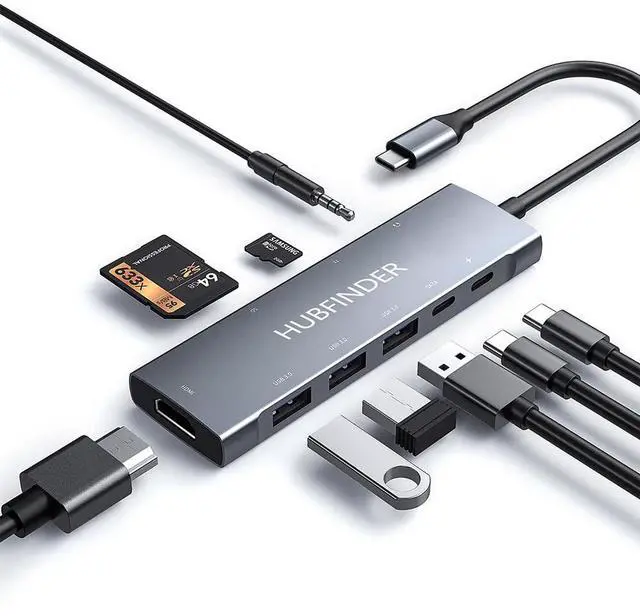
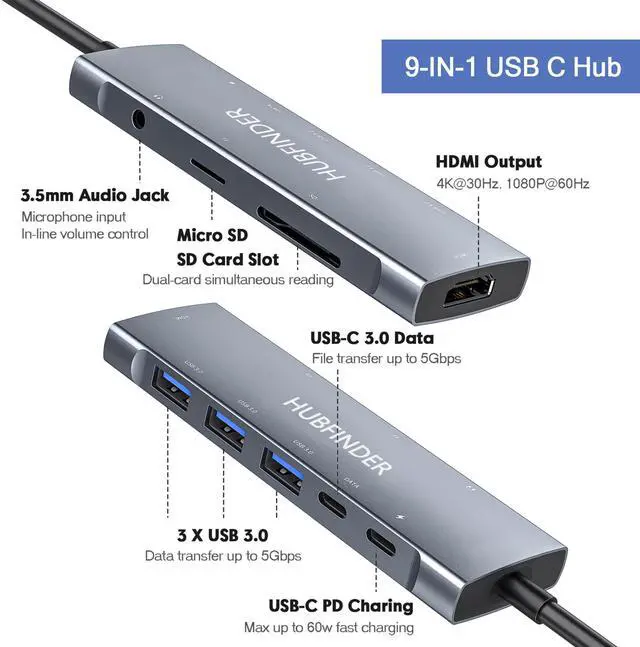


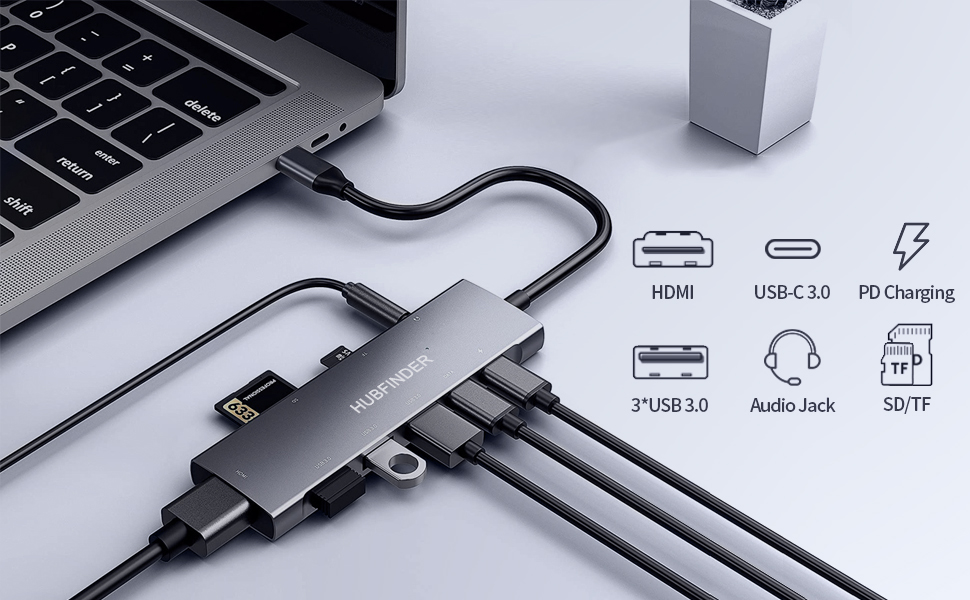
9 in 1 USB C Hub
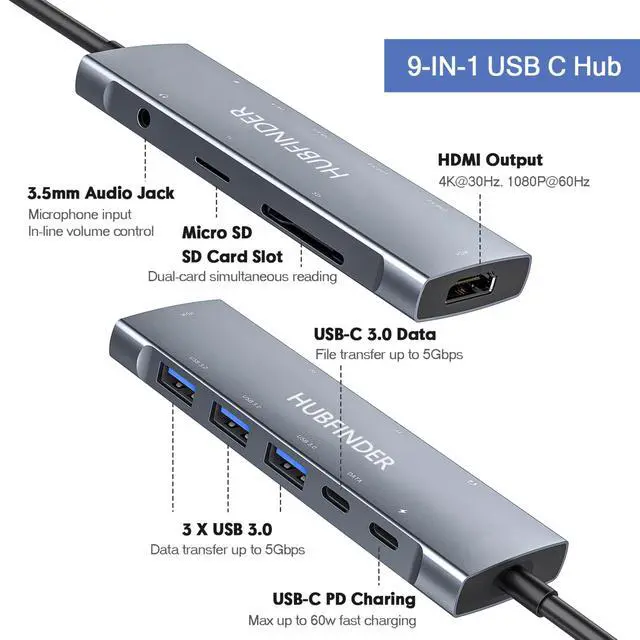
4K HDMI 2.0 port
100W quick charge USB-C port * Video output and data transfer are not supported
USB-C 3.0 port for data transfer (5Gbps) X3 * Video output is not supported
USB-C 3.0 port for data transfer (5Gbps) * Video output is not supported
Micro SD / SD card slot
3.5mm audio jack
Please note:
1. The USB-C port of this product does not support video output. Please use the HDMI port for video output.
2. To support data transfer, make sure your system is iPad OS 13.1 or later.
3. The temperature may rise while using the product, but this is not a malfunction of the product. When PD is charging or when all ports are used, it is normal for the hub to reach 50 degrees Celsius.
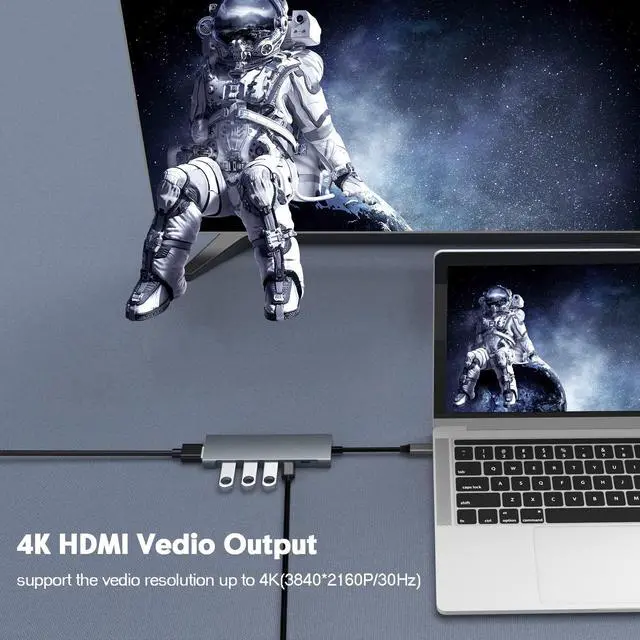
4K HDMI:
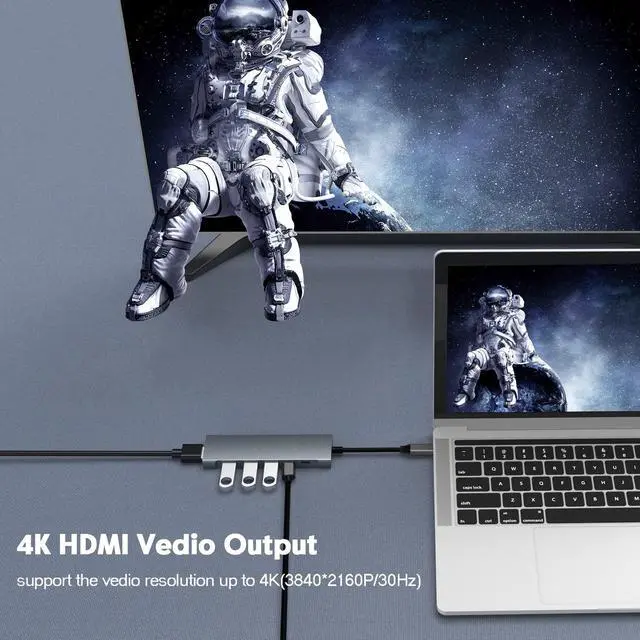
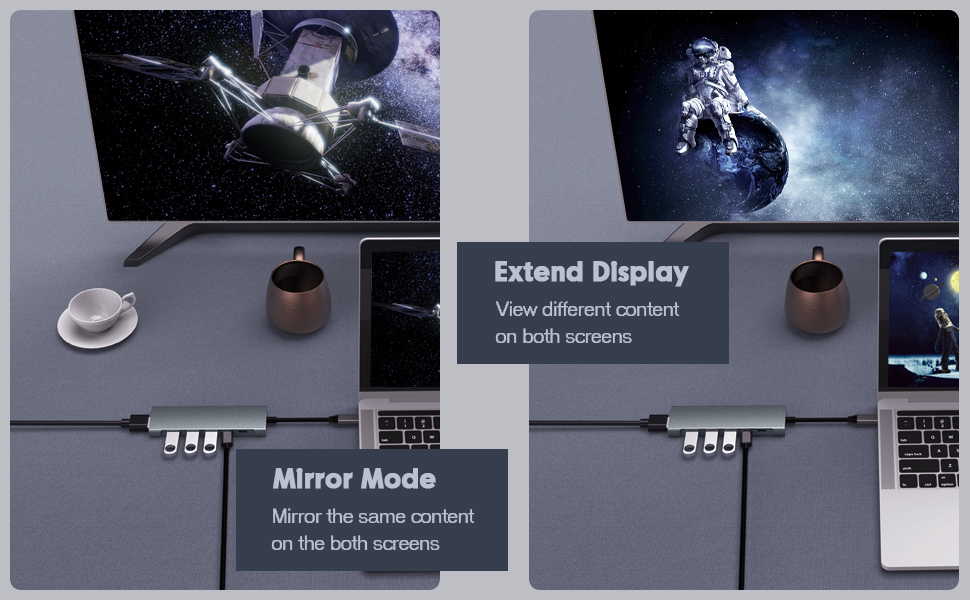
Equipped with a 4K (30Hz) HDMI port, mirror or extend your screen to your HDTV / monitor / projector. Supports 4K UHD (3840 x 2160 @ 30Hz) or Full HD 1080p @ 60Hz resolution. Backward compatible with 1080P and 720P.
Please note:
1. iPad supports video resolution 1080P@60Hz. Devices that don't support Lightning connector to expand the screen.
2. If you insert the hub directly into the Type C port device and then connect the display screen with the Type C to HDMI cable, The hub cannot output video . To mirror or extend the video, use the (Type A Male-Type A Male) HDMI 2.0 cable to connect the hub HDMI port and Display's HDMI port.
3. To achieve 3840x2160 resolution,you need a 4K compatible display, of course, the HDMI to HDMI cable for connection should also be compatible with 4K.
4. For video output via HDMI, you may need to connect to PD for charging (To make sure the voltage is sufficient to drive the expansion).
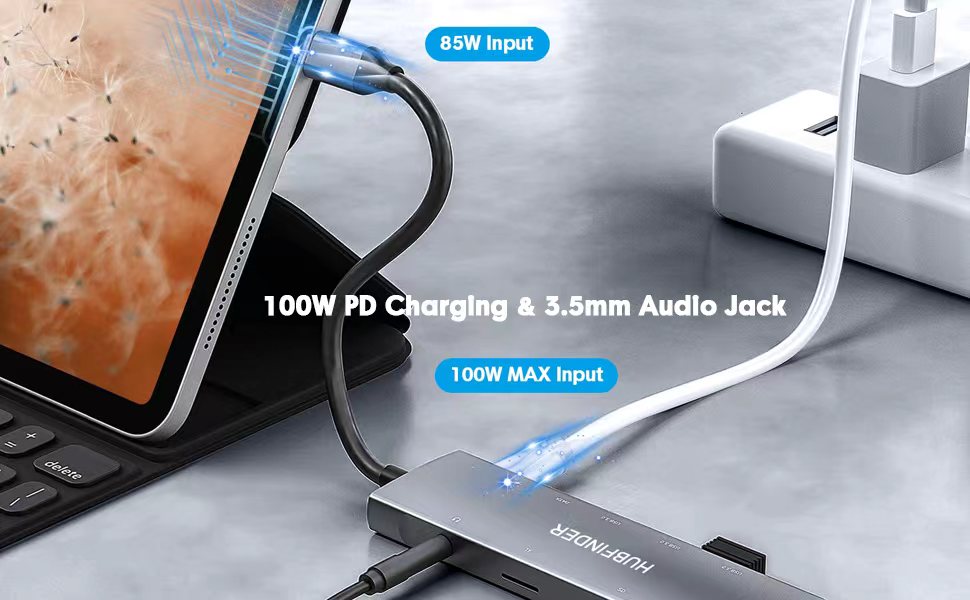
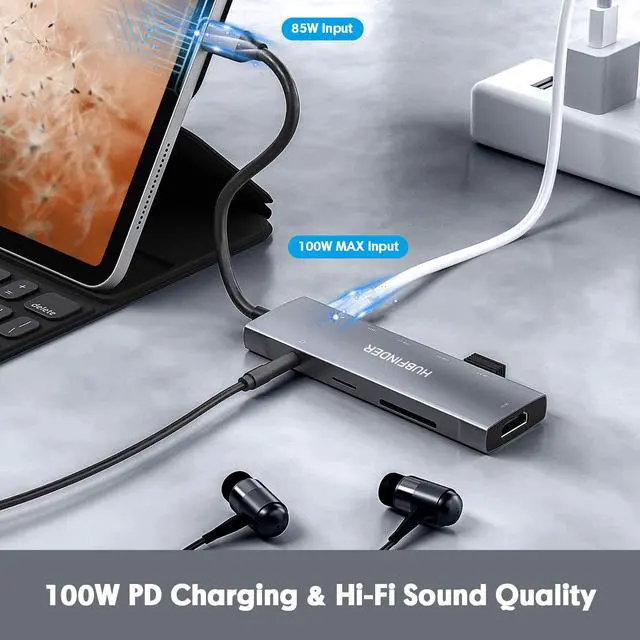
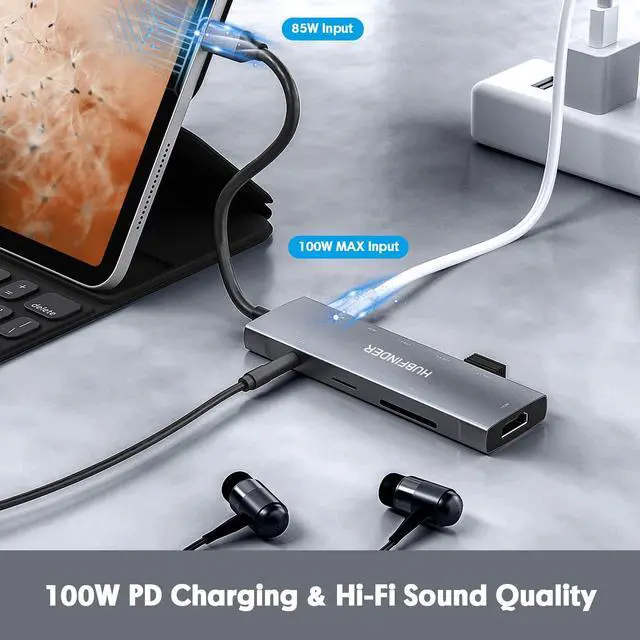
3.5mm audio jack & 100W PD charging
Charging and listening to music at the same time with audio port
Supports volume control, play / stop button, and microphone.
Tips:
1. Only compatible with standard American headphones. The Apple earphones do not support MIC and button functions. (The audio port does not support volume control for EarPods.)
2. The USB-C PD charging port only supports charging, not video output or data transfer. Max 100W super stable USB-C charging keep your device powered all the time.(the hub itself only consumes 5W-15W.Make sure your device and charger support up to 100W , when you need charge up to 100W.)
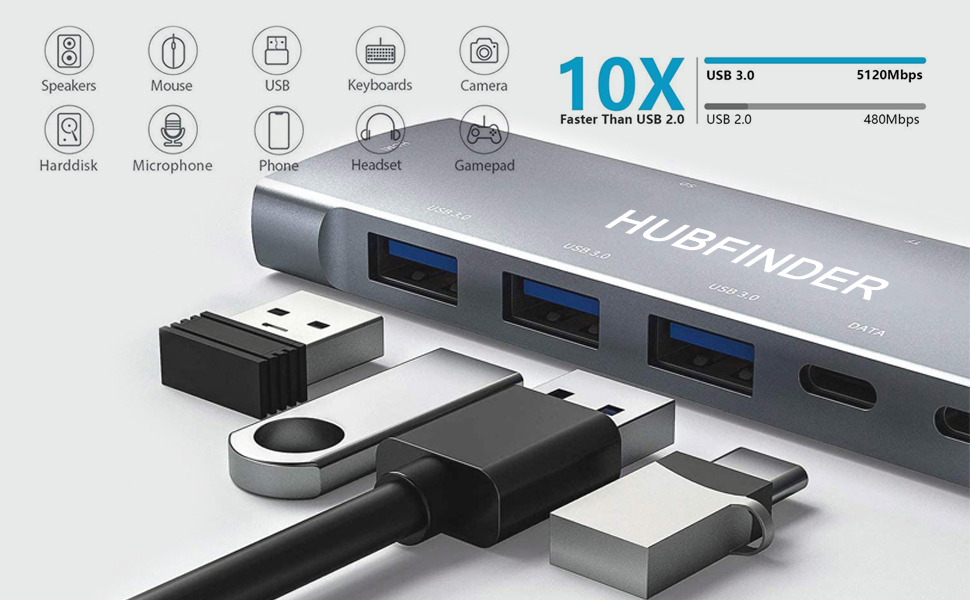
3 x USB 3.0-5Gbps
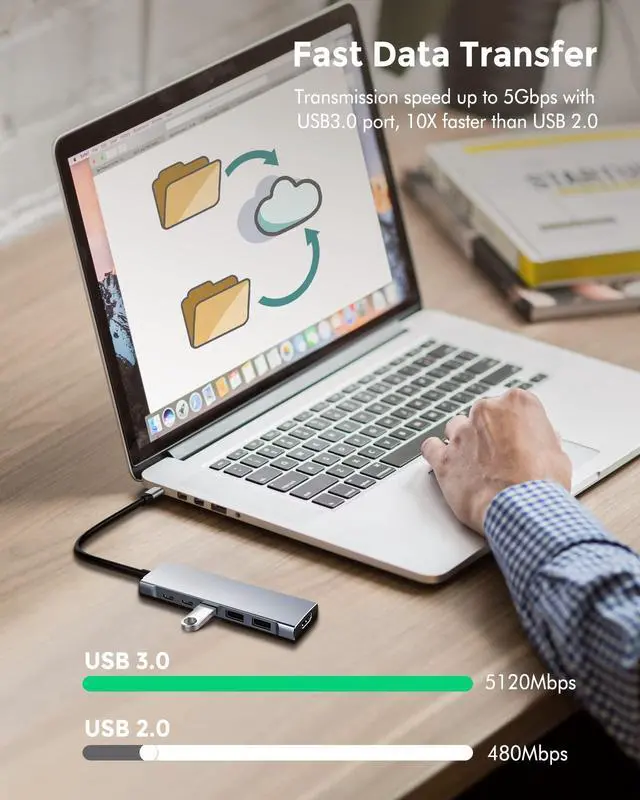
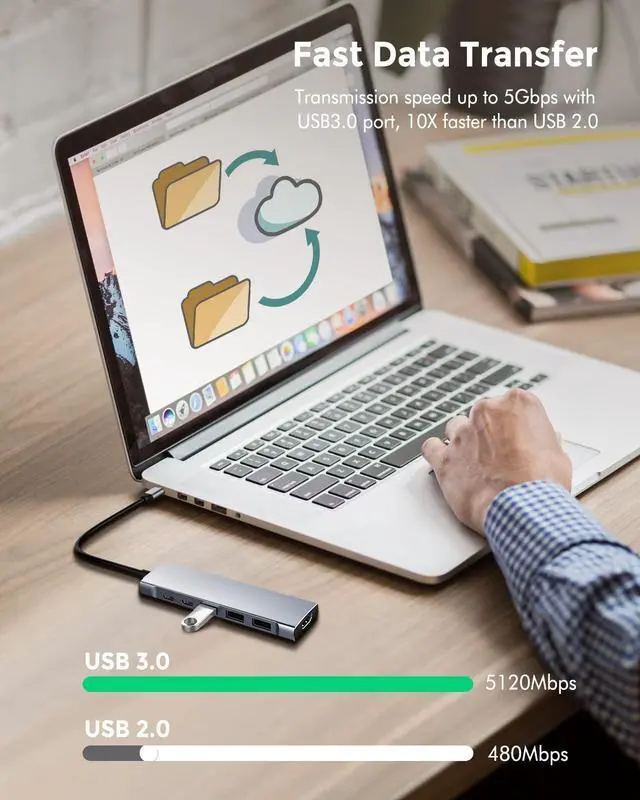
Supports data transfer at up to 5 Gbps. It means you can copy a 1GB file in just 3 seconds. With USB3.0, you can connect the devices you need through additional USB ports such as: Web cameras, headsets, HDD / SSDs, mobile phones, keyboards, mice, printers, cameras to meet various needs.
Tips:
1. USB3.0 port USB SuperDrive is not supported.
2. if you want to charge the phone through the USB 3.0 port , it only supports slow charging .
3. The maximum total output of the docking station is 5V, 3A (this value can only be reached if the pd interface is used for external power). To maintain a stable connection, make sure that the total input of all connected devices does not exceed 5V, 3A.
If there is no external power supply to charge the host device through the pd port, the total input current of the USB device will not exceed 900mA.
The guideline for the current of connected devices is as follows.
Mouse 100 mA USB flash drive 100 mA Camera 300 mA Keyboard 500 mA External hard disk 900 mA
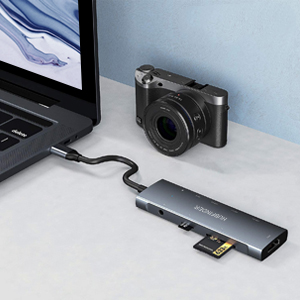
SD & Micro SD Card Slots:
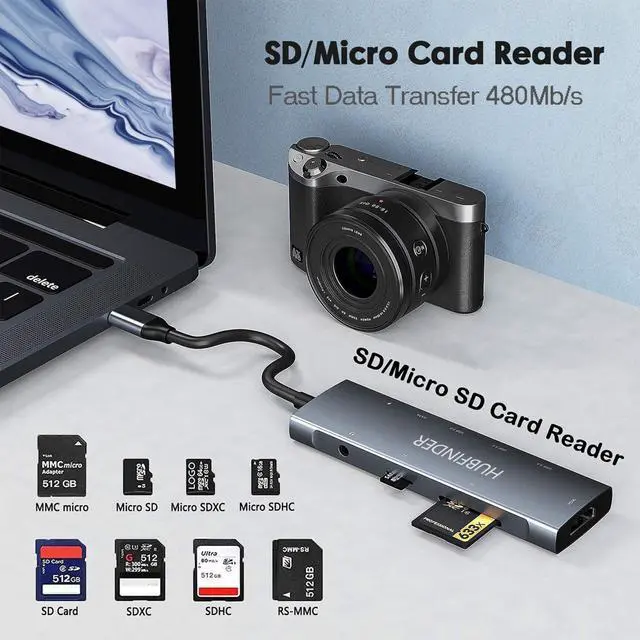
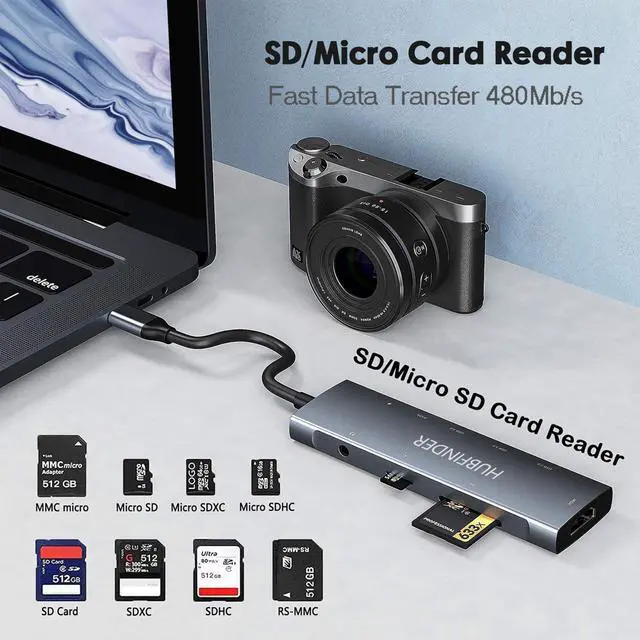
Support 2 cards reading simultaneously. Supported memory carder capacity: Up to 512 GB Rear / Write speed: Up to 104MB / S. Supports SD,SDHC,SDXC, Micro SD,MMC, Micro SDXC,Micro SDHC card, etc.
Tips:
1. With iPad OS version 13.1 or later ,ensure the file format of the memory card is EXFAT or FAT32.It does not support reading and writing NTFS format memory card.
2. Pay attention to the direction when inserting the SD card and Micro SD card, the back is facing up.
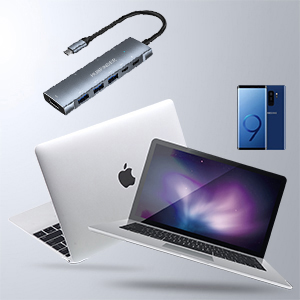
Light & durable:
Size: 115 x 35 x 11 mm. Weight: 83g.
With its compact design, it doesn't get in the way when you carry it on your desk.
With aluminum alloy material, has excellent heat dissipation, has overcurrent, overvoltage, and high temperature protection, and can be used for a long time.
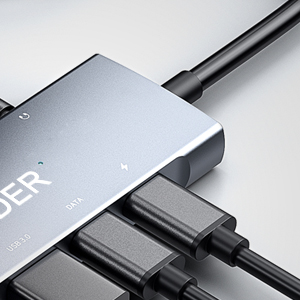
USB-C 3.0 data port:
Supports data transfer up to 5Gbps, You can connect a USB-C flash drive with the USB-C 3.0 data port. It also supports Type-C headphones and microphones.
Tips:
1. if you charge the phone through the USB C3.0 port , it only supports slow charging .
Notice:
1. Please use the original iPad charger, non-Apple chargers can be charged normally but there will be problems when connecting to other functions.
2. Devices that don't support Lightning connector, such as iPad 9, iPad mini 5, iPad Air 3, iPad Pro 10.5''/9.7'', etc.
3. For stable connection, connect the power adapter to the hub when using high output equipment.
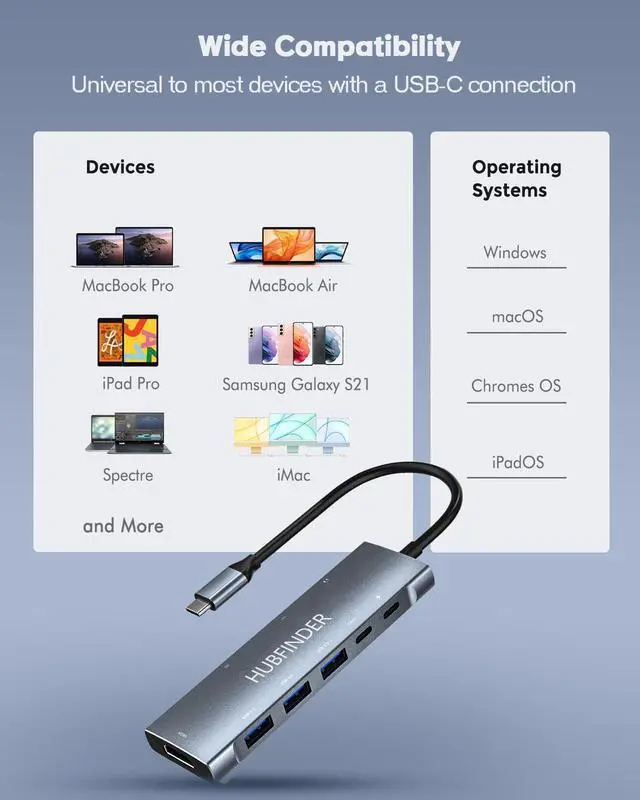
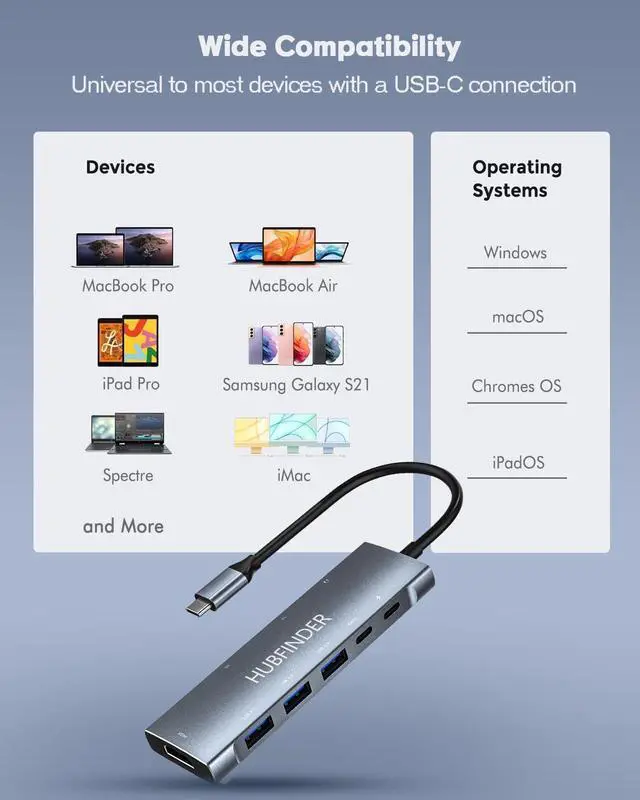
Compatible devices:
Tablet:
iPad Pro M1 2021 11 / 12.9 inch / 2021/2020/2018, iPad Air 4 2020
HUAWEI MatePad 10.4 "/ 10.8" / MatePad Pro 5G 10.8 "
Samsung Galaxy Tab S7 / S7 + / S6
Laptop:
MacBook Pro 13 "/16", MacBook Air 13'', MacBook 12'', iMac 2021 24 "/ iMac 27", iMac Pro, 2017 iMac model, Mac mini 2018
MateBook X Pro 2021/2020, MateBook X 2020, MateBook 14 2021/2020, MateBook 13 2021/2020 / MateBook D 15 / MateBook D 14
Dell XPS 15 / XPS 13, Latitude 15 5580, Dell Precision 15 (5510), Microsoft Surface Book 2, Surface Go, ChromeBook Pixel
Lenovo Yoga 910, Yoga 720, Yoga 900 13 ", HP Specter X360
phone:
Samsung Galaxy S21 / S21 + / S21 Ultra / Galaxy Z Fold2 5G / Galaxy S20 Ultra 5G / Galaxy S20 / S20 + / S20 Ultra / Galaxy S20 FE / Samsung Note20
Huawei P40 / P40 Pro + / P40 Pro / Mate 40 / Mate 40 Pro / Mate 40 Pro + / Mate 40E / Mate 40 RS / Mate X2 / Mate 30 Pro / Mate 30E Pro / Mate 30 RS / Mate 30 Pro / Mate 30 / nova 8 Pro / nova 8
Support : Nintendo switch
Non-compatible model: USB SuperDrive ?tuf Gaminga 17
9 in 1 USB C Hub
4K HDMI 2.0 port
100W quick charge USB-C port * Video output and data transfer are not supported
USB-C 3.0 port for data transfer (5Gbps) X3 * Video output is not supported
USB-C 3.0 port for data transfer (5Gbps) * Video output is not supported
Micro SD / SD card slot
3.5mm audio jack
Please note:
1. The USB-C port of this product does not support video output. Please use the HDMI port for video output.
2. To support data transfer, make sure your system is iPad OS 13.1 or later.
3. The temperature may rise while using the product, but this is not a malfunction of the product. When PD is charging or when all ports are used, it is normal for the hub to reach 50 degrees Celsius.
4K HDMI:
Equipped with a 4K (30Hz) HDMI port, mirror or extend your screen to your HDTV / monitor / projector. Supports 4K UHD (3840 x 2160 @ 30Hz) or Full HD 1080p @ 60Hz resolution. Backward compatible with 1080P and 720P.
Please note:
1. iPad supports video resolution 1080P@60Hz. Devices that don't support Lightning connector to expand the screen.
2. If you insert the hub directly into the Type C port device and then connect the display screen with the Type C to HDMI cable, The hub cannot output video . To mirror or extend the video, use the (Type A Male-Type A Male) HDMI 2.0 cable to connect the hub HDMI port and Display's HDMI port.
3. To achieve 3840x2160 resolution,you need a 4K compatible display, of course, the HDMI to HDMI cable for connection should also be compatible with 4K.
4. For video output via HDMI, you may need to connect to PD for charging (To make sure the voltage is sufficient to drive the expansion).
3.5mm audio jack & 100W PD charging
Charging and listening to music at the same time with audio port
Supports volume control, play / stop button, and microphone.
Tips:
1. Only compatible with standard American headphones. The Apple earphones do not support MIC and button functions. (The audio port does not support volume control for EarPods.)
2. The USB-C PD charging port only supports charging, not video output or data transfer. Max 100W super stable USB-C charging keep your device powered all the time.(the hub itself only consumes 5W-15W.Make sure your device and charger support up to 100W , when you need charge up to 100W.)
3 x USB 3.0-5Gbps
Supports data transfer at up to 5 Gbps. It means you can copy a 1GB file in just 3 seconds. With USB3.0, you can connect the devices you need through additional USB ports such as: Web cameras, headsets, HDD / SSDs, mobile phones, keyboards, mice, printers, cameras to meet various needs.
Tips:
1. USB3.0 port USB SuperDrive is not supported.
2. if you want to charge the phone through the USB 3.0 port , it only supports slow charging .
3. The maximum total output of the docking station is 5V, 3A (this value can only be reached if the pd interface is used for external power). To maintain a stable connection, make sure that the total input of all connected devices does not exceed 5V, 3A.
If there is no external power supply to charge the host device through the pd port, the total input current of the USB device will not exceed 900mA.
The guideline for the current of connected devices is as follows.
Mouse 100 mA USB flash drive 100 mA Camera 300 mA Keyboard 500 mA External hard disk 900 mA
SD & Micro SD Card Slots:
Support 2 cards reading simultaneously. Supported memory carder capacity: Up to 512 GB Rear / Write speed: Up to 104MB / S. Supports SD,SDHC,SDXC, Micro SD,MMC, Micro SDXC,Micro SDHC card, etc.
Tips:
1. With iPad OS version 13.1 or later ,ensure the file format of the memory card is EXFAT or FAT32.It does not support reading and writing NTFS format memory card.
2. Pay attention to the direction when inserting the SD card and Micro SD card, the back is facing up.
Light & durable:
Size: 115 x 35 x 11 mm. Weight: 83g.
With its compact design, it doesn't get in the way when you carry it on your desk.
With aluminum alloy material, has excellent heat dissipation, has overcurrent, overvoltage, and high temperature protection, and can be used for a long time.
USB-C 3.0 data port:
Supports data transfer up to 5Gbps, You can connect a USB-C flash drive with the USB-C 3.0 data port. It also supports Type-C headphones and microphones.
Tips:
1. if you charge the phone through the USB C3.0 port , it only supports slow charging .
Notice:
1. Please use the original iPad charger, non-Apple chargers can be charged normally but there will be problems when connecting to other functions.
2. Devices that don't support Lightning connector, such as iPad 9, iPad mini 5, iPad Air 3, iPad Pro 10.5''/9.7'', etc.
3. For stable connection, connect the power adapter to the hub when using high output equipment.
Compatible devices:
Tablet:
iPad Pro M1 2021 11 / 12.9 inch / 2021/2020/2018, iPad Air 4 2020
HUAWEI MatePad 10.4 "/ 10.8" / MatePad Pro 5G 10.8 "
Samsung Galaxy Tab S7 / S7 + / S6
Laptop:
MacBook Pro 13 "/16", MacBook Air 13'', MacBook 12'', iMac 2021 24 "/ iMac 27", iMac Pro, 2017 iMac model, Mac mini 2018
MateBook X Pro 2021/2020, MateBook X 2020, MateBook 14 2021/2020, MateBook 13 2021/2020 / MateBook D 15 / MateBook D 14
Dell XPS 15 / XPS 13, Latitude 15 5580, Dell Precision 15 (5510), Microsoft Surface Book 2, Surface Go, ChromeBook Pixel
Lenovo Yoga 910, Yoga 720, Yoga 900 13 ", HP Specter X360
phone:
Samsung Galaxy S21 / S21 + / S21 Ultra / Galaxy Z Fold2 5G / Galaxy S20 Ultra 5G / Galaxy S20 / S20 + / S20 Ultra / Galaxy S20 FE / Samsung Note20
Huawei P40 / P40 Pro + / P40 Pro / Mate 40 / Mate 40 Pro / Mate 40 Pro + / Mate 40E / Mate 40 RS / Mate X2 / Mate 30 Pro / Mate 30E Pro / Mate 30 RS / Mate 30 Pro / Mate 30 / nova 8 Pro / nova 8
Support : Nintendo switch
Non-compatible model: USB SuperDrive ?tuf Gaminga 17