• $346.99
  • Price alert
    Shop it at NeweggBusiness.

    (Desktop only) AV Access KVM Switch 3 Monitors 2 Computers 8K@60Hz, with 6 DP Cables, DisplayPort 2.0, 1G Ethernet, USB 3.0, Docking Station Triple Monitor, 4K@165/144Hz, 2K@144Hz for Dell HP

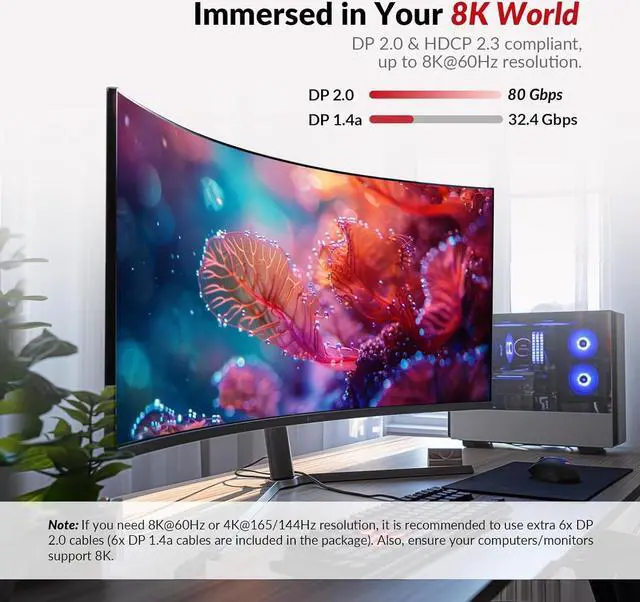
    • NoteThis model only support desktops with 3 DisplayPort output, do not support laptop. We don't recommend using DisplayPort to HDMI or DisplayPort to USB-C cables/adapters to connect the display/laptop.
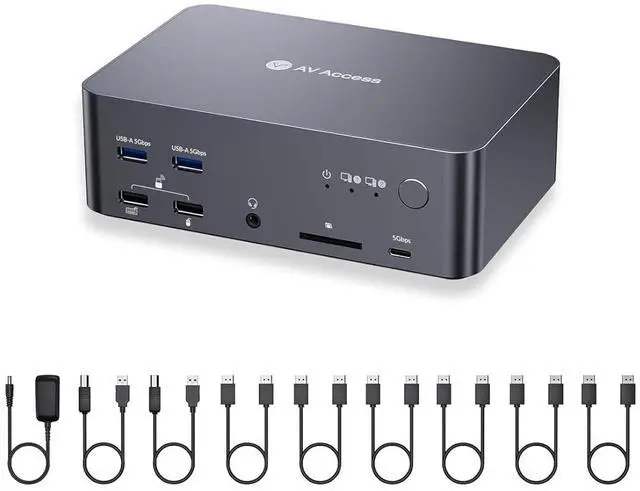
    • Package contents1x iDock D23 8K DisplayPort KVM Switch, 1x Power Adapter (DC 12V/3A), 2x USB 3.0 Type-A to Type-B Cable (1.8m/6ft for each), 6x DP 1.4a Cable (1.5m/5ft for each), 1x User Manual.
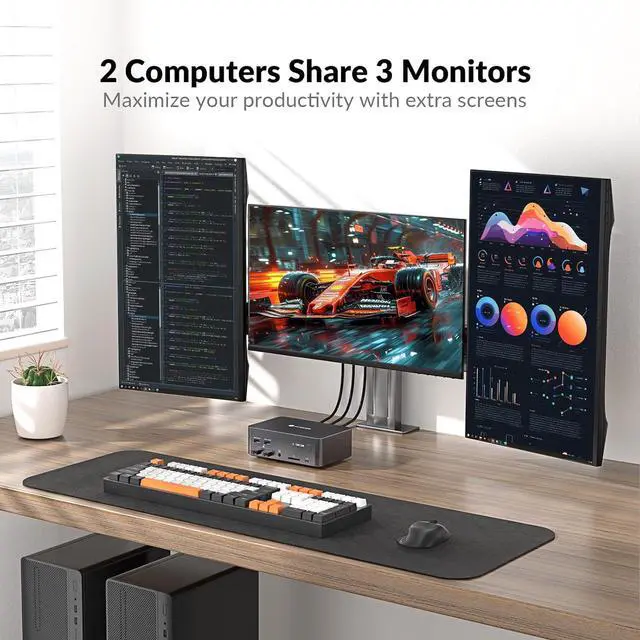
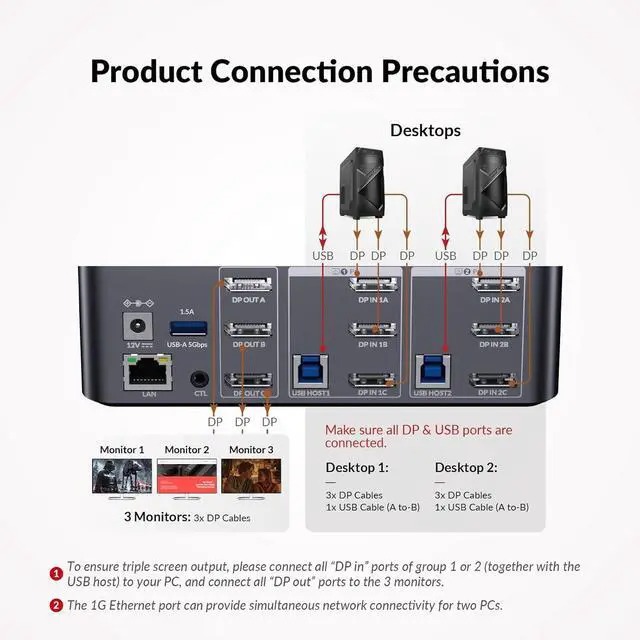
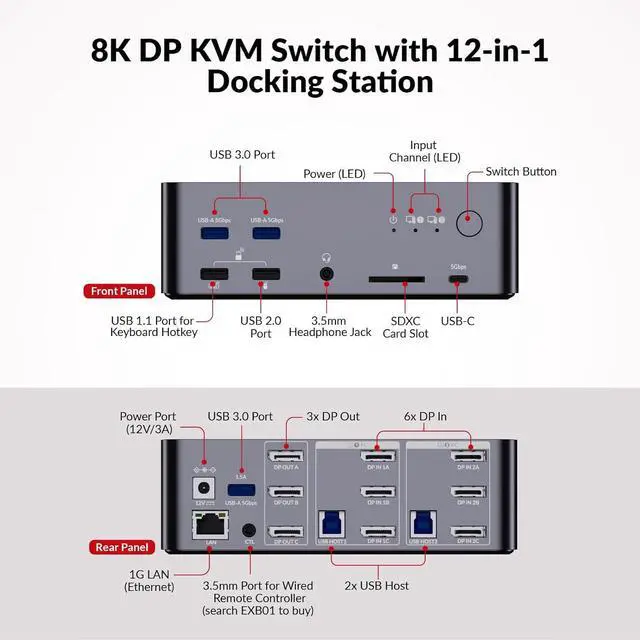
    • 3 Monitors, Triple ProductivityBuilt with 6x DP input ports (MST support, 3 in 1 group) and 3x DP output ports. this docking station allows you to toggle keyboard/mouse and switch between your workstation and gaming PC, and view 3 monitor screens simultaneously. Multitask effortlessly and maximize your productivity like never before.
    • Powerful 12-in-1 Docking StationEasily share a variety of desired peripherals between 2 PCs, including 3x USB 3.0, 1x USB 2.0, 1x USB 1.1 (for keyboard hotkey), 1x USB-C, 1x 1G Ethernet, 1x 3.5mm headset, 1x SD card, and 3x DP out. Build a powerful works
    +
    +
    Overview
    Reviews
    avatar

    Any questions? Our AI beta will help you find out quickly.

    1Wake up Sleeping PC2Ideal for Most Keyboards3Home Office4Video Gaming Can the device work with single or dual monitor?
    Yes, there is one-to-one correspondence between the DP IN A/B/C and DP OUT A/B/C ports, so correct input port needs to be connected accordingly for single or dual monitor display.

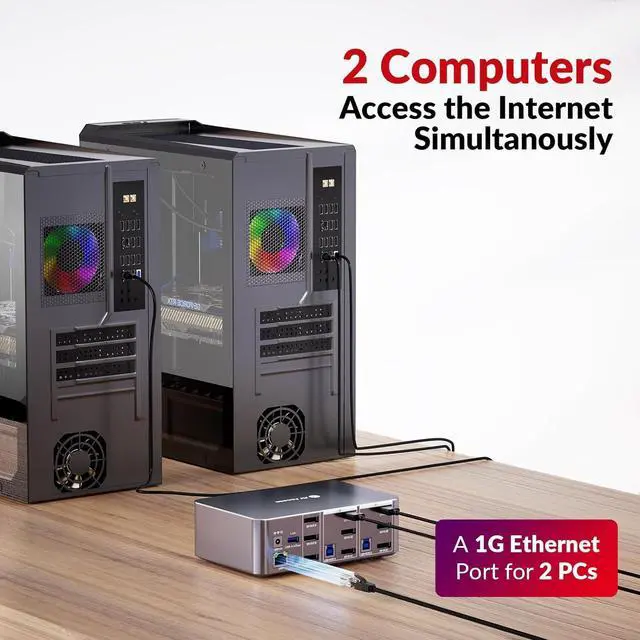
    Either of my desktops has Internet access after connecting ethernet cable to LAN port of the device. What should I do?
    Please ensure that the included USB-A to USB-B cable is securely connected to both your desktop and the device. For stable transmission, we recommend using the USB ports on the back of your computer.

    What is audio format of DP or 3.5mm unembed audio?
    DP: PCM 2.0/5.1/7.1, D0lby TrueHD/Atmos, DTS-HD Master Audio/X; Headphone: Stereo

    What can I do if the hotkey switching function does not work?
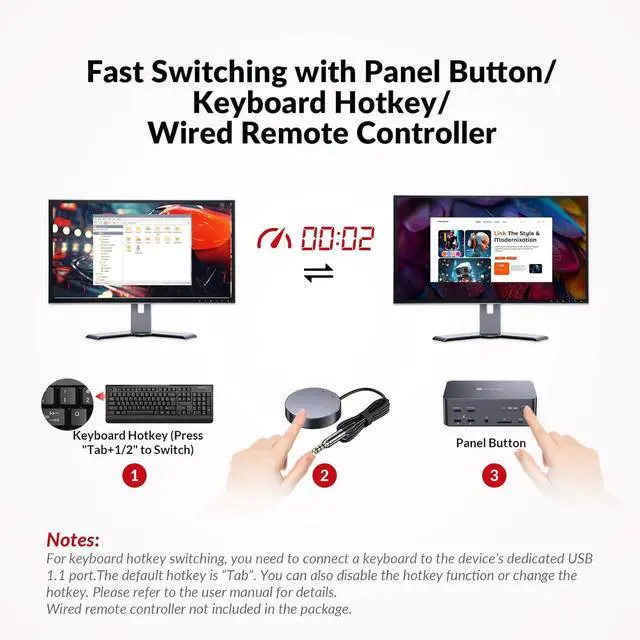
    Please make sure the keyboard is connected to the front USB-A 1.1 port. You can also quick press "Tab" or "CapsLk" twice to redefine the hotkey if you may have switched to another hotkey by mistake.

    Can it support MacBook or laptop?
    Can the device work with single or dual monitor?
    Either of my desktops has Internet access after connecting ethernet cable to LAN port of the device. What should I do?
    What is audio format of DP or 3.5mm unembed audio?
    What can I do if the hotkey switching function does not work?

    Warranty & Returns

    Warranty, Returns, And Additional Information

    Warranty

    • Please contact the Seller directly for warranty information. Warranty information may also be found on the Manufacturer's website.
    • CONTACT

    Return Policies

    Manufacturer Contact Info

    LOADING...