Your Browsing History
Meet Your Seller
USB C iPhone Hub for ProRes Video Recording - Ultra-Slim Aluminum USB 3.2, Dual USB-C, Micro SD, and Charging Port Hub for iPhone 17/16/15 Pro/Pro Max
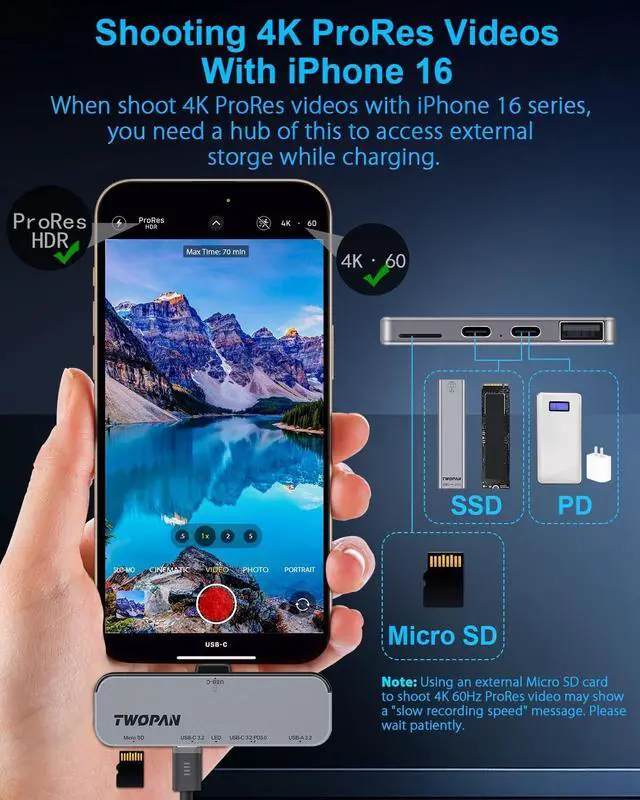
- 4K ProRes Video Shooting: Easily shoot breathtaking 4K ProRes footage on your iPhone 16/15 using external SSDs or hard drives via the USB-C 3.2 port. Ensure your storage device offers sufficient read/write speeds for smooth filming
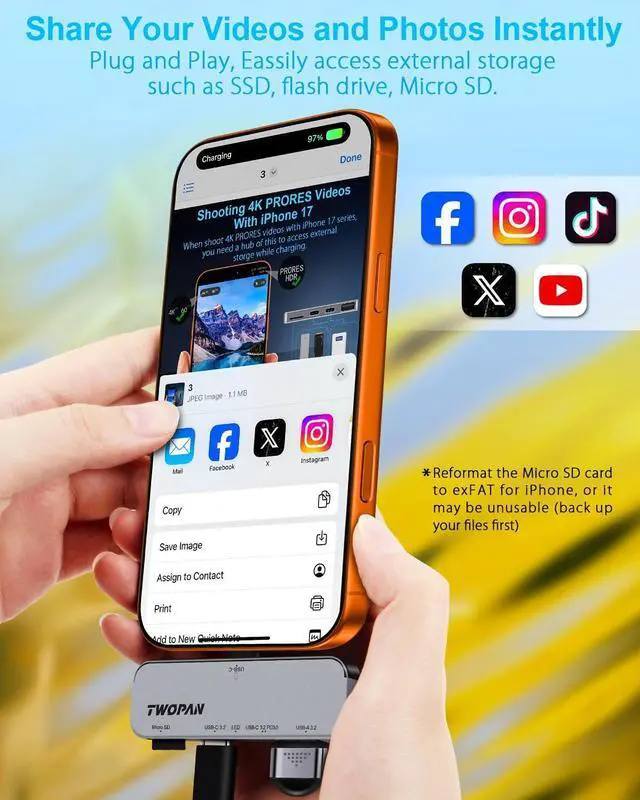
- ProRes Shooting Tips: For 1080p ProRes at 30/60fps, grab V90 UHS-II/UHS-III Micro SD cards (147-300MB/s). For 120fps, aim for 590MB/s. Backup and reformat Micro SD to ExFAT before shooting. For 4K, use an NVMe SSD with Thunderbolt 3/4 or USB 3.2, as regular cards may fall short
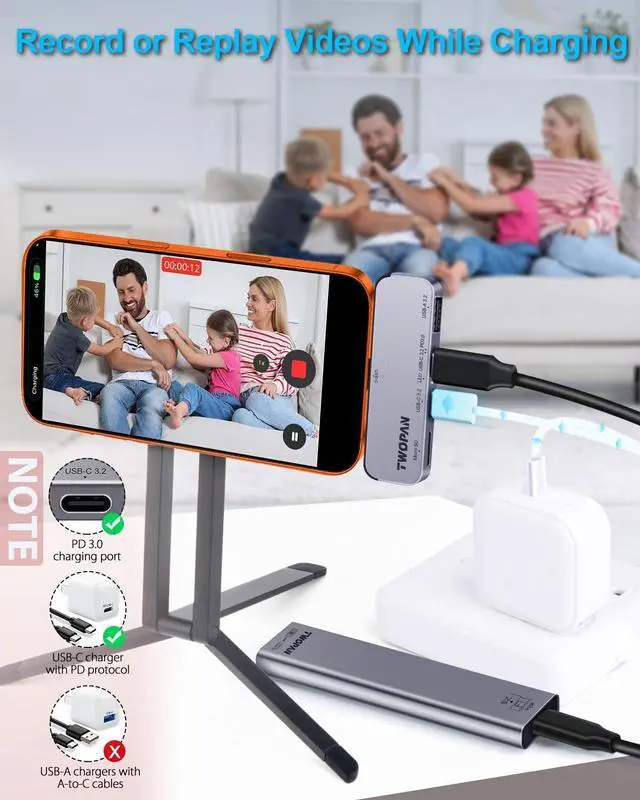
- Efficient Charging: Keep your iPhone 16/15 powered up during video shoots via the USB-C charging port. Note: Use a charger/power bank/battery pack with PD protocol and a USB-C output; A-port chargers with A-C cables are not supported
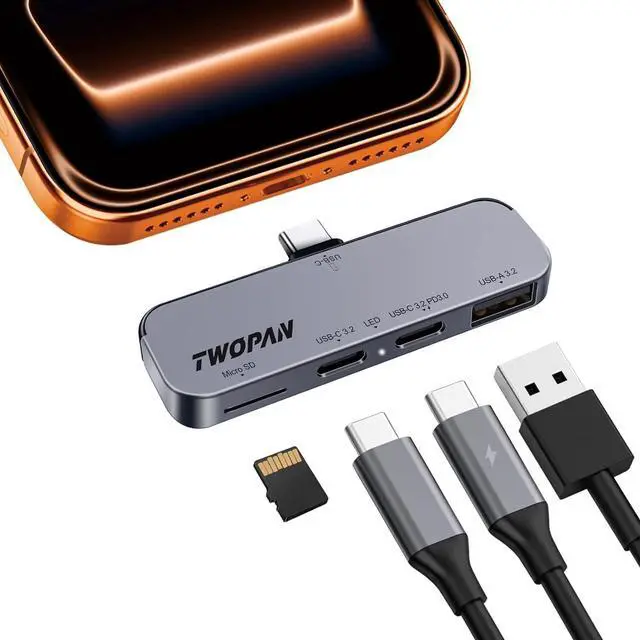
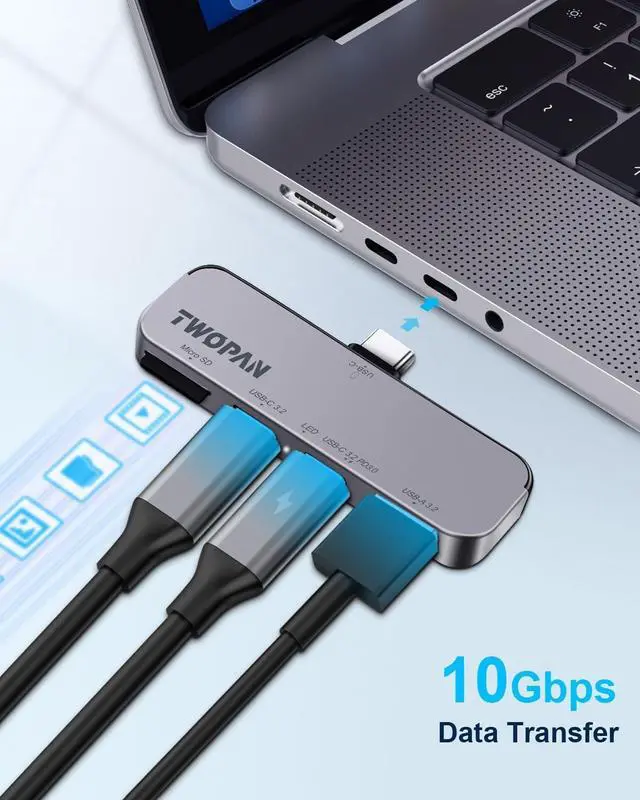
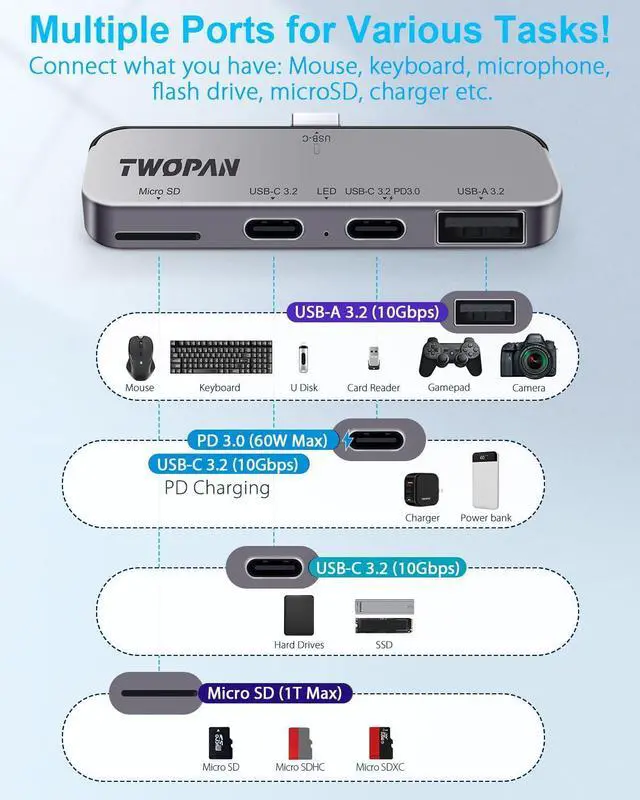
- Versatile Connectivity: Features one USB 3.2 port, two USB-C ports, and one micro SD slot. Let file tansfer and store easier and more efficient, while one of the USB-C ports is dedicated to charging your iPhone
- Compact & Lightweight Design: This iPho
+
+
Overview
Specs
Reviews
Any questions? Our AI beta will help you find out quickly.
Try me now
4K
ProRes Video Shooting: Easily shoot breathtaking 4K ProRes footage on your iPhone 16/15 using external SSDs or hard drives via the USB-C 3.2 port. Ensure your storage device offers sufficient read/write speeds for smooth filming
ProRes Shooting Tips: For 1080p ProRes at 30/60fps, grab V90 UHS-II/UHS-III Micro SD cards (147-300MB/s). For 120fps, aim for 590MB/s. Backup and reformat Micro SD to ExFAT before shooting. For 4K, use an NVMe SSD with Thunderbolt 3/4 or USB 3.2, as regular cards may fall short
Efficient Charging: Keep your iPhone 16/15 powered up during video shoots via the USB-C charging port.
Note: Use a charger/power bank/battery pack with PD protocol and a USB-C output; A-port chargers with A-C cables are not supported
Versatile Connectivity: Features one USB 3.2 port, two USB-C ports, and one micro SD slot. Let file tansfer and store easier and more efficient, while one of the USB-C ports is dedicated to charging your iPhone
Compact & Lightweight Design: This iPhone usb c hub is incredibly slim and light, making it perfect for on-the-go use. Easily fits in your pocket or bag, ensuring you have access to additional ports wherever you go

ProRes Video Shooting: Easily shoot breathtaking 4K ProRes footage on your iPhone 16/15 using external SSDs or hard drives via the USB-C 3.2 port. Ensure your storage device offers sufficient read/write speeds for smooth filming
ProRes Shooting Tips: For 1080p ProRes at 30/60fps, grab V90 UHS-II/UHS-III Micro SD cards (147-300MB/s). For 120fps, aim for 590MB/s. Backup and reformat Micro SD to ExFAT before shooting. For 4K, use an NVMe SSD with Thunderbolt 3/4 or USB 3.2, as regular cards may fall short
Efficient Charging: Keep your iPhone 16/15 powered up during video shoots via the USB-C charging port.
Note: Use a charger/power bank/battery pack with PD protocol and a USB-C output; A-port chargers with A-C cables are not supported
Versatile Connectivity: Features one USB 3.2 port, two USB-C ports, and one micro SD slot. Let file tansfer and store easier and more efficient, while one of the USB-C ports is dedicated to charging your iPhone
Compact & Lightweight Design: This iPhone usb c hub is incredibly slim and light, making it perfect for on-the-go use. Easily fits in your pocket or bag, ensuring you have access to additional ports wherever you go
Warranty & Returns
Warranty, Returns, And Additional Information
Warranty
- Please contact the Seller directly for warranty information. Warranty information may also be found on the Manufacturer's website.
- CONTACT
Return Policies
- Return for refund within: 30 days
- Return for replacement within: 30 days
- This item is covered by FuRun Return Policy
Manufacturer Contact Info
- For a directory of all our manufacturers, please click below.
- Manufacturers Directory
LOADING...