• $66.85
  • Free 30-day Returns
  • Ships from China.
    Price alert
    Shop it at NeweggBusiness.

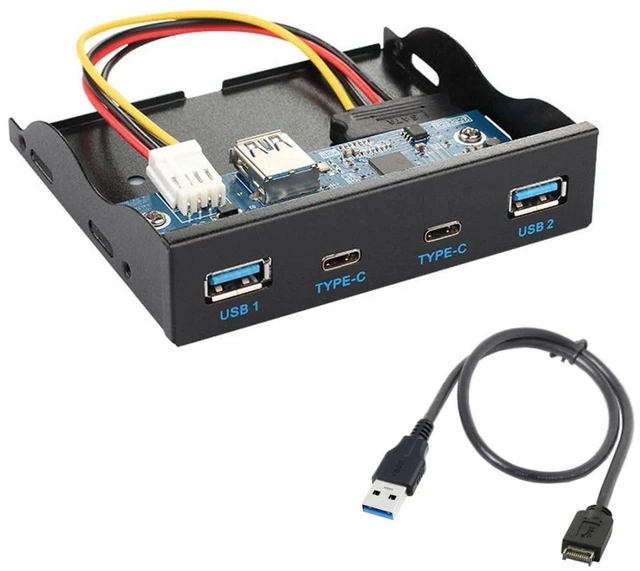
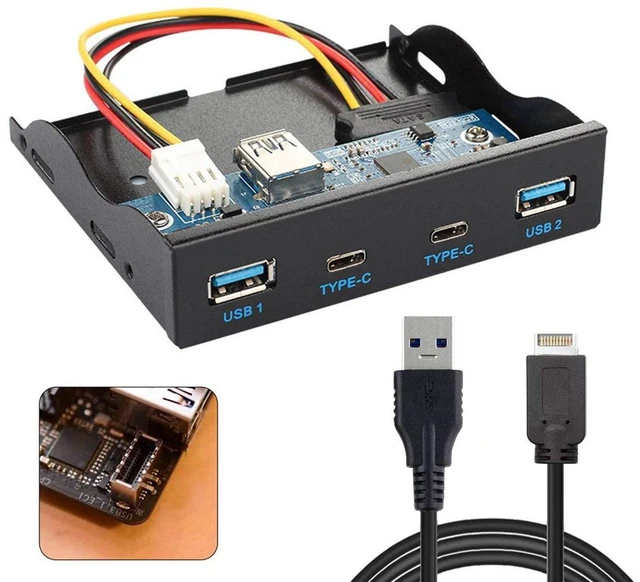
    AJMRTC 3.5 Inch Floppy Bay USB 3.1 Gen2 Front Panel Hub, 2 USB-A 2 USB-C 4 Port Multiplier Expansion Adapter, Connects to Motherboard Type-E Header for Desktop PC Case Upgrade

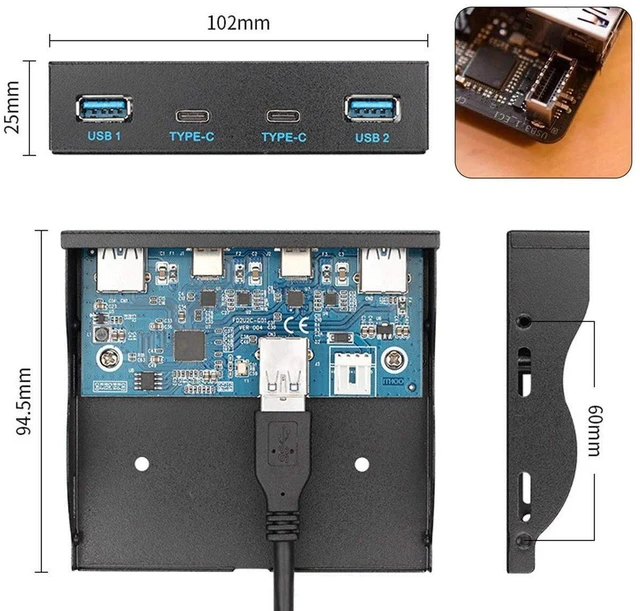
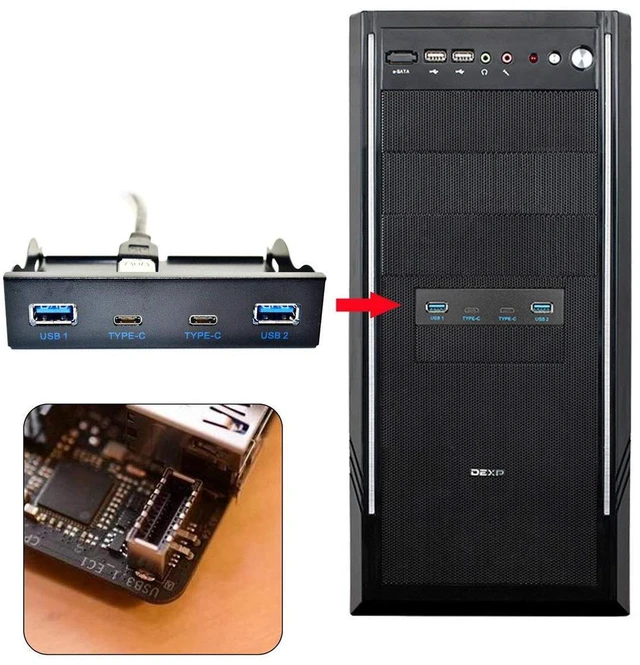
    • 1. Fits standard 3.5-inch floppy drive bay for neat front-chassis installation
    • 2. 4-port layout: 2 x USB-A + 2 x USB-C, USB3.1 Gen2 up to 10Gbps transfer speed
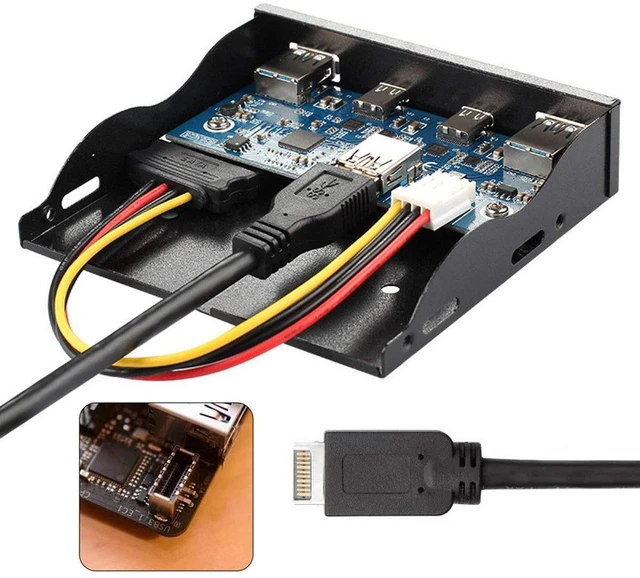
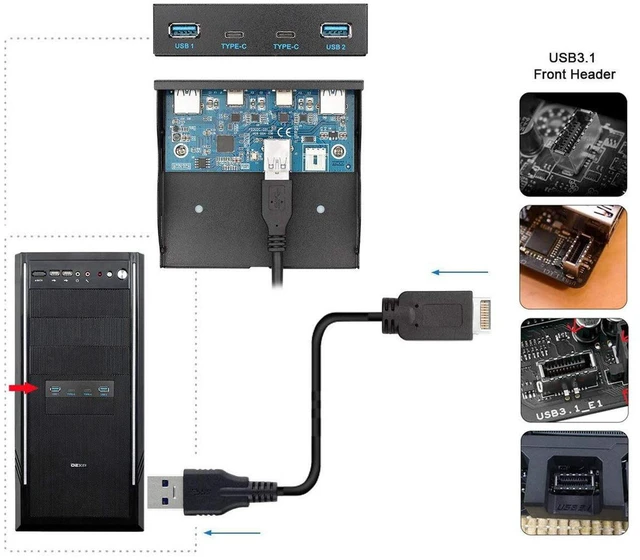
    • 3. Internal Type-E A-Key header connects directly to motherboard native Type-E port
    • 4. Built-in overcurrent protection for each port, stable for SSD, flash drives and peripherals
    • 5. Driver-free plug-and-play, compatible with Windows and Linux desktop operating systems
    +
    +
    Overview
    Specs
    Reviews

    Any questions? Ask CelesteSM will help you find out quickly.

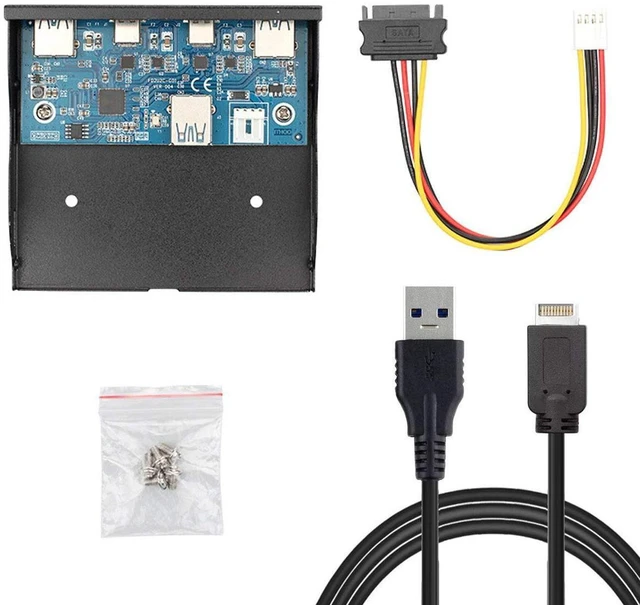
    AJMRTC front panel USB hub is designed to occupy your PCs spare 3.5 floppy bay. It extends one motherboard USB 3.1 Gen2 Type-E header into two USB-A and two USB-C ports on the front of your chassis, making it much easier to plug in flash drives, portable SSDs, cameras and other high-speed peripherals. It supports hot swap and comes with a metal mounting bracket for secure installation. Each port has independent over-current protection to safeguard your motherboard and connected devices. It is an ideal upgrade for custom PC builders and workstation setups. USB cables and peripherals are not included.


    Specifications

    1. Brand: AJMRTC
    2. Mount Bay: 3.5 inch floppy drive bay
    3. Internal Connector: USB 3.1 Gen2 Type-E A-Key
    4. External Ports: 2 x USB-A, 2 x USB-C
    5. Speed: Up to 10Gbps
    6. Feature: Hot swap, per-port overcurrent protection
    7. Bracket: Metal mounting frame
    8. Supported OS: Windows, Linux
    9. Application: Desktop PC, gaming case, workstation front panel expansion
    10. Note: Peripherals and Type-E cable NOT included


    Warranty & Returns

    Warranty, Returns, And Additional Information

    Warranty

    • Please contact the Seller directly for warranty information. Warranty information may also be found on the Manufacturer's website.
    • CONTACT

    Return Policies

    Manufacturer Contact Info

    LOADING...