



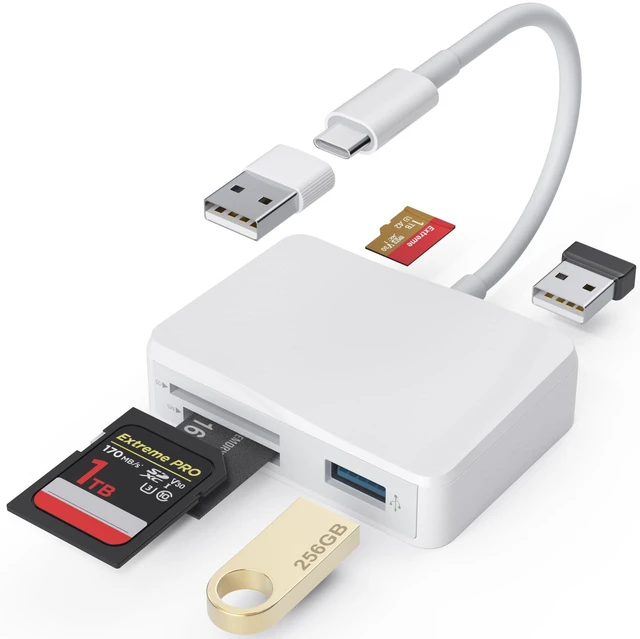
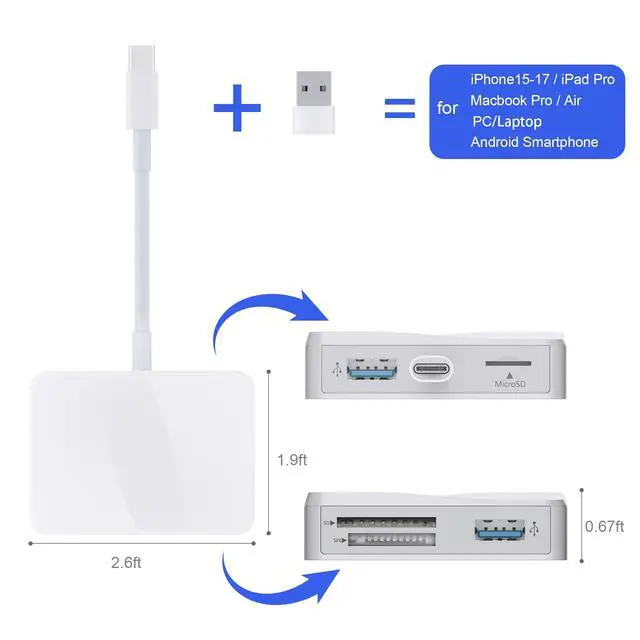


5 IN 1 USB-C SD/Micro SD/MS Card Reader With USB Adapter
Universal Compatibility:
USB Type C Laptop:
- Compatible with MacBook Air /2019/2020/2021/2023/2024, MacBook Pro 2021/2022/2023/2024/2025, MacBook 2017/2016, iMac M1/M4
- Compatible with DELL XPS 13, XPS 15; Asus: Zenbook Flip S UX370UA, ZenBook3, ZenBook Pro;
- Compatible with HP Envy 13, Spectre x360, HP EliteBook Folio G1, HP Elite X2 1012 G1, HP Elite x3;
- Compatible with Microsoft Surface Book 2, Surface Go, Surface Studio 2, Surface Pro 7, Surface Pro X, Surface Laptop 3,
- Compatible with Lenovo: Yoga 920, 910, 900S, 900, 720, ThinkPad X1, Ideapad Air 12, Miix 630
USB Type C Tablet:
- Compatible with iPad Pro 2018/2020/2023/2025 M5, iPad Air 4th (2020);
USB Type C Smartphone:
- Compatible with iPhone 17/17 Air/17 Pro/17 Pro Max,16/16e/16 Pro/16 Pro Max,15/15 Plus/15 Pro/15 Pro Max
- Compatible with Google pixel 5A/5/4A/4
- Compatible with Moto edge s /edge s pro/G8, G7, G7 Play, G7 Power;
- Compatible with OnePlus 9/9Pro/8/8 Pro/7T/ 7T Pro/7/ Pro/ 6T
Tips: Not compatible with iPhone 5-14 or iPad, this card reader uses a USB-C connector ( NOT lightning port ).
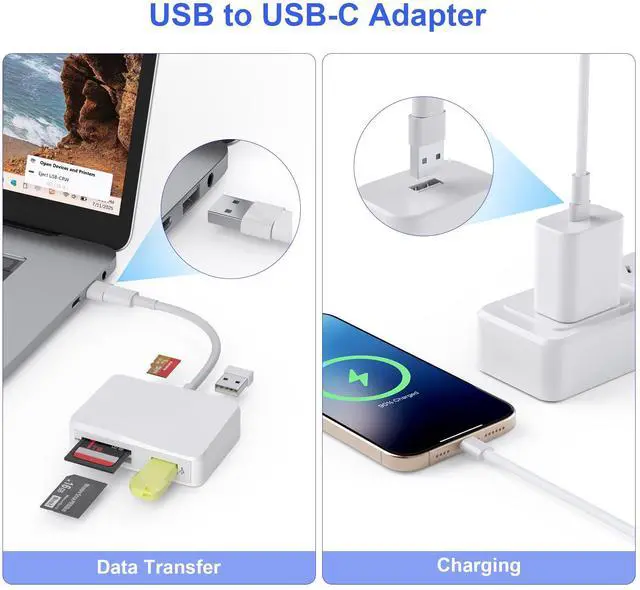
USB to USB-C Adapter
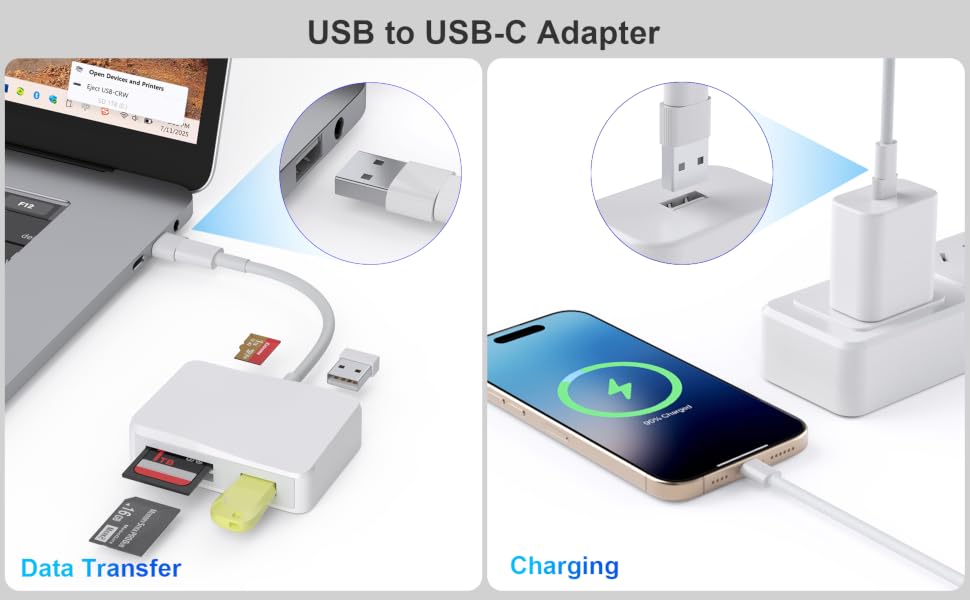
It is relly helpful when your card reader is with USB-C plug and your laptop is USB enabled.
Also when you have a power supply with USB socket, you need it to connect with your USB-C to USB-C cable to charge your phone.
it is really convenient, make sure to bring it with you.
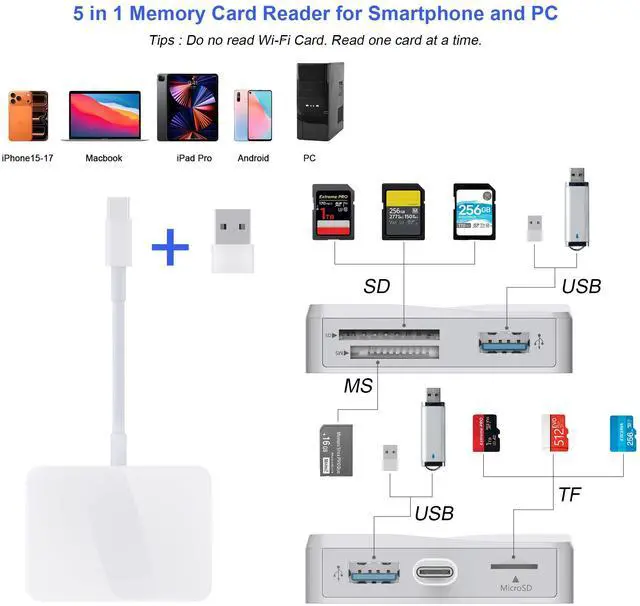
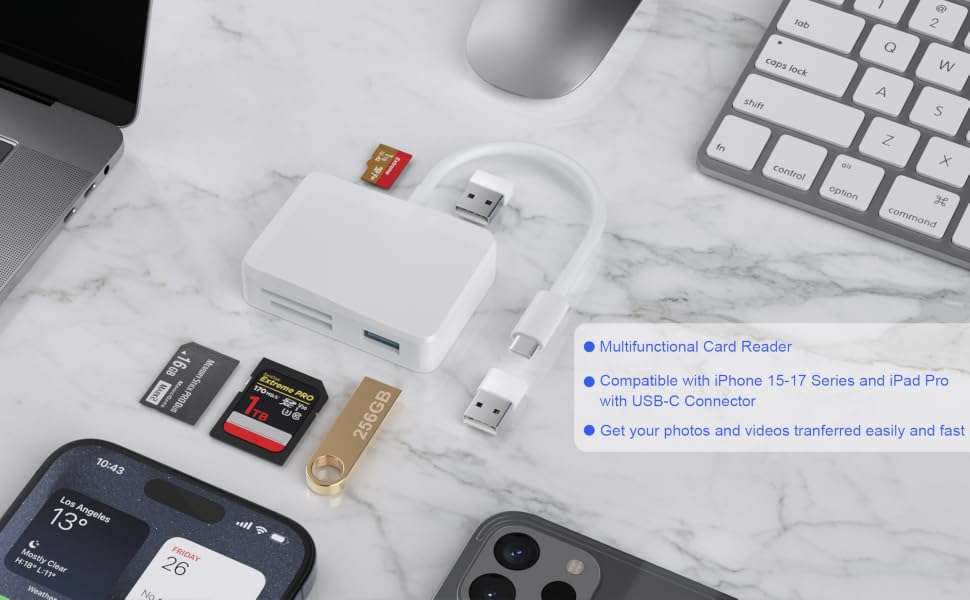
Great compatibility for read four different cards!
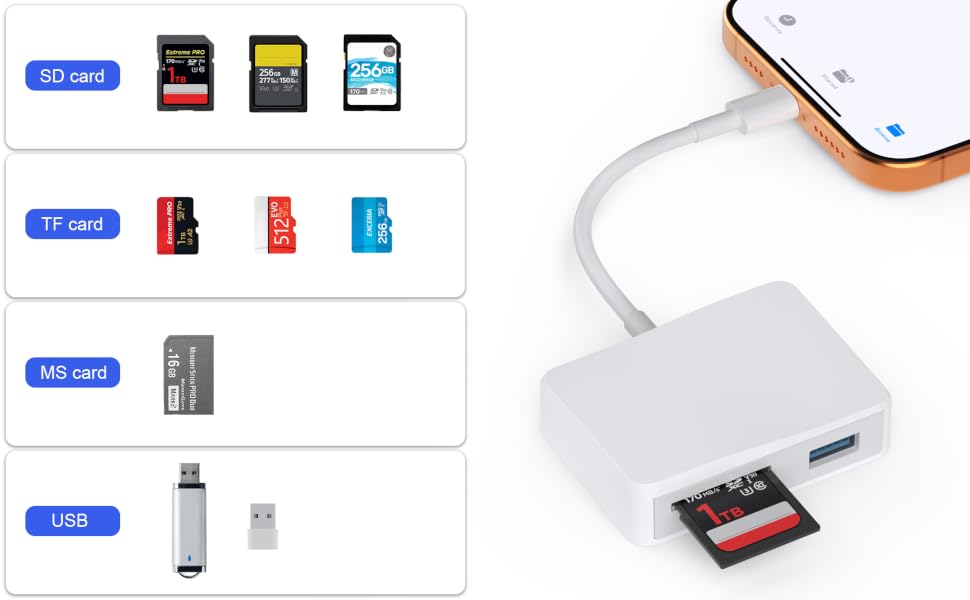
Tired of buying different card readers for different cards?
Compatible with four kinds of most popular cards, this card reader can help you to read different cards with only one card reader.
SD card, TF card, CF,MS card.
Which cards do you have?
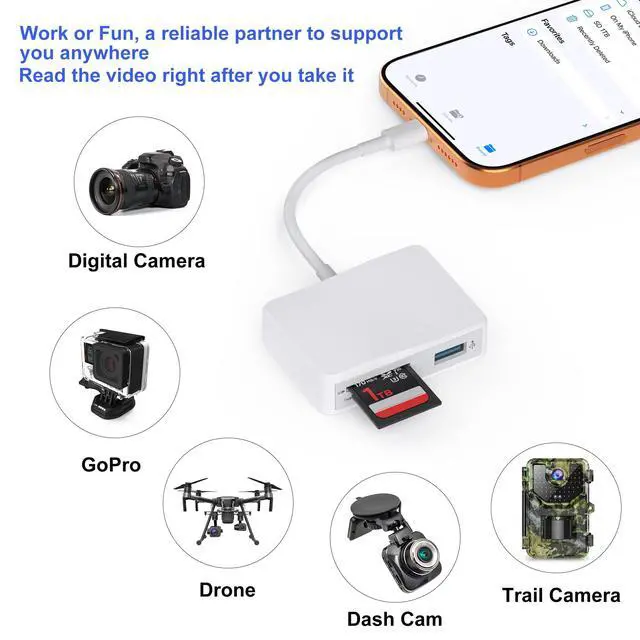
Download photos from Memory Card to iPhone 15-17/iPad/iPad Pro for User with iOS 13 or later
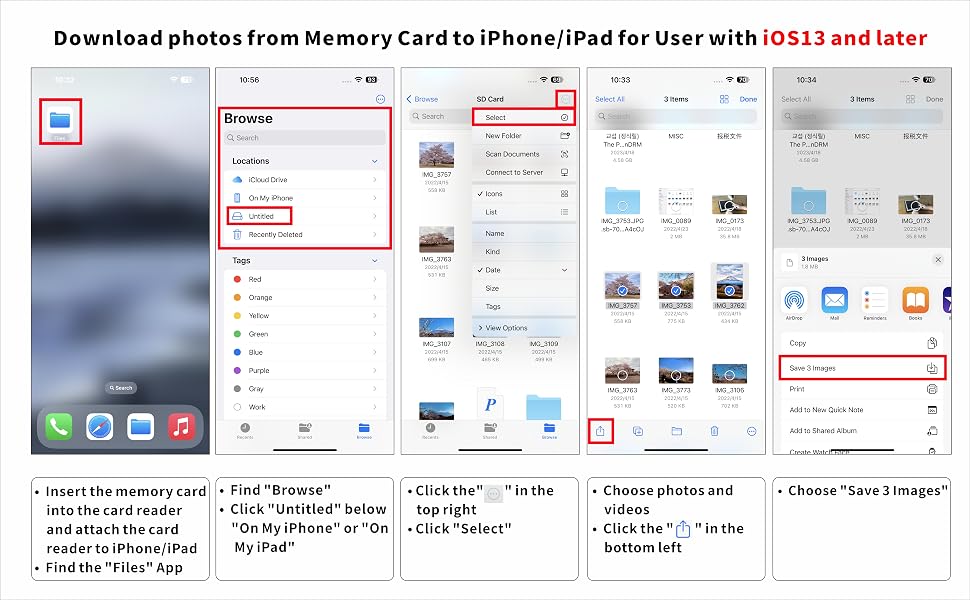
Two-way transfer for iOS user with iOS 13.0 or later
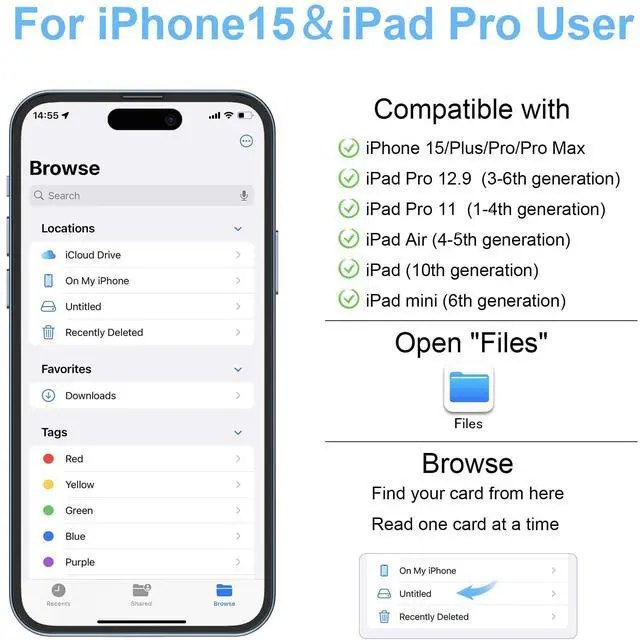
Files App ( iOS 13 or later)
Files app is an important app which can transfer files between your memory card to your iPhone & iPad.
Data from your iPhone is “on my iPhone” and data of memory card is on “Untiled” (or "NONAME", which is the name of your memory card)
You can view data and transfer the data between memory card and iPhone.
Files app not only manager can videos and photos, but also manage music, PDF, word, or Excel, etc.
1. Insert a memory card into the reader. Turn on iPhone & iPad and attach the reader to the Lightning port.
2. On iPhone & iPad, open “Files” app. You can view the files in your memory card. You can view most files like jpg, MP3, word, excel, ppt and so on. If you can view the files but can’t open it, you may need to download a third-party app to read this file.
3. You can delete files or copy and paste files from memory card to your iPhone or iPad. Or coy files from iPhone or iPad to memory card.
4. If you can see the data, but not able to open it, you need to download a third-party App to open it.
5 IN 1 USB-C SD/Micro SD/MS Card Reader With USB Adapter
Universal Compatibility:
USB Type C Laptop:
- Compatible with MacBook Air /2019/2020/2021/2023/2024, MacBook Pro 2021/2022/2023/2024/2025, MacBook 2017/2016, iMac M1/M4
- Compatible with DELL XPS 13, XPS 15; Asus: Zenbook Flip S UX370UA, ZenBook3, ZenBook Pro;
- Compatible with HP Envy 13, Spectre x360, HP EliteBook Folio G1, HP Elite X2 1012 G1, HP Elite x3;
- Compatible with Microsoft Surface Book 2, Surface Go, Surface Studio 2, Surface Pro 7, Surface Pro X, Surface Laptop 3,
- Compatible with Lenovo: Yoga 920, 910, 900S, 900, 720, ThinkPad X1, Ideapad Air 12, Miix 630
USB Type C Tablet:
- Compatible with iPad Pro 2018/2020/2023/2025 M5, iPad Air 4th (2020);
USB Type C Smartphone:
- Compatible with iPhone 17/17 Air/17 Pro/17 Pro Max,16/16e/16 Pro/16 Pro Max,15/15 Plus/15 Pro/15 Pro Max
- Compatible with Google pixel 5A/5/4A/4
- Compatible with Moto edge s /edge s pro/G8, G7, G7 Play, G7 Power;
- Compatible with OnePlus 9/9Pro/8/8 Pro/7T/ 7T Pro/7/ Pro/ 6T
Tips: Not compatible with iPhone 5-14 or iPad, this card reader uses a USB-C connector ( NOT lightning port ).
USB to USB-C Adapter
It is relly helpful when your card reader is with USB-C plug and your laptop is USB enabled.
Also when you have a power supply with USB socket, you need it to connect with your USB-C to USB-C cable to charge your phone.
it is really convenient, make sure to bring it with you.
Great compatibility for read four different cards!
Tired of buying different card readers for different cards?
Compatible with four kinds of most popular cards, this card reader can help you to read different cards with only one card reader.
SD card, TF card, CF,MS card.
Which cards do you have?
Download photos from Memory Card to iPhone 15-17/iPad/iPad Pro for User with iOS 13 or later
Two-way transfer for iOS user with iOS 13.0 or later
Files App ( iOS 13 or later)
Files app is an important app which can transfer files between your memory card to your iPhone & iPad.
Data from your iPhone is “on my iPhone” and data of memory card is on “Untiled” (or "NONAME", which is the name of your memory card)
You can view data and transfer the data between memory card and iPhone.
Files app not only manager can videos and photos, but also manage music, PDF, word, or Excel, etc.
1. Insert a memory card into the reader. Turn on iPhone & iPad and attach the reader to the Lightning port.
2. On iPhone & iPad, open “Files” app. You can view the files in your memory card. You can view most files like jpg, MP3, word, excel, ppt and so on. If you can view the files but can’t open it, you may need to download a third-party app to read this file.
3. You can delete files or copy and paste files from memory card to your iPhone or iPad. Or coy files from iPhone or iPad to memory card.
4. If you can see the data, but not able to open it, you need to download a third-party App to open it.