• $54.99
  • Free 30-day Returns
  • Ships from China.
    Price alert
    Shop it at NeweggBusiness.

    KEHIPI Soldering Iron Station Kit, 72W Digital Display with Adjustable Temperature (150°C-480°C), OLED Display, Auto Sleep Function, 2 Tips, 50g Solder Wire, Solder Sucker, Tweezers

    • Soldering Station 72W Smart Soldering Iron Station KitPRODUCT DETAILS INFORMATION:Power: 72 wattsAdjustable temperature: 150°C-480°CFast heating: 6-8 seconds (Please be careful not to get burned)Voltage: 100 V ~ 130 V AC, 60 HzWhen the soldering station is sleeping, you can wake it up in 3 ways:Shake the device several times.Press any button on the control panel.Reboot device.
    +
    +
    Overview
    Specs
    Reviews
    avatar

    Any questions? Our AI beta will help you find out quickly.

    The HANDSKIT soldering station features temperature control (with temperature stabilization) and a range of auxiliary tools that can be attached to the soldering station to assist it in various tasks.

    Soldering Iron Station Kit

    The soldering station includes:

    What's in the box?
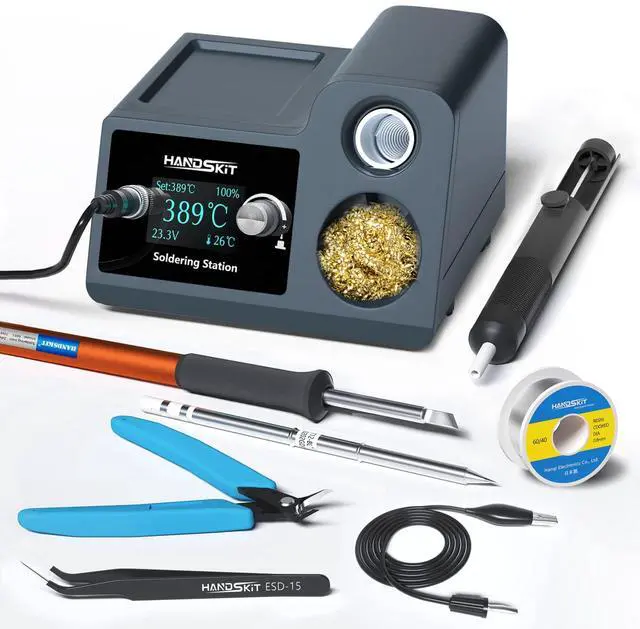
    • 1 x 72W T12 Smart Digital Soldering Station.
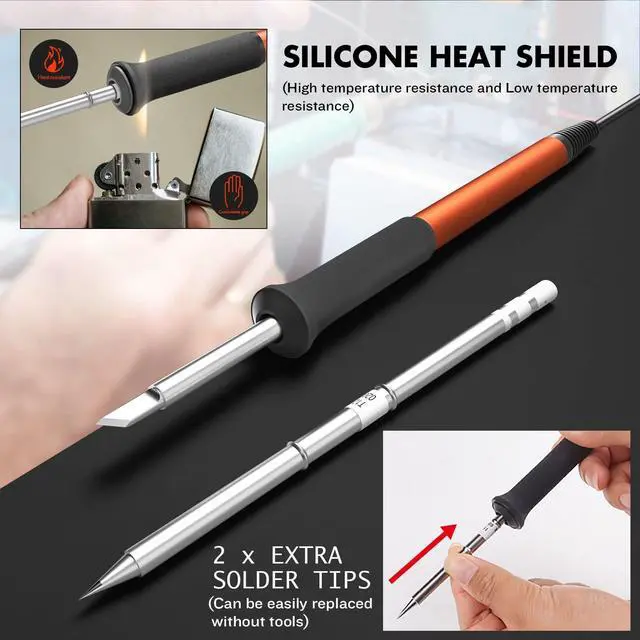
    • 1 x Soldering Iron; 2 x Extra Solder Tips.
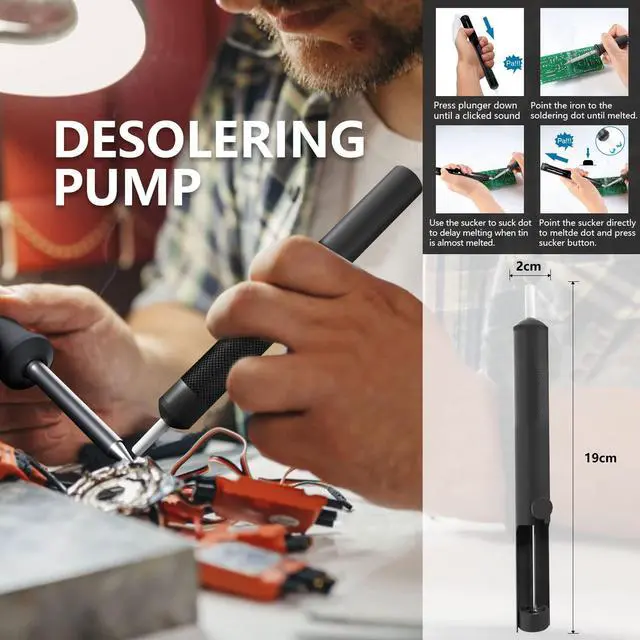
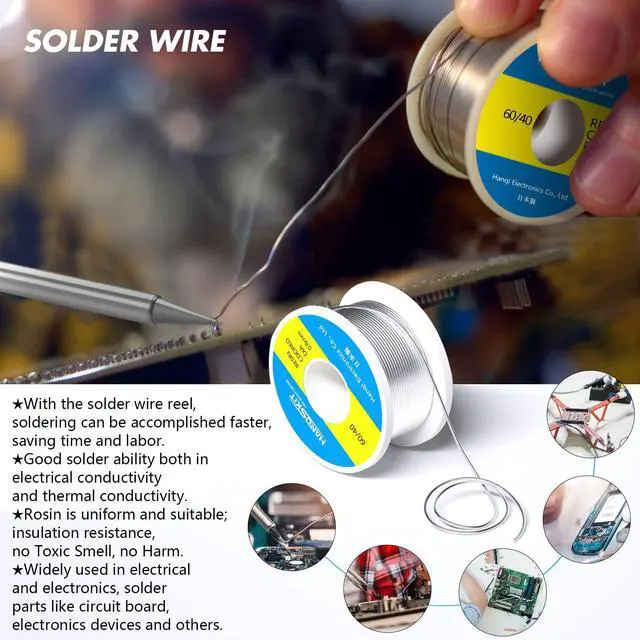
    • 1 x 50g Solder Wire; 1 x Solder Sucker.
    • 1 x Pliers; 1 x ESD Safe Tweezers (ESD-15).
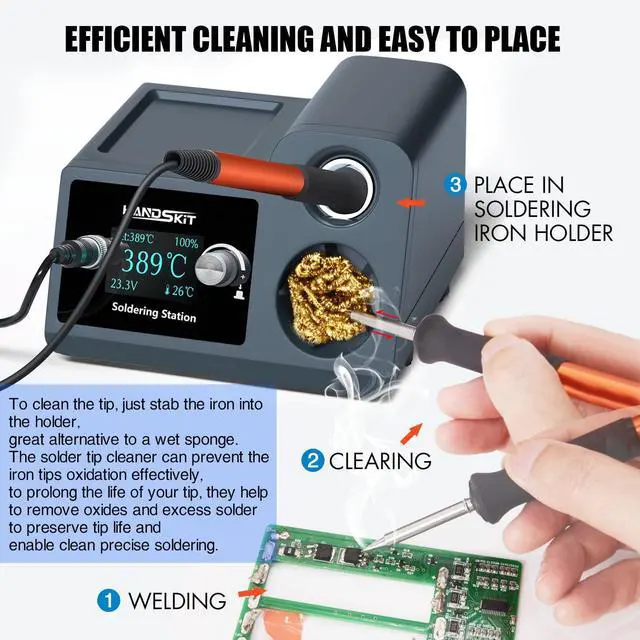
    • 1 x Soldering Iron Tip Cleaner; 1 x Cleaning Sponge.
    • 1 x Power Cord; 1 x Anti-static Ground Wire.
    • 1 x General Instruction Manual.
    Friendly Reminder:

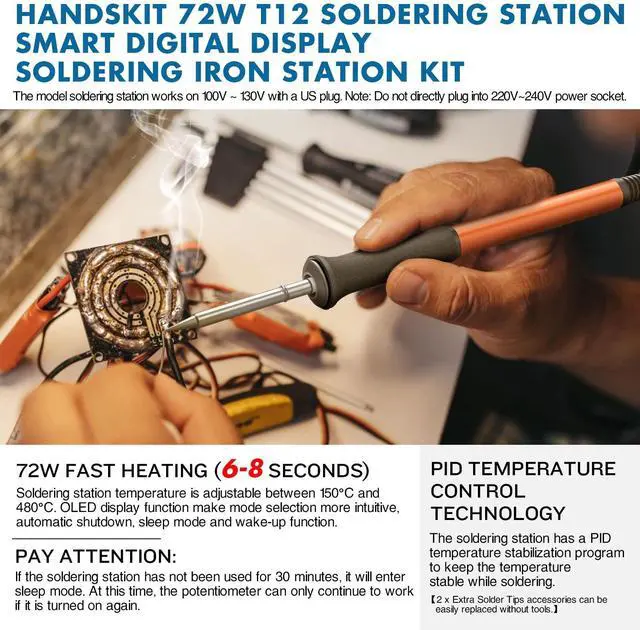
    The model soldering station works on 100V ~ 130V with a US plug.

    Note: Do not directly plug into 220V~240V power socket.

    HANDSKIT Soldering Station 72W Smart Soldering Iron Station Kit

    PRODUCT DETAILS INFORMATION:

    • Power: 72 watts
    • Adjustable temperature: 150°C-480°C
    • Fast heating: 6-8 seconds (Please be careful not to get burned)
    • Voltage: 100 V ~ 130 V AC, 60 Hz

    When the soldering station is sleeping, you can wake it up in 3 ways:

    • Shake the device several times.
    • Press any button on the control panel.
    • Reboot device.

    Soldering Iron Station Kit 72W

    Standby mode (sleep mode and wake up)

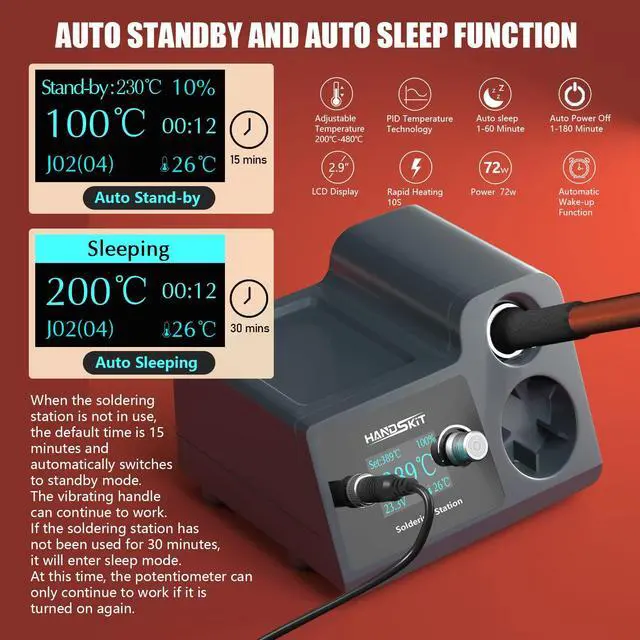
    • When the soldering station is not in use, the default time is 15 minutes and automatically switches to standby mode. The vibrating handle can continue to work.
    • If the soldering station has not been used for 30 minutes, it will enter sleep mode. At this time, the potentiometer can only continue to work if it is turned on again.

    Soldering Station

    The soldering station 72W fast temperature rise and PID temperature control, and the temperature is adjustable between 150°C and 480°C.

    Soldering Iron Station Kit 72W

    OLED display function make mode selection more intuitive, PID temperature control technology, fast heating (6-8 seconds), please be careful to avoid burns, automatic shutdown, sleep mode and wake-up function.

    Soldering Iron Station Kit 72W

    When the soldering station is not in use, the default time is 15 minutes and automatically switches to standby mode.

    The vibrating handle can continue to work.

    If the soldering station has not been used for 30 minutes, it will enter sleep mode.

    At this time, the potentiometer can only continue to work if it is turned on again.

    Soldering Iron Station Kit 72W

    The HANDSKIT soldering station features temperature control (with temperature stabilization) and a range of auxiliary tools that can be attached to the soldering station to assist it in various tasks.

    Soldering Iron Station Kit

    The soldering station includes:

    What's in the box?
    • 1 x 72W T12 Smart Digital Soldering Station.
    • 1 x Soldering Iron; 2 x Extra Solder Tips.
    • 1 x 50g Solder Wire; 1 x Solder Sucker.
    • 1 x Pliers; 1 x ESD Safe Tweezers (ESD-15).
    • 1 x Soldering Iron Tip Cleaner; 1 x Cleaning Sponge.
    • 1 x Power Cord; 1 x Anti-static Ground Wire.
    • 1 x General Instruction Manual.
    Friendly Reminder:

    The model soldering station works on 100V ~ 130V with a US plug.

    Note: Do not directly plug into 220V~240V power socket.

    HANDSKIT Soldering Station 72W Smart Soldering Iron Station Kit

    PRODUCT DETAILS INFORMATION:

    • Power: 72 watts
    • Adjustable temperature: 150°C-480°C
    • Fast heating: 6-8 seconds (Please be careful not to get burned)
    • Voltage: 100 V ~ 130 V AC, 60 Hz

    When the soldering station is sleeping, you can wake it up in 3 ways:

    • Shake the device several times.
    • Press any button on the control panel.
    • Reboot device.

    Soldering Iron Station Kit 72W

    Standby mode (sleep mode and wake up)

    • When the soldering station is not in use, the default time is 15 minutes and automatically switches to standby mode. The vibrating handle can continue to work.
    • If the soldering station has not been used for 30 minutes, it will enter sleep mode. At this time, the potentiometer can only continue to work if it is turned on again.

    Soldering Station

    The soldering station 72W fast temperature rise and PID temperature control, and the temperature is adjustable between 150°C and 480°C.

    Soldering Iron Station Kit 72W

    OLED display function make mode selection more intuitive, PID temperature control technology, fast heating (6-8 seconds), please be careful to avoid burns, automatic shutdown, sleep mode and wake-up function.

    Soldering Iron Station Kit 72W

    When the soldering station is not in use, the default time is 15 minutes and automatically switches to standby mode.

    The vibrating handle can continue to work.

    If the soldering station has not been used for 30 minutes, it will enter sleep mode.

    At this time, the potentiometer can only continue to work if it is turned on again.

    Soldering Iron Station Kit 72W

    Soldering Station 72W Smart Soldering Iron Station Kit

    PRODUCT DETAILS INFORMATION:

    • Power: 72 watts
    • Adjustable temperature: 150°C-480°C
    • Fast heating: 6-8 seconds (Please be careful not to get burned)
    • Voltage: 100 V ~ 130 V AC, 60 Hz

    When the soldering station is sleeping, you can wake it up in 3 ways:

    • Shake the device several times.
    • Press any button on the control panel.
    • Reboot device.

    Warranty & Returns

    Warranty, Returns, And Additional Information

    Warranty

    • Please contact the Seller directly for warranty information. Warranty information may also be found on the Manufacturer's website.
    • CONTACT

    Return Policies

    Manufacturer Contact Info

    LOADING...