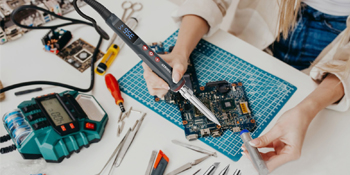
HANDSKIT 200W Soldering Iron Product Specifications:
- Model: 927 200W Series.
- Plug Type: US Plug.
- Input Voltage: 110V (US).
- Temperature Range: 180°C to 480°C, recommended soldering temperature is 380°C. Temperatures below 300°C may affect soldering performance. (Note: After unplugging, the soldering iron tip remains hot; avoid touching to prevent burns.).
- Power: Approximately 200W, with fast heating function, suitable for extended use.
- Display: LED digital display for temperature, clear and easy to read.
HANDSKIT 200W 110V LED Digital Soldering Iron Kit with Soldering Gun for Precision Soldering
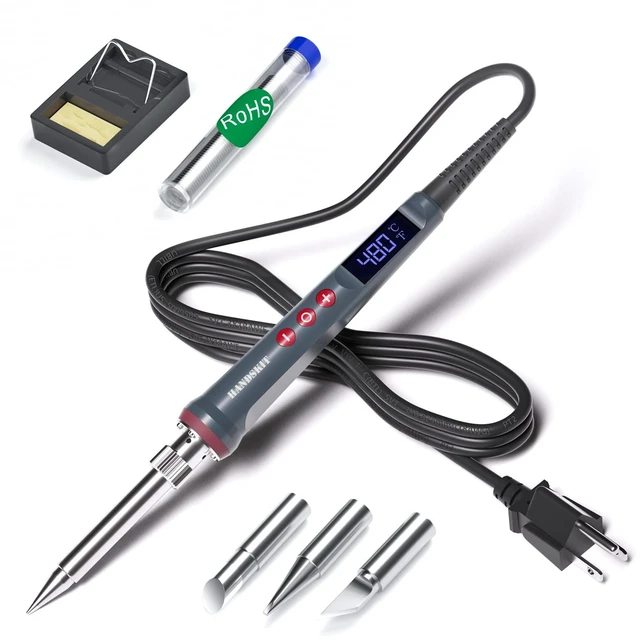
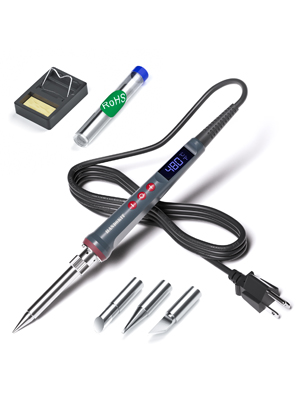
6-in-1 Solder Iron Kit Welding Tool Includes 4 solder tips (one pre-installed on the soldering iron), solder wire, and soldering iron stand.
HANDSKIT Brand Story
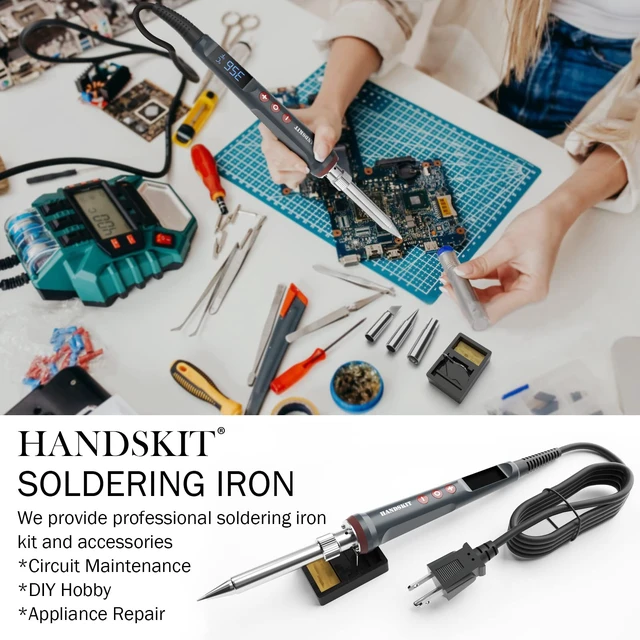
HANDSKIT provides high-quality soldering tools for professionals and hobbyists. Our journey began with a passion for precision, durability, and safety. By combining modern technology and advanced temperature control, we deliver reliable tools for DIY, repairs, and precision work. Each product is rigorously tested to ensure flawless results. HANDSKIT is your trusted partner for every soldering project.
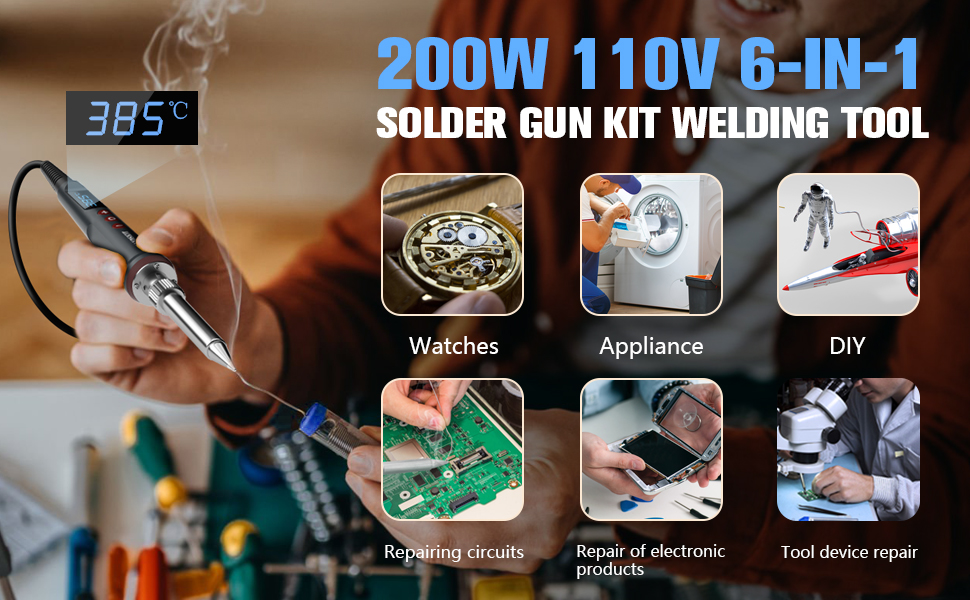
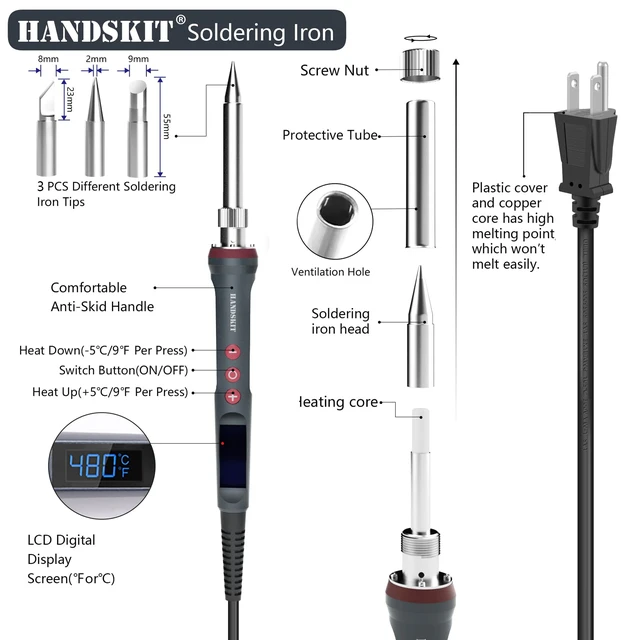
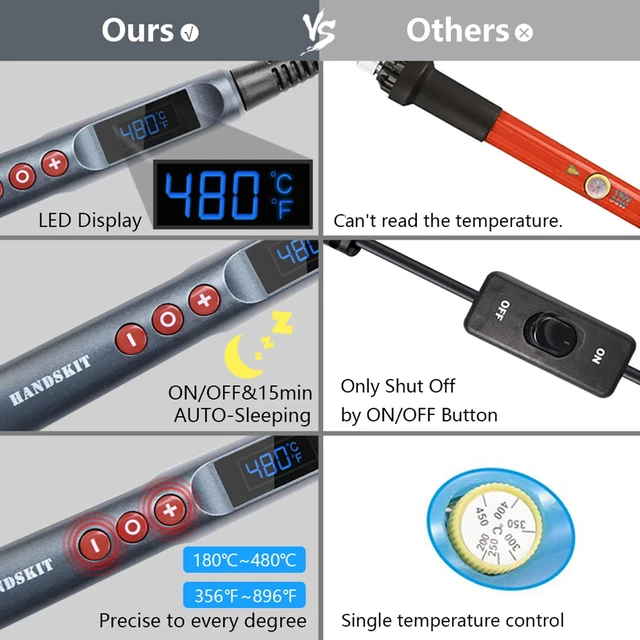
- The HANDSKIT soldering iron offers precise temperature adjustment and constant temperature functionality with an LED display. It supports Celsius (180°C-480°C) and Fahrenheit (356°F-896°F) conversion.
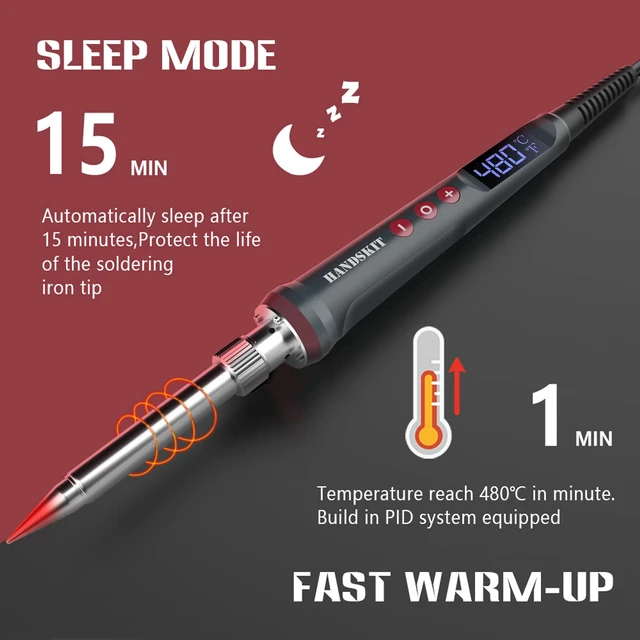
- The soldering iron supports temperature calibration from -99°C to 99°C for precise control. For details on automatic sleep mode, refer to the product manual or access additional assistance.
- The soldering iron has 4 internal wires (2 heating, 2 sensors) that provide real-time temperature feedback, adjusting heat output for stable performance.
- The HANDSKIT soldering iron automatically remembers the last set temperature, e.g., 380°C, and restores it when powered on again.
- The 200W ceramic heating core heats up in 5 seconds, improving efficiency. Its heat-resistant design keeps the handle cool, making it ideal for prolonged use.

Operating Instructions:
1. Check Power Cord: Ensure the power cord is in good condition before use.
2. Power On: Insert the plug; screen shows "888" and enters "OFF" state.
3. First Use:
- Press and hold "O" to power on; temperature fluctuates and rises to factory settings.
- Adjust temperature with "+" and "-" buttons (180°C - 480°C / 356°F to 896°F).
- Press and hold "O" to turn off.
4. Second Use: The temperature will return to the last set temperature.
5. Safety Warning: After unplugging, the soldering tip remains hot. Avoid touching.
Memory Function:
1. Temperature Memory: The first set temperature (e.g., 380°C) is saved for the next use.
2. Temperature Fluctuation: If temperature fluctuates, adjust using "+" and "-" buttons. This is normal.
Additional Features: For detailed settings on temperature calibration, °C/°F switch, and auto sleep mode, refer to the manual. Calibration ensures accurate temperature for stable performance.
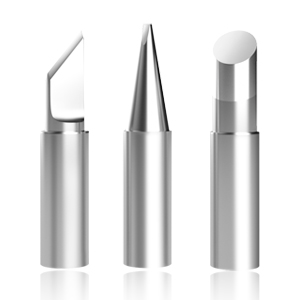
Different Soldering Tips
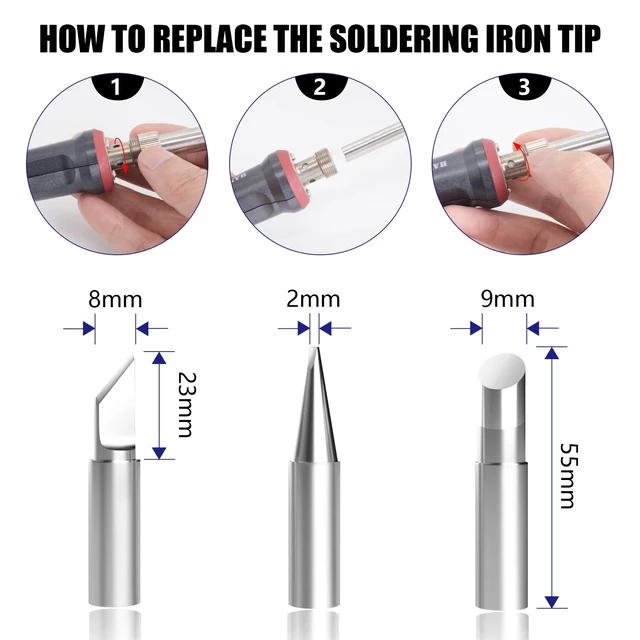
The kit includes various soldering tips, including the one on the soldering iron itself, to meet different soldering needs.
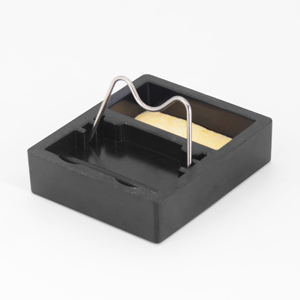
Soldering Iron Stand and Cleaning Sponge
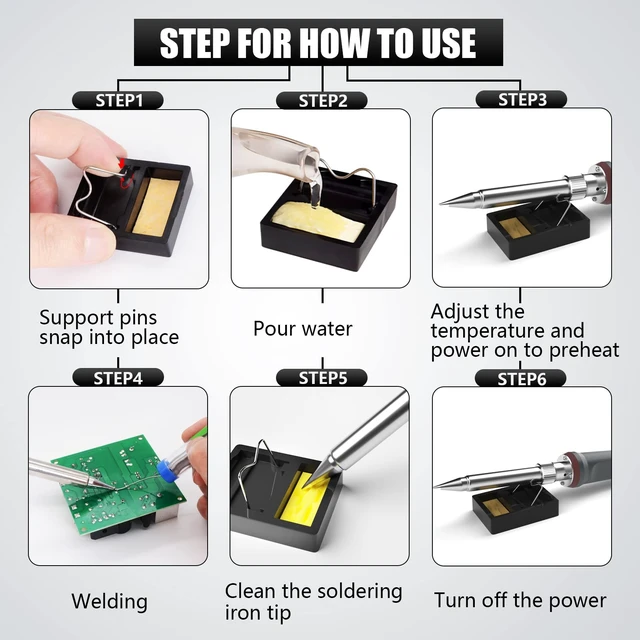
The stand ensures the proper angle for operation, while the cleaning sponge helps maintain the cleanliness of the soldering tip.
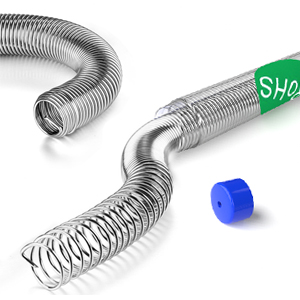
Solder Wire
Easy to solder with, providing strong solder joints, ideal for circuit boards and DIY soldering projects.
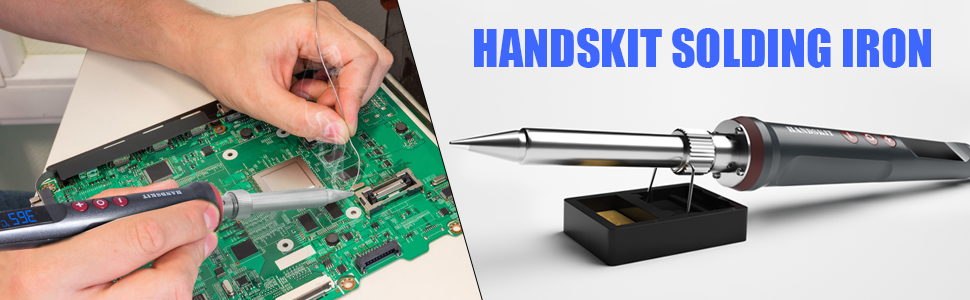

HANDSKIT 200W 110V LED Digital Soldering Iron Kit with Soldering Gun for Precision Soldering

HANDSKIT 200W Soldering Iron Product Specifications:
- Model: 927 200W Series.
- Plug Type: US Plug.
- Input Voltage: 110V (US).
- Temperature Range: 180°C to 480°C, recommended soldering temperature is 380°C. Temperatures below 300°C may affect soldering performance. (Note: After unplugging, the soldering iron tip remains hot; avoid touching to prevent burns.).
- Power: Approximately 200W, with fast heating function, suitable for extended use.
- Display: LED digital display for temperature, clear and easy to read.

6-in-1 Solder Iron Kit Welding Tool Includes 4 solder tips (one pre-installed on the soldering iron), solder wire, and soldering iron stand.
HANDSKIT Brand Story
HANDSKIT provides high-quality soldering tools for professionals and hobbyists. Our journey began with a passion for precision, durability, and safety. By combining modern technology and advanced temperature control, we deliver reliable tools for DIY, repairs, and precision work. Each product is rigorously tested to ensure flawless results. HANDSKIT is your trusted partner for every soldering project.
- The HANDSKIT soldering iron offers precise temperature adjustment and constant temperature functionality with an LED display. It supports Celsius (180°C-480°C) and Fahrenheit (356°F-896°F) conversion.
- The soldering iron supports temperature calibration from -99°C to 99°C for precise control. For details on automatic sleep mode, refer to the product manual or access additional assistance.
- The soldering iron has 4 internal wires (2 heating, 2 sensors) that provide real-time temperature feedback, adjusting heat output for stable performance.
- The HANDSKIT soldering iron automatically remembers the last set temperature, e.g., 380°C, and restores it when powered on again.
- The 200W ceramic heating core heats up in 5 seconds, improving efficiency. Its heat-resistant design keeps the handle cool, making it ideal for prolonged use.

Operating Instructions:
1. Check Power Cord: Ensure the power cord is in good condition before use.
2. Power On: Insert the plug; screen shows "888" and enters "OFF" state.
3. First Use:
- Press and hold "O" to power on; temperature fluctuates and rises to factory settings.
- Adjust temperature with "+" and "-" buttons (180°C - 480°C / 356°F to 896°F).
- Press and hold "O" to turn off.
4. Second Use: The temperature will return to the last set temperature.
5. Safety Warning: After unplugging, the soldering tip remains hot. Avoid touching.
Memory Function:
1. Temperature Memory: The first set temperature (e.g., 380°C) is saved for the next use.
2. Temperature Fluctuation: If temperature fluctuates, adjust using "+" and "-" buttons. This is normal.
Additional Features: For detailed settings on temperature calibration, °C/°F switch, and auto sleep mode, refer to the manual. Calibration ensures accurate temperature for stable performance.

Different Soldering Tips
The kit includes various soldering tips, including the one on the soldering iron itself, to meet different soldering needs.

Soldering Iron Stand and Cleaning Sponge
The stand ensures the proper angle for operation, while the cleaning sponge helps maintain the cleanliness of the soldering tip.

Solder Wire
Easy to solder with, providing strong solder joints, ideal for circuit boards and DIY soldering projects.