here!
I’m your shopping assistant for PC builds, upgrades, and everything tech.
Got questions? Ask away!
Start a conversation
here!
I’m your shopping assistant for PC builds, upgrades, and everything tech.
Got questions? Ask away!
Start a conversation
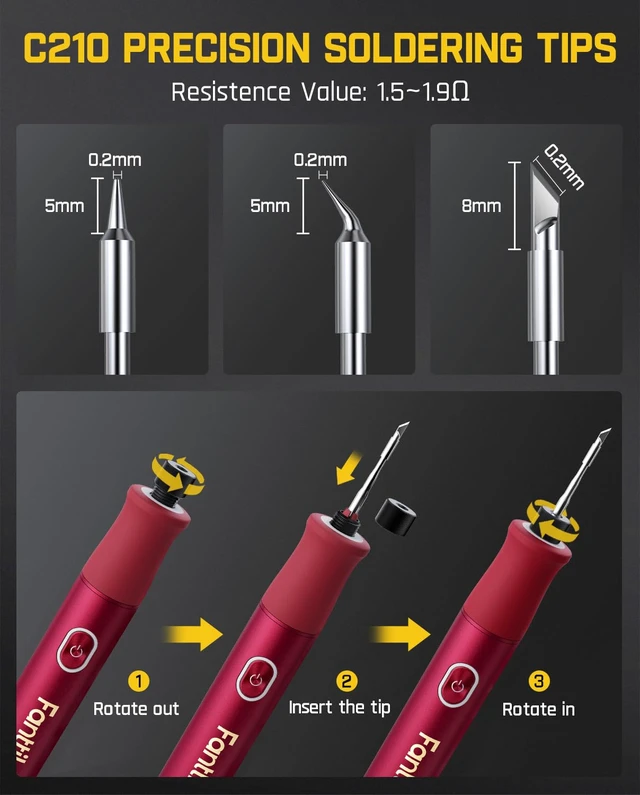



Any questions? Ask CelesteSM will help you find out quickly.

What can I do to have a better weld?
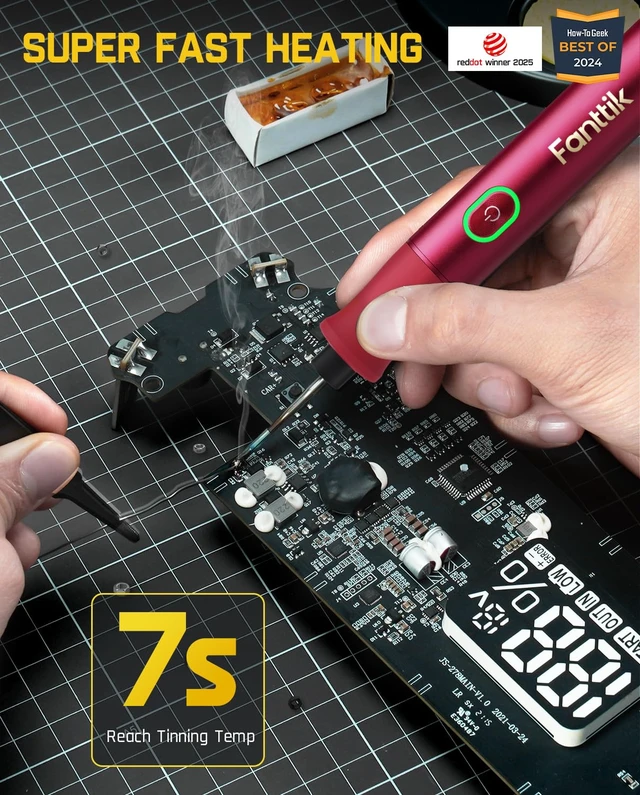
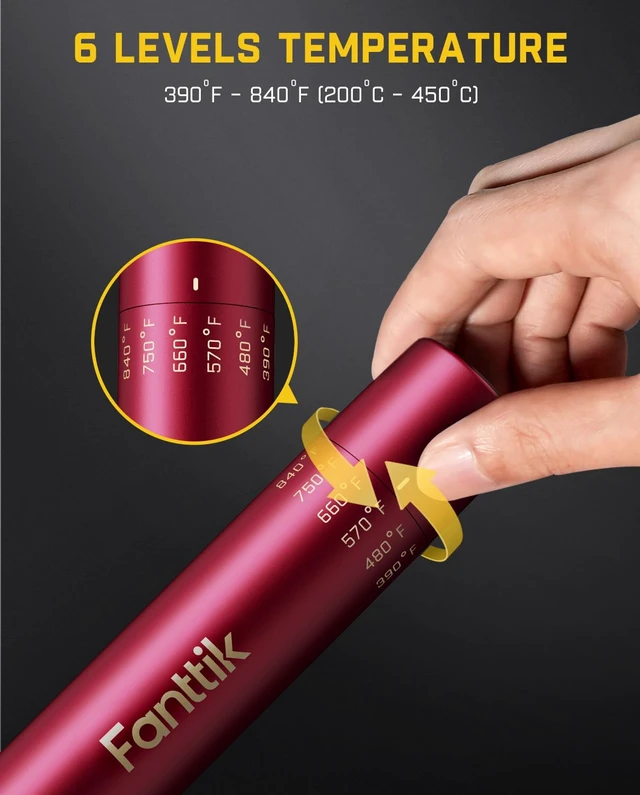
1. The soldering temperature should be 660°F-750°F, depending on the size of the solder point.
2. Use a damp sponge to clean the soldering iron tip before soldering to make sure it is clean and free of impurities.
What temperature should be selected for SMD component welding?
For SMD component soldering, you can choose 570°F to ensure soldering quality without causing the pad to fall off.
What temperature should be selected for plug-in components, flying wires?
For plug-in components, flying wires and other working conditions, you can choose 660°F to ensure soldering speed and efficiency.
What temperature should be selected for component disassembly?
For component removal and pad cleaning, you can choose 750°F, which makes the tin point fall off more smoothly.
What is the function of AUTO SLEEP mode?
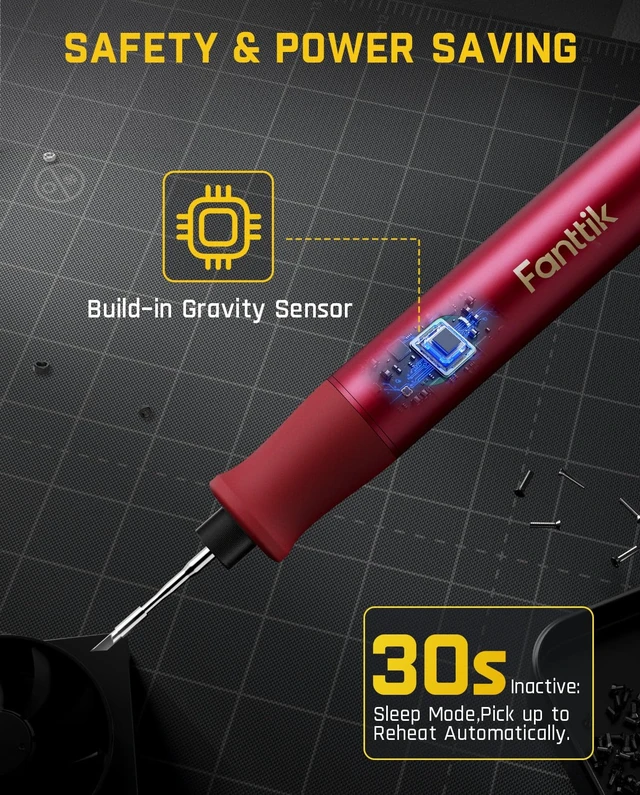
1. When you put the soldering iron on the bracket for 30 seconds without gravity change, it will enter sleep mode.
2. If you do not use it for 15 minutes, it will automatically shut down. This function is added for safer and more energy-saving use.
 NEX T1 Max |  NEX T2 Max |  NEX T1 Max |  C210 Soldering Iron Tips |  C210 Soldering Iron Tips |  Heat Set Insert C210 Tips | |
|---|---|---|---|---|---|---|
Customer Reviews | — | — | — | — | — | — |
Price | — | — | — | — | — | — |
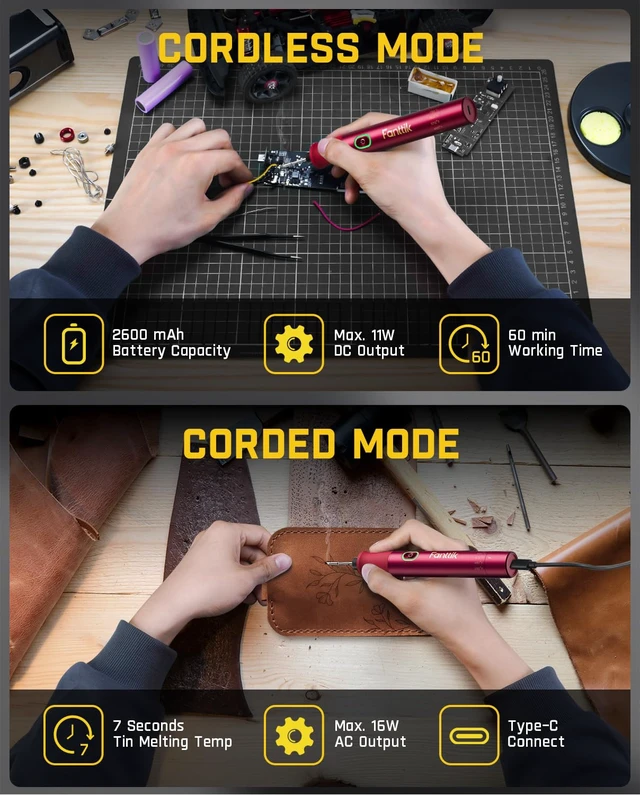
Battery Capacity | 2600mAh+5V/2A Charging | 2600mAh+5V/1.5A Charging | 2600mAh+5V/2A Charging | / | / | / |
Output Power | Max 16W | Max 27W | Max 16W | Max 12W | Max 12W | / |
Working Mode | 7 Seconds | 5 Seconds | 7 Seconds | / | / | / |
Temperature Levels | DC/AC Mode | DC/AC (9V/3A Power Input) Mode | DC/AC Mode | / | / | / |
Additional Accessories | 6 Settings, 390°F to 840°F | 4 Settings, 390°F to 840°F | 6 Settings, 390°F to 840°F | / | / | / |
LED Light | ? | ? | ? | ? | ? | ? |

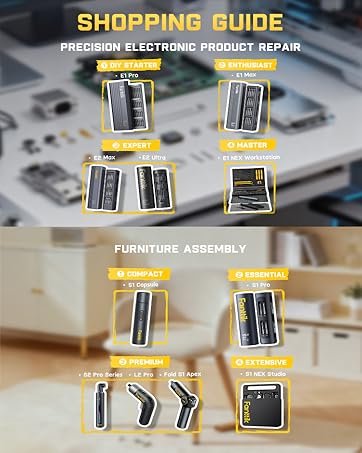





With innovation, durability, and modern design at our core, Fanttik offers solutions that turn ordinary tasks into fantastic experiences.
Fanttik specializes in car and home improvement tools to make everyday tasks simpler and more efficient. FanttikOutdoor provides outdoor gear for family adventures. Fanttik Solo makes your life more enjoyable with personal style care products. FanttikRide explores fun and engaging ride toys for kids.

With innovation, durability, and modern design at our core, Fanttik offers solutions that turn ordinary tasks into fantastic experiences.
Fanttik specializes in car and home improvement tools to make everyday tasks simpler and more efficient. FanttikOutdoor provides outdoor gear for family adventures. Fanttik Solo makes your life more enjoyable with personal style care products. FanttikRide explores fun and engaging ride toys for kids.


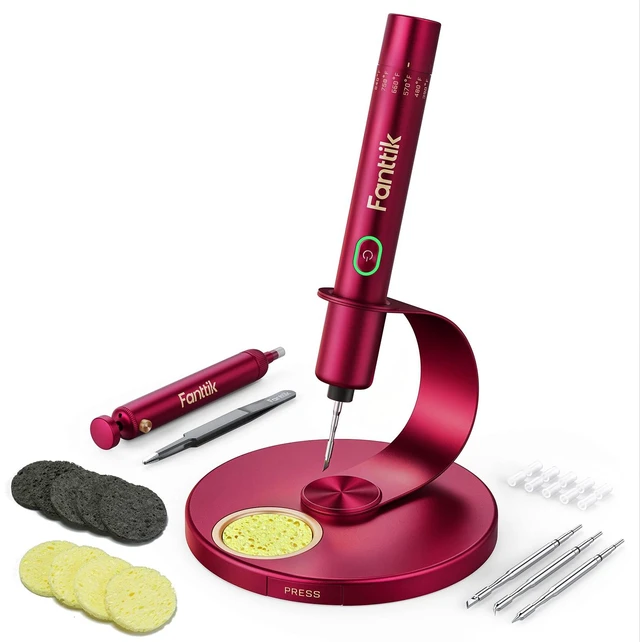
Press and hold the button to activate the soldering iron.
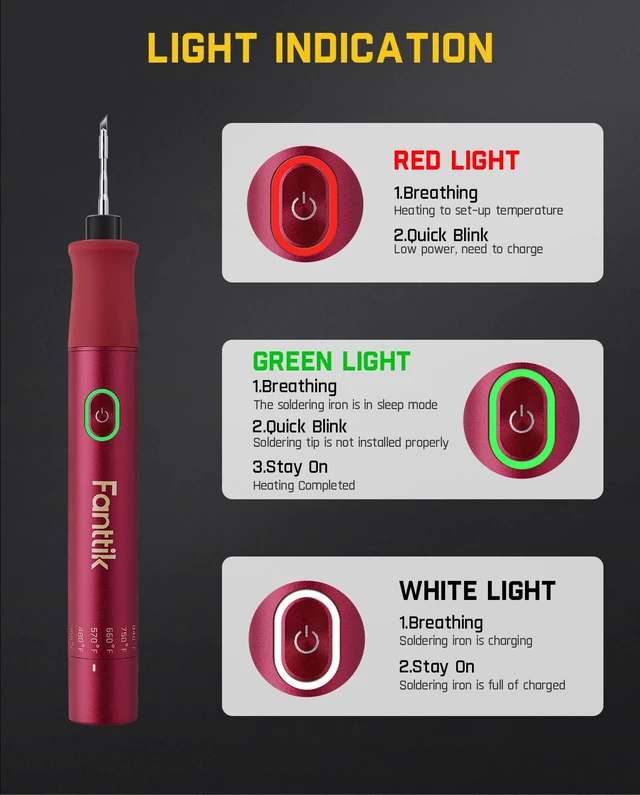
Work conditions are indicated by three lights (Red/Green/White).


Please pay attention to safety when using, so as not to be burned by the high temperature of the soldering iron tip!!!
What can I do to have a better weld?
1. The soldering temperature should be 660°F-750°F, depending on the size of the solder point.
2. Use a damp sponge to clean the soldering iron tip before soldering to make sure it is clean and free of impurities.
What temperature should be selected for SMD component welding?
For SMD component soldering, you can choose 570°F to ensure soldering quality without causing the pad to fall off.
What temperature should be selected for plug-in components, flying wires?
For plug-in components, flying wires and other working conditions, you can choose 660°F to ensure soldering speed and efficiency.
What temperature should be selected for component disassembly?
For component removal and pad cleaning, you can choose 750°F, which makes the tin point fall off more smoothly.
What is the function of AUTO SLEEP mode?
1. When you put the soldering iron on the bracket for 30 seconds without gravity change, it will enter sleep mode.
2. If you do not use it for 15 minutes, it will automatically shut down. This function is added for safer and more energy-saving use.
NEX T1 Max | NEX T2 Max | NEX T1 Max | C210 Soldering Iron Tips | C210 Soldering Iron Tips | Heat Set Insert C210 Tips |
|---|---|---|---|---|---|
| Customer Reviews | |||||
| — | — | — | — | — | — |
| Price | |||||
| — | — | — | — | — | — |
| Battery Capacity | |||||
| 2600mAh+5V/2A Charging | 2600mAh+5V/1.5A Charging | 2600mAh+5V/2A Charging | / | / | / |
| Output Power | |||||
| Max 16W | Max 27W | Max 16W | Max 12W | Max 12W | / |
| Working Mode | |||||
| 7 Seconds | 5 Seconds | 7 Seconds | / | / | / |
| Temperature Levels | |||||
| DC/AC Mode | DC/AC (9V/3A Power Input) Mode | DC/AC Mode | / | / | / |
| Additional Accessories | |||||
| 6 Settings, 390°F to 840°F | 4 Settings, 390°F to 840°F | 6 Settings, 390°F to 840°F | / | / | / |
| LED Light | |||||
| ? | ? | ? | ? | ? | ? |