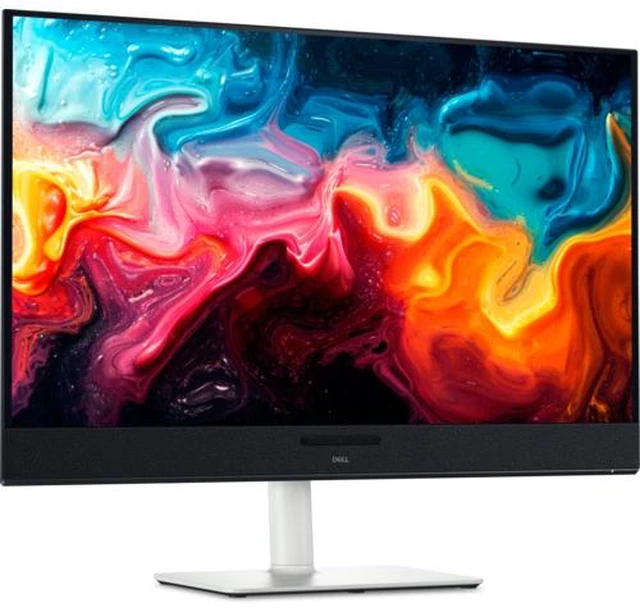
The Dell 32 Plus 4K QD-OLED S3225QC is a 32-inch-class 4K monitor suited to viewers who want detailed images, deep blacks, and high contrast for movies, shows, and other visually rich content.
Recommended For
- People who use one desk display for movies, streaming, and console or PC games, and want QD-OLED contrast plus built-in spatial-audio speakers.
- Laptop users who want a large 4K home-office screen and can connect their computer over USB-C, with up to 90W power delivery and a built-in USB hub.
- Single-player and casual gamers who want sharp 4K visuals, vivid HDR color, and responsive play at up to 120Hz rather than a competitive high-refresh-rate display.
- Photo and video editors who want a flat 32-inch 4K canvas with wide-gamut color for hobbyist or general creative work, rather than a monitor specifically chosen for high-refresh competitive gaming.
Real-World Use Scenarios
- For a desk setup that alternates between laptop work and entertainment, connect a compatible laptop over USB-C for display and charging, then use the same screen for videos or games; this suits mixed use without needing a separate work and leisure monitor.
- When playing story-driven PC or console games, use the 4K screen for detailed scenes and dark-room contrast; responsive motion and VRR can make play feel smoother, though the 120Hz ceiling is less suited to players prioritizing very high refresh rates.
- For watching films or streaming shows at a desk, the QD-OLED panel produces deep-looking shadows and vivid color, while the built-in speakers provide sound without requiring separate desktop speakers; the image is best enjoyed away from strong glare.
- For photo or video work where color and contrast matter, use the large 4K canvas to inspect images and timelines; color-focused work benefits from calibration, and long sessions with static editing interfaces call for OLED burn-in precautions.
- For everyday multitasking—such as keeping documents, browser tabs, and a video call visible together—the 32-inch 4K workspace offers room to arrange windows; users sensitive to text fringing or who work in a brightly lit room may prefer to compare it with an LCD monitor first.




 here!

 Hot Seller