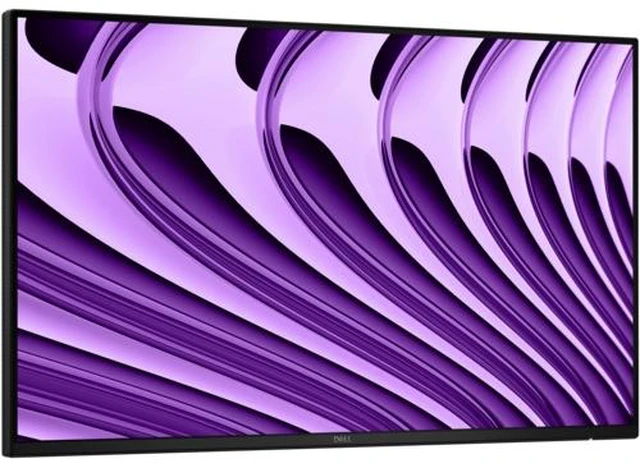
The Dell Pro P2426HE is a 23.8-inch FHD USB-C hub monitor with a 120Hz IPS display, up to 100W power delivery, and extensive connectivity, suited to productivity-focused desk setups that benefit from a single-cable connection; it is sold without a stand.
Recommended For
- Laptop-based office workers who want one USB-C connection for the display, peripherals, wired Ethernet, and up to 100W laptop charging—provided their laptop supports USB-C DisplayPort Alt Mode and can use that charging level.
- People setting up a desk with an existing VESA arm or mount who want a compact 23.8-inch display and do not need an included stand.
- Office users who spend long stretches reading, writing, browsing, or switching between everyday work apps and want a Full HD IPS screen with 120Hz refresh and Dell’s TÜV-certified 4-star eye-comfort positioning.
- Small-office or desk setups that benefit from connecting USB accessories and a second DisplayPort monitor through the display’s hub and DisplayPort-out connection.
Real-World Use Scenarios
- At a home or office desk, connect a compatible laptop by USB-C to use the monitor for video, charge the laptop, and connect wired network and USB accessories through the display—reducing the need for a separate dock.
- For everyday work such as editing documents, browsing, and switching between windows, the 24-inch Full HD screen provides a compact desktop workspace, while 120Hz can make scrolling and cursor movement look smoother than on a 60Hz display.
- For a fixed workstation that needs a wired connection, connect the monitor’s Ethernet port to the network and use the USB-C connection to link a compatible laptop, keeping networking and display connections at the desk.
- In a workstation with two displays, connect a second compatible monitor through DisplayPort out to extend the desktop for tasks such as keeping a reference document open beside a work window.
- For long office or study sessions, the anti-glare screen, low-blue-light and flicker-free features are intended to support a more comfortable viewing setup; they do not guarantee that eye fatigue will be prevented.




 here!