




 here!
I’m your shopping assistant for PC builds, upgrades, and everything tech.
Got questions? Ask away!
Start a conversation
here!
I’m your shopping assistant for PC builds, upgrades, and everything tech.
Got questions? Ask away!
Start a conversationShipped by Newegg






Any questions? Ask CelesteSM will help you find out quickly.
We want to ensure your holiday shopping this year is hassle-free. That’s why we’re automatically extending our return policies on almost every product! For purchases placed between November 1st, 2026 and December 31, 2026 you will have until January 31, 2027 to return your product.
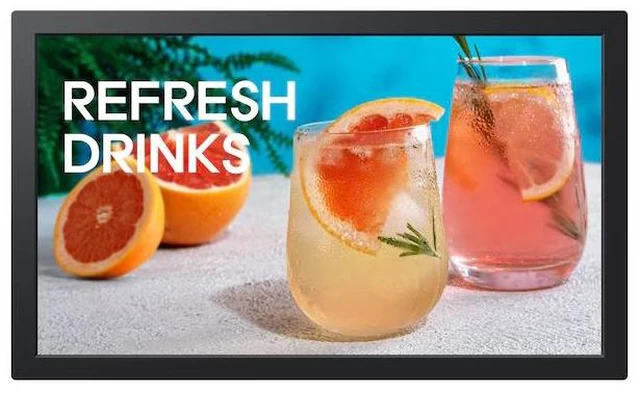
The Samsung QB13C-T is a 13-inch Full HD touchscreen display with 500-nit brightness, suited to compact business setups that need a bright, interactive screen for customer information or simple touch-based tasks.
| Attribute | Value |
|---|---|
| Best For | Compact 13-inch Full HD touch-display use where interactive viewing is needed |
| Panel And Resolution | 13-inch ADS LCD panel with 1920 × 1080 Full HD resolution and a 16:9 aspect ratio |
| Refresh Rate And Response | 60 Hz refresh rate with a 30 ms response time |
| Image Characteristics | 500 cd/m² brightness, 800:1 contrast ratio, 170°/170° viewing angles, and 45% color gamut |
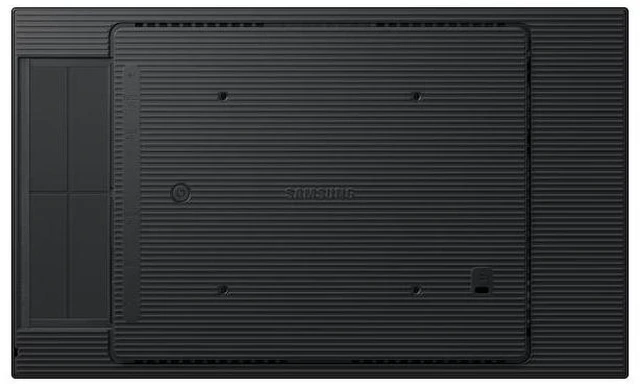
| Ports And Connectivity | 1 HDMI port |
| Power | AC 100–240 V, 50/60 Hz power supply; 35 W operating and 0.5 W sleep power consumption |
| Dimensions And Weight | 12.68 in W × 7.62 in D × 0.78 in H; 1.76 lb (0.8 kg) |
| Appearance | Black cabinet |
| Model Identifiers | Model QB13C-T; part number QB13C-T |
Q: Samsung QB13C vs. QB13C-T: which should I choose for interactive signage?
A: Choose the Samsung QB13C-T when people need to tap or navigate content on the display: it adds 10-point capacitive touch to the 13.2-inch, Full HD signage format. Choose the QB13C for a similar compact signage setup where touch interaction is not part of the plan.
Q: Samsung QB13R-T vs. QB13C-T: which is the newer compact touch signage option?
A: The QB13C-T is the newer C-series option, pairing a 13-inch Full HD format with 10-point capacitive touch and Samsung’s updated signage features. The QB13R-T is the previous R-series generation and is also a 13-inch touch signage display, making it relevant when matching an existing R-series setup.
Q: Samsung QB13C-T vs. QB24C-T: should I choose the 13-inch or 24-inch touch display?
A: Choose the QB13C-T when a compact 13-inch footprint is the priority; it provides Full HD resolution and 10-point touch in a small format. Choose the QB24C-T when a larger 23.8-inch display area is more important for presenting content and interaction.
Q: Can I use the QB13C-T as a touchscreen monitor with a computer?
A: Yes. The QB13C-T is a 13-inch 1920 × 1080 touch display. HDMI carries video; using touch with a computer requires a separate USB touch connection, so check that the required cables and computer ports are available.
Q: Is the QB13C-T suitable as a portable second screen for travel?
A: It is compact and weighs 1.76 lb, which may suit a small carry-along display. However, the listed specifications include an AC power supply and no built-in battery, so it should not be treated as a battery-powered travel monitor.
Q: Is the QB13C-T a good choice for meetings, note-taking, and everyday office work?
A: It can support touch-based interaction and display a computer’s output, making it suitable for compact interactive tasks or a secondary screen. Its 13-inch size is limiting for extended multitasking or use as a primary office monitor, and the listed specifications do not establish stylus support.
Q: Who is the QB13C-T best suited for?
A: It is best suited to compact interactive display uses—such as a counter, kiosk, or small information screen—where 13-inch Full HD resolution and touch input are useful. It is less suited to buyers who need a large primary workspace or a portable screen that runs without AC power.


