




 here!
I’m your shopping assistant for PC builds, upgrades, and everything tech.
Got questions? Ask away!
Start a conversation
here!
I’m your shopping assistant for PC builds, upgrades, and everything tech.
Got questions? Ask away!
Start a conversationShipped by Newegg




Any questions? Ask CelesteSM will help you find out quickly.
We want to ensure your holiday shopping this year is hassle-free. That’s why we’re automatically extending our return policies on almost every product! For purchases placed between November 1st, 2026 and December 31, 2026 you will have until January 31, 2027 to return your product.
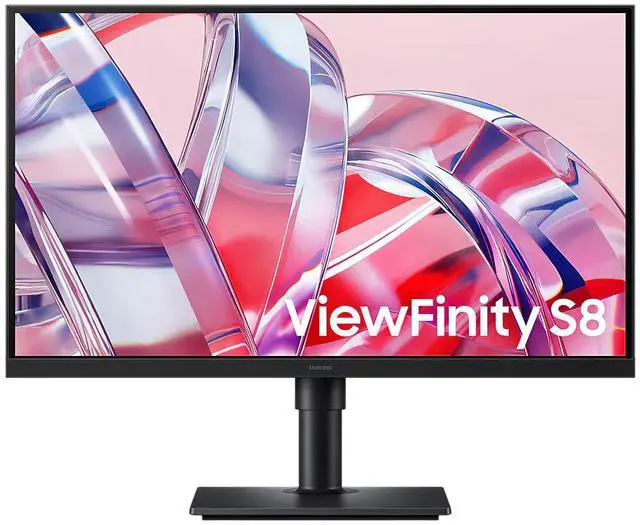
The Samsung S27H804EAN is a 27-inch 4K UHD IPS monitor with a 60Hz refresh rate, suited to office work, study, and everyday viewing where sharp detail and a standard desktop refresh rate are priorities.
| Attribute | Value |
|---|---|
| Best For | Desktop users seeking a 27-inch 4K UHD IPS monitor with 60Hz refresh and HDMI or DisplayPort connectivity |
| Panel And Resolution | 27-inch IPS panel with 4K UHD resolution (3840 × 2160), 16:9 aspect ratio, and 350 cd/m² brightness |
| Refresh Rate And Response | 60Hz refresh rate |
| Ports And Connectivity | HDMI and DisplayPort |
| Model Identifiers | Samsung S27H804EAN; part number S27H804EAN |
Q: Samsung ViewFinity S80H vs S70H: which 27-inch 4K monitor should I choose?
A: Choose the 27-inch ViewFinity S80H for its 350 cd/m² typical brightness and ergonomic-design positioning. The 27-inch S70H is also a 4K, 60Hz IPS monitor and is a straightforward fit for buyers prioritizing those core display specifications.
Q: Samsung S80H vs 27-inch S80HF: is 4K or 5K the better fit?
A: Choose the S80H for a 27-inch 4K UHD workspace; choose the S80HF when you want 5K resolution at the same screen size for more on-screen detail. Samsung lists both models at up to 60Hz, with IPS panels and 350 cd/m² typical brightness.
Q: Should I get the 27-inch or 32-inch Samsung ViewFinity S80H?
A: Choose the 27-inch S80H for a more compact desk setup and higher pixel density at 4K. Choose the 32-inch S80H when a physically larger 4K screen is the priority. Both sizes belong to Samsung’s S80H 4K UHD monitor lineup.
Q: Is this monitor suitable for everyday office work?
A: Yes. Its 27-inch 4K IPS display is suited to document work, browsing, and other standard desktop tasks. The 60Hz refresh rate is aimed at ordinary use rather than high-refresh applications.
Q: Will it work with my laptop?
A: It has HDMI and DisplayPort inputs, so it can connect to a laptop with a compatible video output. If the laptop has a different port, an adapter may be needed. USB-C video and laptop charging are not listed for this monitor.
Q: Is it suitable for gaming?
A: It can display games at up to 60Hz, but it is not a high-refresh-rate option. It is a better fit for casual gaming than for players who prioritize very high frame rates or fast-refresh competitive play.
Q: Can I get 4K at 60Hz?
A: The listed display resolution is 3840 × 2160 and the refresh rate is 60Hz. To use that combination, the connected computer, video output, and cable must also support 4K at 60Hz; the available product information does not specify the HDMI version.


