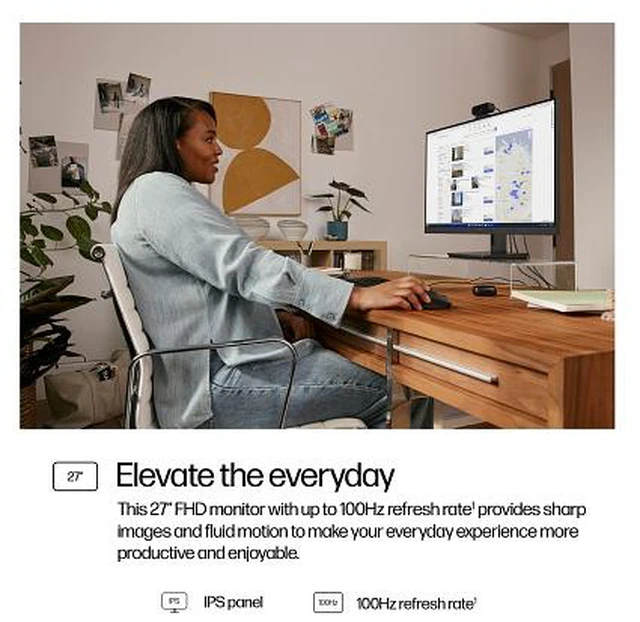
The HP 327pf is a 27-inch Full HD IPS monitor with a 1920 × 1080 resolution, suited to everyday office work, web browsing, and home use for people who want a larger screen with HDMI, DisplayPort, and VGA connectivity.
Recommended For
- Desk-based office workers who want a 27-inch screen for documents, spreadsheets, email, and side-by-side windows; HP positions the 327pf as an everyday productivity monitor.
- People adding a monitor to a mixed-age desktop setup: its VGA, HDMI, and DisplayPort inputs support connections to a range of computers.
- Users who value smoother everyday scrolling and video than a standard 60 Hz screen provides, but do not need a gaming-focused high-refresh display; HP specifies up to 100 Hz over HDMI or DisplayPort.
- People setting up two monitors who want slim bezels and broad IPS viewing angles for a more consistent view across the screens.
Real-World Use Scenarios
- For everyday office work—email, documents, spreadsheets, and browser tabs—the 27-inch screen gives a laptop or desktop a larger desktop display; Full HD is suited to routine tasks, though it provides less detail and on-screen workspace than a higher-resolution 27-inch monitor.
- When studying or working from home, users can keep a video lesson, reference page, or meeting window visible alongside notes or a document; the larger screen helps with viewing, while the monitor itself has no built-in webcam or speakers.
- In a dual-monitor desk setup, the thin three-sided bezels make the screens look less separated, which can help users keep reference material on one display and active work on the other.
- For casual video viewing and presentations, the IPS screen supports viewing from different angles, and HDMI or DisplayPort connections let users connect a compatible computer; audio requires a separate device.
- When replacing or adding a display to an older office computer, the VGA input can accommodate compatible legacy systems, while HDMI and DisplayPort support newer devices.




 here!

 Hot Seller