• $799.00
  • Free 15-day Returns
  • Add to PC build list 
    Sold by Newegg

    Shipped by Newegg

    Price alert

    Best Sellers

    Top Rated
    4.5 (5,779 total ratings)
    • $824.99
    • + $44.10 Shipping
    Top Rated
    4.4 (8,591 total ratings)
    • $919.55
    Shop it at NeweggBusiness.

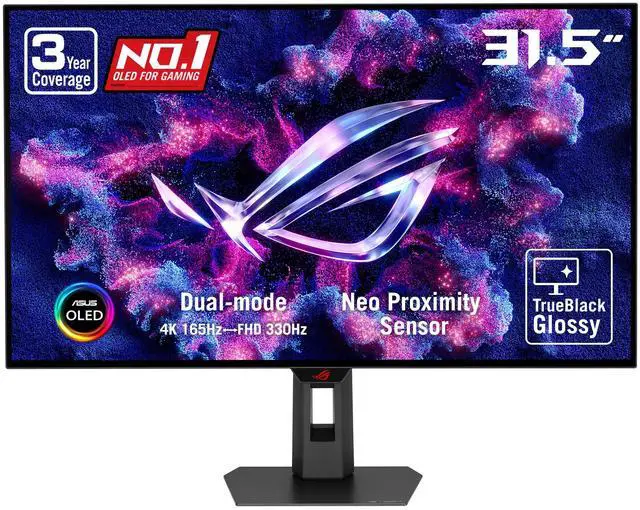
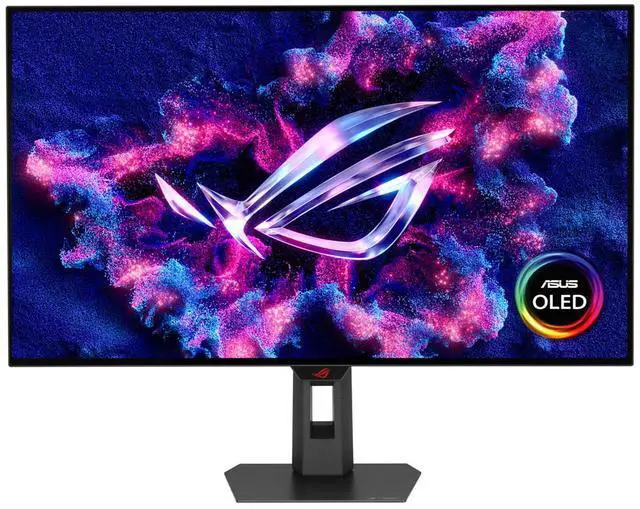
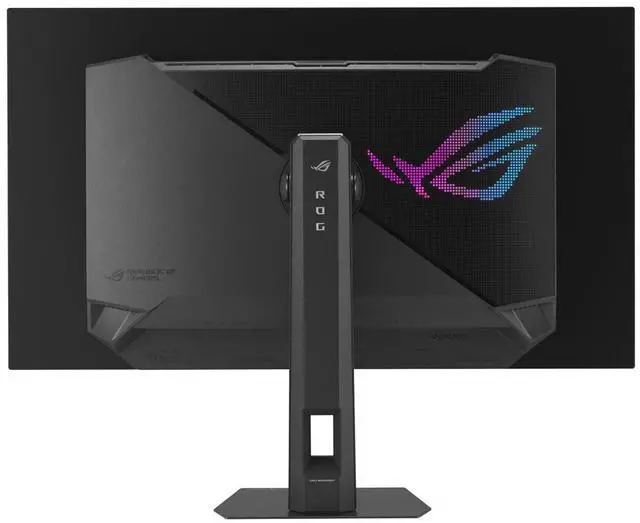
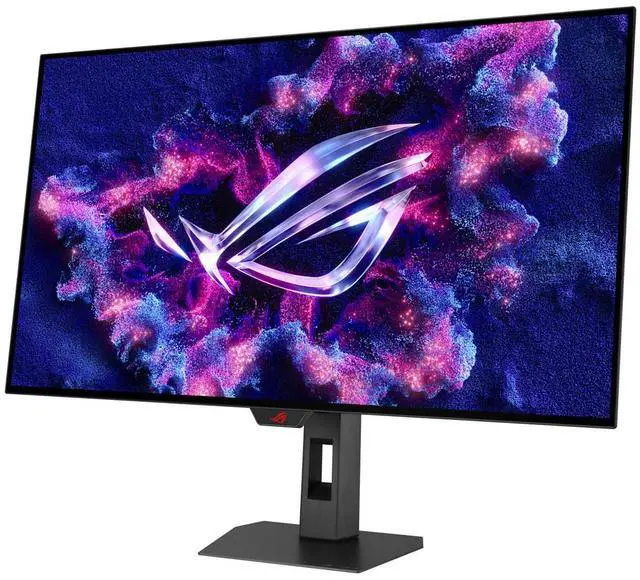
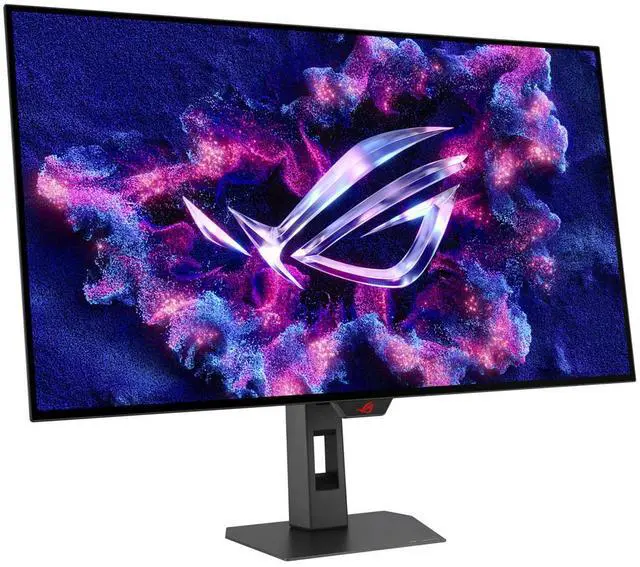
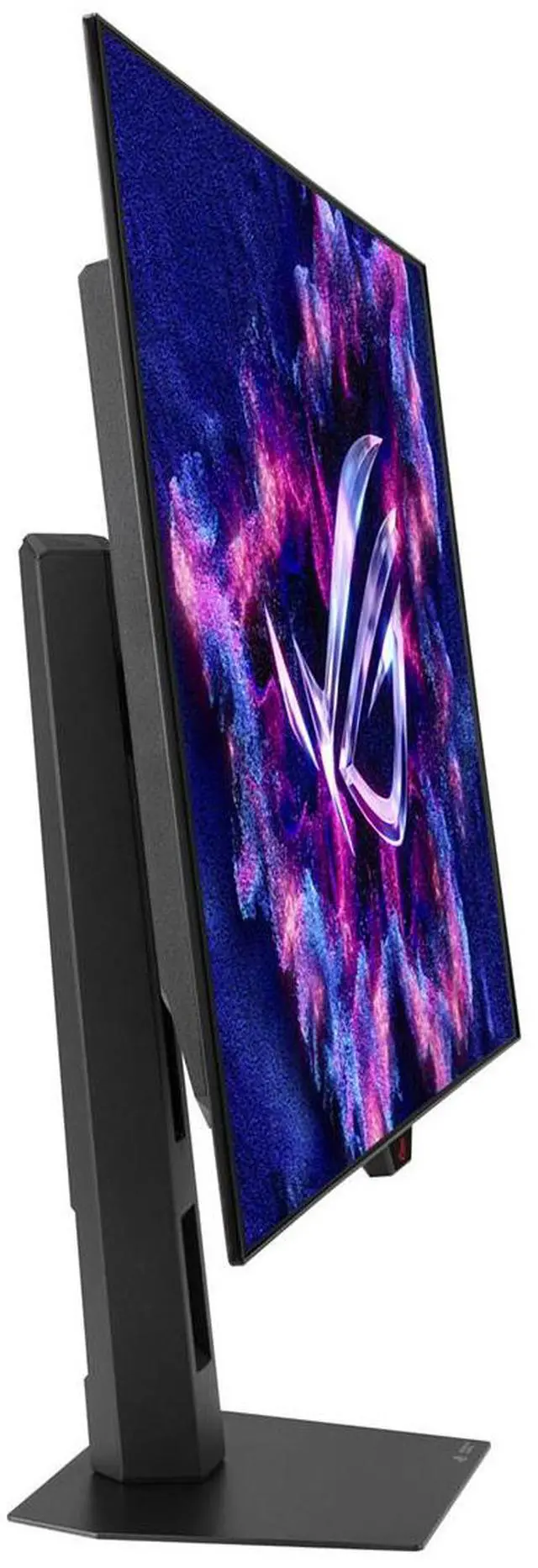
    ASUS ROG Strix 32 inch DUAL MODE UHD 4K 165Hz Full HD 330Hz FreeSync Premium Pro & G-Sync Compatible HDR400 USB-C KVM OLED Gaming Computer Monitor with Height Adjustable, Swivel, Tilt Stand XG32UCWG

    • 165Hz
    • 240Hz
    • 32-inch 4K (3840 x 2160) TrueBlack Glossy WOLED gaming monitor with versatile dual mode (4K@165Hz, FHD@330Hz)
    • Exclusive new TrueBlack Glossy panel provides a zero-haze surface and exceptionally sharp imagery
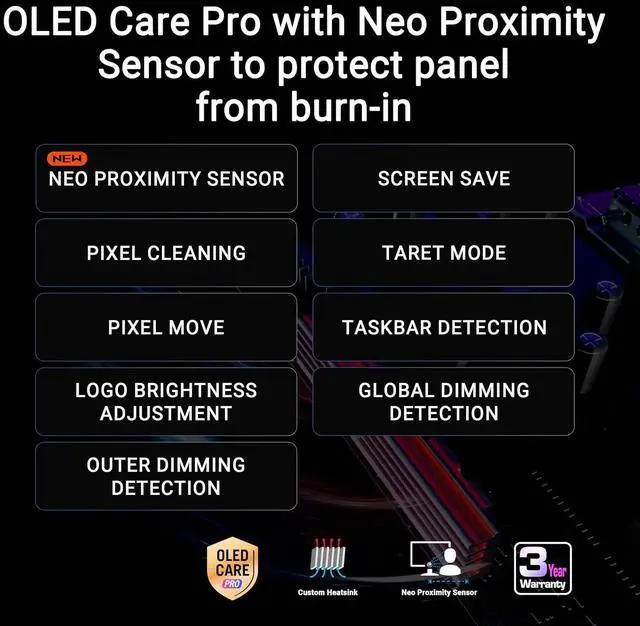
    • ASUS OLED Care Pro with Neo Proximity Sensor precisely detects when the user is away and switches to a black screen to reduce the risk of burn-in
    • DisplayWidget Center allows users to easily access OLED Care Pro functions and adjust monitor settings using a mouse
    • VESA DisplayHDR 400 True Black compliance, 99% DCI-P3 gamut, true 10-bit color, and Delta E < 2 color difference for astonishing HDR performance, making it perfect for photo and video editing
    • New AI Assistant provides Dynamic Crosshair, Dynamic Shadow Boost, and AI Visual functions for improved gaming experiences
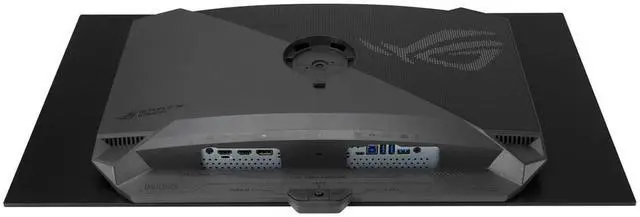
    • Extensive connectivity options include DisplayPort 1.4 (DSC), HDMI 2.1, and USB-C with 15W Power Delivery
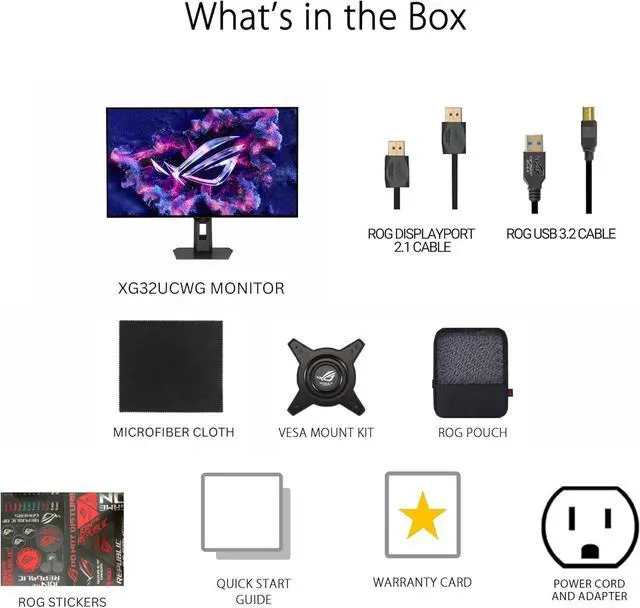
    • What's in the box: DisplayPort cable, USB 3.2 cable, Power cord & adapter, Microfiber cloth, ROG pouch, ROG sticker, VESA mount kit, Quick release stand, Quick start guide, Warranty Card
    • ASUS Rapid Replacement (ARR) 3 years warranty with cross shipping service included
    • Free 3-month Adobe Creative Cloud Subscription: Receive complimentary access with the purchase of this product (offer valid until 08/31/2026)
    +
    +
    Overview
    Specs
    Reviews (1)
    See all Q & A

    Any questions? Ask CelesteSM will help you find out quickly.

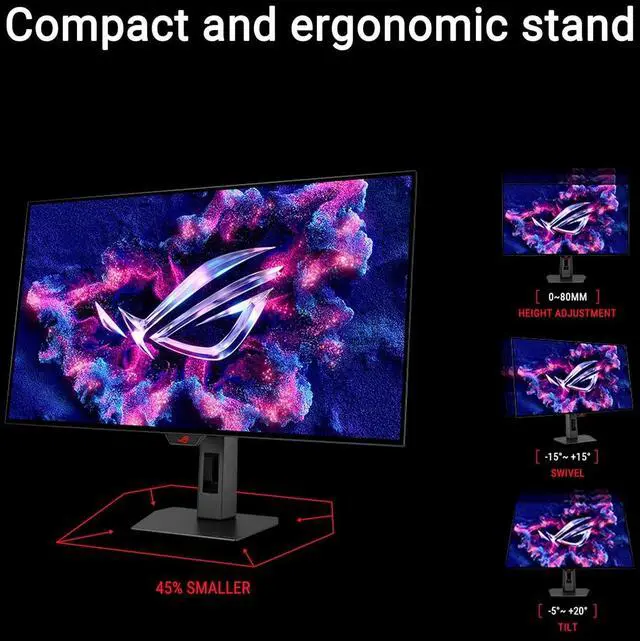
    The ROG Strix OLED XG32UCWG is a 31.5 -inch 4K TrueBlack Glossy WOLED gaming monitor that offers supersharp visuals and boasts a versatile dual-mode feature that enables seamless switching between 4K@165Hz and FHD@330Hz. Featuring the new Neo Proximity Sensor within the ASUS OLED Care Pro suite, the monitor is able to detect when the user is away and automatically transition to a black screen to guard against panel burn-in. Thanks to a compact stand, the XG32UCWG takes up minimal desktop space. Plus, it offers users an extensive array of connectivity options, including DisplayPort 1.4 (DSC), HDMI 2.1, and USB-C with 15-watt Power Delivery.

    Supersharp and clear imagery: Exclusive TrueBlack Glossy OLED
    The ROG Strix OLED XG32UCWG features a new TrueBlack Glossy OLED panel with a zero-haze optical layer that presents deep blacks under any lighting. Its advanced anti-reflective coating reduces ambient reflections by 38% compared to previous-gen glossy WOLE
    Ds, ensuring distraction-free gaming even in brightly lit rooms. Groundbreaking Dual-Mode FeatureThe ROG Strix OLED XG32UCWG offers unparalleled flexibility with its dual-mode feature, enabling users to prioritize refresh rate for fast-paced action or extreme resolution for immersive visuals. A simple press of the hotkey instantly switches between stunning 4K@165Hz imagery for AAA titles and blazing-fast FHD@330Hz for FPS gaming.
    Third-Generation WOLED TechnologyClear text: Clear Pixel EdgeThe Clear Pixel Edge algorithm reduces green and red fringing on text and lines for improved reading experiences. Additionally, the XG32UCWG features the latest RGWB subpixel layout to improve text quality.
    Improved motion clarity: Extreme Low Motion BlurExclusive ASUS Extreme Low Motion Blur technology reduces ghosting and motion blur. OLED advantagesThe extremely high contrast ratio offered by the OLED panel results in the deepest black hues and vivid colors. Plus, an astounding 0.03 ms gray-to-gray response time ensures supersmooth, low-latency gameplay.
    1.5M: 1 contrast ratio 0.03 ms response time 99% DCI-P3 gamut Delta E < 2Screen
    Protection: ASUS OLED Care ProNew ASUS OLED Care Pro technology provides a full set of customizable monitor settings to protect and ensure the longevity of the OLED panel. Plus, it includes the new Neo Proximity Sensor designed to guard against panel burn-in. All settings can be easily managed via DisplayWidget Center. Neo Proximity SensorThe built-in Neo Proximity Sensor precisely detects the user's distance from the monitor. When the user steps away, the monitor transitions to a black image to protect against panel burn-in; when the user returns, content is instantly restored onscreen. Detection distance can be customized to suit personal preference, ensuring maximum convenience and protection. Pixel cleaningRecalibrates the screen when the monitor has been active for several hours-a process that takes just a few minutes and activates automatically when the monitor is turned offScreen MovePixel locations are slightly shifted periodically to help prevent burn-in, and users can choose between several movement levels. Screen SaverAutomatically dims the screen after two minutes of inactivity. Logo brightness adjustmentAutomatically detects static onscreen logos and reduces their brightness to correct for potential picture-quality issue. Taskbar detectionDynamically detects the taskbar and reduces brightness around it to avoid burn-in.

    Outer dimming controlAutomatically identifies and adjusts the brightest areas of the screen to reduce the risk of burn-in. Global dimming controlDynamically adjusts the overall brightness of the display to reduce the risk of burn-in. Target modeDims the entire screen, except for a selected pinned window, which maintains its current brightness setting.
    Built to Last: Worry-free OLED MonitorROG OLED monitors are engineered to deliver stunning visuals for years to come

    Warranty & Returns

    Warranty, Returns, And Additional Information

    Warranty

    • Limited Warranty period (parts): 3 years
    • Limited Warranty period (labor): 3 years
    • Read full details

    Return Policies

    Manufacturer Contact Info

    LOADING...
    LOADING...

    The ASUS ROG Strix XG32UCWG is a 32-inch 4K OLED gaming monitor with dual modes—4K at 165Hz or Full HD at 330Hz—suited to players who want detailed visuals for immersive games and a higher refresh rate for competitive play.

    Recommended For

    • PC gamers who alternate between visually detailed single-player games and fast-paced FPS titles: the monitor switches between 4K at 165Hz and Full HD at 330Hz, so each mode suits a different gaming priority.
    • Gamers who want a large, sharp OLED display for immersive play and can control the lighting in their room: the glossy screen delivers strong perceived contrast, but reflections can be distracting in moderately lit spaces.
    • People who switch between a gaming PC and another computer at the same desk: USB-C video, a USB hub, and Auto KVM support a shared-device setup, though USB-C supplies only 15W of power.
    • Console and PC gamers seeking one desk display for 4K gaming and HDR: the 32-inch OLED panel, HDMI 2.1 inputs, and variable-refresh-rate support suit a mixed gaming setup.

    Real-World Use Scenarios

    • For story-driven PC games, use 4K mode to see detailed environments and high-contrast OLED scenes, with adaptive sync helping reduce uneven frame delivery when frame rates vary.
    • When switching from competitive shooters to visually rich games, use the high-refresh Full HD mode for faster motion updates, then return to 4K for sharper image detail; the trade-off is lower resolution in the fast mode.
    • For esports games where quick target tracking matters more than fine image detail, choose the Full HD high-refresh mode; the reviewer notes that its motion clarity is useful for competitive play, though 1080p looks less sharp across the full 32-inch screen.
    • For everyday desktop work alongside gaming, use the 4K screen for documents, browsing, and multiple open windows; the reviewed text clarity was considered suitable for Windows desktop use, while OLED Care Pro can blank the display when its proximity sensor detects that you have stepped away.
    • For a shared desk with a work computer and gaming PC, connect compatible devices and use the monitor’s KVM feature to switch the shared keyboard and mouse between them, reducing the need to reconnect peripherals.

    Spec Summary

    AttributeValue
    Best ForGaming, business, photo and video editing, and entertainment, with 4K and high-refresh Full HD modes
    Panel And Resolution32-inch flat, glossy OLED display with a 16:9 aspect ratio, 3840 × 2160 4K resolution, 1,500,000:1 contrast ratio, 178° viewing angle, and 90% sRGB gamut
    Refresh Rate And Response165Hz at 4K, with a dual mode supporting Full HD at 330Hz; 0.03ms response time
    HDR And Adaptive SyncDisplayHDR True Black 400 with FreeSync Premium Pro and G-Sync Compatible adaptive sync
    Ports And Connectivity2 HDMI 2.1 ports, 1 DisplayPort 1.4, USB-C with DisplayPort Alternate Mode, 2 USB ports including 1 USB 3.0 port, and a headphone connection
    Stand And ErgonomicsHeight-, pivot-, swivel-, and tilt-adjustable stand with 3 height positions; VESA mount compatible at 100 × 100mm
    Features And ControlsKVM functionality, AI Assistant tools for Dynamic Crosshair, Dynamic Shadow Boost, and AI Visual, plus blue-light filtering and eye-care features; button controls
    Audio And CameraNo built-in speakers or webcam
    Dimensions And Weight28.1 × 22.8 × 10.8 inches with stand; 28.1 × 16.9 × 2.8 inches without stand; weighs 16.1 pounds
    Model IdentifiersASUS ROG Strix XG32UCWG, black

    Reference Q&A

    Q: ASUS XG32UCWG vs. XG32UCWMG: is the faster model worth it?

    A: Choose the XG32UCWG if 4K at up to 165Hz and its 1080p 330Hz mode meet your needs. Choose the XG32UCWMG if you want the higher 4K 240Hz and 1080p 480Hz modes. Both are 32-inch glossy WOLED monitors; the main buying difference is refresh rate, so the XG32UCWG suits buyers who do not need the faster modes.

    Q: Should I get the ASUS XG32UCWG or the LG 32GS95UE-B?

    A: Choose the XG32UCWG if you prefer ASUS’s glossy TrueBlack WOLED finish and 4K 165Hz / 1080p 330Hz modes. Choose the LG 32GS95UE-B if you want 4K 240Hz / 1080p 480Hz modes or prefer its matte screen finish. Both offer a 32-inch 4K OLED gaming experience with a high-refresh 1080p mode; the right choice depends on refresh-rate needs and screen-coating preference.

    Q: Is the ASUS XG32UCWG a good fit if I mostly play at 4K?

    A: The XG32UCWG is a fit for 4K gaming if you want a 32-inch OLED display with up to 165Hz refresh and the option to switch to 1080p at up to 330Hz for compatible games. If you specifically want 4K above 165Hz, compare it with 4K 240Hz models such as the XG32UCWMG. The trade-off is higher 4K refresh versus the XG32UCWG’s available dual-mode options.

    Q: Does this OLED monitor have burn-in protection?

    A: It includes ASUS OLED Care Pro with a Neo Proximity Sensor that can switch the display to a black screen when you move away, helping reduce burn-in risk. This protection does not guarantee that burn-in cannot occur, especially if static content remains on screen for long periods.

    Q: What refresh rates does the monitor support in each display mode?

    A: It supports 4K resolution at up to 165Hz or Full HD resolution at up to 330Hz. Choose 4K mode for higher resolution or Full HD mode when prioritizing the higher refresh rate.

    Q: Is this monitor suitable for both gaming and office or creative work?

    A: It can serve both uses: the 4K OLED display offers 99% DCI-P3 coverage, true 10-bit color, and Delta E under 2, while the adjustable stand supports flexible positioning. For office work with long periods of static content, its OLED Care features help reduce burn-in risk but do not eliminate it.

    Q: Does it have built-in speakers?

    A: No. The monitor does not have built-in speakers, so plan to use headphones or separate speakers for audio.

    Q: Is the XG32UCWG suitable for both gaming and everyday work?

    A: It can suit a mixed work-and-gaming setup: it has a 32-inch 4K OLED panel, and its dual mode switches between 4K at 165Hz and Full HD at 330Hz. Reddit users discuss using it as a daily driver and comment on text clarity, but OLED buyers should also consider static-content use and the monitor’s burn-in protections.

    Q: Does the dual mode make a practical difference for gaming?

    A: It offers two distinct priorities: 4K at up to 165Hz for higher resolution, or Full HD at up to 330Hz for a higher refresh rate. It is most useful if you play games where you value both image detail and fast refresh, and are willing to switch modes depending on the game.

    Q: What issues should I consider before choosing this OLED monitor?

    A: Reddit owners and prospective buyers have raised concerns about VRR flicker, near-black uniformity or banding, and occasional firmware or signal-detection problems. These are user reports, not evidence that every unit has these issues; check the return and warranty terms before buying. The supplied product information lists ASUS OLED Care Pro burn-in protections and a three-year warranty.

    Q: Could it replace a 42-inch OLED TV as a desktop display?

    A: It may be a better fit if you prefer a smaller screen at typical desk distance: this monitor is 32 inches and 4K. One Reddit owner described replacing a 42-inch LG C3 for desktop use and preferred the smaller format, while noting that a TV may still suit a setup centered on console gaming and movie watching.