





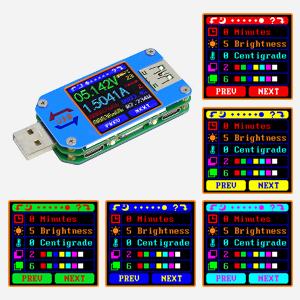
Unique Setting Page
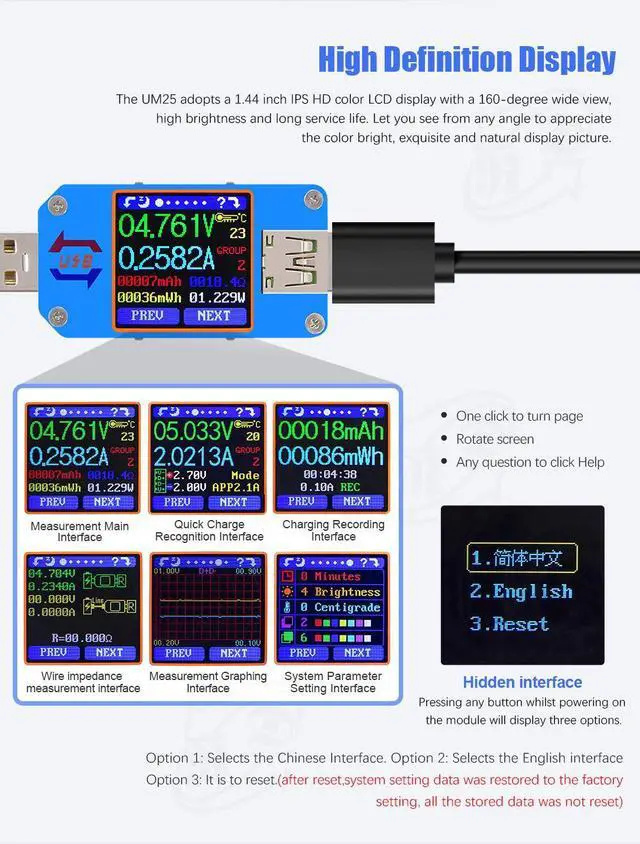
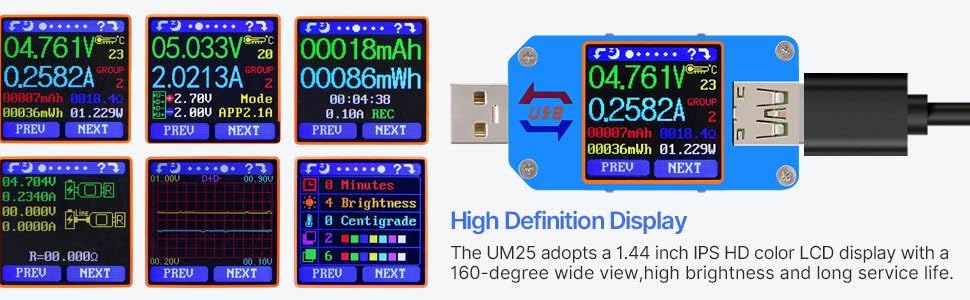
you can set the display you like, and set the Screen Off time, Brightness and so on
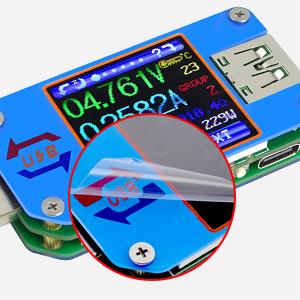
Protection Film
Our USB meter has protection film, maybe it fits the panel so well that you can not see it, but it does exist!
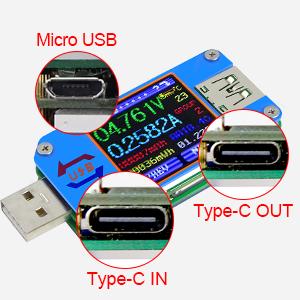
Multiple Port
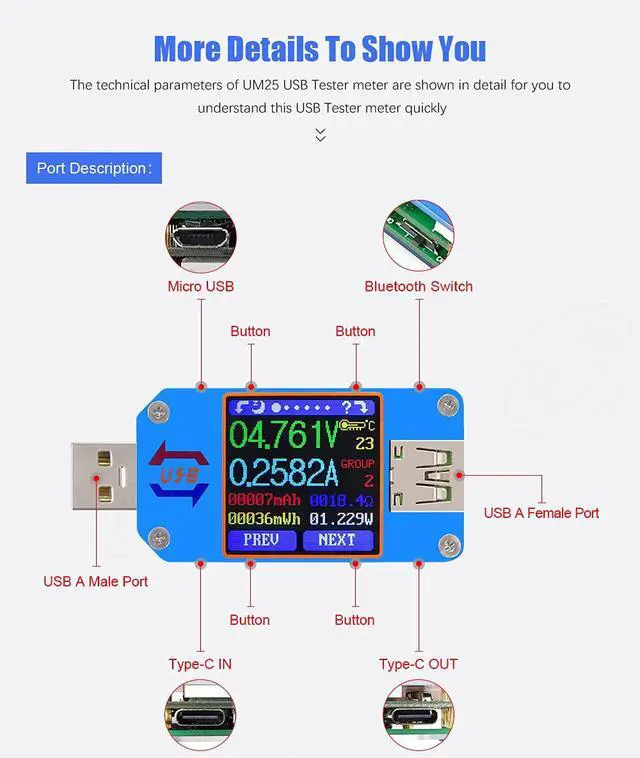
please use the USB meter in the right way, USB-A to USB-A. USB-C to USB-C
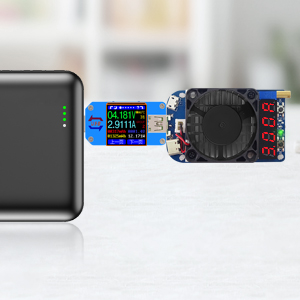
Work together with USB Load HD35
For our USB meter, it can work together with our USB load HD35, you can use HD35 to use certain voltage and current to discharge the charger/power bank, and view data on the USB meter to check the performance of charger/power bank, you can search "HD35" in our store to order it
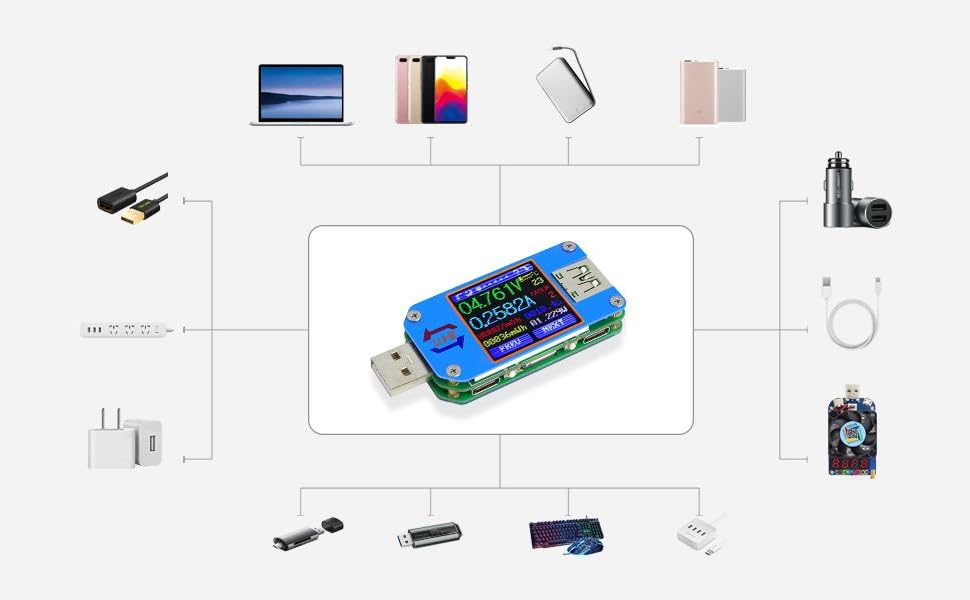
suitable for many devices
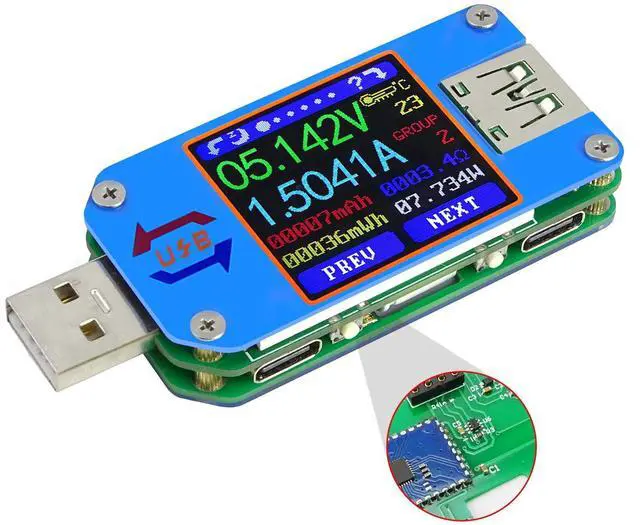
this USB meter can work together with many kinds of devices like charger, electric load, power bank..... you can view the charging voltage and current clearly
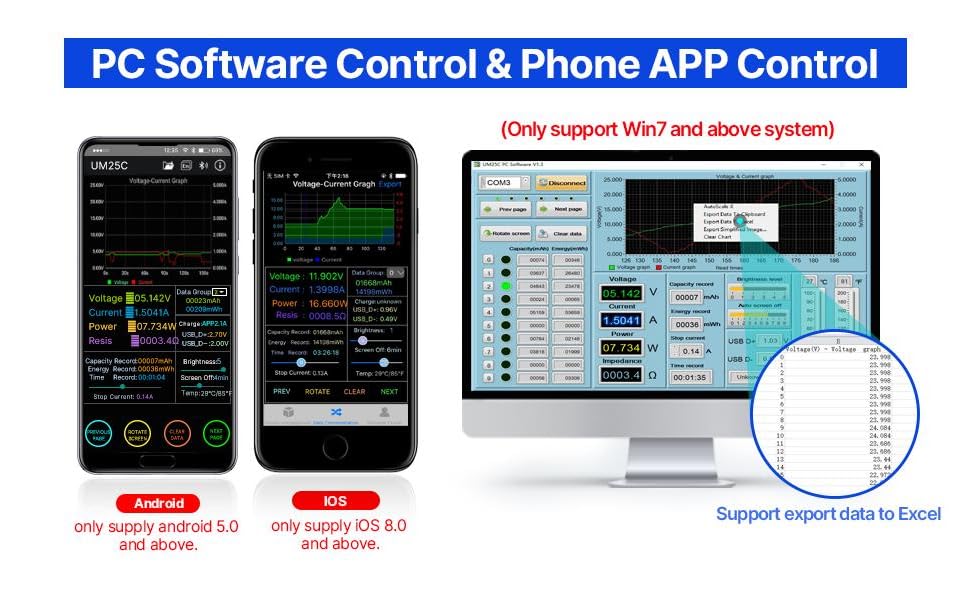
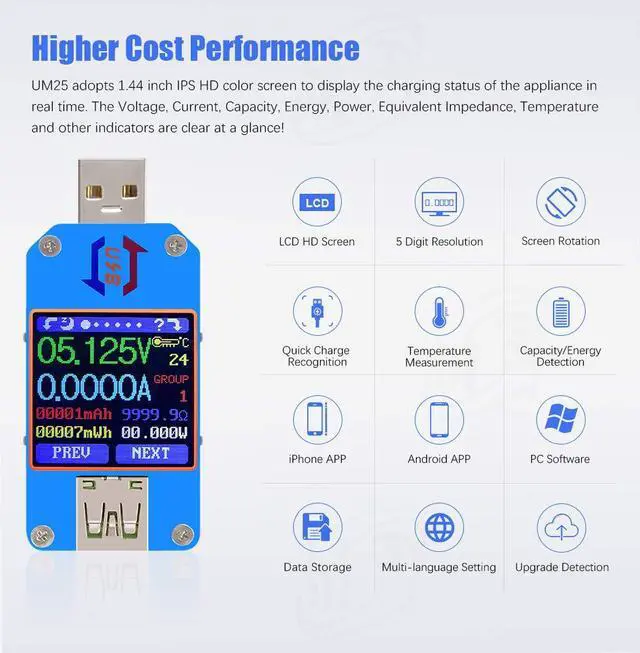
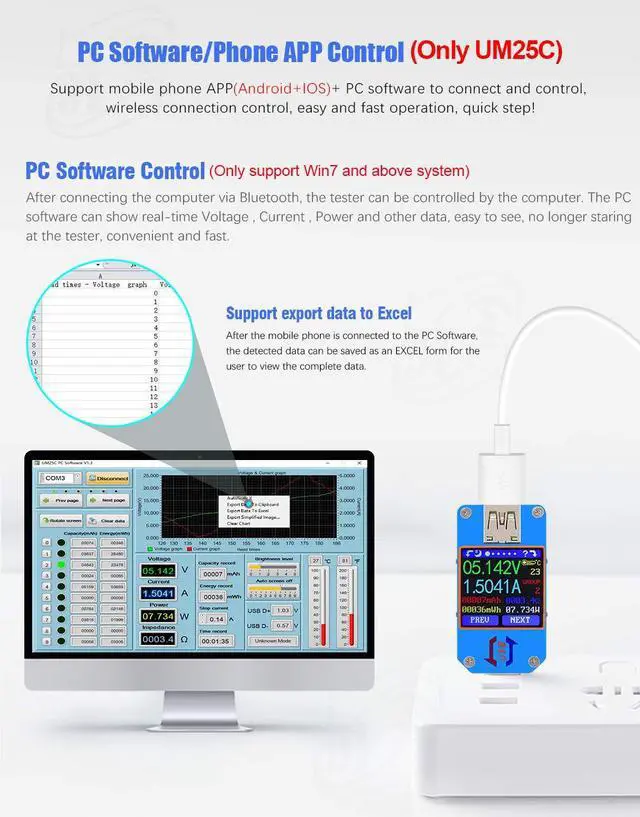
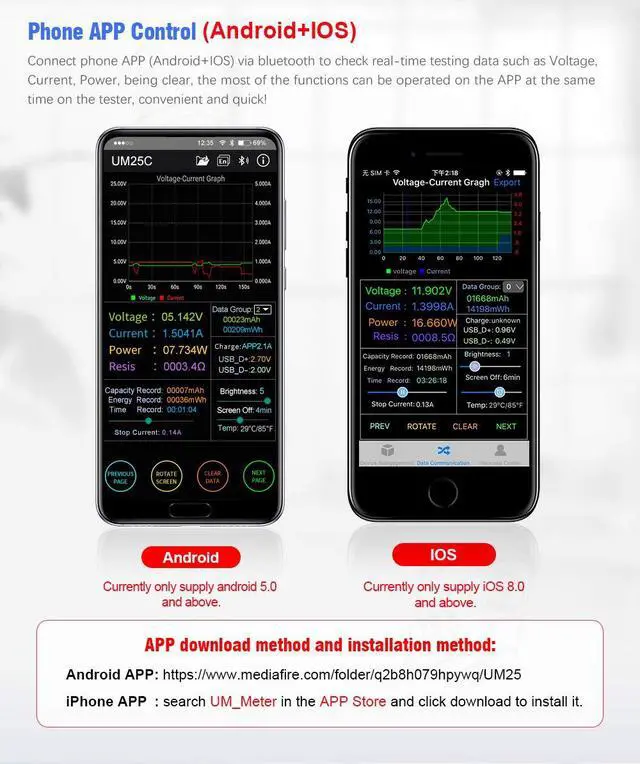
UM25C is the communication version, it has PC software and APP control, you can check the data on the software and control it, UM25 is none communication version, it does not have PC software and APP.
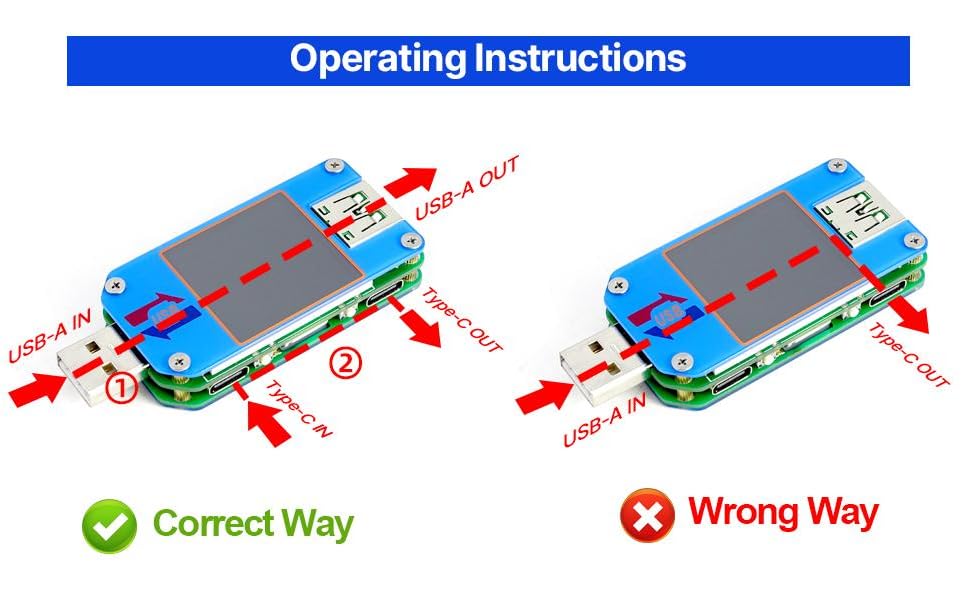
Use it in the right way
please use the USB meter in the right way, USB-A to USB-A. USB-C to USB-C, the structure of them are different, of course it cannot work fron USB-A to USB-C port
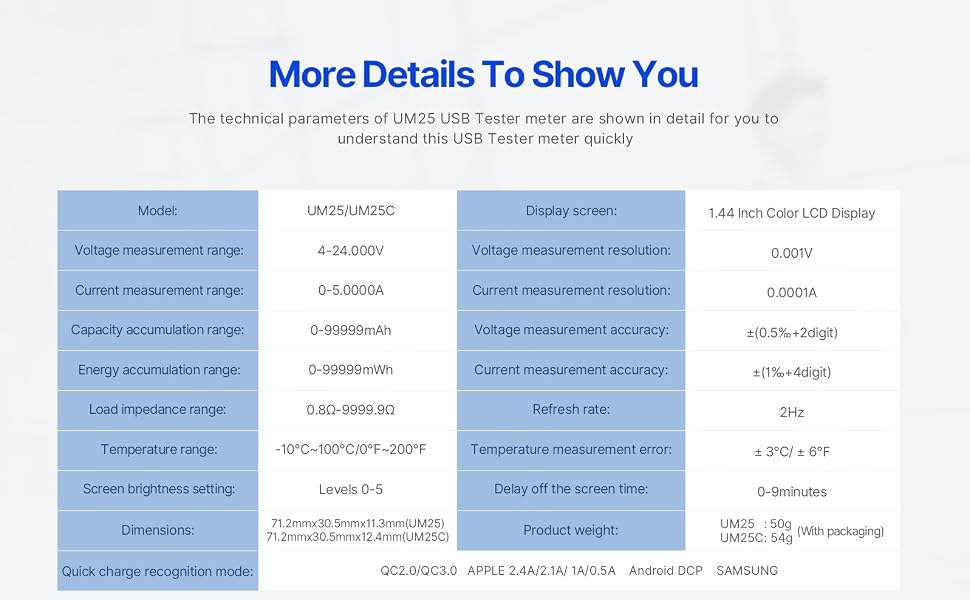
1.UM25 is no communication version, UM25C is conmmunication version by Bluetooth connection. do not order the wrong product
2.There may be incompatibilities problems of the PC software and APP with your PC/ phone systems, please install and test the software before buying the product.
4.IOS APP: search UM_meter on iphone APP store to download Android APP: search "Ruideng" in Google play
Unique Setting Page
you can set the display you like, and set the Screen Off time, Brightness and so on
Protection Film
Our USB meter has protection film, maybe it fits the panel so well that you can not see it, but it does exist!
Multiple Port
please use the USB meter in the right way, USB-A to USB-A. USB-C to USB-C
Work together with USB Load HD35
For our USB meter, it can work together with our USB load HD35, you can use HD35 to use certain voltage and current to discharge the charger/power bank, and view data on the USB meter to check the performance of charger/power bank, you can search "HD35" in our store to order it
suitable for many devices
this USB meter can work together with many kinds of devices like charger, electric load, power bank..... you can view the charging voltage and current clearly
UM25C is the communication version, it has PC software and APP control, you can check the data on the software and control it, UM25 is none communication version, it does not have PC software and APP.
Use it in the right way
please use the USB meter in the right way, USB-A to USB-A. USB-C to USB-C, the structure of them are different, of course it cannot work fron USB-A to USB-C port
1.UM25 is no communication version, UM25C is conmmunication version by Bluetooth connection. do not order the wrong product
2.There may be incompatibilities problems of the PC software and APP with your PC/ phone systems, please install and test the software before buying the product.
4.IOS APP: search UM_meter on iphone APP store to download Android APP: search "Ruideng" in Google play