


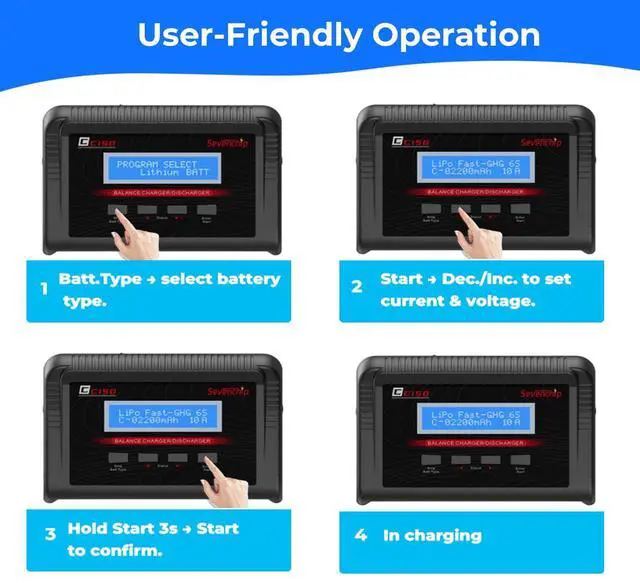


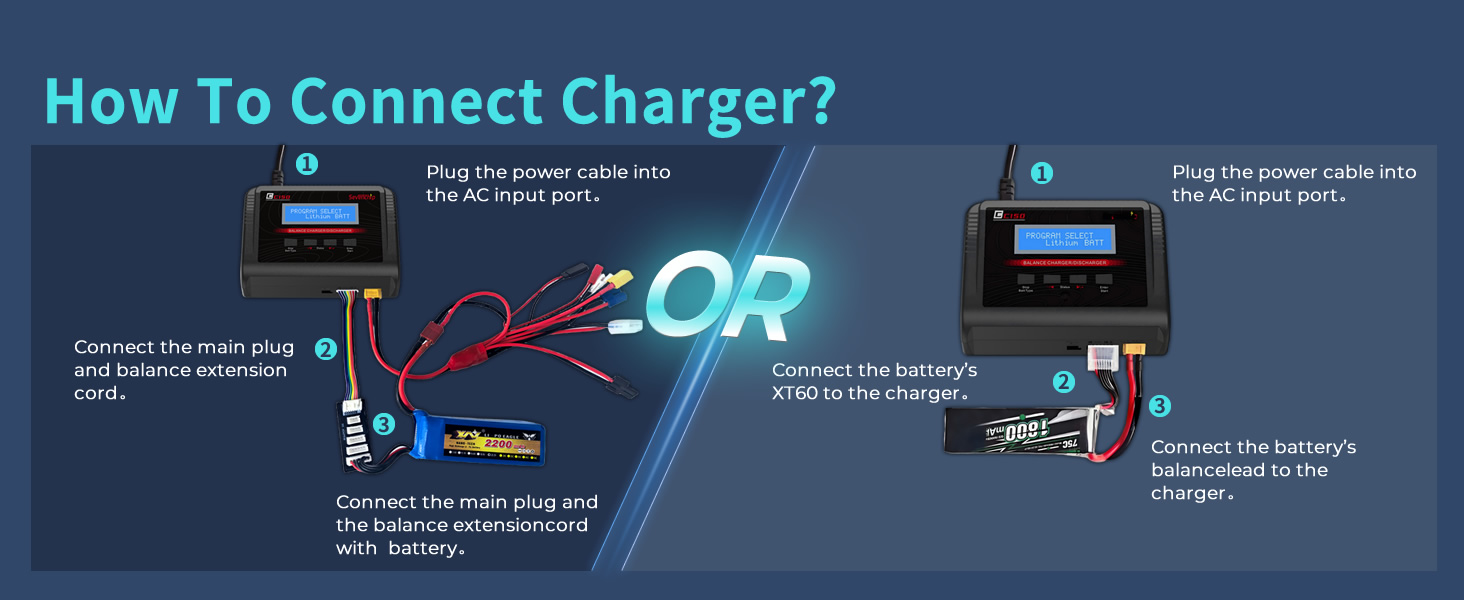
How To Connect Charge?
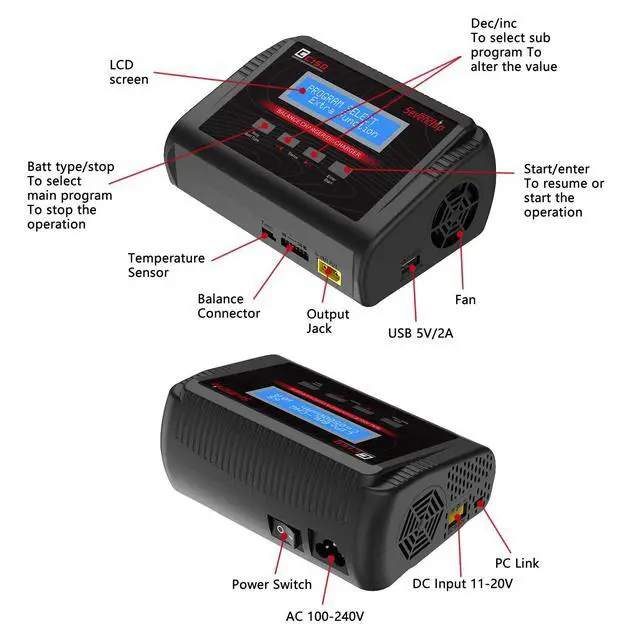
1 Plug the power cable into the AC input port.
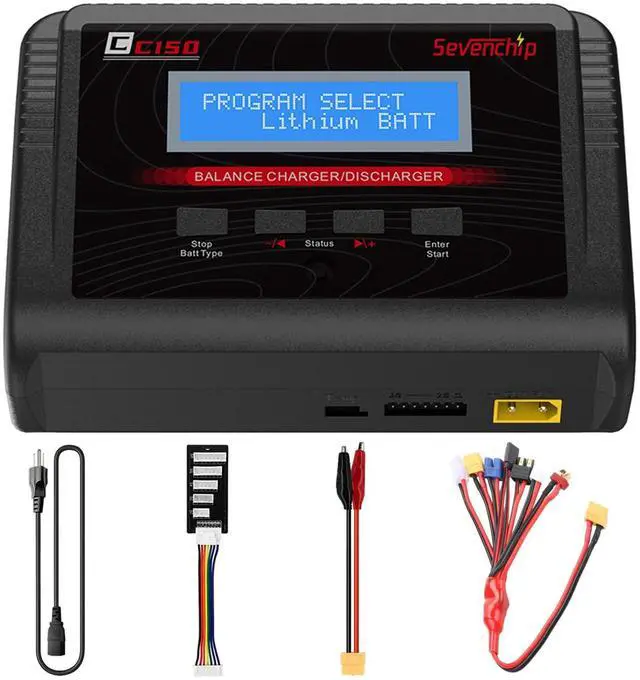
2 Connect the main plug and balance extension cord to both the charger and the battery (ensure balance cord is connected from right to left).
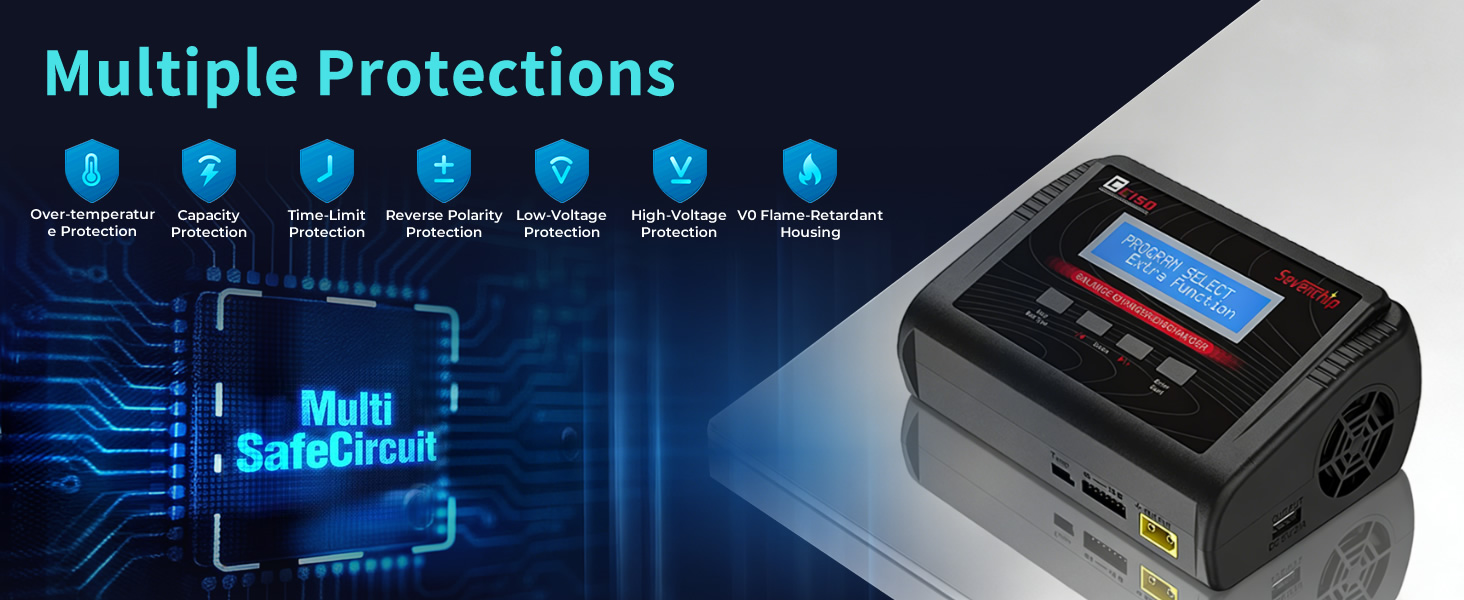
What should I pay attention to when using this C150 Balance Charge?
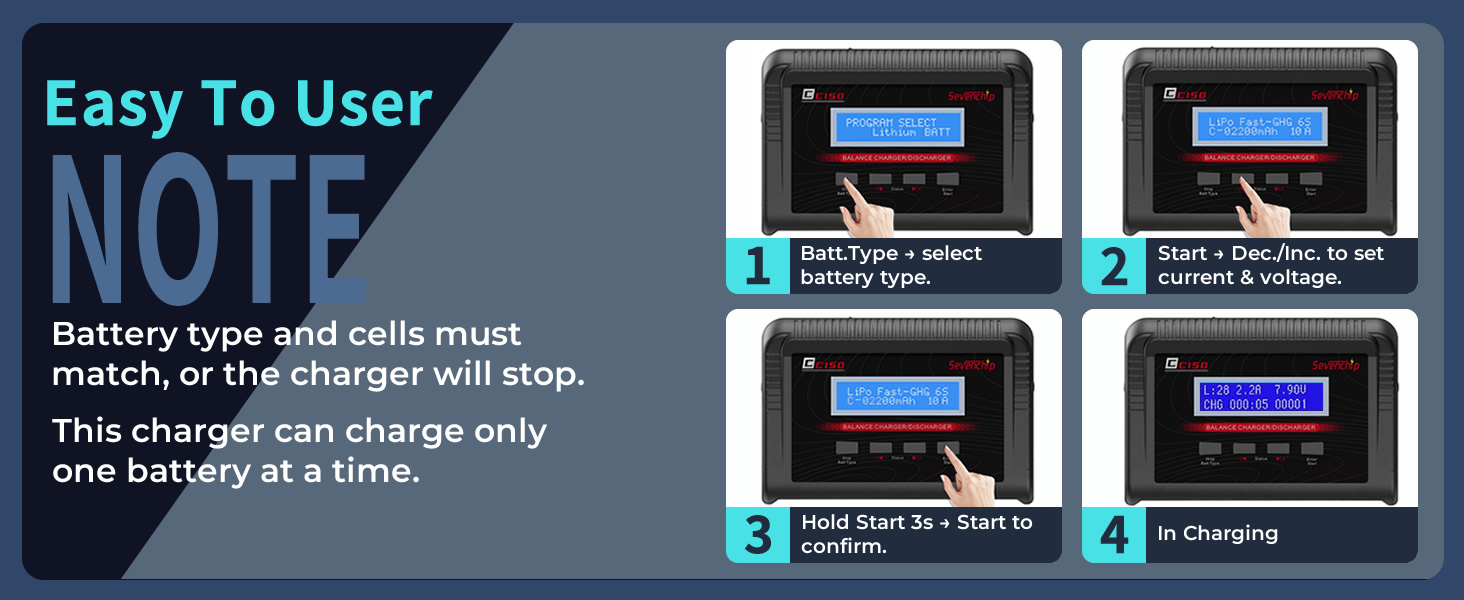
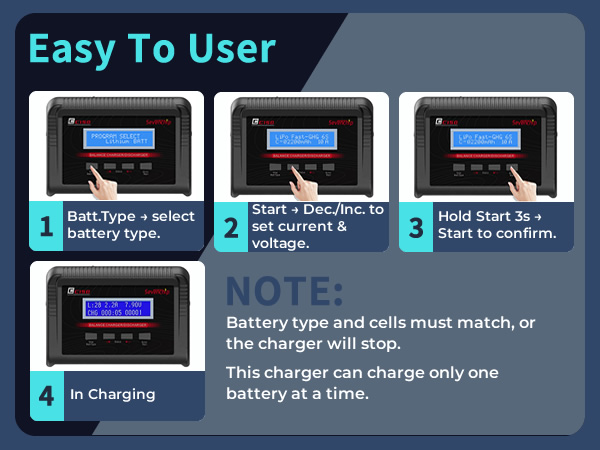
Before charging, please select the correct battery type on the charger. For example, if your battery is LiPo, make sure to choose "LiPo" mode.
What types of batteries does this charger support?
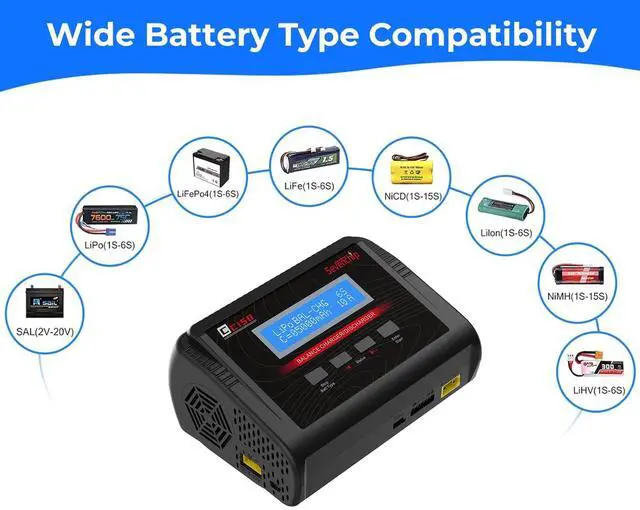
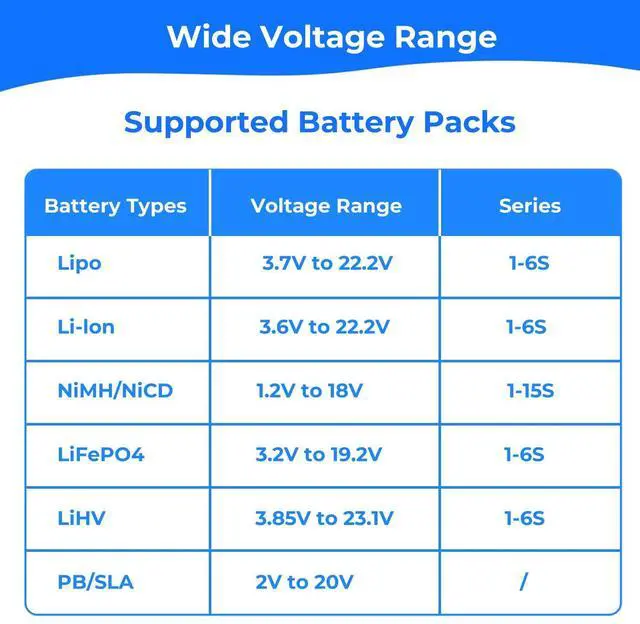
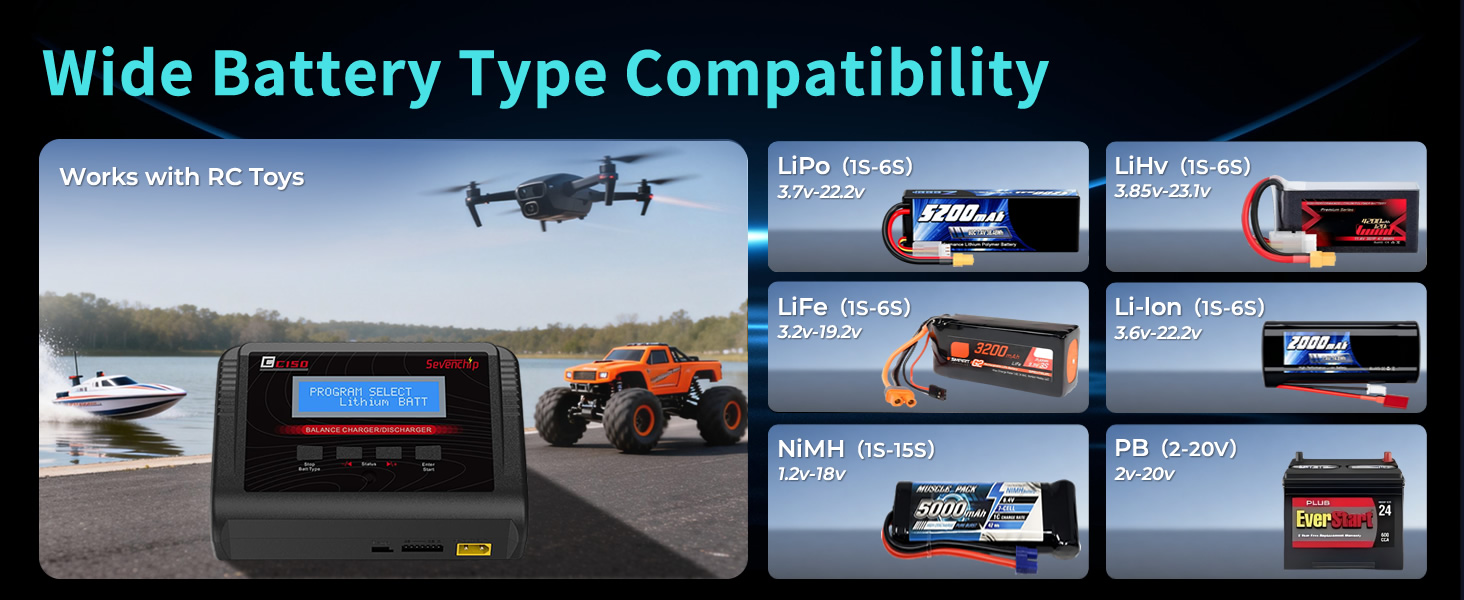
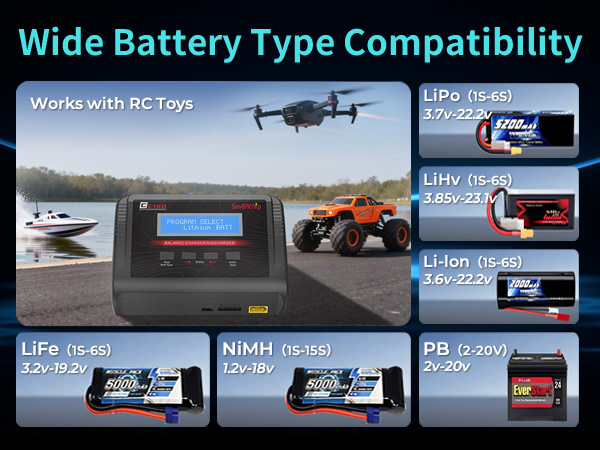
Supports LiPo/Li-ion/LiFe/LiHV (1–6S), NiMH/NiCd (1–15S), and Pb Lead Acid (1–12S) – ideal for RC cars, drones, airplanes, and helicopters.
What is the maximum power and current output?
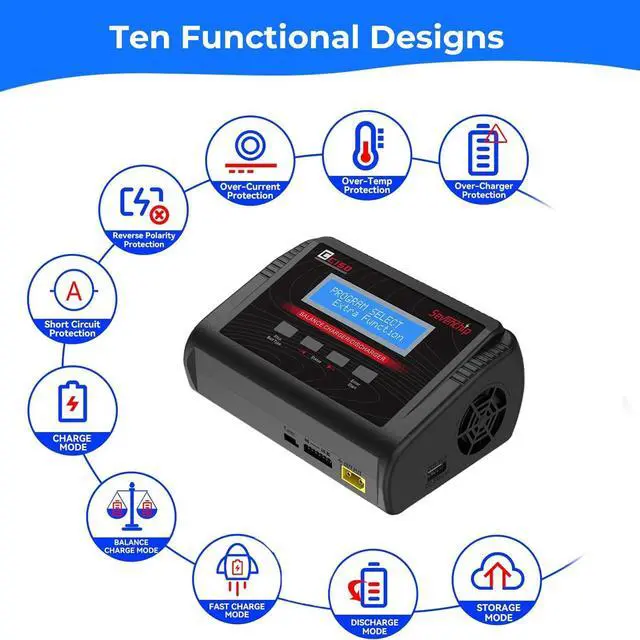
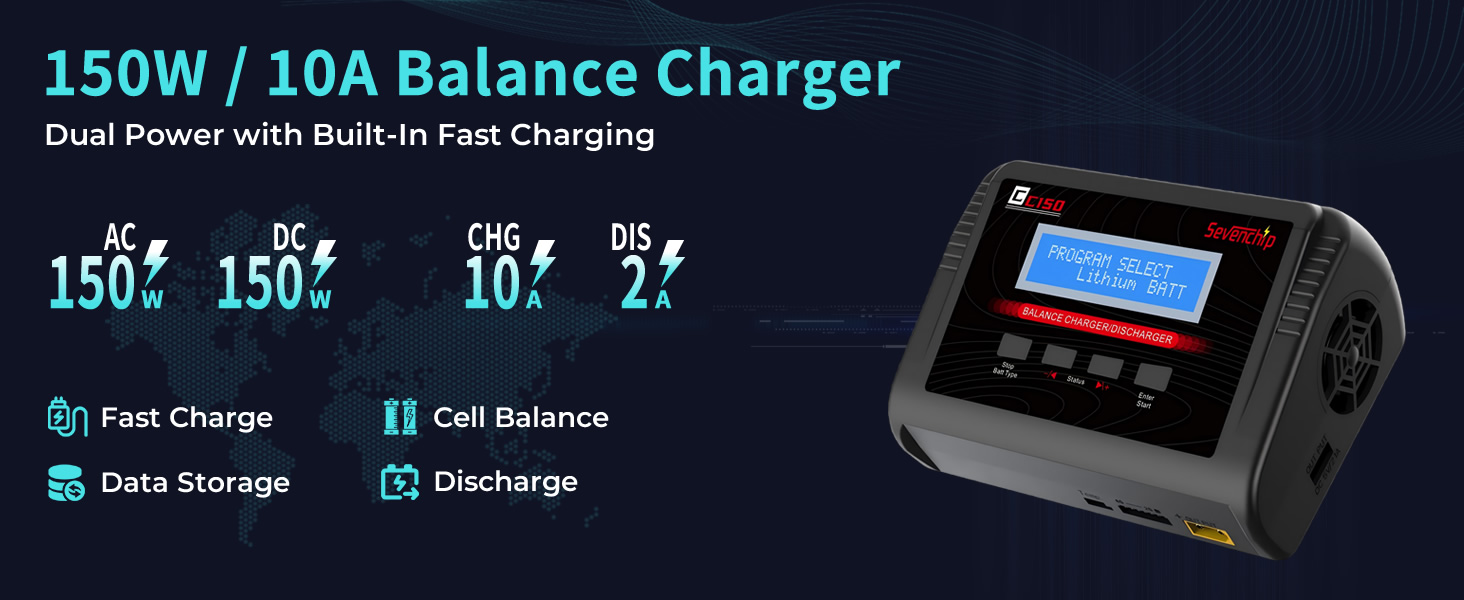
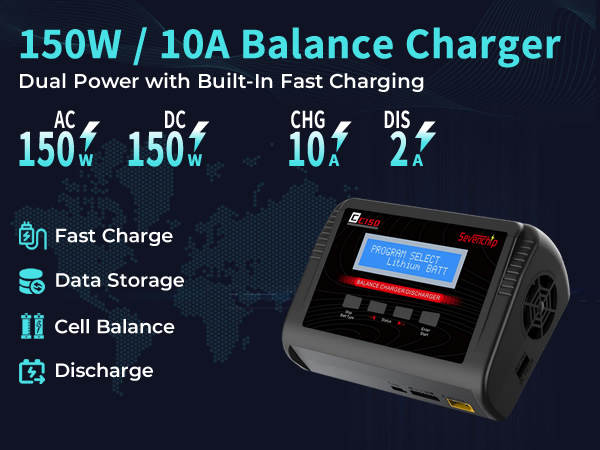
The charger delivers up to 150W of power and 10A charging current, enabling fast and efficient charging.
What battery connectors does this charger support?
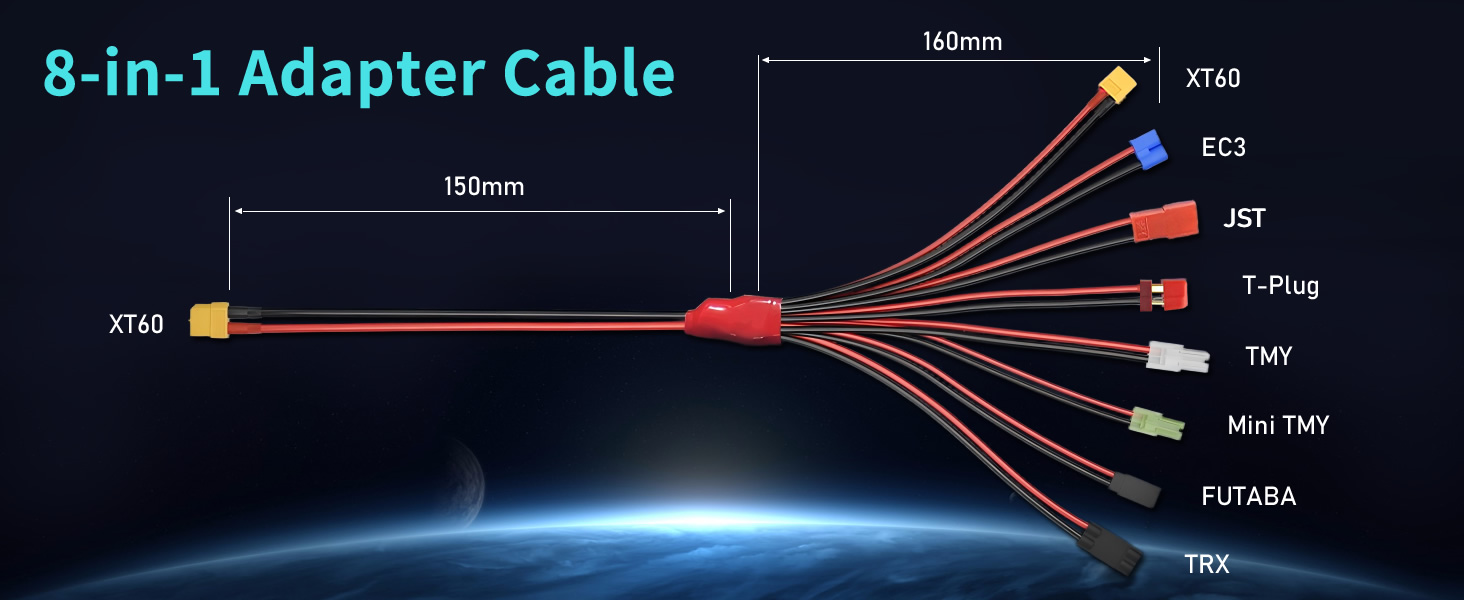
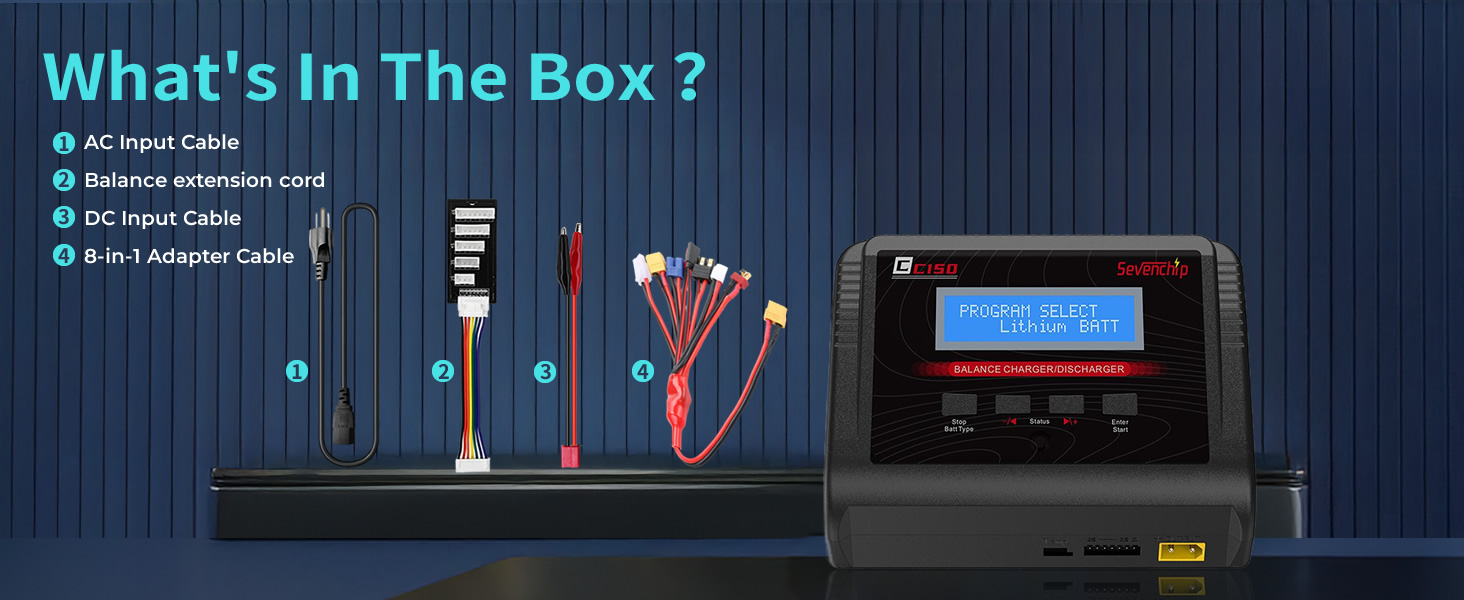
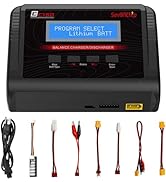
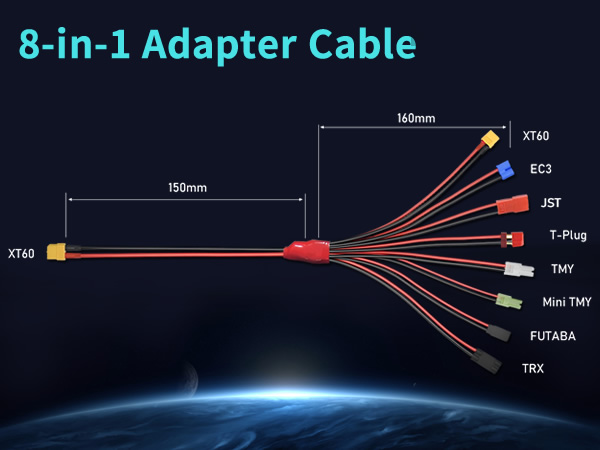
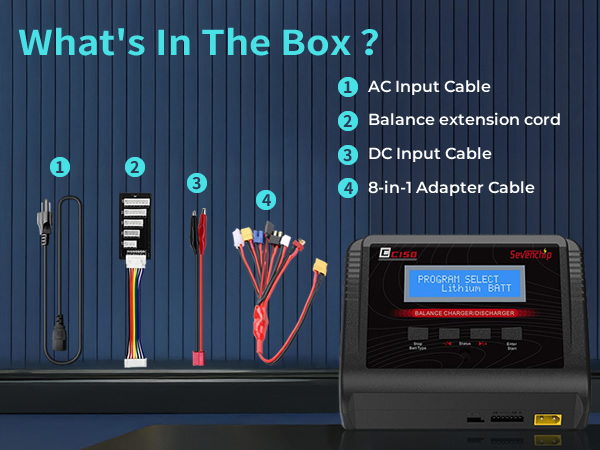
It supports multiple connector types, including XT60, Alligator Clip, T-Deans, Tamiya, and Mini Tamiya.

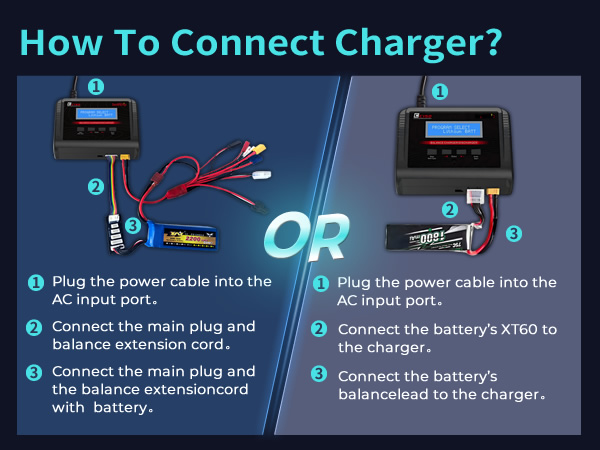
How To Connect Charge?
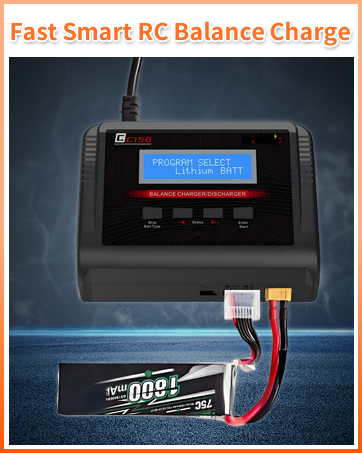
1 Plug the power cable into the AC input port.
2 Connect the main plug and balance extension cord to both the charger and the battery (ensure balance cord is connected from right to left).
What should I pay attention to when using this C150 Balance Charge?
Before charging, please select the correct battery type on the charger. For example, if your battery is LiPo, make sure to choose "LiPo" mode.
What types of batteries does this charger support?
Supports LiPo/Li-ion/LiFe/LiHV (1–6S), NiMH/NiCd (1–15S), and Pb Lead Acid (1–12S) – ideal for RC cars, drones, airplanes, and helicopters.
What is the maximum power and current output?
The charger delivers up to 150W of power and 10A charging current, enabling fast and efficient charging.
What battery connectors does this charger support?
It supports multiple connector types, including XT60, Alligator Clip, T-Deans, Tamiya, and Mini Tamiya.
C150 Battery Charger