

Your Browsing History
- Free 30-day Returns
$305.00

Meet Your Seller

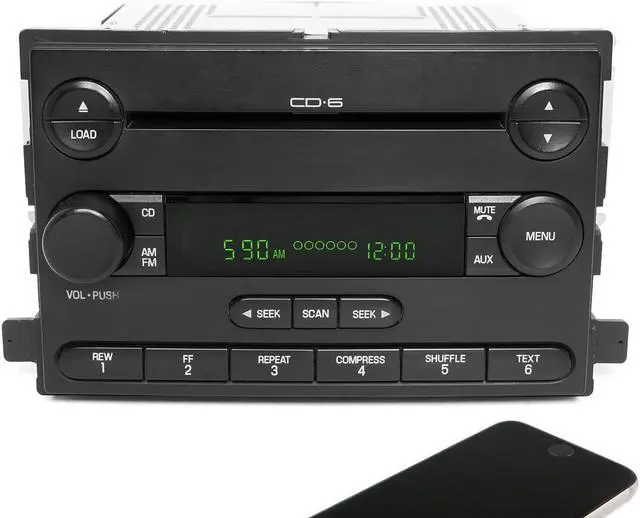
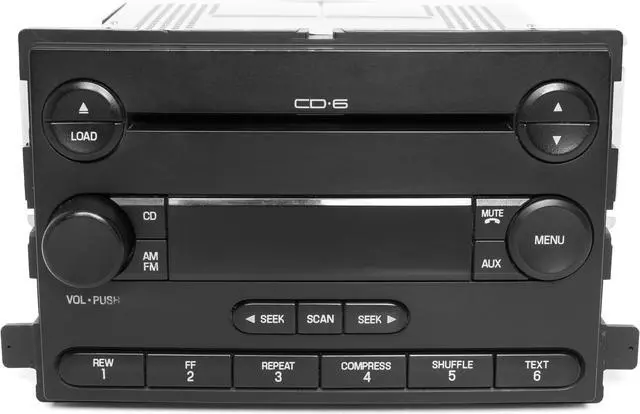
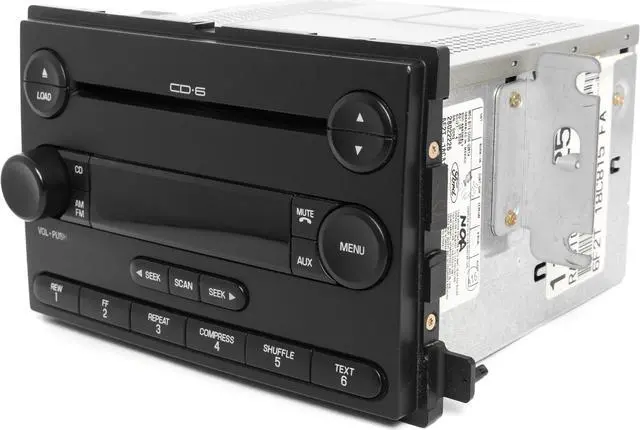
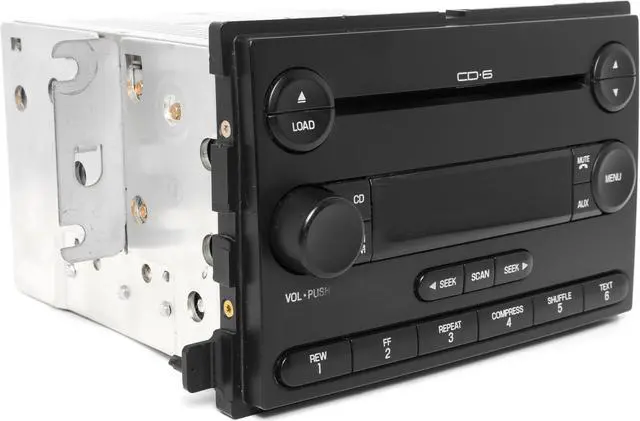
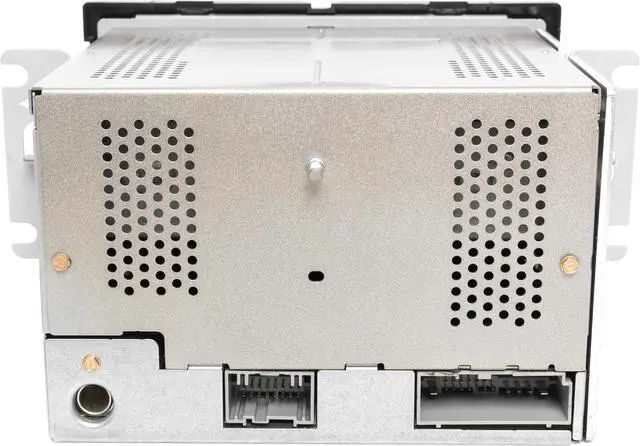
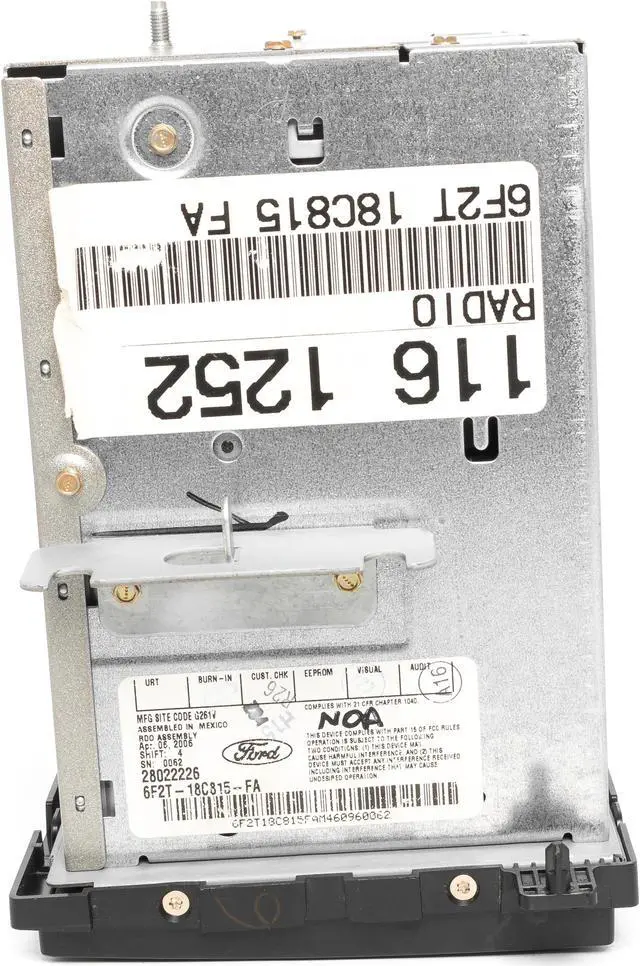


06-07 Ford Freestyle Mercury Monterey AMFM 6CD Radio w Bluetooth 6F2T-18C815-FA
REFURBISHED Product Type
- Professionally Remanufactured OEM Unit
- 06-07 Ford Freestyle Mercury Monterey AMFM 6CD Radio w Bluetooth
- Part Number: 6F2T-18C815-FA
- Interchange Part Number: 638-02093
- Fits: 2006-07 Ford Freestar 2006-07 Mercury Monterey
+
+
Overview
Reviews

Any questions? Our AI mode will help you find out quickly.
Try me now
-- 2006 - 2007 --
Ford, Mercury
Freestar, Monterey
AM FM 6 CD Player Radio w Bluetooth Upgrade
- NO CODE REQUIRED -
Part Number: 6F2T-18C815-FA
Interchange Part Number: 638-02093
This is for a 2006-07 Ford Freestar, 2006-07 Mercury Monterey. This radio has been upgraded and thoroughly checked. Appearance is great as pictured, function is perfect! No codes required, it will plug and play!
This radio is being sold as a REPLACEMENT ONLY! The part number is 6F2T-18C815-FA. If you do not have this exact part number currently in your vehicle, it will likely NOT WORK. If you are unsure of your part number, contact your dealer with your VIN and they should be able to provide you with that part number. They may look the same and have the same plugs but data streams may be different, not allowing them to code. For example, external amps are used in some cars and will not allow interchange, etc.
The Bluetooth upgrade is simple to operate! Just pair the device, press the Bluetooth button and play your music or most in-app audio, including iTunes, Rhapsody, Pandora, Spotify, YouTube, Netflix and many, many more will play in full, crisp, clean quality while taking advantage of all sound controls on the radio. To complete paring, some devices require a pass key or code which is "0000. "
Please note: that this will not work with phone calls as phone manufacturers have designed calls to work with Bluetooth mic systems only. When you do not want to listen to Bluetooth music, simply unpair or turn off your device's Bluetooth.
The radio you receive will be as pictured and described. Please feel free to contact us with any questions or concerns.
Ford, Mercury
Freestar, Monterey
AM FM 6 CD Player Radio w Bluetooth Upgrade
- NO CODE REQUIRED -
Part Number: 6F2T-18C815-FA
Interchange Part Number: 638-02093
This is for a 2006-07 Ford Freestar, 2006-07 Mercury Monterey. This radio has been upgraded and thoroughly checked. Appearance is great as pictured, function is perfect! No codes required, it will plug and play!
This radio is being sold as a REPLACEMENT ONLY! The part number is 6F2T-18C815-FA. If you do not have this exact part number currently in your vehicle, it will likely NOT WORK. If you are unsure of your part number, contact your dealer with your VIN and they should be able to provide you with that part number. They may look the same and have the same plugs but data streams may be different, not allowing them to code. For example, external amps are used in some cars and will not allow interchange, etc.
The Bluetooth upgrade is simple to operate! Just pair the device, press the Bluetooth button and play your music or most in-app audio, including iTunes, Rhapsody, Pandora, Spotify, YouTube, Netflix and many, many more will play in full, crisp, clean quality while taking advantage of all sound controls on the radio. To complete paring, some devices require a pass key or code which is "0000. "
Please note: that this will not work with phone calls as phone manufacturers have designed calls to work with Bluetooth mic systems only. When you do not want to listen to Bluetooth music, simply unpair or turn off your device's Bluetooth.
The radio you receive will be as pictured and described. Please feel free to contact us with any questions or concerns.
Warranty & Returns
Warranty, Returns, And Additional Information
Warranty
- Please contact the Seller directly for warranty information. Warranty information may also be found on the Manufacturer's website.
- CONTACT
Return Policies
- Return for refund within: 30 days
- Return for replacement within: 90 days
- This item is covered by 1 Factory Radio Return Policy
Manufacturer Contact Info
- For a directory of all our manufacturers, please click below.
- Manufacturers Directory
LOADING...