


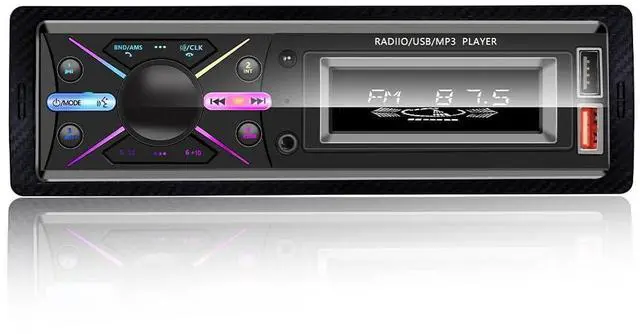


Single Din Car Audio System

Main features
1. This Bluetooth car radio can be controlled by a mobile APP, so you can adjust the radio functions with your phone.
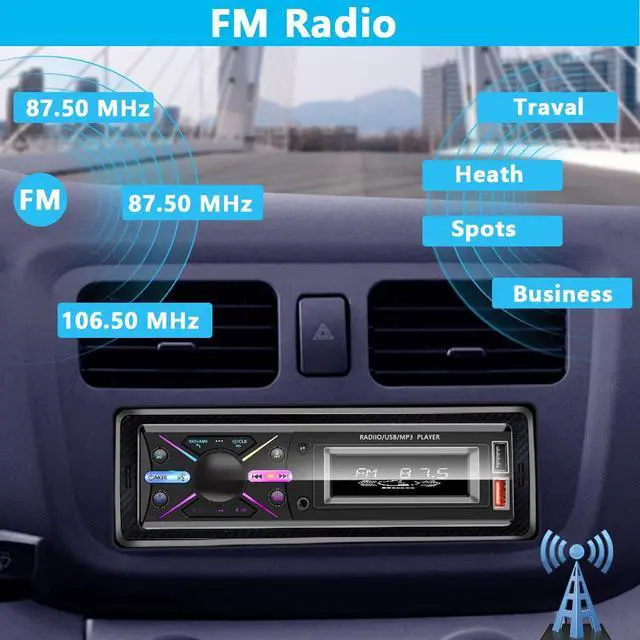
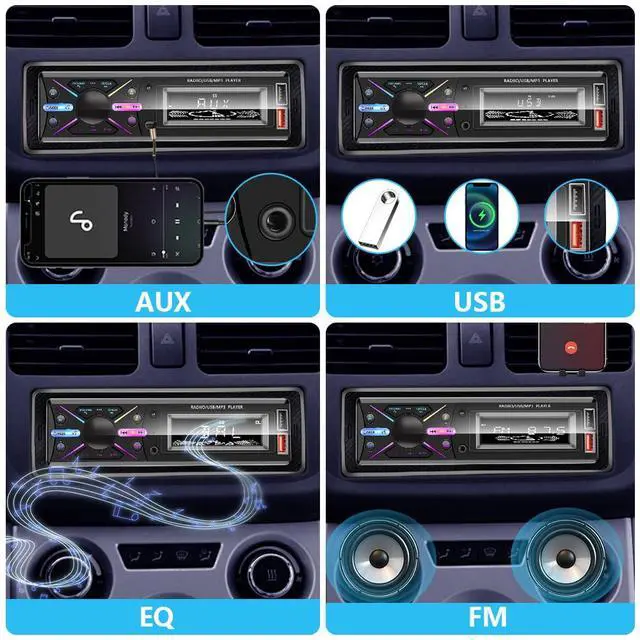
2. FM Radio,Frequency range: 87.5~ 108.0 MHz, automatic station search and storage.
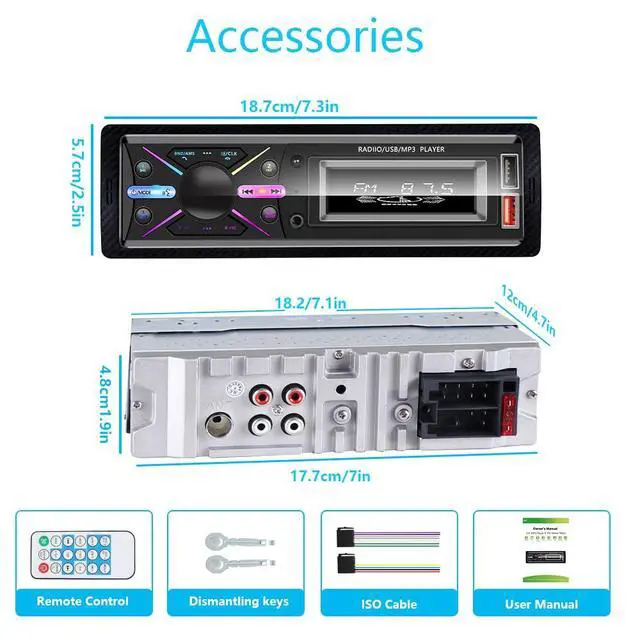
3. Dual USB ports, one to insert a USB flash drive to play stored music and the other to quickly charge your phone, so you don't have to worry about your phone battery during long trips.
Bluetooth Music

Bluetooth
Bluetooth 4.0, Bluetooth hands-free calling, Bluetooth music, add fun to your journey!
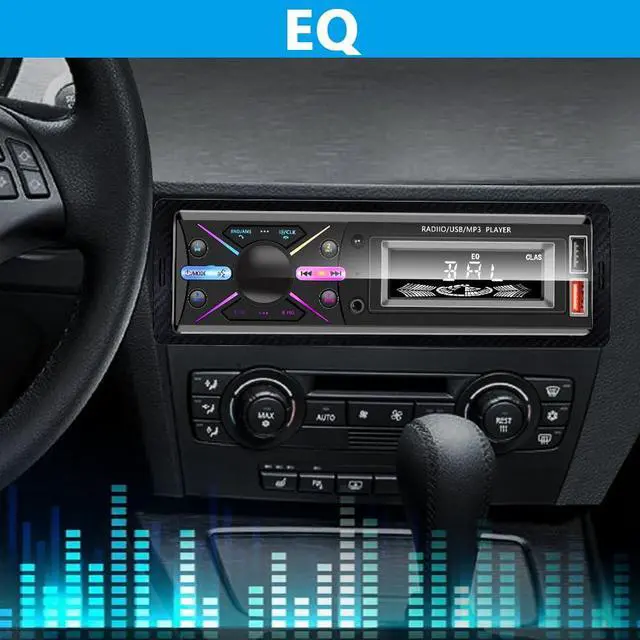
EQ

Clock Setting

Installation

Question & Answer
1. Does the product always remain switched on? Does the product still work when the machine is switched off?
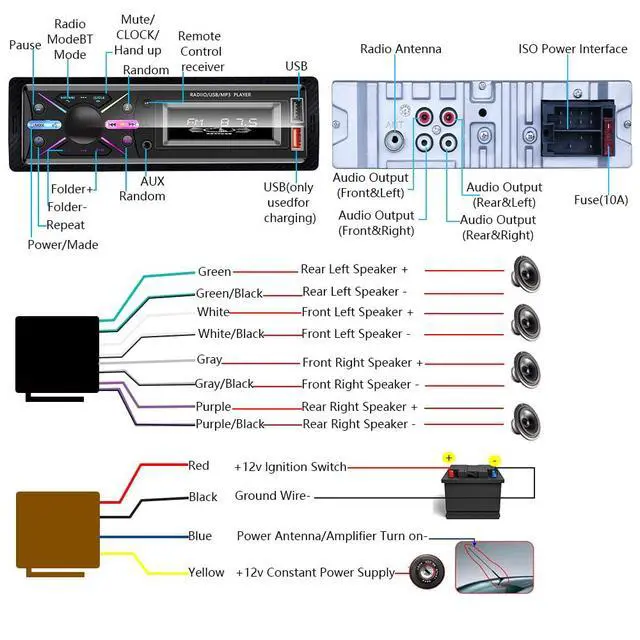
If you have this problem, check the wiring. First of all, the red wire must be connected to your ACC (car keyhole) so that the car switches off when the car is turned off. Secondly, the yellow wire should be connected to the positive battery terminal and the black wire to the negative battery terminal, each wire is connected correctly to ensure normal use of the product.
2. Can't connect Bluetooth?
Delete the Bluetooth registration of your mobile phone and reconnect it to match.
3. Can't use the memory function? Can't save channels?
If this situation occurs, check whether the wiring is correct. The red wire should be connected to your ACC (car keyhole), the yellow wire should be connected to the positive battery terminal and the black wire should be connected to the negative battery terminal. These three cables must be kept powered for a long time. If the B+ cable is not kept powered for a long time and is disconnected, the memory will not be saved.
4. Is the device locked? No content response?
If you encounter this situation, we recommend disconnecting the power and rebooting.

LSLYA is a professional manufacturer of car multimedia products. Since 2002, we have specialized in car audio, offering car MP3/MP5, single/double DIN DVD, retractable screens, Bluetooth receivers, CD players, and other appliances.
With proven expertise, we serve over 10 million users across 24 countries/regions. LSLYA adheres to customer-centered values, quality survival, and innovation-driven development to serve you best!

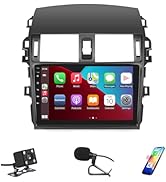
Hot-selling Products
Single Din Car Audio System
Main features
1. This Bluetooth car radio can be controlled by a mobile APP, so you can adjust the radio functions with your phone.
2. FM Radio,Frequency range: 87.5~ 108.0 MHz, automatic station search and storage.
3. Dual USB ports, one to insert a USB flash drive to play stored music and the other to quickly charge your phone, so you don't have to worry about your phone battery during long trips.
Bluetooth Music
Bluetooth
Bluetooth 4.0, Bluetooth hands-free calling, Bluetooth music, add fun to your journey!
EQ
Clock Setting
Installation
Question & Answer
1. Does the product always remain switched on? Does the product still work when the machine is switched off?
If you have this problem, check the wiring. First of all, the red wire must be connected to your ACC (car keyhole) so that the car switches off when the car is turned off. Secondly, the yellow wire should be connected to the positive battery terminal and the black wire to the negative battery terminal, each wire is connected correctly to ensure normal use of the product.
2. Can't connect Bluetooth?
Delete the Bluetooth registration of your mobile phone and reconnect it to match.
3. Can't use the memory function? Can't save channels?
If this situation occurs, check whether the wiring is correct. The red wire should be connected to your ACC (car keyhole), the yellow wire should be connected to the positive battery terminal and the black wire should be connected to the negative battery terminal. These three cables must be kept powered for a long time. If the B+ cable is not kept powered for a long time and is disconnected, the memory will not be saved.
4. Is the device locked? No content response?
If you encounter this situation, we recommend disconnecting the power and rebooting.
LSLYA is a professional manufacturer of car multimedia products. Since 2002, we have specialized in car audio, offering car MP3/MP5, single/double DIN DVD, retractable screens, Bluetooth receivers, CD players, and other appliances.
With proven expertise, we serve over 10 million users across 24 countries/regions. LSLYA adheres to customer-centered values, quality survival, and innovation-driven development to serve you best!
Hot-selling Products