

Your Browsing History

Meet Your Seller



Linux Interface Box for Lexus GX 2014-2024 Wireless CarPlay Android Auto Fit for Original Car Radio Upgrade GPS Navigation
Limited time offer, ends 08/03 By Jeronrtion
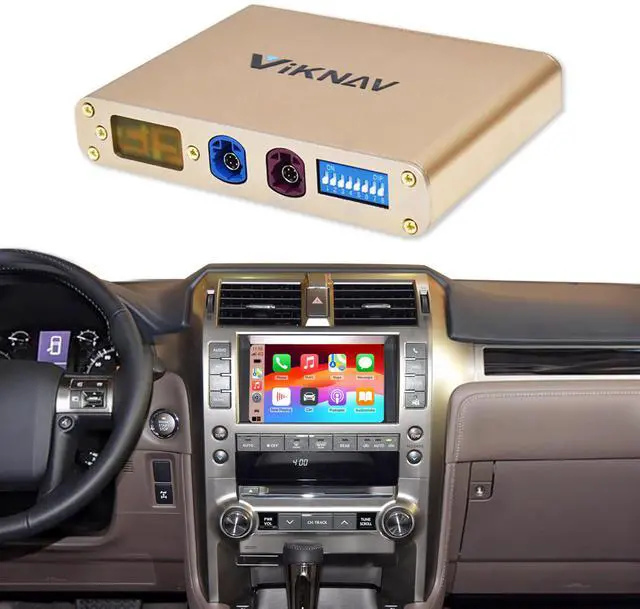
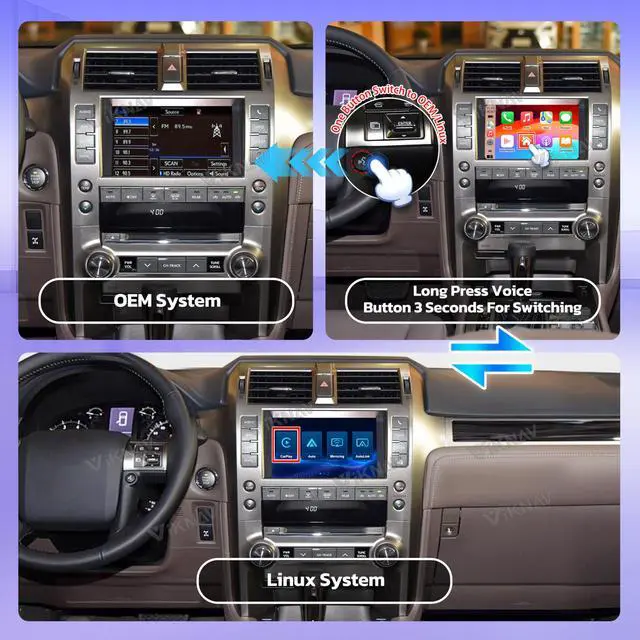
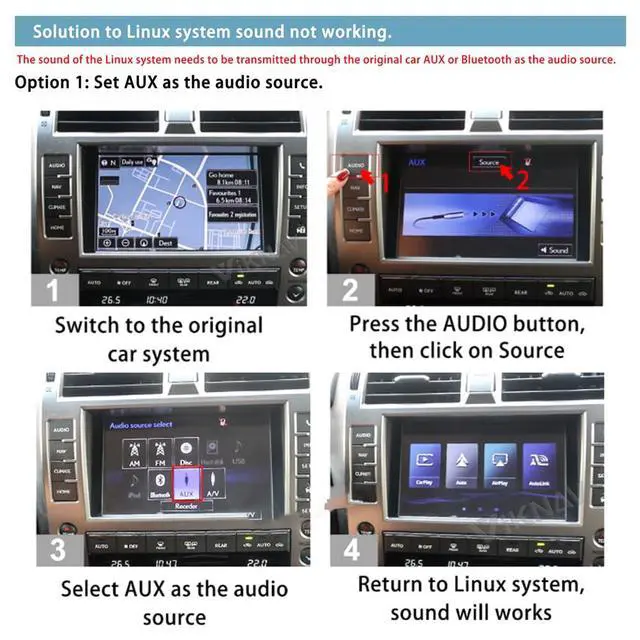
- This Linux Interface Box is compatible with the Lexus GX for model years 2014 through 2024. Long press the HOME button on the control center or the VOICE button on the steering wheel to access the CarPlay console. Note: This product is designed for the original car with the Navigation version. It is not suitable for the original car without the Navigation version. Please verify your original car radio version before purchase. Long press the "voice" button to switch from the factory system to the Linux system for CarPlay and Android Auto. It provides two methods (AUX or Bluetooth) to function as the audio source for the Linux system. The audio from the Linux system must be transmitted via the original car's AUX or Bluetooth as the source. To configure AUX as the audio source: Switch to the original car system, press the AUDIO button, select Source, choose AUX as the audio source, then return to the Linux system for audio to function. To configure Bluetooth as the audio source: Please consult the instructional video which demonstrates how to connect Bluetooth to obtain the Linux system audio. Note: You must clear your phone's Bluetooth pairing record on the factory system first because the factory system Bluetooth needs to be linked to the Linux system Bluetooth for audio. Do not maintain your phone connected to Bluetooth on the factory system. This Linux Interface Box preserves the original car radio system and incorporates a Linux system. It enables wireless Apple CarPlay and
+
+
Overview
Specs
Reviews

Any questions? Our AI beta will help you find out quickly.
Try me now
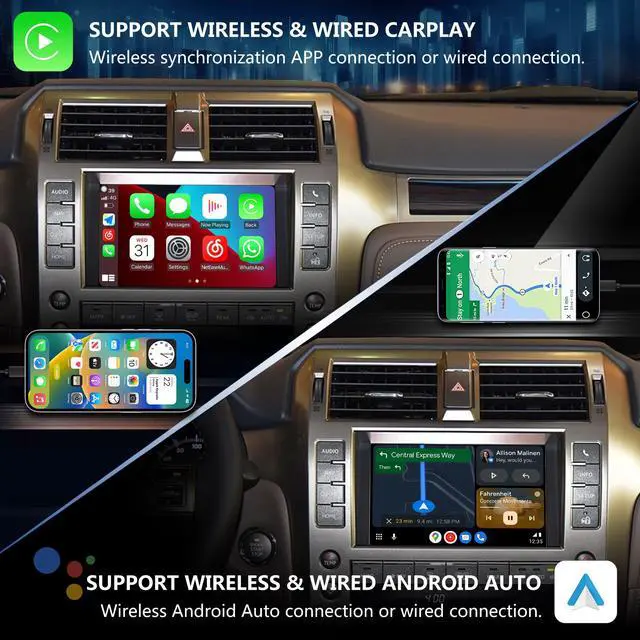
This Linux Interface Box is compatible with the Lexus GX for model years 2014 through 2024. Long press the HOME button on the control center or the VOICE button on the steering wheel to access the CarPlay console. Note: This product is designed for the original car with the Navigation version. It is not suitable for the original car without the Navigation version. Please verify your original car radio version before purchase. Long press the "voice" button to switch from the factory system to the Linux system for CarPlay and Android Auto. It provides two methods (AUX or Bluetooth) to function as the audio source for the Linux system. The audio from the Linux system must be transmitted via the original car's AUX or Bluetooth as the source. To configure AUX as the audio source: Switch to the original car system, press the AUDIO button, select Source, choose AUX as the audio source, then return to the Linux system for audio to function. To configure Bluetooth as the audio source: Please consult the instructional video which demonstrates how to connect Bluetooth to obtain the Linux system audio. Note: You must clear your phone's Bluetooth pairing record on the factory system first because the factory system Bluetooth needs to be linked to the Linux system Bluetooth for audio. Do not maintain your phone connected to Bluetooth on the factory system. This Linux Interface Box preserves the original car radio system and incorporates a Linux system. It enables wireless Apple CarPlay and Android Auto for GPS navigation and mobile phone Bluetooth music. It retains steering wheel control, rear view camera functionality, and all original car features. The LVDS interface introduces full CarPlay and Android Auto capabilities to your car's control center, while keeping all of the original multimedia functions. The CarPlay system allows interaction with the console via the car's original buttons, mouse joystick, or touchpad and steering wheel controls. This upgrade for the Lexus GX radio supports both Bluetooth and USB cable connections for CarPlay and Android Auto, enabling users to mirror their phone content onto the screen. Use the smart voice assistant or touch the display to get directions, make calls, send and receive messages, enjoy music, and more. It provides a smarter, safer, and more enjoyable way to use your phone in the car, helping you stay focused, connected, and entertained
Warranty & Returns
Warranty, Returns, And Additional Information
Warranty
- Please contact the Seller directly for warranty information. Warranty information may also be found on the Manufacturer's website.
- CONTACT
Return Policies
- Return for refund within: 30 days
- Return for replacement within: 30 days
- This item is covered by Jeronrtion Return Policy
Manufacturer Contact Info
- For a directory of all our manufacturers, please click below.
- Manufacturers Directory
LOADING...