





How to set the day of the week?
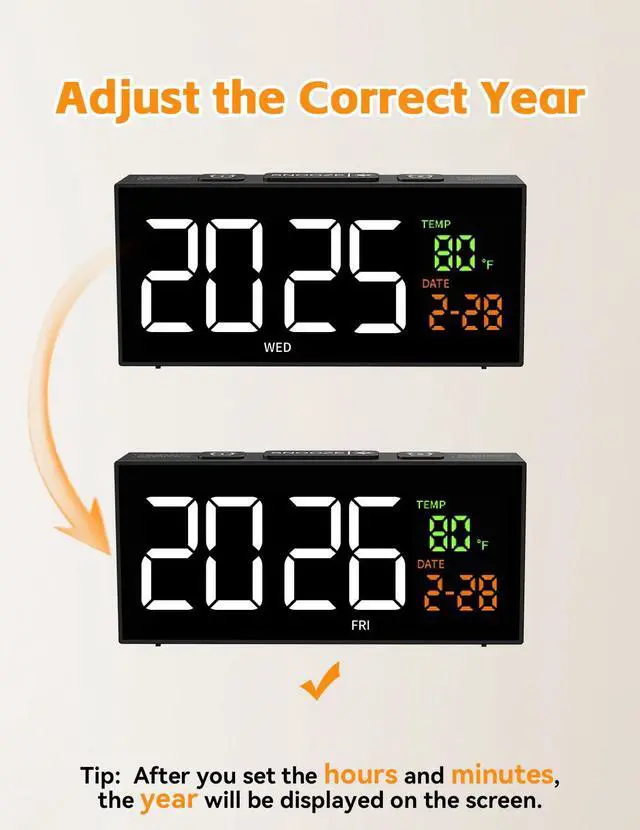
If you set the correct year and date, the day of the week will be accurate. Tip: After setting the hours and minutes, the year will be displayed on the screen.
How to set the date and time? (Upper Half)
Long press the [set] button, the "Hour" will blink
1.Press the [+] or [-] button to adjust the hour, press the [Set] button to save,
2.The "Minute" will blink. Press the [+] or [-] button to adjust the minute, press [Set] button to save.
How to set the date and time? (Lower Half)
3. The display will show "Year". Press the [+] or [-] button to adjust the year and press the [Set] button to save.
4. the "Date" will blink. Press the [+] or [-] button to adjust the date and press the [Set] button to save.
Time setting is done.
How to set the alarm? (Upper Half)
Long press the [Alarm] button, the "Hour" will blink
Press the [+] or [-] button to adjust the hour, press the [Alarm] button to save;
The "Minute" will blink. Press the [+] or [-] button to adjust the minute, press [Alarm] button to save
How to set the alarm? (Lower Half)
Then, the Alarm Modes will blink. Press the [+] or [-] button to adjust:
1-5: the alarm will ring from Monday to Friday
1-7: the alarm will ring from Monday to Sunday
6-7: the alarm will ring from Saturday to Sunday
Press the [Alarm] button to save.
Netzu Alarm Clocks for Bedrooms


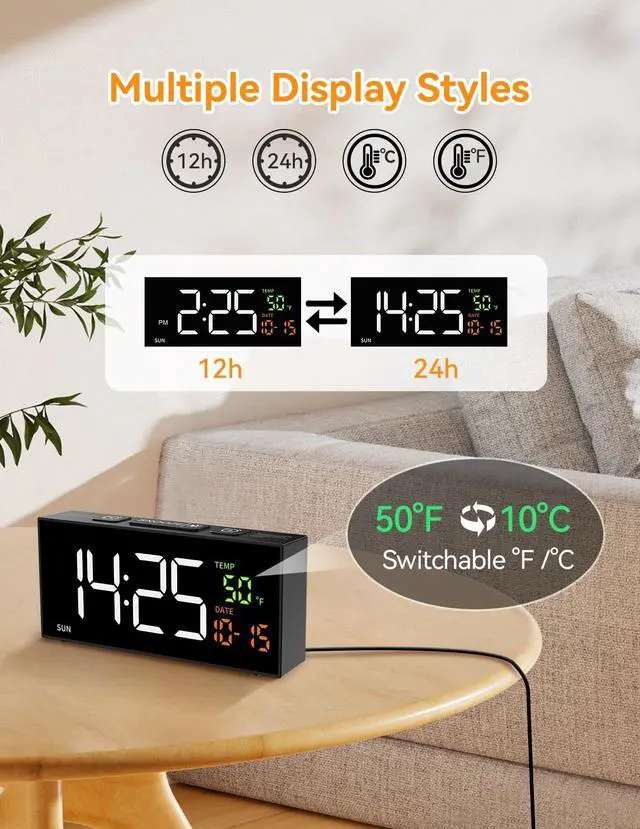
Military Time/Standard Time
Choose standard time or military time depending on reading habits.

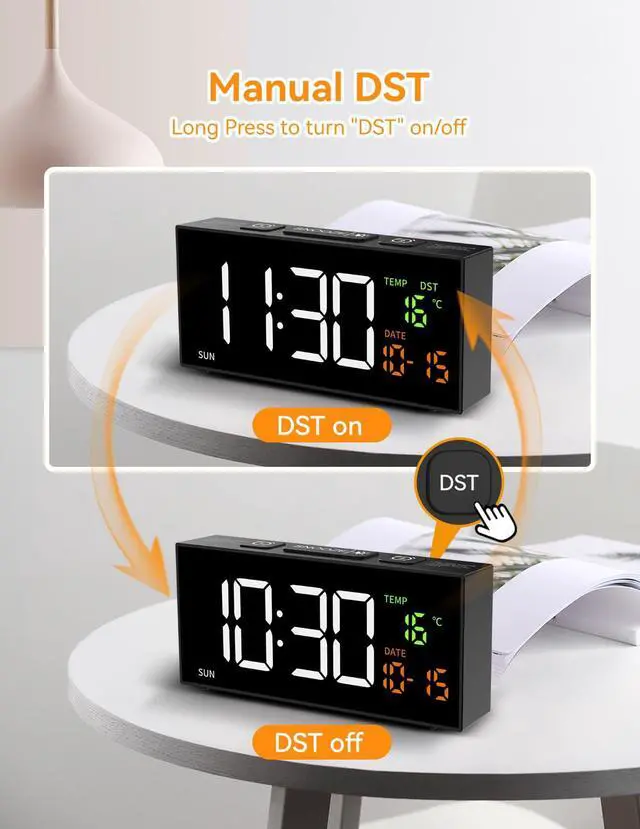
Manual DST
Long press the "DST" button to turn on/off DST function

Battery Backup
Only used to save settings in power outage. Will not function on batteries alone.

Mains Powered Alarm Clocks
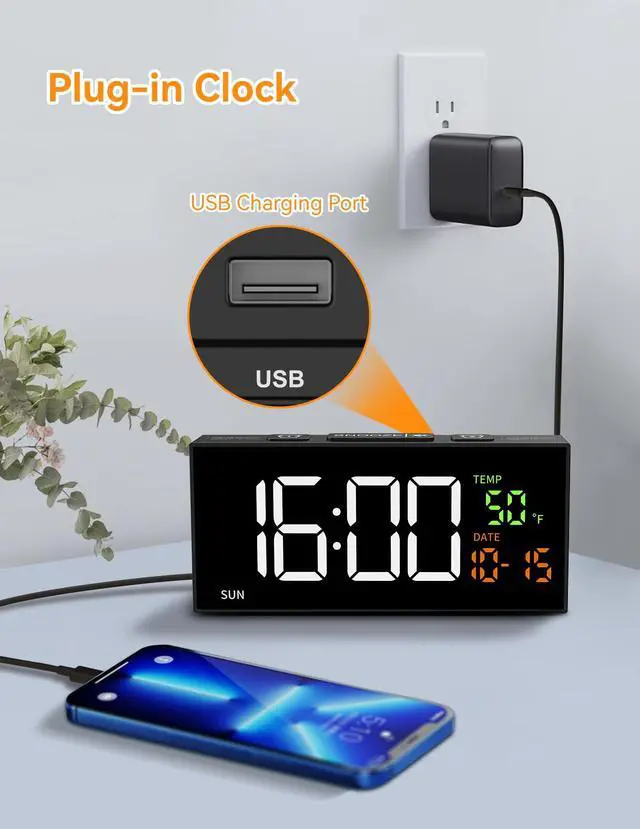
Plug in use. Comes with adapter and cable
More Clocks from Netzu
 Netzu Clocks for Bedrooms |  Clocks for Living Room |  Projection Alarm Clock |  Clock for Heavy Sleepers | |
|---|---|---|---|---|
Customer Reviews | — | — | — | — |
Price | — | — | — | — |
Power Source | Adapter Powered | Adapter Powered | Adapter Powered | Adapter Powered |
Dimensions | 6.89‘’x3.15‘’x1.38'' | 5.94''x2.17''x1.3'' | 6.89‘’x2.17‘’x1.3'' | 6.3‘’x2.95‘’x3.27'' |
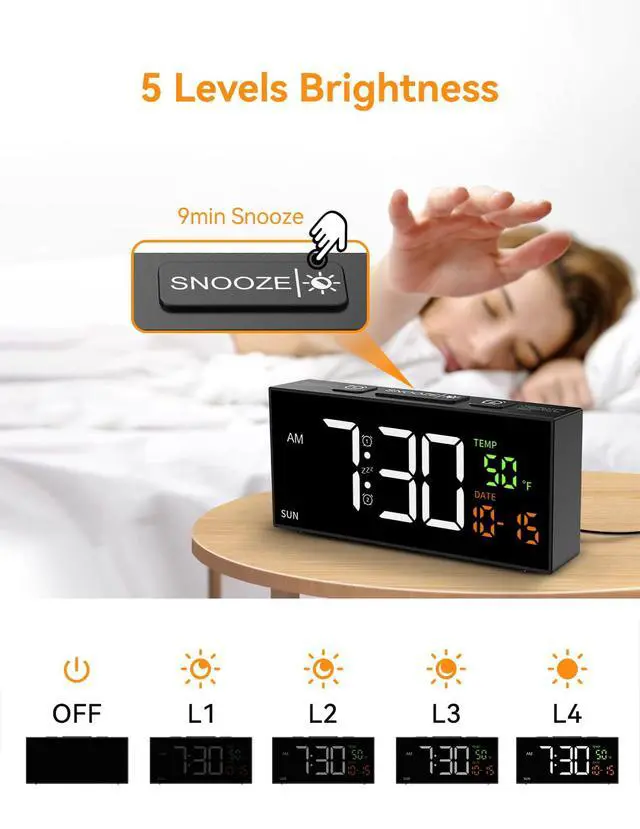
Brightness Dimmer | 4 Levels + off | 4 Levels + off | 4 Levels + off | 4 Levels + off |
Snooze | ? | ? | ? | ? |
Volume Control | ? | ? | ? | ? |
How to set the day of the week?
If you set the correct year and date, the day of the week will be accurate. Tip: After setting the hours and minutes, the year will be displayed on the screen.
How to set the date and time? (Upper Half)
Long press the [set] button, the "Hour" will blink
1.Press the [+] or [-] button to adjust the hour, press the [Set] button to save,
2.The "Minute" will blink. Press the [+] or [-] button to adjust the minute, press [Set] button to save.
How to set the date and time? (Lower Half)
3. The display will show "Year". Press the [+] or [-] button to adjust the year and press the [Set] button to save.
4. the "Date" will blink. Press the [+] or [-] button to adjust the date and press the [Set] button to save.
Time setting is done.
How to set the alarm? (Upper Half)
Long press the [Alarm] button, the "Hour" will blink
Press the [+] or [-] button to adjust the hour, press the [Alarm] button to save;
The "Minute" will blink. Press the [+] or [-] button to adjust the minute, press [Alarm] button to save
How to set the alarm? (Lower Half)
Then, the Alarm Modes will blink. Press the [+] or [-] button to adjust:
1-5: the alarm will ring from Monday to Friday
1-7: the alarm will ring from Monday to Sunday
6-7: the alarm will ring from Saturday to Sunday
Press the [Alarm] button to save.
Netzu Alarm Clocks for Bedrooms


Military Time/Standard Time
Choose standard time or military time depending on reading habits.
Manual DST
Long press the "DST" button to turn on/off DST function
Battery Backup
Only used to save settings in power outage. Will not function on batteries alone.
Mains Powered Alarm Clocks
Plug in use. Comes with adapter and cable
More Clocks from Netzu
Netzu Clocks for Bedrooms | Clocks for Living Room | Projection Alarm Clock | Clock for Heavy Sleepers |
|---|---|---|---|
| Customer Reviews | |||
| — | — | — | — |
| Price | |||
| — | — | — | — |
| Power Source | |||
| Adapter Powered | Adapter Powered | Adapter Powered | Adapter Powered |
| Dimensions | |||
| 6.89‘’x3.15‘’x1.38'' | 5.94''x2.17''x1.3'' | 6.89‘’x2.17‘’x1.3'' | 6.3‘’x2.95‘’x3.27'' |
| Brightness Dimmer | |||
| 4 Levels + off | 4 Levels + off | 4 Levels + off | 4 Levels + off |
| Snooze | |||
| ? | ? | ? | ? |
| Volume Control | |||
| ? | ? | ? | ? |