







Established in 2016, KTKUDY is committed to innovating & developing high quality affordable Timers.
A good product, we believe, is the result of sweat and wisdom. KTKUDY never stops pursuing the higher quality, Our top goal is for our products to become your trusty and reliable cooking assistant!

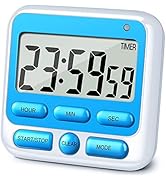


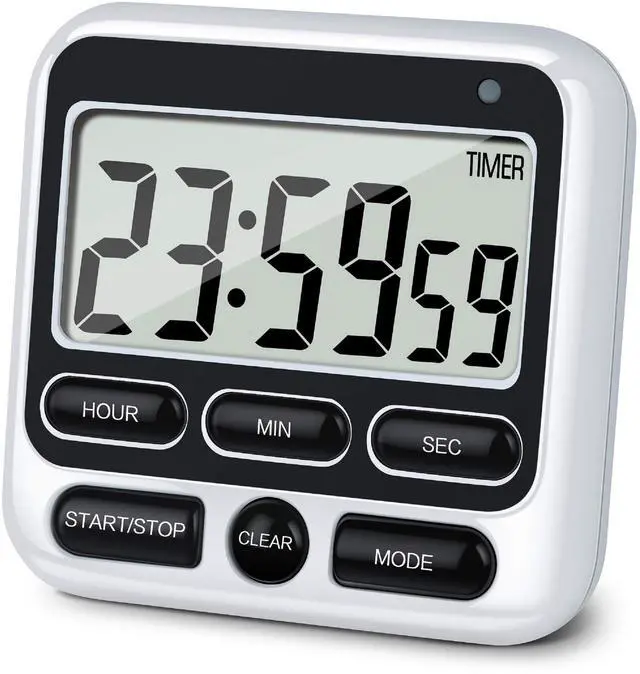
KTKUDY Kitchen Timer Clock



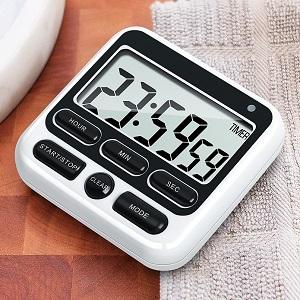
USER-FRIENDLY DESIGN
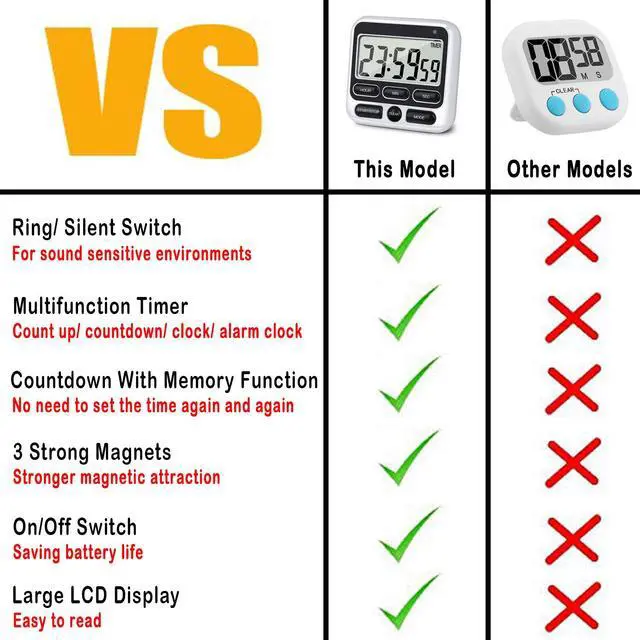
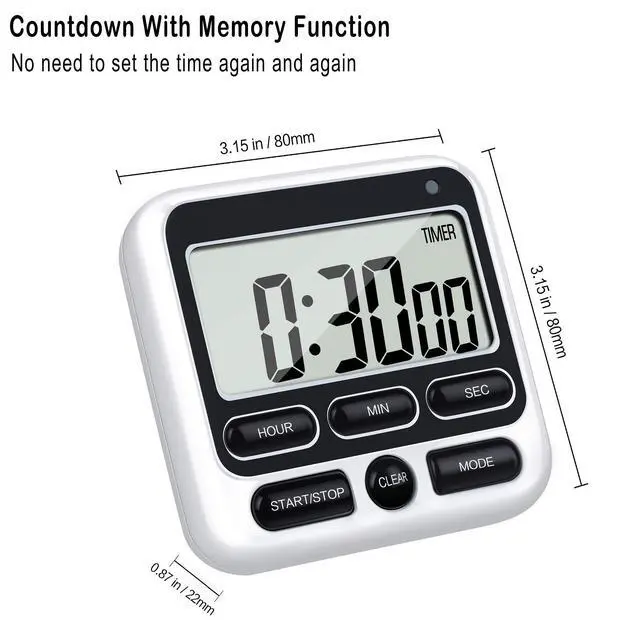
- Memory Functions: When the countdown was completed, press START/STOP button first, then press CLEAR button to return to the previous setting time ------ No need to set up the time every time.
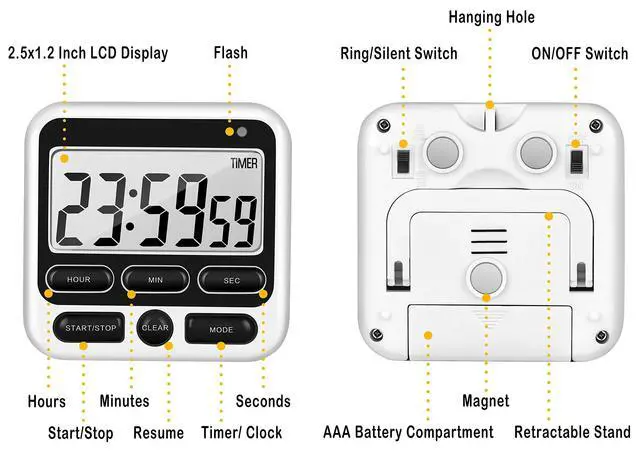
- Fast Forward Function: Press the H, M, or S button for 3 seconds to fast forward ------ Set free your fingers, no need to hit M button 59 times to set 59 minute.
- ON/OFF Switch: Save your battery life ------ Surprisingly, a lot of timers do not have an on/off switch, but many people prefer turning off the timer after use.
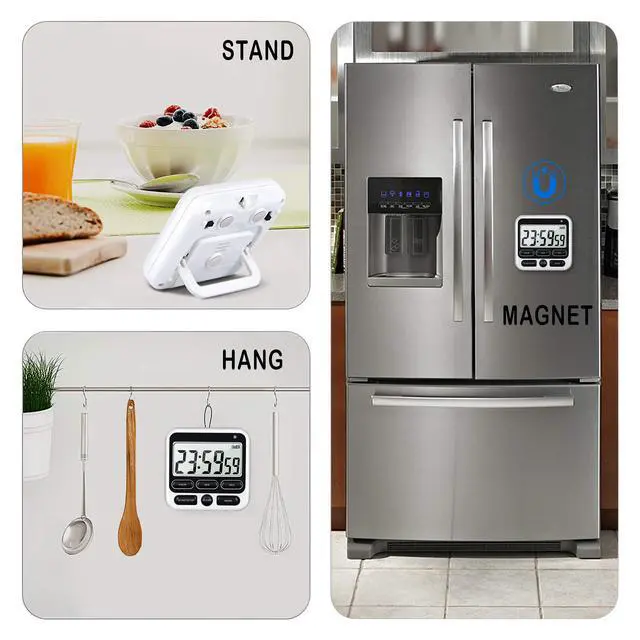
- Three Strong Magnet: Working fine on the metal surface ------ Do not worry about falling down.
Meet Your Various Needs
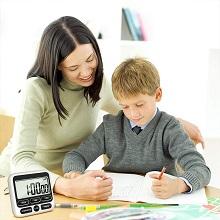
HOME
Develop your children’s sense of time and help them to balance studying and gaming, such as homework, practice, screen time, fitness, self-discipline, bedtime routines, etc.
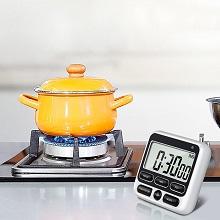
KITCHEN
KTKUDY Kitchen Timer will be a perfect helper for your cooking, now refuse to burned food, you can easily cook delicious food for your family.

OFFICE
In tight office hours, timers can help you manage your time better, keep meetings, appointment on schedule and improve your productivity.
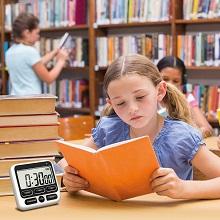
SCHOOL
Enhances the classroom efficiency. Strengthen class time management. Suitable for examination, reading, self-study, group discussion and other school activities.
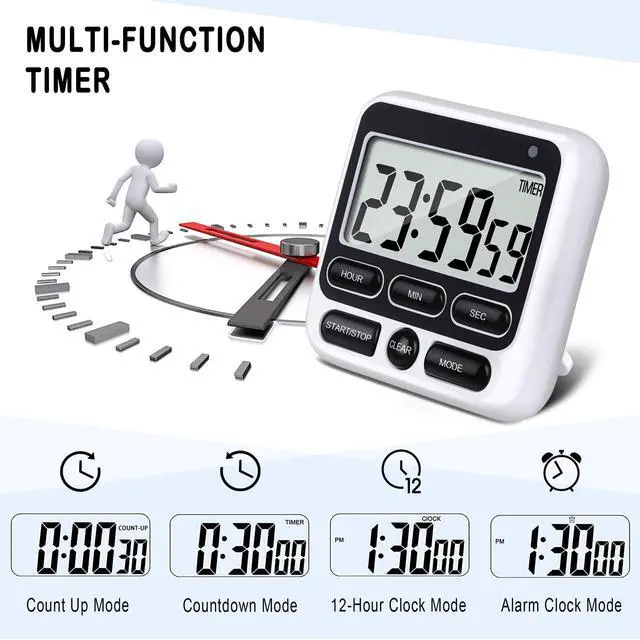
KTKUDY Multi-function Kitchen Timer, Easy To Use

Count Up Mode
1: Press the MODE button until you see TIMER mark on the screen 2: Press CLEAR button to return to zero 3: Press START/STOP button to start count up

Countdown Mode
1: Press the MODE button until you see TIMER mark on the screen 2: Press CLEAR button to return to zero 3: Press HOUR, MIN, SEC button to set the time 4: Press START/STOP button to start countdown

12-Hour Clock Mode
1: Press the MODE button until you see CLOCK mark on the screen 2: Press and hold START/STOP button for 3 seconds to reset the time 3: Press HOUR, MIN, SEC button to set the time 4: Press START/STOP button to start the clock function

Alarm Clock Mode
1: Press the MODE button until you see ALARM mark on the screen 2: Press HOUR, MIN, SEC button to set the time 3: Press START/STOP button to start the alarm clock function
KTKUDY Digital Kitchen Timer with large display is perfect for cooking, exercise, gym, meeting, workout, taking medicine, sports, assessments, running, homework, debate, games, egg timer and classroom timer activities. And this interval timer manual can also be used as a Clock, Alarm Clock or Stopwatch at ordinary times for kids, adults.?
SPECIFICATION:
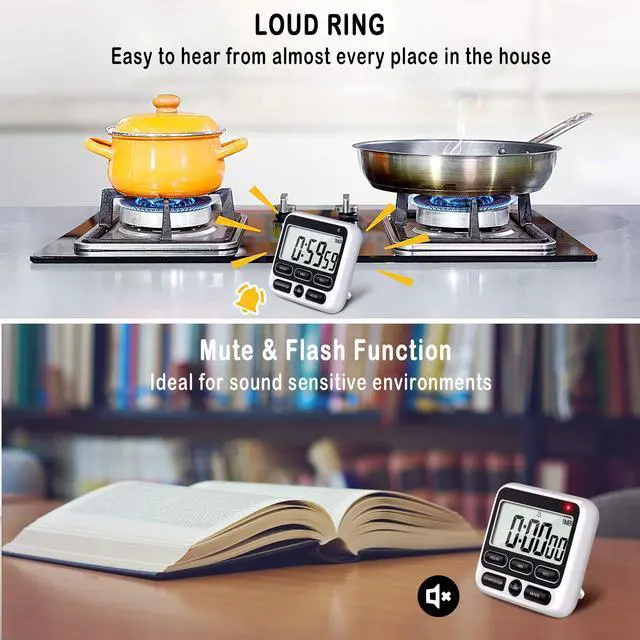
Volume mute and 80 DB loud ring
Modes count up / count down / clock / alarm clock
Magnet 3 strong magnets
Battery 1*AAA Battery (Not Included)
Dimension 3.15 x 3.15 x 0.87 inch
Screen Size 2.8 inch super large LCD display
Weight 0.14lb
Package Contents 1 x Timer, 1 x Manual
Established in 2016, KTKUDY is committed to innovating & developing high quality affordable Timers.
A good product, we believe, is the result of sweat and wisdom. KTKUDY never stops pursuing the higher quality, Our top goal is for our products to become your trusty and reliable cooking assistant!
KTKUDY Kitchen Timer Clock
USER-FRIENDLY DESIGN
- Memory Functions: When the countdown was completed, press START/STOP button first, then press CLEAR button to return to the previous setting time ------ No need to set up the time every time.
- Fast Forward Function: Press the H, M, or S button for 3 seconds to fast forward ------ Set free your fingers, no need to hit M button 59 times to set 59 minute.
- ON/OFF Switch: Save your battery life ------ Surprisingly, a lot of timers do not have an on/off switch, but many people prefer turning off the timer after use.
- Three Strong Magnet: Working fine on the metal surface ------ Do not worry about falling down.
Meet Your Various Needs
HOME
Develop your children’s sense of time and help them to balance studying and gaming, such as homework, practice, screen time, fitness, self-discipline, bedtime routines, etc.
KITCHEN
KTKUDY Kitchen Timer will be a perfect helper for your cooking, now refuse to burned food, you can easily cook delicious food for your family.
OFFICE
In tight office hours, timers can help you manage your time better, keep meetings, appointment on schedule and improve your productivity.
SCHOOL
Enhances the classroom efficiency. Strengthen class time management. Suitable for examination, reading, self-study, group discussion and other school activities.
KTKUDY Multi-function Kitchen Timer, Easy To Use
Count Up Mode
1: Press the MODE button until you see TIMER mark on the screen 2: Press CLEAR button to return to zero 3: Press START/STOP button to start count up
Countdown Mode
1: Press the MODE button until you see TIMER mark on the screen 2: Press CLEAR button to return to zero 3: Press HOUR, MIN, SEC button to set the time 4: Press START/STOP button to start countdown
12-Hour Clock Mode
1: Press the MODE button until you see CLOCK mark on the screen 2: Press and hold START/STOP button for 3 seconds to reset the time 3: Press HOUR, MIN, SEC button to set the time 4: Press START/STOP button to start the clock function
Alarm Clock Mode
1: Press the MODE button until you see ALARM mark on the screen 2: Press HOUR, MIN, SEC button to set the time 3: Press START/STOP button to start the alarm clock function
KTKUDY Digital Kitchen Timer with large display is perfect for cooking, exercise, gym, meeting, workout, taking medicine, sports, assessments, running, homework, debate, games, egg timer and classroom timer activities. And this interval timer manual can also be used as a Clock, Alarm Clock or Stopwatch at ordinary times for kids, adults.?
SPECIFICATION:
Volume mute and 80 DB loud ring
Modes count up / count down / clock / alarm clock
Magnet 3 strong magnets
Battery 1*AAA Battery (Not Included)
Dimension 3.15 x 3.15 x 0.87 inch
Screen Size 2.8 inch super large LCD display
Weight 0.14lb
Package Contents 1 x Timer, 1 x Manual