




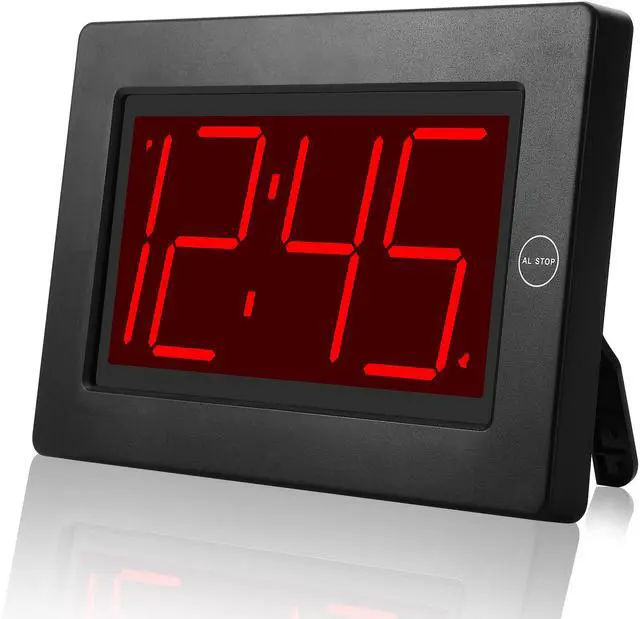
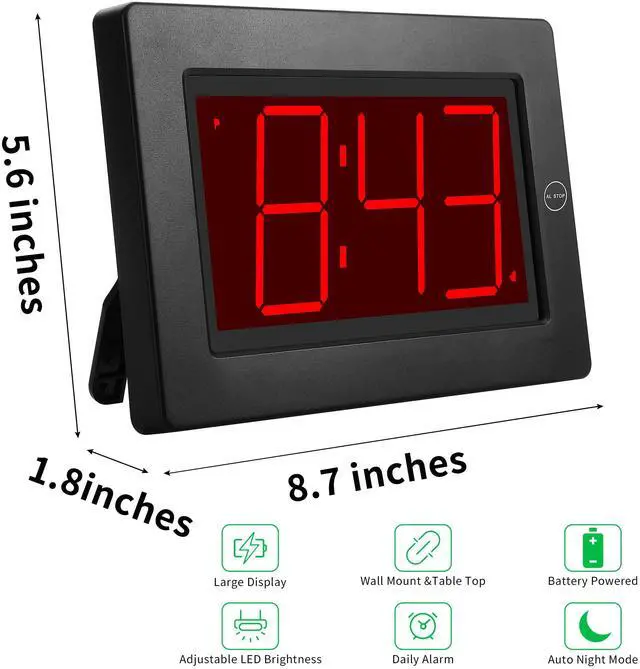


Alarm Clock, Wall Clock LED Digital Clock, 8'' Large Screen Display, 3'' Digit Time Display, Auto Dimmer Mode, Wall Clock&Desk Clock

The First LED Clock To Be Operated by 2x D Size Alkaline Batteries ONLY And Can Keep The Time Display For More Than 12 Months.
Note: We don't advise you to use rechargeable battery inside this clock, whose voltage may be below the level and can't match the clock well.
- 12h time display format
- One daily alarm ( 120 seconds alarming time)
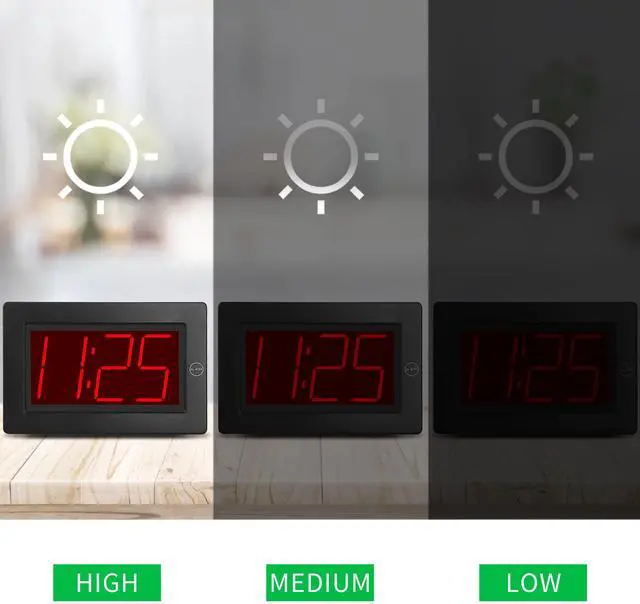
- Three levels of brightness (Clock will enter into Night mode automatically during 8pm~6am.)
- Flashing of dots between numbers can be shut off.
- Accuracy of time is ±30 seconds per month.
With Constantly 3 inch Tall Red LED time digits display, make the time can be read clearly from day to night.

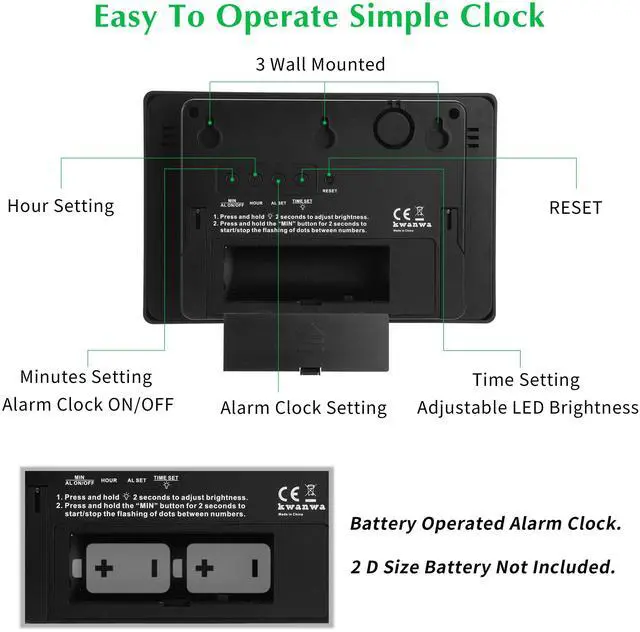
- Adjust the brightness of time display: 1) There have 3 levels of brightness for your option (High/ Middle/ Low), and the default setting of brightness is on the high level. 2) In normal time display, press and hold “TIME SET” button 2 seconds or more than 2 seconds to adjust the brightness. You can only change one level in one time until release again. Please choose proper level to ensure your clock can work for a longer time. (Power consumption will be the largest if brightness is set to be on the High level.) 3)Display will dim and be on Night-mode automatically during 8pm~6am. This can’t be changed by the user.
- Stop or start the flashing of dots between numbers: In normal time display mode, press and hold “MIN”or 2 seconds to stop or start the flashing of dots between numbers.
- If the clock can’t display time correctly or there has any other abnormal phenomenon, please press the RESET button with a sharp object. Clock will come back to the default setting and you need to reset your clock.

Battery Powered Clock
Set clock time: 1) Press “TIME SET” once, numbers are flashing, then press (or press and hold) “HOUR”/ “MIN” to set the hour/ minute time. 2) Press “TIME SET” to save your settings or the settings will be saved automatically if there has not any operations for 30 seconds.

Set alarm time : 1) Press “AL SET“ once, indicator “” appears and numbers are flashing, then press (or press and hold) “HOUR/MIN” to set the hour/ minute time. 2) Press “AL SET” to save your settings, or the settings will be saved automatically if there has not any operations for 30 seconds. 3) Alarm and snooze will be turn on automatically, if it is your first to set the alarm time.

Turn alarm off/ on: 1) In normal time display mode, press “MIN” once to turn off or turn on the alarm. 2) Alarm time will display for 3 seconds when you turn the alarm on.

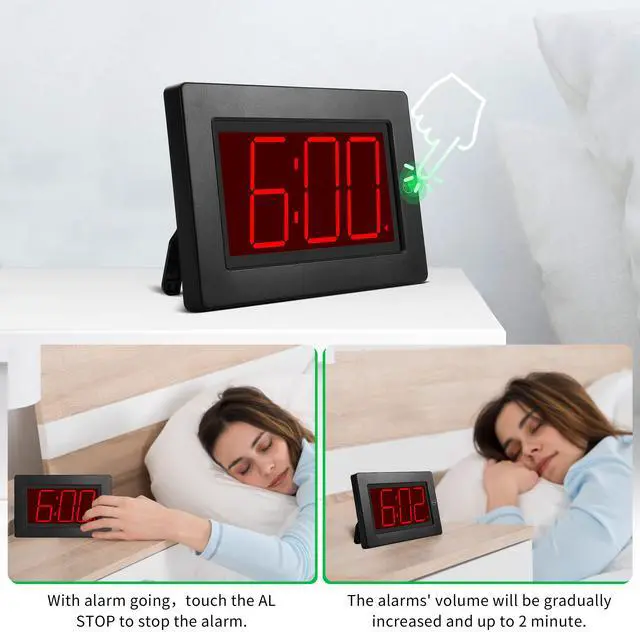
Stop the alarm: 1) When the clock is alarming, you can press any button (except for “RESET” ) to stop it, and clock will alarm again at the same time of next day. 2) Clock will stop alarming automatically if there has not any operation for 120 seconds since clock starts alarming.
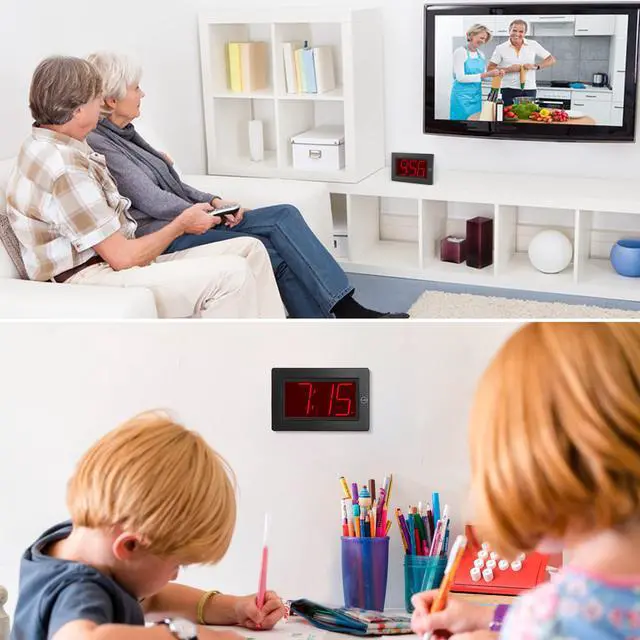
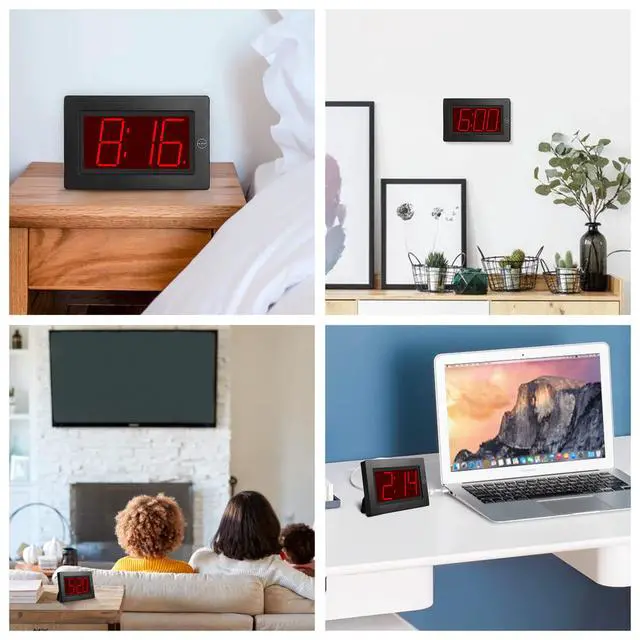
Simple Alarm Clock, Suitable for Many Situation

 2 in 1 Alarm Clock, Indoor Thermometer, Digital Clock with Temperature Display |  Alarm Clock with Flashlight, Adjustable LED / LCD Display, Small Portable Clock |  Alarm Clock Creative Hybrid LED/LCD Display, Clearly Visible Day and Night |  Alarm Clock with Calendar, Temperature, Day Digital Clock, Small Clock for Desk |  Alarm Clock, Wall Clock,Constantly LED Digits Display, Small Clock for Bedroom |  Alarm Clock, 8'' Large Screen Display, Auto Dimmer Mode,Wall Clock&Desk Clock | |
|---|---|---|---|---|---|---|
| Customer Reviews | — | — | — | — | — | — |
| Price | — | — no data | — no data | — no data | — | — |
| Power Source | AA × 2 Pcs | AA × 4 Pcs | AA × 4 Pcs | AA × 4 Pcs | AA × 4 Pcs | D Size × 2 Pcs |
| Display Type | 0.9'' LED | 1.2'' LED / 1.2'' LCD | 1.2'' LED / 1.8'' LCD | 1.2'' LED / 1.8'' LCD | 1.2'' LED | 3'' LED |
| Temperature Display | ? | no data | no data | ? | no data | no data |
| Adjustable Brightness | ? | ? | ? | ? | ? | ? |
| 12 / 24 Hr Display Format | 12 / 24 Hr | 12 / 24 Hr | 12 / 24 Hr | 12 / 24 Hr | 12 / 24 Hr | 12 Hr |
| Snooze | ? | ? | ? | ? | ? | no data |
| Table-top / Wall-mount | Table-top | Table-top | Table-top / Wall-mount | Table-top / Wall-mount | Table-top / Wall-mount | Table-top / Wall-mount |
Alarm Clock, Wall Clock LED Digital Clock, 8'' Large Screen Display, 3'' Digit Time Display, Auto Dimmer Mode, Wall Clock&Desk Clock
The First LED Clock To Be Operated by 2x D Size Alkaline Batteries ONLY And Can Keep The Time Display For More Than 12 Months.
Note: We don't advise you to use rechargeable battery inside this clock, whose voltage may be below the level and can't match the clock well.
- 12h time display format
- One daily alarm ( 120 seconds alarming time)
- Three levels of brightness (Clock will enter into Night mode automatically during 8pm~6am.)
- Flashing of dots between numbers can be shut off.
- Accuracy of time is ±30 seconds per month.
With Constantly 3 inch Tall Red LED time digits display, make the time can be read clearly from day to night.
- Adjust the brightness of time display: 1) There have 3 levels of brightness for your option (High/ Middle/ Low), and the default setting of brightness is on the high level. 2) In normal time display, press and hold “TIME SET” button 2 seconds or more than 2 seconds to adjust the brightness. You can only change one level in one time until release again. Please choose proper level to ensure your clock can work for a longer time. (Power consumption will be the largest if brightness is set to be on the High level.) 3)Display will dim and be on Night-mode automatically during 8pm~6am. This can’t be changed by the user.
- Stop or start the flashing of dots between numbers: In normal time display mode, press and hold “MIN”or 2 seconds to stop or start the flashing of dots between numbers.
- If the clock can’t display time correctly or there has any other abnormal phenomenon, please press the RESET button with a sharp object. Clock will come back to the default setting and you need to reset your clock.
Battery Powered Clock
Set clock time: 1) Press “TIME SET” once, numbers are flashing, then press (or press and hold) “HOUR”/ “MIN” to set the hour/ minute time. 2) Press “TIME SET” to save your settings or the settings will be saved automatically if there has not any operations for 30 seconds.
Set alarm time : 1) Press “AL SET“ once, indicator “” appears and numbers are flashing, then press (or press and hold) “HOUR/MIN” to set the hour/ minute time. 2) Press “AL SET” to save your settings, or the settings will be saved automatically if there has not any operations for 30 seconds. 3) Alarm and snooze will be turn on automatically, if it is your first to set the alarm time.
Turn alarm off/ on: 1) In normal time display mode, press “MIN” once to turn off or turn on the alarm. 2) Alarm time will display for 3 seconds when you turn the alarm on.
Stop the alarm: 1) When the clock is alarming, you can press any button (except for “RESET” ) to stop it, and clock will alarm again at the same time of next day. 2) Clock will stop alarming automatically if there has not any operation for 120 seconds since clock starts alarming.
Simple Alarm Clock, Suitable for Many Situation
2 in 1 Alarm Clock, Indoor Thermometer, Digital Clock with Temperature Display |  Alarm Clock with Flashlight, Adjustable LED / LCD Display, Small Portable Clock | Alarm Clock Creative Hybrid LED/LCD Display, Clearly Visible Day and Night | Alarm Clock with Calendar, Temperature, Day Digital Clock, Small Clock for Desk | Alarm Clock, Wall Clock,Constantly LED Digits Display, Small Clock for Bedroom | Alarm Clock, 8'' Large Screen Display, Auto Dimmer Mode,Wall Clock&Desk Clock | |
|---|---|---|---|---|---|---|
| Customer Reviews | — | — | — | — | — | — |
| Price | — | — no data | — no data | — no data | — | — |
| Power Source | AA × 2 Pcs | AA × 4 Pcs | AA × 4 Pcs | AA × 4 Pcs | AA × 4 Pcs | D Size × 2 Pcs |
| Display Type | 0.9'' LED | 1.2'' LED / 1.2'' LCD | 1.2'' LED / 1.8'' LCD | 1.2'' LED / 1.8'' LCD | 1.2'' LED | 3'' LED |
| Temperature Display | ? | no data | no data | ? | no data | no data |
| Adjustable Brightness | ? | ? | ? | ? | ? | ? |
| 12 / 24 Hr Display Format | 12 / 24 Hr | 12 / 24 Hr | 12 / 24 Hr | 12 / 24 Hr | 12 / 24 Hr | 12 Hr |
| Snooze | ? | ? | ? | ? | ? | no data |
| Table-top / Wall-mount | Table-top | Table-top | Table-top / Wall-mount | Table-top / Wall-mount | Table-top / Wall-mount | Table-top / Wall-mount |