




 here!
here!
I’m your shopping assistant for PC builds, upgrades, and everything tech.
Got questions? Ask away!
Start a conversation
here!
I’m your shopping assistant for PC builds, upgrades, and everything tech.
Got questions? Ask away!
Start a conversation



Any questions? Ask CelesteSM will help you find out quickly.

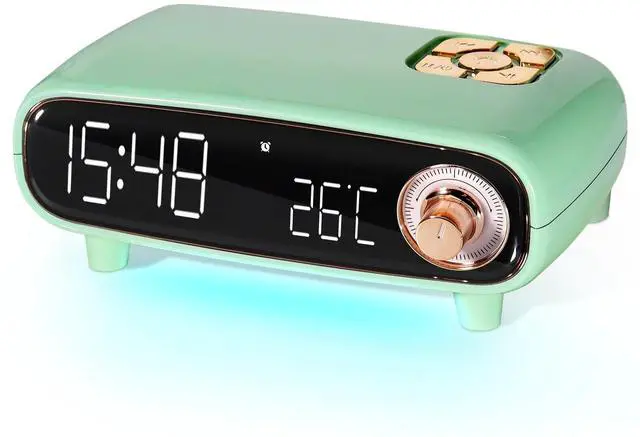
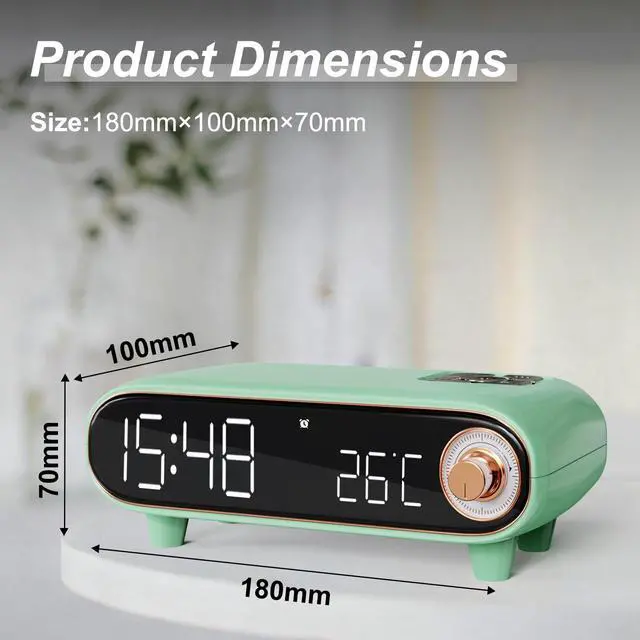
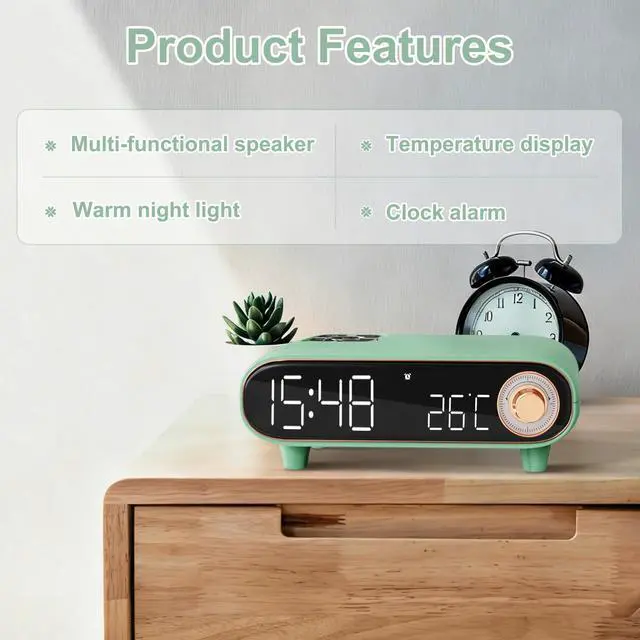
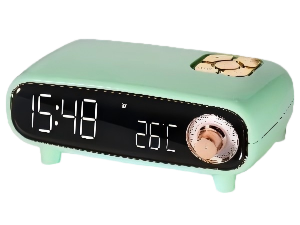
A rounded vintage streamlined silhouette paired with a four-legged mini stand, it resembles a classic recreated vintage ornament. It fits effortlessly into any home decor style, whether placed on the bedroom nightstand, the desk surface, or the living room side table.

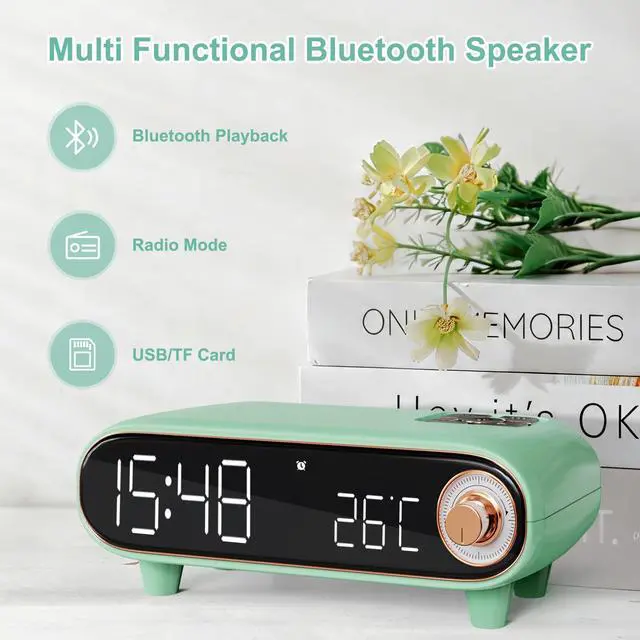
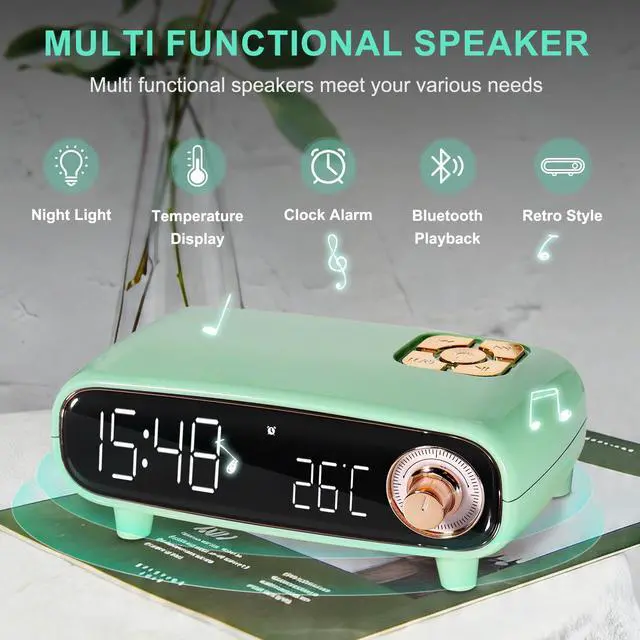
Multi-functions: Built-in FM radio and antenna. Bluetooth Speaker: Easy to connect to mobile phone or computer to play music. Alarm Clock: big digit LED time display and loud sound alarm. Temperature: Real time display of temperature.

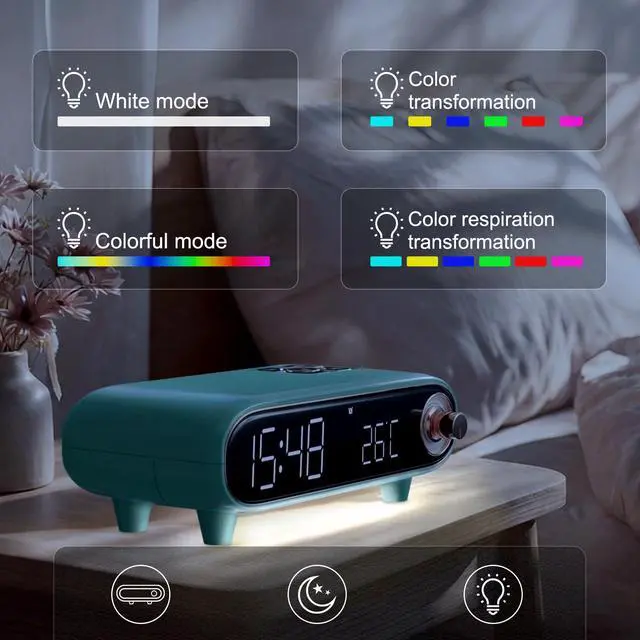
The bluetooth speaker radio clock comes with a soft ambient glow built into its base, which automatically emits a gentle faint light when you get up at night. This allows you to see your surroundings clearly without turning on the dazzling main light.

Beautiful cute appearance and multi-function, this clock radio bluetooth speaker is perftct as a gift for family, firends, workmate.

How to enter bluetooth mode / Radio Mode?
1. Long press M button, enter Bluetooth mode.
2. Press M button again, enter FM mode. Press Previous / Next button to change radio station.
Can the temperature be changed from Celsius to Fahrenheit?
The device can only display Celsius degree.
Can the clock be changed from 24-hour time to standard 12-hour time?
The clock can only display 24-hour time.
How to set the time?
Connect mobile phone via bluetooth to auto-update the time as following:
Hour: Press volume button, hour flashes, rotate it to adjust hour.
Minutes: press volume button, minute flashes, rotate it to adjust minute. Press volume button to finish.

A rounded vintage streamlined silhouette paired with a four-legged mini stand, it resembles a classic recreated vintage ornament. It fits effortlessly into any home decor style, whether placed on the bedroom nightstand, the desk surface, or the living room side table.

Multi-functions: Built-in FM radio and antenna. Bluetooth Speaker: Easy to connect to mobile phone or computer to play music. Alarm Clock: big digit LED time display and loud sound alarm. Temperature: Real time display of temperature.

The bluetooth speaker radio clock comes with a soft ambient glow built into its base, which automatically emits a gentle faint light when you get up at night. This allows you to see your surroundings clearly without turning on the dazzling main light.

Beautiful cute appearance and multi-function, this clock radio bluetooth speaker is perftct as a gift for family, firends, workmate.
How to enter bluetooth mode / Radio Mode?
1. Long press M button, enter Bluetooth mode.
2. Press M button again, enter FM mode. Press Previous / Next button to change radio station.
Can the temperature be changed from Celsius to Fahrenheit?
The device can only display Celsius degree.
Can the clock be changed from 24-hour time to standard 12-hour time?
The clock can only display 24-hour time.
How to set the time?
Connect mobile phone via bluetooth to auto-update the time as following:
Hour: Press volume button, hour flashes, rotate it to adjust hour.
Minutes: press volume button, minute flashes, rotate it to adjust minute. Press volume button to finish.


