Your Browsing History
Meet Your Seller
Wireless Remote Control for CYBERTAKE Portable Air Conditioner, Portable AC for Camping Tent, Magnetic Force
Limited time offer, ends 09/06 By StarVelocity Technology
- 1.BUTTONS
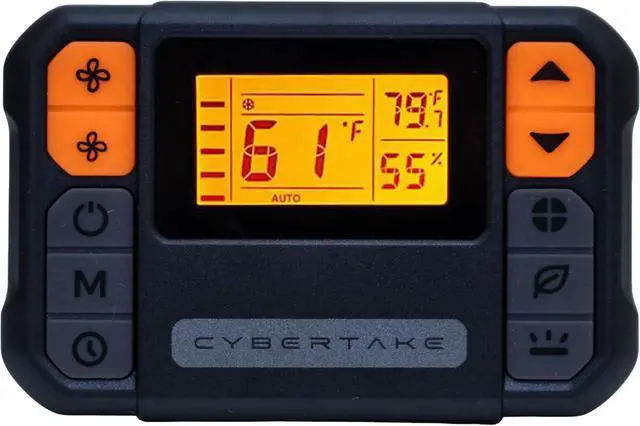
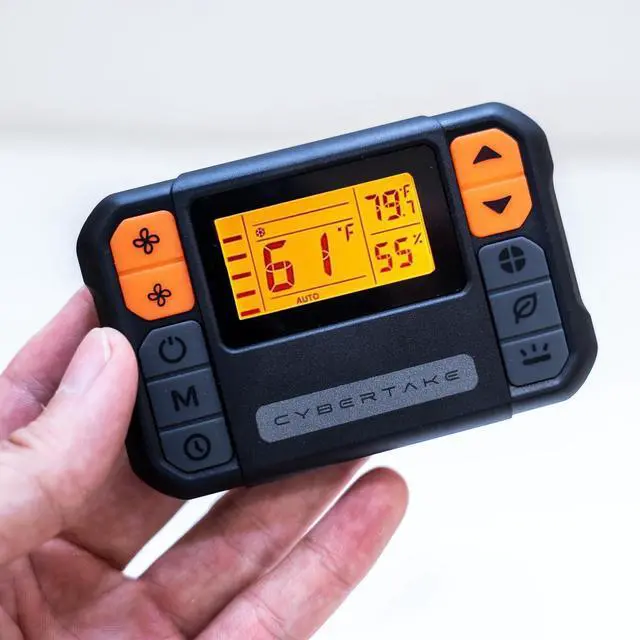
- Increase wind speed: Boosts the airflow intensity. Reduce wind speed: Decreases the airflow intensity. Power switch: Turns the air conditioner on or off. Max mode: Activates maximum cooling . Timing button: Sets delay for automatic shut off/on. Increase temperature: Raises the temperature setting.
- Reduce temperature:Lowers the temperature setting. Function mode:Cycles through various modes(cooling,heating). ECO mode: Actives energy-efficient operation.
- ECO+ mode:Enhanced energy saving mode. Light button:Controls the backlight of the display.
- 2.DISPLAY ICONS
- Wind speed display:shows current airflow level. Max mode:indicates when max mode active. Auto mode: Display automatic operation status. ECO and ECO+ modes:Indicates energy saving operations. Timing display: shows timer setting.
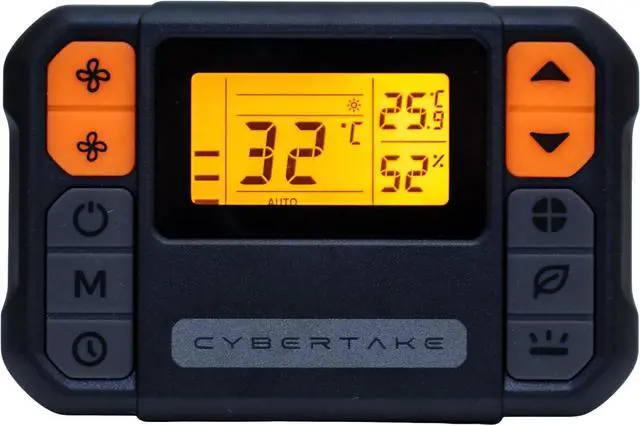
- Refrigeration function icon: Indicates cooling mode. Dehumidification function icon:indicates dehumidifying mode. Air supply function icon:shows air circulation mode. Heating function icon:Displays heating mode status. Ambient temperature display: shows current room temperature. Celsius/Fahrenheit Toggle:Indicates temperature unit setting.
- Set Temperature Display:Shows the desired temperature setting. Ambient Humidity Display: Indicates current humidity level.(batteries not included) Press and hold the light button for three seconds to switch to Fahrenheit.
+
+
Overview
Specs
Reviews
Any questions? Our AI mode will help you find out quickly.
Try me now
- 1.BUTTONS
- Increase wind speed: Boosts the airflow intensity. Reduce wind speed: Decreases the airflow intensity. Power switch: Turns the air conditioner on or off. Max mode: Activates maximum cooling . Timing button: Sets delay for automatic shut off/on. Increase temperature: Raises the temperature setting.
- Reduce temperature:Lowers the temperature setting. Function mode:Cycles through various modes(cooling,heating). ECO mode: Actives energy-efficient operation.
- ECO+ mode:Enhanced energy saving mode. Light button:Controls the backlight of the display.
- 2.DISPLAY ICONS
- Wind speed display:shows current airflow level. Max mode:indicates when max mode active. Auto mode: Display automatic operation status. ECO and ECO+ modes:Indicates energy saving operations. Timing display: shows timer setting.
- Refrigeration function icon: Indicates cooling mode. Dehumidification function icon:indicates dehumidifying mode. Air supply function icon:shows air circulation mode. Heating function icon:Displays heating mode status. Ambient temperature display: shows current room temperature. Celsius/Fahrenheit Toggle:Indicates temperature unit setting.
- Set Temperature Display:Shows the desired temperature setting. Ambient Humidity Display: Indicates current humidity level.(batteries not included) Press and hold the light button for three seconds to switch to Fahrenheit.
Warranty & Returns
Warranty, Returns, And Additional Information
Warranty
- Please contact the Seller directly for warranty information. Warranty information may also be found on the Manufacturer's website.
- CONTACT
Return Policies
- Return for refund within: 30 days
- Return for replacement within: 30 days
- This item is covered by StarVelocity Technology Return Policy
Manufacturer Contact Info
- For a directory of all our manufacturers, please click below.
- Manufacturers Directory
LOADING...