




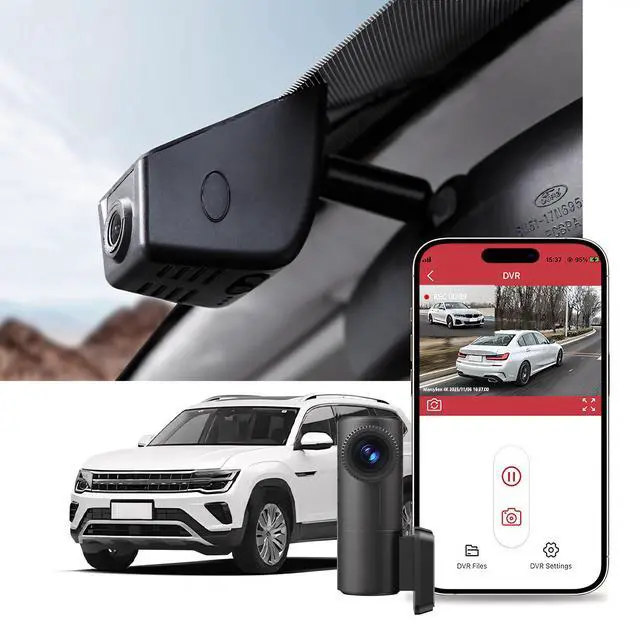
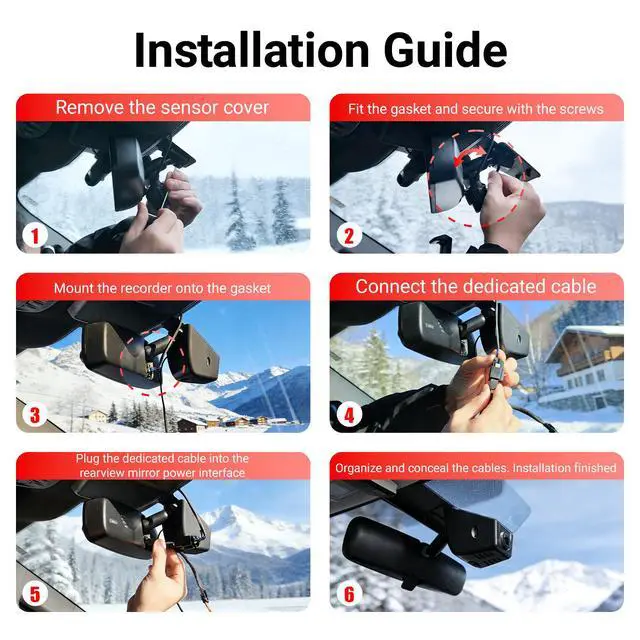


Integreated Dashcam for F-150 F-250 RAPTOR 2021-2025

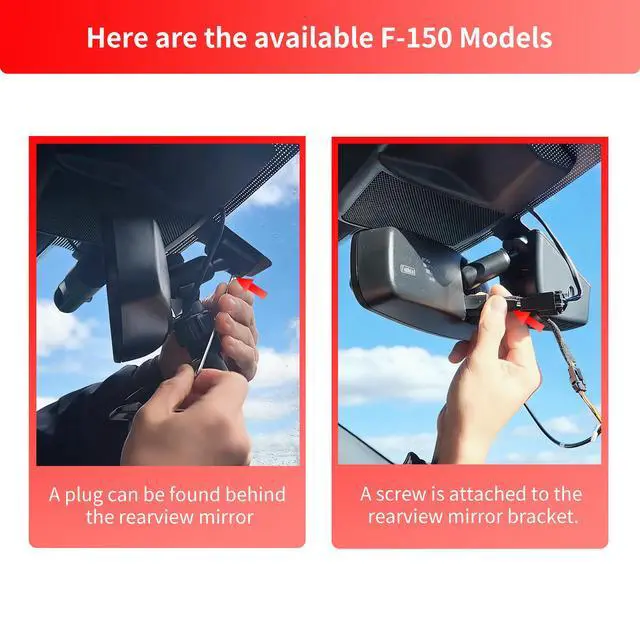
Please send your car model, production year and dashboard photo to us via Message.We will confirm the suitable model for you within 24 hours.
Dual Parking Protection: Time-Lapse Recording & G-Sensor Trigger

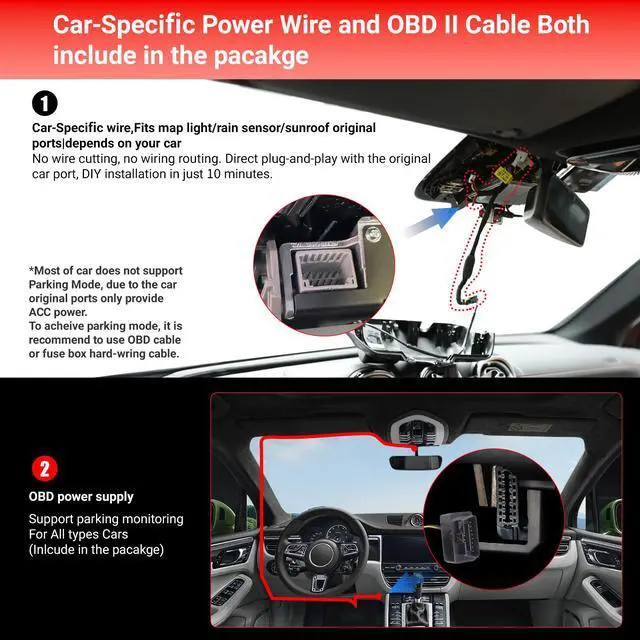
Power Source Options for Parking Mode:Parking mode needs a constant power source to operate when the car is parked. This power source can be obtained by two main options, hardwiring or OBD cable.
Front 4K UHD & Rear 2K QHD Dual Camera for Comprehensive Driving Evidence

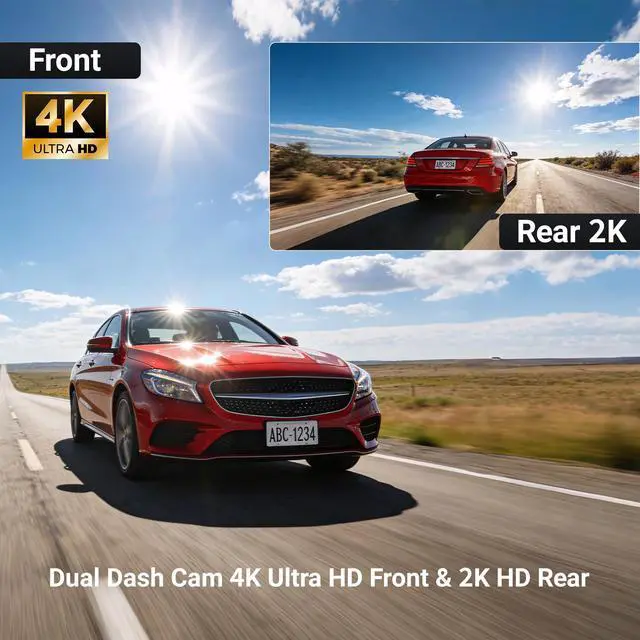
Equipped with a 4K UHD (3840×2160) front camera and a 2K QHD (2560×1440) rear camera, this dual-lens setup delivers crystal-clear video footage day and night, capturing essential details such as license plates and traffic signs to offer complete, reliable evidence for any driving scenario.
Neat & Hidden Wiring for Front & Rear Cameras

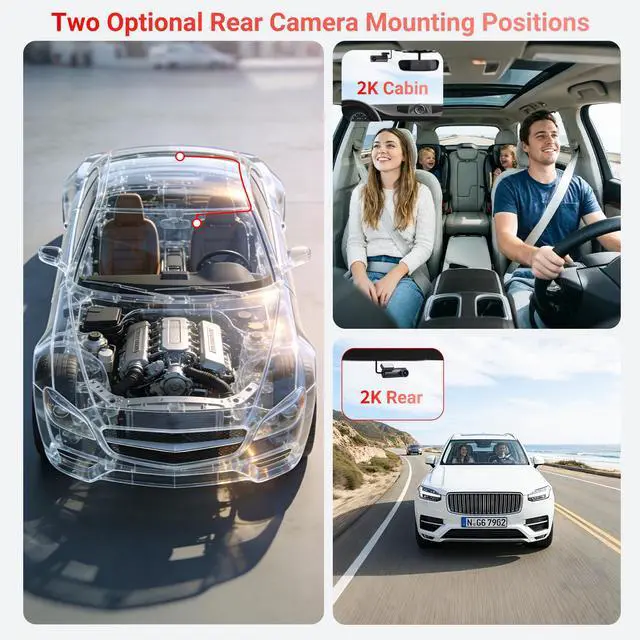
The rear camera is powered and connected directly through the front dash cam, eliminating the need for extra power adapters or messy intermediate connections.


-
What should I do if the Y-cable I received is incompatible?
A:The Y-cable is the preferred power supply for the dash cam, make sure you find out the correct power slot first,but if the Y-cable is incompatible, please use the OBD cable included in the package to draw power.
-
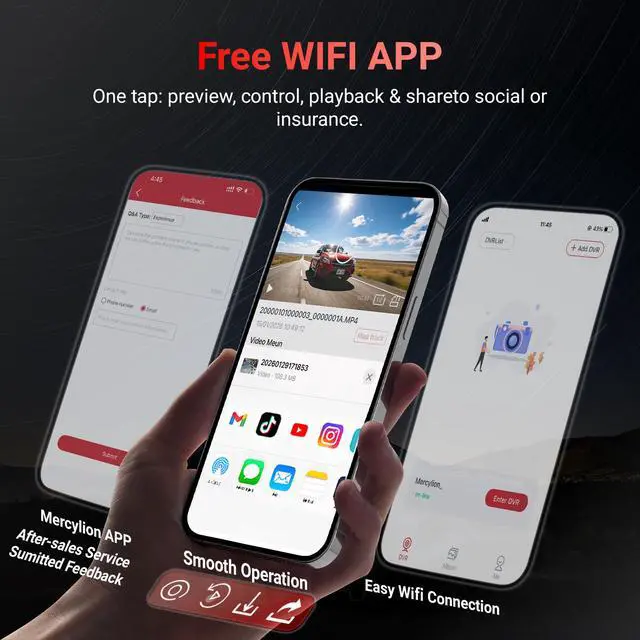
Q: Can I remotely view my dashcam footage via APP?
A: Currently, our dash cam does not support remote video viewing via APP.
-
Q:When connected to the Mercylion network the car's Carplay do NOT work.
Your phone is unable to connect to both CarPlay and the dash cam WiFi at once.
-
Q: I can't find the camera's WiFi
A: With the camera turned off, remove the SD card and restart the camera to see if it can find WiFi. If the device's Wi-Fi still cannot be found, press and hold the camera button for 15 seconds to restore the device to factory settings.
Integreated Dashcam for F-150 F-250 RAPTOR 2021-2025

Please send your car model, production year and dashboard photo to us via Message.We will confirm the suitable model for you within 24 hours.
Dual Parking Protection: Time-Lapse Recording & G-Sensor Trigger

Power Source Options for Parking Mode:Parking mode needs a constant power source to operate when the car is parked. This power source can be obtained by two main options, hardwiring or OBD cable.
Front 4K UHD & Rear 2K QHD Dual Camera for Comprehensive Driving Evidence

Equipped with a 4K UHD (3840×2160) front camera and a 2K QHD (2560×1440) rear camera, this dual-lens setup delivers crystal-clear video footage day and night, capturing essential details such as license plates and traffic signs to offer complete, reliable evidence for any driving scenario.
Neat & Hidden Wiring for Front & Rear Cameras

The rear camera is powered and connected directly through the front dash cam, eliminating the need for extra power adapters or messy intermediate connections.


-
What should I do if the Y-cable I received is incompatible?
A:The Y-cable is the preferred power supply for the dash cam, make sure you find out the correct power slot first,but if the Y-cable is incompatible, please use the OBD cable included in the package to draw power.
-
Q: Can I remotely view my dashcam footage via APP?
A: Currently, our dash cam does not support remote video viewing via APP.
-
Q:When connected to the Mercylion network the car's Carplay do NOT work.
Your phone is unable to connect to both CarPlay and the dash cam WiFi at once.
-
Q: I can't find the camera's WiFi
A: With the camera turned off, remove the SD card and restart the camera to see if it can find WiFi. If the device's Wi-Fi still cannot be found, press and hold the camera button for 15 seconds to restore the device to factory settings.