• $28.99
  • Free 30-day Returns
  • Price alert
    Shop it at NeweggBusiness.

    Meet Your Seller

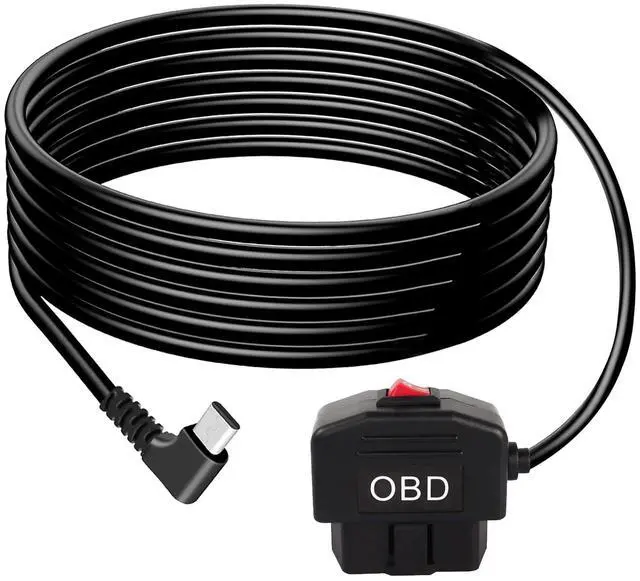
    OBD Power Cable for Dash Camera OBD2 to Type C Adapter Hardwire Charger Cable 24 Hours Surveillance and Acc Mode with Switch Button Low Voltage Protection 11.6-40V to 5V/3A (11.5FT)(Right Angle USB C)

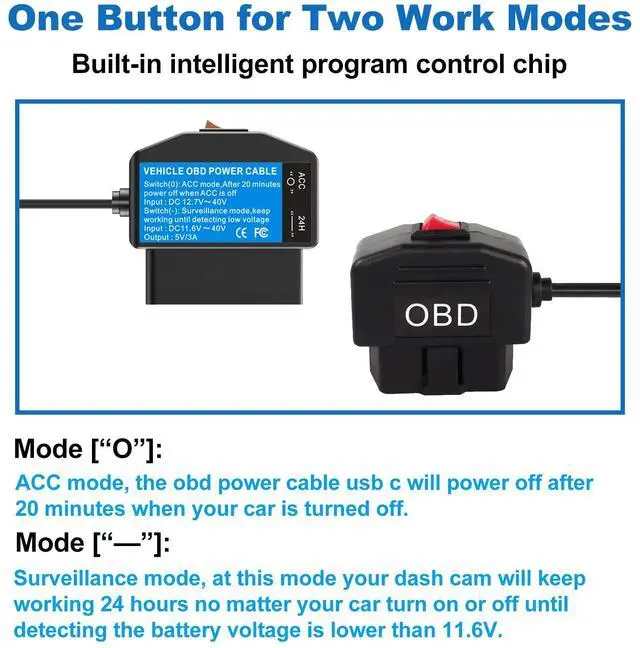
    • Two Working ModesMode: [O]: ACC mode, the obd power cable usb c will power off after 20 minutes when your car is turned off. Mode: [-]: Surveillance mode, at this mode your dash cam will keep working 24 hours no matter your car turn on or off until detecting low battery voltage (11.6V), really realize 24 hours parking monitoring.
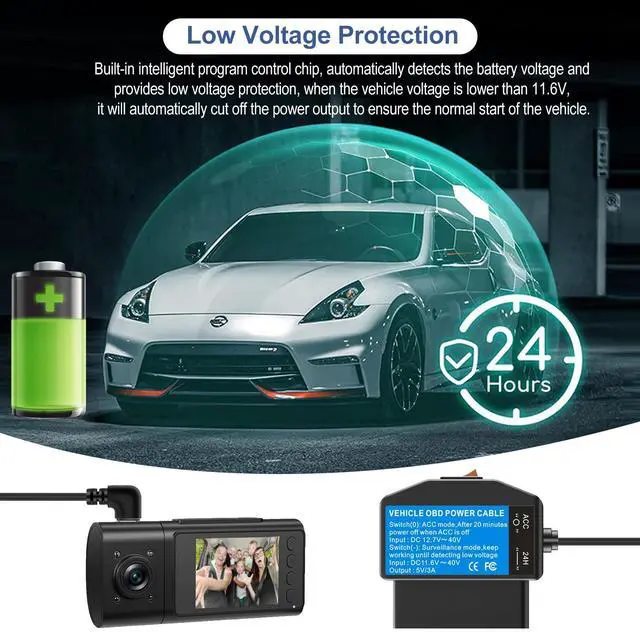
    • Low Voltage ProtectingAdvanced circuitry protects against over-voltage, short circuits and overheating, automatically detects the battery voltage and provides low voltage protection, when the vehicle voltage is lower than 11.6V, it will automatically cut off the power output to ensure the normal start of the vehicle.
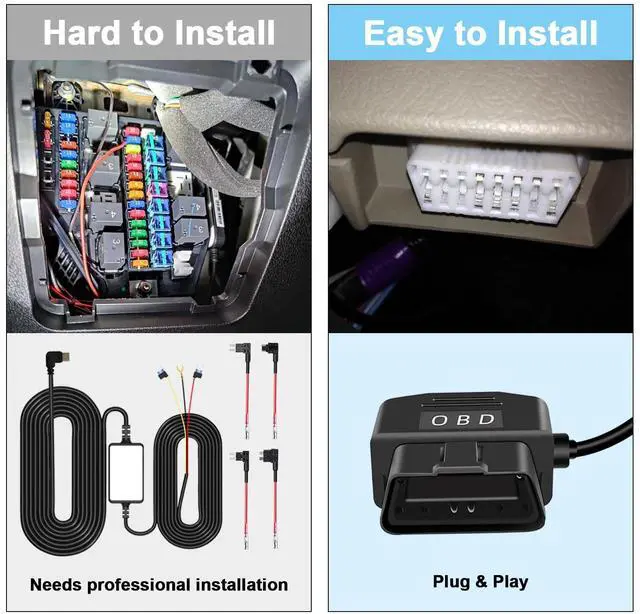
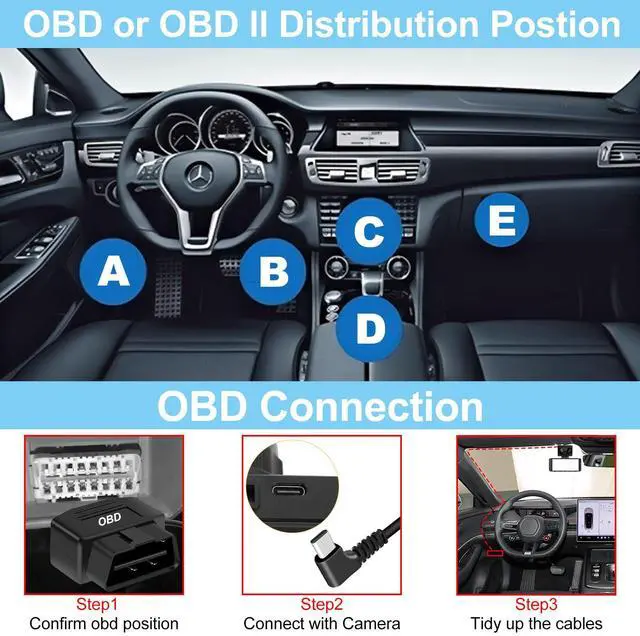
    • Easy to InstallationCompare with the hardwire kit for dash cam, this obd2 to usb c is really easy to use.No tools or wiring required. Simply plug into your cars OBD2 port (most of them under the steering wheel) and start using immediately.
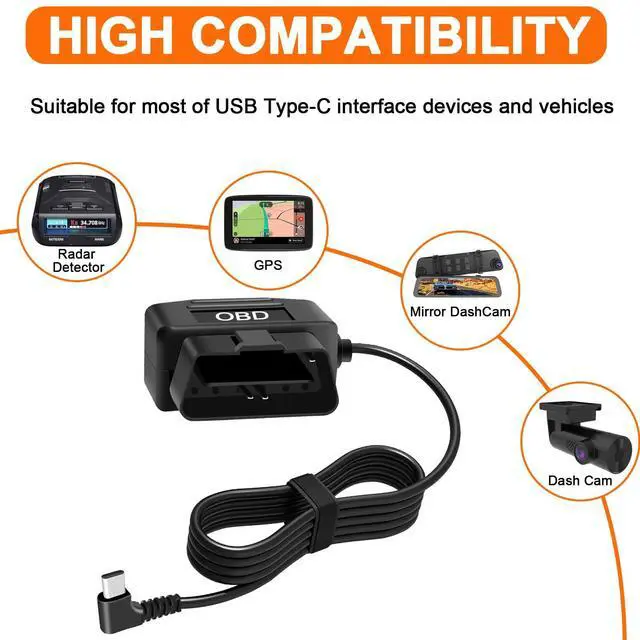
    • High CompatibilityWorks with most OBDII equipped vehicles and Type-C port electronic devices like dash cam, GPS navigator, radar detector and more.(May not work with some phone charging protocol)
    • Safety and ConvenienceThis obd power adapter eliminates messy wiring and frees up your cars cigarette lighter. Will not destroy the original circuit, draws power directly from your vehicles OBD2 port for a clean, professional setup.
    +
    +
    Overview
    Specs
    Reviews
    avatar

    Any questions? Our AI beta will help you find out quickly.

    Upgrade your cars power setup with the OBD Power Adapter, the ultimate solution for clutter-free, direct power access! Designed for drivers who value convenience and safety, this adapter taps into your vehicles OBDII port to deliver stable, efficient power to your essential devices.

    Warranty & Returns

    Warranty, Returns, And Additional Information

    Warranty

    • Please contact the Seller directly for warranty information. Warranty information may also be found on the Manufacturer's website.
    • CONTACT

    Return Policies

    Manufacturer Contact Info

    LOADING...