






Diamond Lark Dash Cam
Your Companion in Road Driving!

About Us
Diamond Larkhas conducted in-depth research in the field of dash cam for over 20 years. The products sell well in 56 countries and regions worldwide. We always take technological innovation as the guide, market innovation as the direction, and customer needs as the goal. From purchase, use to after-sales service, we are committed to providing excellent and enjoyable experiences for every market and customer worldwide.
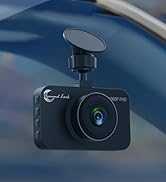
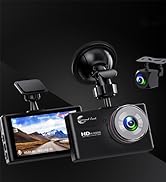
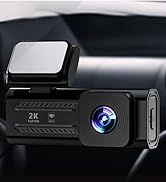
Diamond Lark Best Sellers
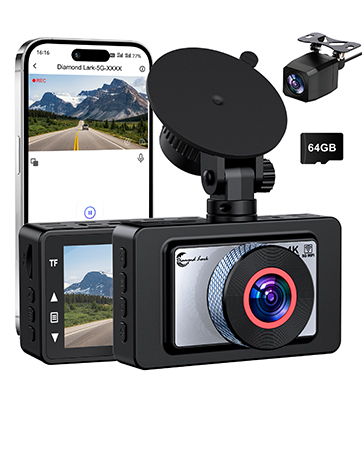
LF-D588 Dashcam Front and Rear
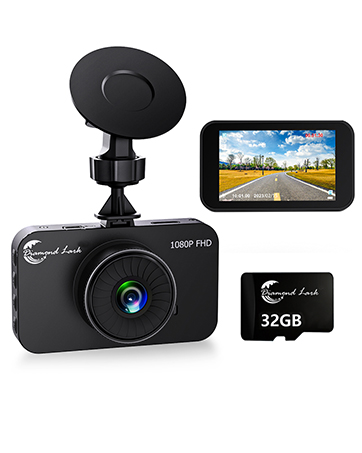
LF-D108 Dash Cam Front
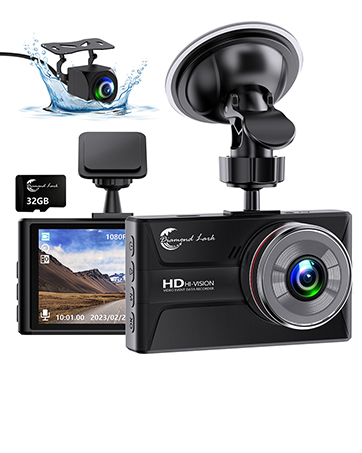
LF-D203 Dashcam Front and Rear
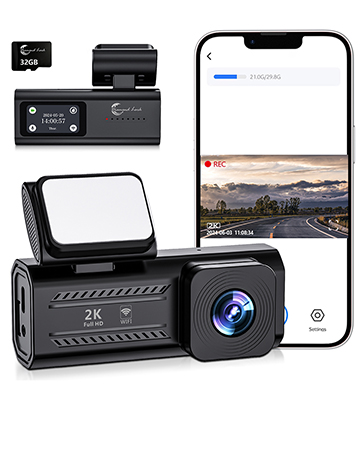
LF-J18 Dash Cam Front
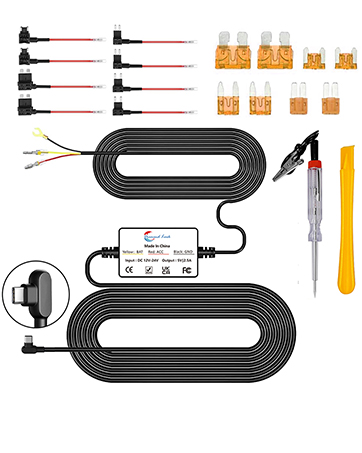
LF-D100 Dash Cam Hardwire Kit

Diamond Lark Dash Dam Hardwire Kit
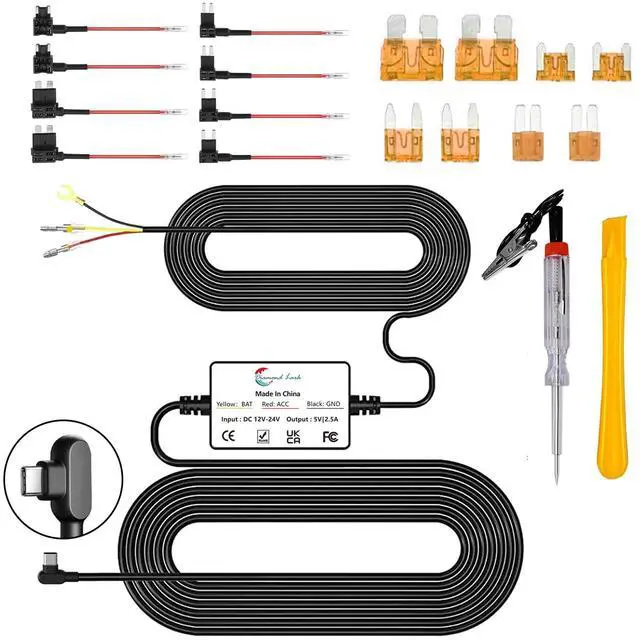
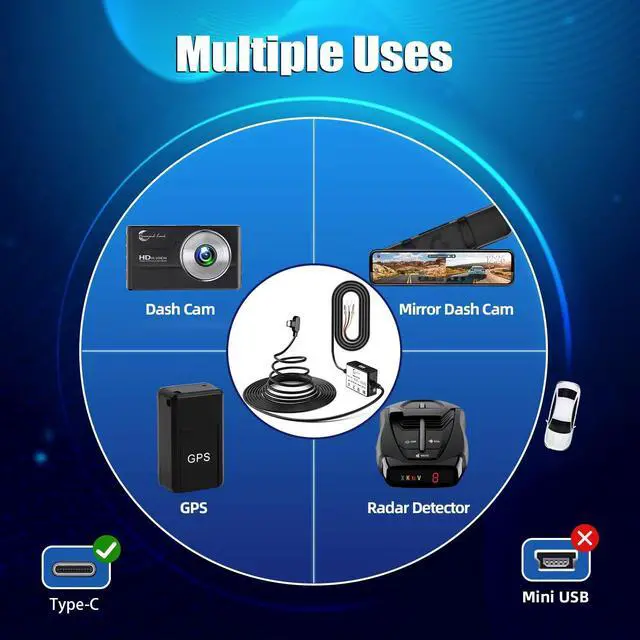
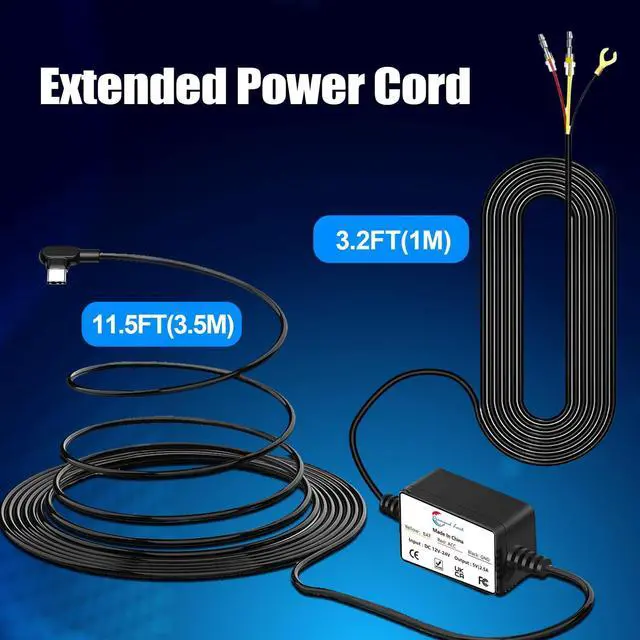
Diamond Lark dash cam hardwire kit is meticulously crafted using carefully selected conductive and insulating materials to ensure exceptional conductivity and durability. Whether during vehicle start-stop cycles or in the face of fluctuating power grid voltages, this hardwire kit consistently delivers the required voltage to ensure the stable operation of your car dash camera. No matter the type of vehicle you're driving, our car dashcam hardwire kit offers wide applicability. It not only provides a stable and reliable power supply but also offers additional safety for your driving recordings.
Installation Steps

Distinguish between ACC Power and BAT Power
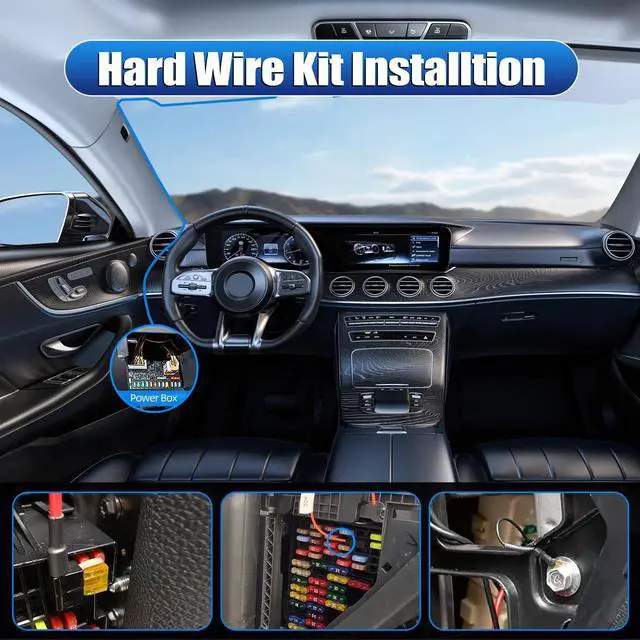
Start the car and use the test pen to touch a specific fuse in the car. If the indicator light of the test pen illuminates, then the power source for this fuse is ACC power. Turn off the car and use the test pen to touch another fuse in the car. If the indicator light of the test pen illuminates, then the power source for this fuse is BAT power (24-hour parking monitoring power source).

Fuse Installation
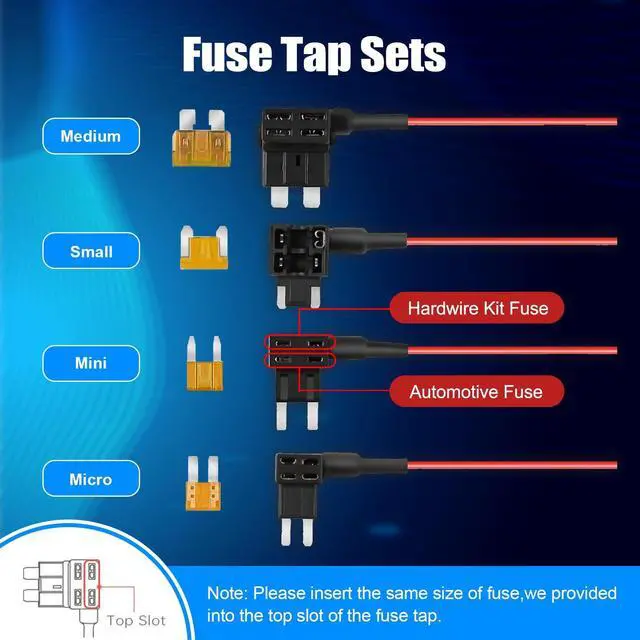
Insert the fuses into their corresponding sockets (pay attention to the installation positions of the hardwire kit fuse and the automotive fuse). Connect the ACC fuse to the red wire socket and connect the BAT fuse to the yellow wire socket.

Connect the Power Cable
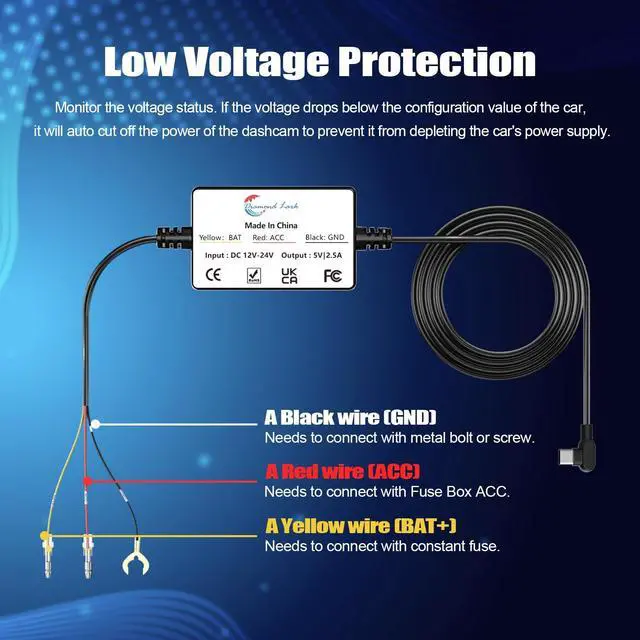
Connect the red wire to the vehicle's ACC power source, connect the yellow wire to the BAT power source, and connect the black wire to any metal location on the vehicle.
Installation Precautions
- Please pay attention to the installation locations of the fuses included in the hard wire kit and the vehicle's fuses (illustrated instructions are provided in the instruction manual and product link).
- Make sure to connect the red wire to the vehicle's ACC power source, connect the yellow wire to the BAT power source, and connect the black wire to a metal location on the vehicle (ground).
- Ensure all connections are securely fastened to prevent loosening due to vibrations and bumps.
- Try to neatly conceal the cables within the vehicle to maintain interior tidiness and avoid cable interference with driving.
- Before connecting the power, ensure that the vehicle's battery is disconnected to prevent accidental short circuits.
- After completing the installation, test all functions of the dashcam, including recording and parking monitoring, to ensure everything is working properly.
Diamond Lark Dash Dam Hardwire Kit
Diamond Lark dash cam hardwire kit is meticulously crafted using carefully selected conductive and insulating materials to ensure exceptional conductivity and durability. Whether during vehicle start-stop cycles or in the face of fluctuating power grid voltages, this hardwire kit consistently delivers the required voltage to ensure the stable operation of your car dash camera. No matter the type of vehicle you're driving, our car dashcam hardwire kit offers wide applicability. It not only provides a stable and reliable power supply but also offers additional safety for your driving recordings.
Installation Steps
Distinguish between ACC Power and BAT Power
Start the car and use the test pen to touch a specific fuse in the car. If the indicator light of the test pen illuminates, then the power source for this fuse is ACC power. Turn off the car and use the test pen to touch another fuse in the car. If the indicator light of the test pen illuminates, then the power source for this fuse is BAT power (24-hour parking monitoring power source).
Fuse Installation
Insert the fuses into their corresponding sockets (pay attention to the installation positions of the hardwire kit fuse and the automotive fuse). Connect the ACC fuse to the red wire socket and connect the BAT fuse to the yellow wire socket.
Connect the Power Cable
Connect the red wire to the vehicle's ACC power source, connect the yellow wire to the BAT power source, and connect the black wire to any metal location on the vehicle.
Installation Precautions
- Please pay attention to the installation locations of the fuses included in the hard wire kit and the vehicle's fuses (illustrated instructions are provided in the instruction manual and product link).
- Make sure to connect the red wire to the vehicle's ACC power source, connect the yellow wire to the BAT power source, and connect the black wire to a metal location on the vehicle (ground).
- Ensure all connections are securely fastened to prevent loosening due to vibrations and bumps.
- Try to neatly conceal the cables within the vehicle to maintain interior tidiness and avoid cable interference with driving.
- Before connecting the power, ensure that the vehicle's battery is disconnected to prevent accidental short circuits.
- After completing the installation, test all functions of the dashcam, including recording and parking monitoring, to ensure everything is working properly.
Diamond Lark Dash Cam
Your Companion in Road Driving!
About Us
Diamond Larkhas conducted in-depth research in the field of dash cam for over 20 years. The products sell well in 56 countries and regions worldwide. We always take technological innovation as the guide, market innovation as the direction, and customer needs as the goal. From purchase, use to after-sales service, we are committed to providing excellent and enjoyable experiences for every market and customer worldwide.
Diamond Lark Best Sellers
LF-D588 Dashcam Front and Rear
LF-D108 Dash Cam Front
LF-D203 Dashcam Front and Rear
LF-J18 Dash Cam Front
LF-D100 Dash Cam Hardwire Kit