here!
here!
I’m your shopping assistant for PC builds, upgrades, and everything tech.
Got questions? Ask away!
Start a conversation
here!
I’m your shopping assistant for PC builds, upgrades, and everything tech.
Got questions? Ask away!
Start a conversation



Any questions? Ask CelesteSM will help you find out quickly.

No separate app or hub required. Install the switch, and power on. Open the Alexa app, tap the Devices icon, and click the + icon to get started.

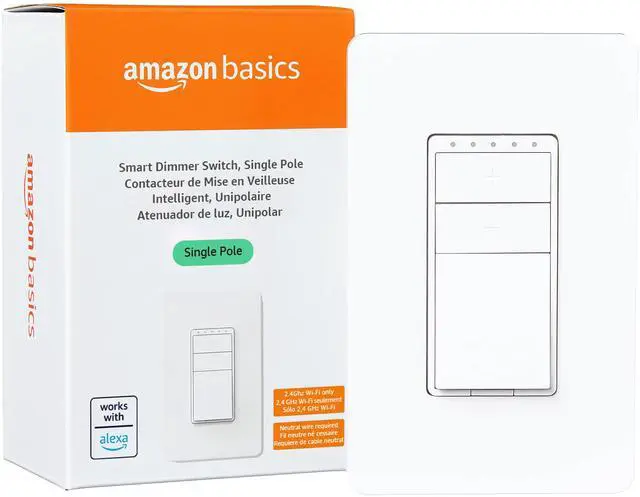
Basics Smart Switch lets you control your lights to turn on and off, and adjust brightness when you are away. All you need is the Alexa app.

To use your device with Alexa, just say phrases like "Alexa, turn on the switch", "Alexa, set brightness to 50%", or "Alexa, dim the light".

Use the Alexa app to create routines for your smart switch that make life easier. For example, set a routine that turns on lights at sunset.

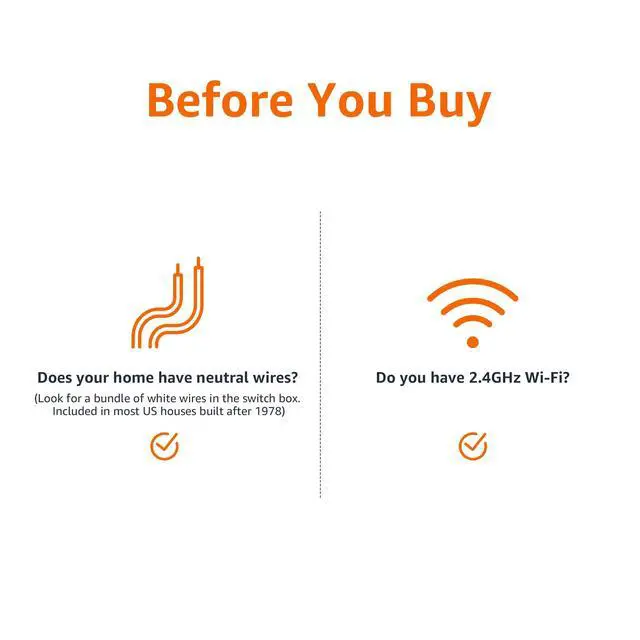
Are neutral wires required?
Yes, neutral wires are required for installation (present for most US homes built after 1978). To check, turn off power at the circuit breaker and remove the existing switch. A pair of white wires should be present. If unsure, consult an electrician.
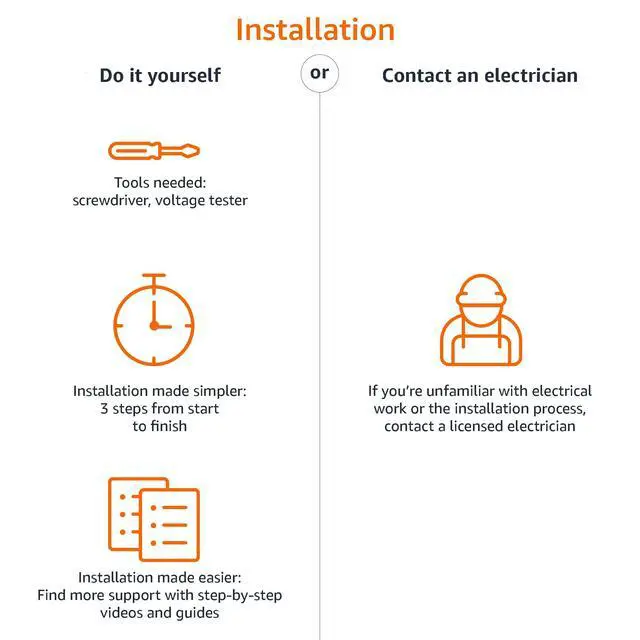
What if I'm having issues installing my smart switch?
1. Verify you have NEUTRAL wires
2. Verify if the switch is wired correctly. The LED blinks green when installation is complete
3. Consult a licensed electrician if you have additional questions
What if I can't connect my device to Alexa?
1. Verify your Alexa device and Alexa app have the latest software version
2. Make sure your Alexa device and switch are connected to the same Wi-Fi network
3. Verify your paired device is within 30 ft (9m) of your switch
4. Reset your smart switch
How do I reset my smart switch?
To reset your smart switch: Press and hold the on/off switch for 10 seconds; release the switch once you see the status indicator blinking green and red; once the indicator blinks green only, reset is complete and the switch is ready to set up
What if my light bulbs aren't dimming properly?
1. Do not use with smart light bulb
2. Use compatible bulbs. Refer to the list of compatible bulbs in Troubleshooting guide
3. Refer to the troubleshooting guide to learn how to calibrate the minimum brightness level













No separate app or hub required. Install the switch, and power on. Open the Alexa app, tap the Devices icon, and click the + icon to get started.

Basics Smart Switch lets you control your lights to turn on and off, and adjust brightness when you are away. All you need is the Alexa app.
To use your device with Alexa, just say phrases like "Alexa, turn on the switch", "Alexa, set brightness to 50%", or "Alexa, dim the light".
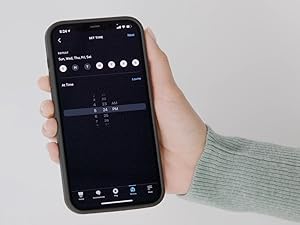
Use the Alexa app to create routines for your smart switch that make life easier. For example, set a routine that turns on lights at sunset.

Are neutral wires required?
Yes, neutral wires are required for installation (present for most US homes built after 1978). To check, turn off power at the circuit breaker and remove the existing switch. A pair of white wires should be present. If unsure, consult an electrician.
What if I'm having issues installing my smart switch?
1. Verify you have NEUTRAL wires
2. Verify if the switch is wired correctly. The LED blinks green when installation is complete
3. Consult a licensed electrician if you have additional questions
What if I can't connect my device to Alexa?
1. Verify your Alexa device and Alexa app have the latest software version
2. Make sure your Alexa device and switch are connected to the same Wi-Fi network
3. Verify your paired device is within 30 ft (9m) of your switch
4. Reset your smart switch
How do I reset my smart switch?
To reset your smart switch: Press and hold the on/off switch for 10 seconds; release the switch once you see the status indicator blinking green and red; once the indicator blinks green only, reset is complete and the switch is ready to set up
What if my light bulbs aren't dimming properly?
1. Do not use with smart light bulb
2. Use compatible bulbs. Refer to the list of compatible bulbs in Troubleshooting guide
3. Refer to the troubleshooting guide to learn how to calibrate the minimum brightness level
| Customer Support | Please refer to the installation video, user manual, and troubleshooting guide located under the Product Guides and Documentation section on detail page; product order support also available by calling 877-485-0385 |
|---|---|
| Electrical Ratings | Input: 120VAC, 60Hz; Output: 120VAC Max |
| Lighting Loads | CFL or LED: 150W Max, Incandescent: 450W Max |
| Wiring Requirements | Neutral wire required |
| Network Connectivity | 2.4 GHz only, 802.11 b/g/n; does not support 5GHz networks or connecting to ad-hoc (or peer-to-peer) Wi-Fi networks |
| Use | For indoor use only |
| Switch Control | May be controlled by voice after setting up with the Alexa app, or used as a traditional light switch with the on/off controls located on the switch |
| Integrations | Basics Smart Dimmer Switch is optimized for simple setup and exclusive use with Alexa; it does not support other voice assistants or smart hubs |
| Alexa App | The Alexa app is compatible with Fire OS, Android, and iOS devices |
| Included in the Box | (1) Basics Smart Dimmer Switch, wall plate, mounting frame, wire nuts, screws, quick start guide, and user manual |
| Service & Terms | Use of Basics Smart Switch and Dimmer is subject to the terms found here: www..com/gp/help/customer/display.html?nodeId=201566380 |