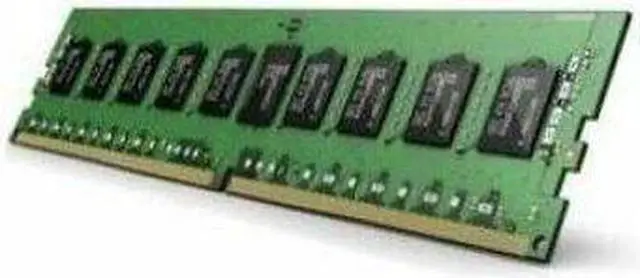
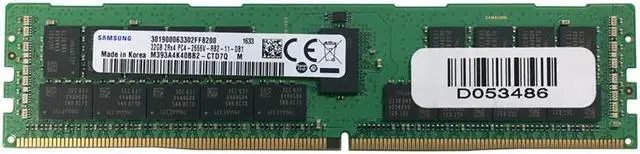
The Samsung M393A4K40BB2-CTD is a 32GB DDR4 RDIMM server memory module for server owners and IT teams upgrading or replacing memory in systems that support this specific module type.
Recommended For
- Operators upgrading a compatible DDR4 server or workstation to run more virtual machines or containers, where additional memory capacity matters more than desktop-style plug-and-play compatibility.
- IT teams maintaining compatible DDR4 server fleets that need a 32GB registered DIMM matching an existing memory type or a platform’s qualified-memory list.
- Homelab builders using a compatible DDR4 server platform who want to expand memory for several concurrently running virtual machines, containers, or server services.
- Server users whose workloads benefit from ECC registered memory and multiple-DIMM configurations, provided their system supports this module type.
Real-World Use Scenarios
- When a compatible server is running short on memory for virtual machines, add the module as part of a supported memory configuration to give the host more capacity for guest workloads and reduce memory-related contention when RAM is the limiting resource.
- For a server running a memory-sensitive database, install the module only in a platform that supports it and has room under its memory-population rules; the added capacity can give the database more RAM to work with, though the actual benefit depends on the workload and configuration.
- In a supported server used for virtual desktops or cloud workloads, adding compatible memory can increase the capacity available to the host for concurrent sessions; the number of sessions it can handle still depends on each user’s workload and the rest of the system.
- For a home lab built on a server motherboard that accepts DDR4 RDIMMs, use the module to expand memory for a virtualization host running test VMs and services; confirm the board, CPU, and installed DIMMs support this exact module before adding it.
- When a compatible server needs a failed or missing memory module replaced, use this part if the system’s service documentation or compatibility list approves it; restoring the intended memory configuration can return the server to its expected installed capacity.
Spec Summary
| Attribute | Value |
|---|
| Best For | Server systems using 32GB DDR4 registered DIMM memory |
|---|
| Capacity | 32GB |
|---|




 here!