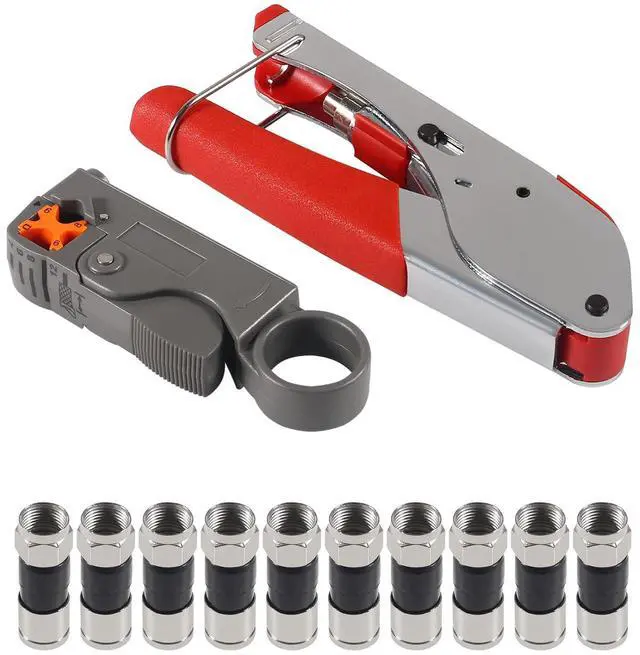
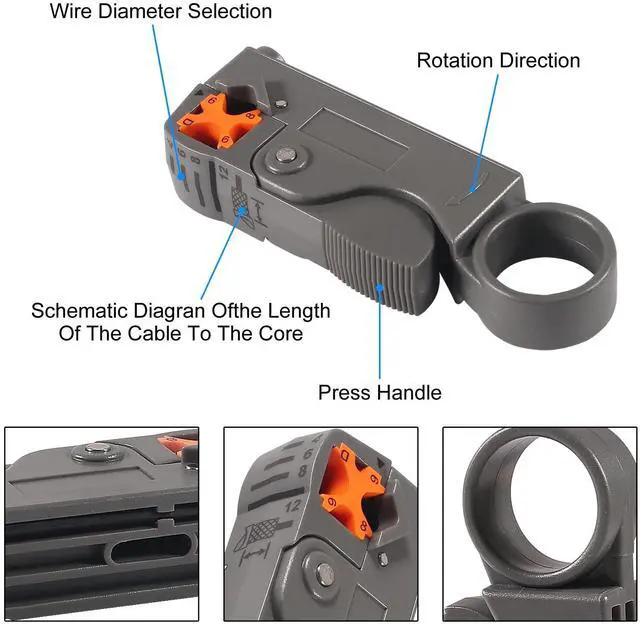
Rotary Cable Stripper: Made of High Impact Material,Work with RG58/59/62/6/3V2V/4C/5C, 2 Blade Design; Fully Adjustable & Replaceable Blades
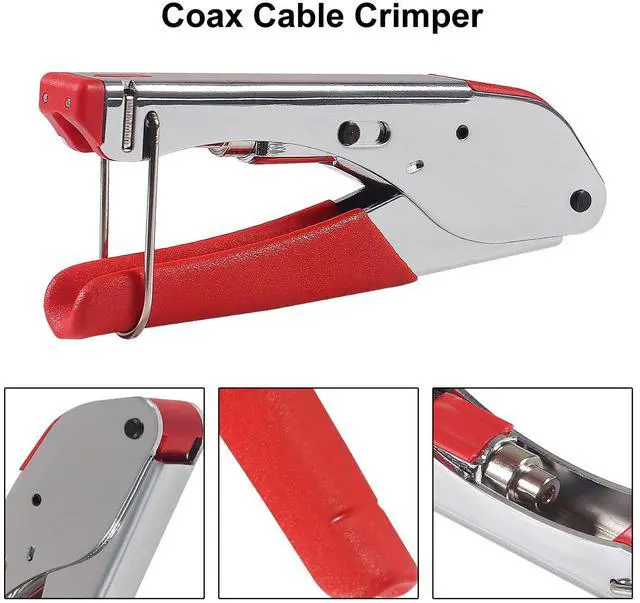
Crimping Tool: Work with RG-6, RG-59, RG-58, BNC, RCA etc. Compatible for Most Compression Connectors Press Ion Distance: 20. 3mm, Extrusion Clamp Adopts High Standard Crimping Die
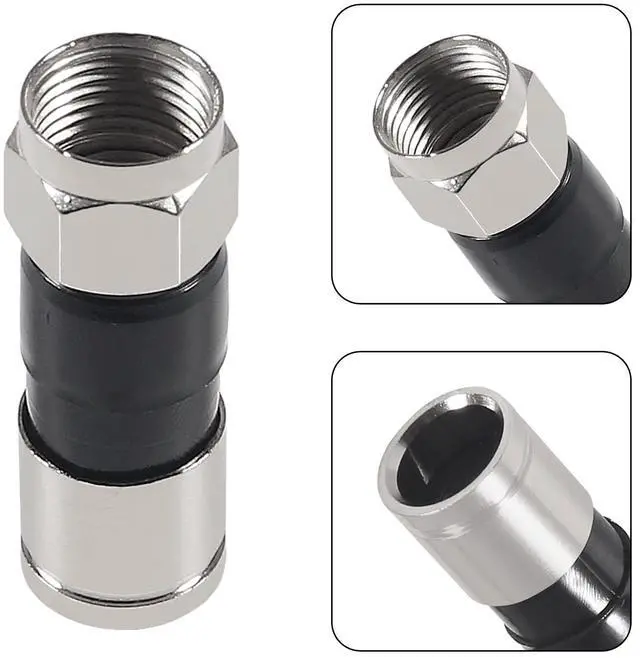
Compression F Connectors: All Metal Construction, Anti-Corrosion, Nickel-Plated ,Premium Quality Connectors are Designed to Provide a Professional, Secure, Waterproof Connection for RG6 Coaxial Cable
Application: Compression Tool Kit Widely Used for Indoor/Outdoor Tight Weather Sealed Connection. Perfect for Multiple Coax Applications Such As Antennas, CATV, Satellite, CCTV, Broadband Cabling, etc.
Package Contents: Compression Tool Kit Including 1pc Rotary Coaxial Cable Cutter Tool,1pc Coaxial Cable Crimper and 10pcs Compression F Connectors,With this Handy Tools,Very Convenient to Install a Satellite TV Dish/CCTV, Move Cable TV and Cable Modem, or Wire Up the Cables for Your New House
+
+
Overview
Specs
Reviews
Any questions? Our AI beta will help you find out quickly.
Try me now
How To Use
1.Insert the Correct Plunger Into the Tool’s holder
2.Insert the Stripped Cable Into the Connector and Make Sure the Cable is Inserted to the End
3. Place the Connector with Cable Into the Tool's Holder
4.Squeeze Handles
Remove the Crimped Connector from the Tool
Coaxial Cable Crimper
Features:
Suitable Connectors: F Connectors with Extrusion Function
Application Scope: Coaxial Cable RG59 RG6
Applicable Industry: Cable TV Audio and Video Field
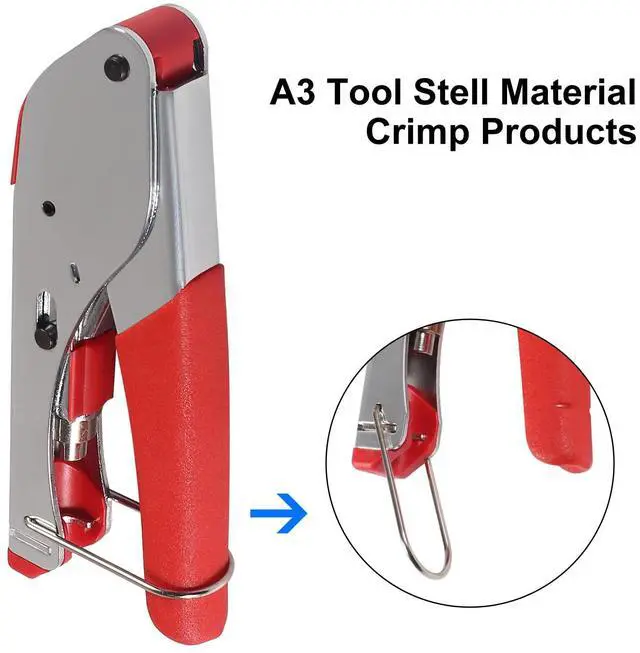
Handle Lock Setting, Easy to Use After Storage Protection, Lock the Net Pliers
The Tool is Made of High Hardness Precision Material, Light Weight and Easy to Carry, Durable and Long Service Life
The Handle is Made of Special Soft Adhesive Material, Non-Slip, Comfortable to Use, Strong Hand Feel, In Line with the Design of Human Body
How To Use
1. Put the Cable Into Connect Hole
2. Press Down the Handle
3. Rotate the Tool Along Clockwise Direction Until the Cable Peel Off
4. Take Out the Cable
Rotary Coaxial Cable Cutter Tool
Features:
Material: Carbon Steel & Plastic
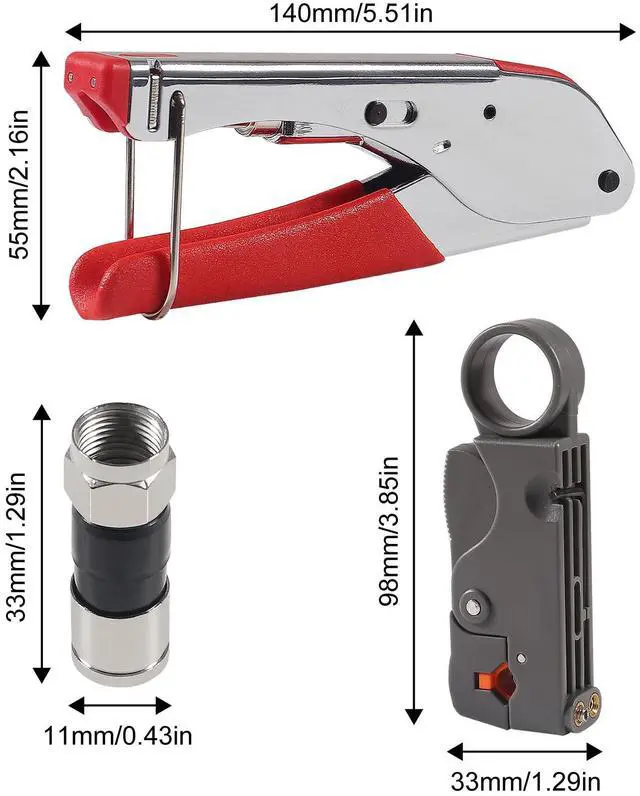
Length: 9.8 x 3.3 x 1.9 cm
Compatible: RG-58, RG-59, RG-62
Double Blades, Coax Cable Stripper
Fully Adjustable & Replaceable Blades
Removes 4, 6, 8 and 12mm Insulation (Adjustable)
Use Easily, Lock the Tool Over the Cable, Spin Clockwise, Then Pull Off the Unwanted Portion
Coaxial Cable Crimper
How To Use
1.Insert the Correct Plunger Into the Tool’s holder
2.Insert the Stripped Cable Into the Connector and Make Sure the Cable is Inserted to the End
3. Place the Connector with Cable Into the Tool's Holder
4.Squeeze Handles
Remove the Crimped Connector from the Tool
Features:
Suitable Connectors: F Connectors with Extrusion Function
Application Scope: Coaxial Cable RG59 RG6
Applicable Industry: Cable TV Audio and Video Field
Handle Lock Setting, Easy to Use After Storage Protection, Lock the Net Pliers
The Tool is Made of High Hardness Precision Material, Light Weight and Easy to Carry, Durable and Long Service Life
The Handle is Made of Special Soft Adhesive Material, Non-Slip, Comfortable to Use, Strong Hand Feel, In Line with the Design of Human Body
Rotary Coaxial Cable Cutter Tool
How To Use
1. Put the Cable Into Connect Hole
2. Press Down the Handle
3. Rotate the Tool Along Clockwise Direction Until the Cable Peel Off
4. Take Out the Cable
Features:
Material: Carbon Steel & Plastic
Length: 9.8 x 3.3 x 1.9 cm
Compatible: RG-58, RG-59, RG-62
Double Blades, Coax Cable Stripper
Fully Adjustable & Replaceable Blades
Removes 4, 6, 8 and 12mm Insulation (Adjustable)
Use Easily, Lock the Tool Over the Cable, Spin Clockwise, Then Pull Off the Unwanted Portion
Coax Cable Crimper Coaxial Compression Tool Kit Wire Stripper with 10pcs F RG6 RG59 Connectors
Learn more about the Detailed Specifications
Details
Color
Black
Additional Information
First Listed on Newegg
June 11, 2026
There are no reviews yet.
Do you own this product?
Warranty & Returns
Warranty, Returns, And Additional Information
Warranty
Please contact the Seller directly for warranty information. Warranty information may also be found on the Manufacturer's website.