

Your Browsing History

Meet Your Seller





192KHz HDMI ARC to Optical Audio Converter for TV to Soundbar | Plug & Play-3.4ft/1.05m ARC Audio Extractor Adapter for Sound System Speaker Home Theater-Support PCM Dolby/DTS 5.1-No CEC
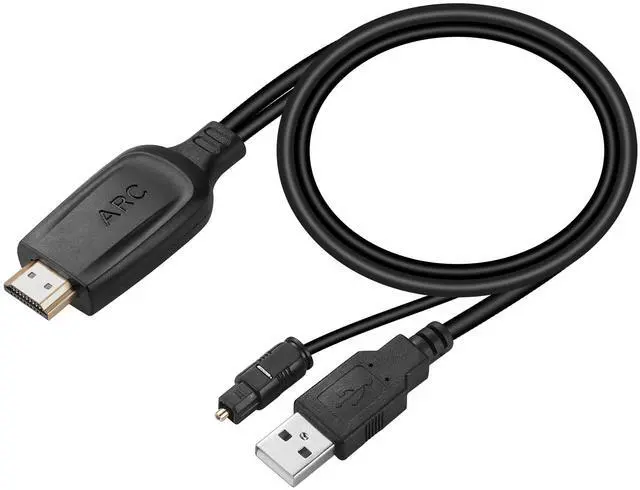
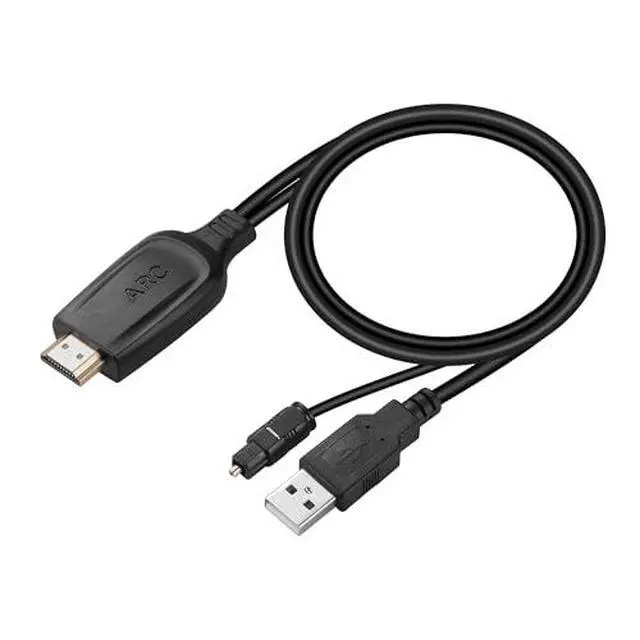
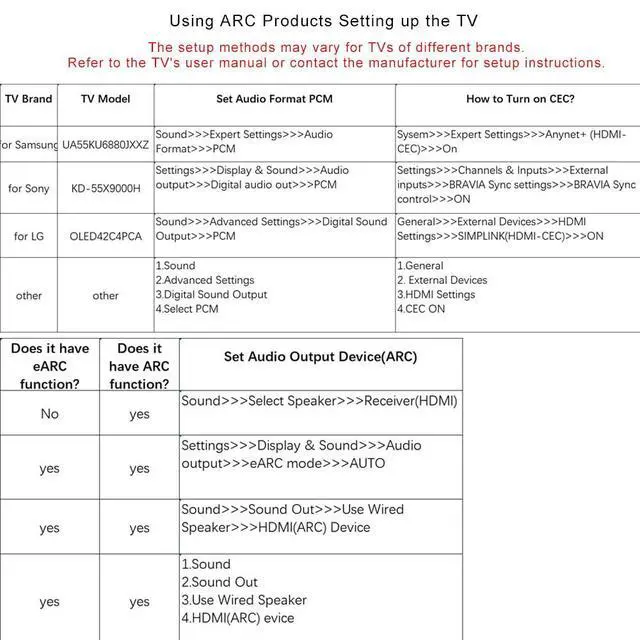
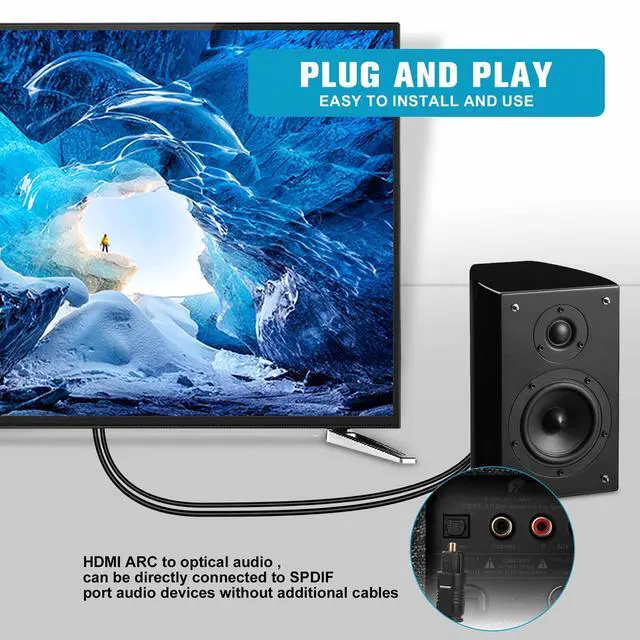
- HDMI ARC to Optical Cable (1.05m/41in): This ARC Audio Extractor connects to an ARC-compatible TV, enabling the TV's audio to be transmitted to a sound system via the converter's built-in optical SPDIF digital audio cable. This ARC audio converter is designed for TVs with an "ARC" interface. Please confirm your TV supports the ARC feature and set the audio output to "ARC" and the audio format to PCM. Plug and Play: This ARC audio converter removes the need for extra cables or converters, acting as a bridge between the TV and sound system. It is simple to install and operate. It is perfect for home theaters, meeting rooms, conference rooms, and other environments. Clear Sound Quality: Supports a 24-bit/192kHz audio sampling rate, delivering pure sound quality. It provides a convenient solution for your home entertainment by seamlessly linking your TV to your soundbar. Audio Formats Setting: Compatible with multiple audio formats. Configure the TV audio formats to PCM, Dolby 5.1, or DTS 5.1, providing you with high-quality audio for an immersive entertainment experience. If using Dolby 5.1 or DTS 5.1 audio formats, the sound system also needs to support Dolby Audio or DTS. Note: Connect the ARC Audio Converter's USB cable to your TV's USB port or another device's USB port. The LED indicator will illuminate when the HD interface is connected. For setup, enable CEC, set the TV's audio output to ARC, and set the audio format to "PCM", "LPCM", "Dolby", or "DTS". Please note that
+
+
Overview
Specs
Reviews

Any questions? Our AI mode will help you find out quickly.
Try me now
HDMI ARC to
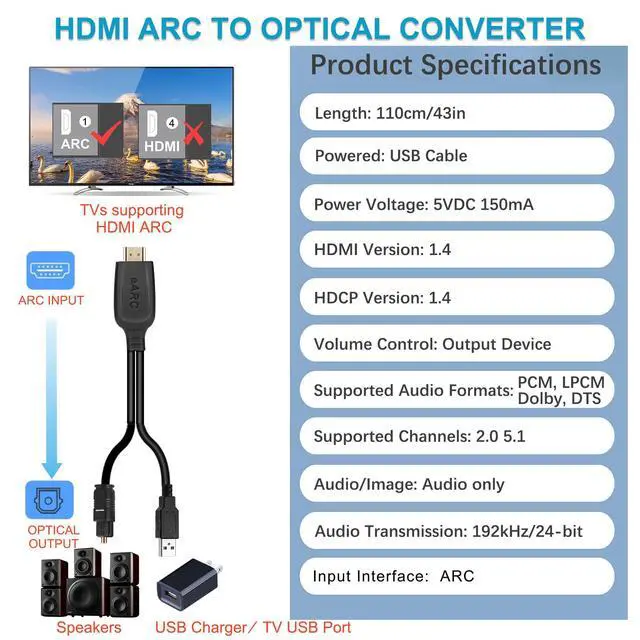
Optical Cable ( 1.05 m/41in): This ARC Audio Extractor connects to an ARC-compatible TV, enabling the TV's audio to be transmitted to a sound system via the converter's built-in optical SPDIF digital audio cable. This ARC audio converter is designed for TVs with an "ARC" interface. Please confirm your TV supports the ARC feature and set the audio output to "ARC" and the audio format to PCM.
Plug and Play: This ARC audio converter removes the need for extra cables or converters, acting as a bridge between the TV and sound system. It is simple to install and operate. It is perfect for home theaters, meeting rooms, conference rooms, and other environments.
Clear Sound Quality: Supports a 24-bit/192kHz audio sampling rate, delivering pure sound quality. It provides a convenient solution for your home entertainment by seamlessly linking your TV to your soundbar.
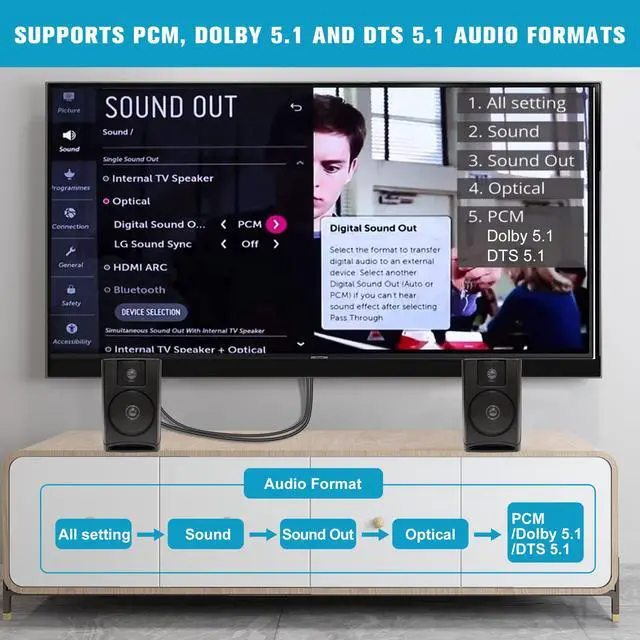
Audio Formats Setting: Compatible with multiple audio formats. Configure the TV audio formats to PCM, Dolby 5.1, or DTS 5.1, providing you with high-quality audio for an immersive entertainment experience. If using Dolby 5.1 or DTS 5.1 audio formats, the sound system also needs to support Dolby Audio or DTS.
Note: Connect the ARC Audio Converter's USB cable to your TV's USB port or another device's USB port. The LED indicator will illuminate when the HD interface is connected. For setup, enable CEC, set the TV's audio output to ARC, and set the audio format to "PCM", "LPCM", "Dolby", or "DTS". Please note that CEC (Volume control) is an HDMI feature and the optical cable cannot transmit that signal for using the TV remote
Optical Cable ( 1.05 m/41in): This ARC Audio Extractor connects to an ARC-compatible TV, enabling the TV's audio to be transmitted to a sound system via the converter's built-in optical SPDIF digital audio cable. This ARC audio converter is designed for TVs with an "ARC" interface. Please confirm your TV supports the ARC feature and set the audio output to "ARC" and the audio format to PCM.
Plug and Play: This ARC audio converter removes the need for extra cables or converters, acting as a bridge between the TV and sound system. It is simple to install and operate. It is perfect for home theaters, meeting rooms, conference rooms, and other environments.
Clear Sound Quality: Supports a 24-bit/192kHz audio sampling rate, delivering pure sound quality. It provides a convenient solution for your home entertainment by seamlessly linking your TV to your soundbar.
Audio Formats Setting: Compatible with multiple audio formats. Configure the TV audio formats to PCM, Dolby 5.1, or DTS 5.1, providing you with high-quality audio for an immersive entertainment experience. If using Dolby 5.1 or DTS 5.1 audio formats, the sound system also needs to support Dolby Audio or DTS.
Note: Connect the ARC Audio Converter's USB cable to your TV's USB port or another device's USB port. The LED indicator will illuminate when the HD interface is connected. For setup, enable CEC, set the TV's audio output to ARC, and set the audio format to "PCM", "LPCM", "Dolby", or "DTS". Please note that CEC (Volume control) is an HDMI feature and the optical cable cannot transmit that signal for using the TV remote
Warranty & Returns
Warranty, Returns, And Additional Information
Warranty
- Please contact the Seller directly for warranty information. Warranty information may also be found on the Manufacturer's website.
- CONTACT
Return Policies
- Return for refund within: 30 days
- Return for replacement within: 30 days
- This item is covered by FiveMacro Store Return Policy
Manufacturer Contact Info
- For a directory of all our manufacturers, please click below.
- Manufacturers Directory
LOADING...