Condition:New: A brand-new, unused, unopened, undamaged item in its original packaging (where packaging is ...
Type:Slim Mouse
Color:White
Maximum DPI:1600
Model:Rechargeable Wireless Mouse
Connectivity:Wireless, Bluetooth, USB, USB-C
Features:Adjustable DPI, Ergonomic, Rechargeable
Tracking Method:Optical
Number of Buttons:2
+
+
Overview
Specs
Reviews
Any questions? Our AI beta will help you find out quickly.
Try me now
Description
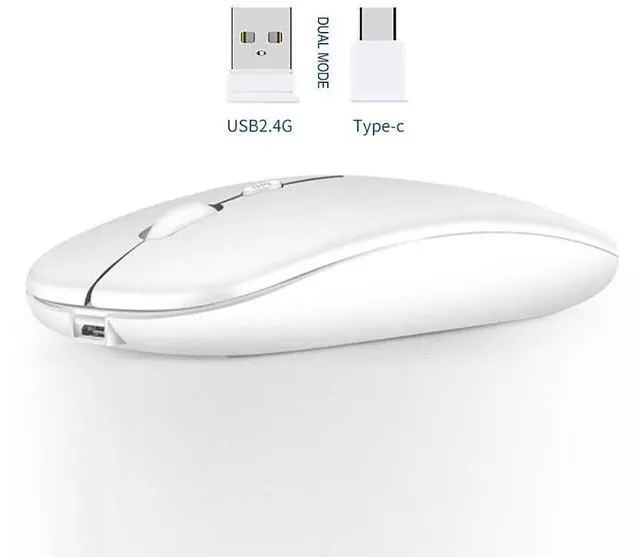
2.4G Wireless USB and Type-c Mouse - The wireless mouse is very convenient,provided 2 receiver,USB and Type C Nano receiver,let you worry-free use of any device.
Rechargeable Optical Mouse - Built-in durable 500mAh lithium rechargeable battery, it can be easily charged using the included USB cable without replacing the battery. Support charging while using, more energy saving and environmental protection.Just 2-3 hours charging, you can use it about 30 days.
Energy-saving features - Standby time is very long, energy-saving features, automatic sleep mode and wake-up mode are installed to save energy.
Plug and Play - No need to install any driver, just plug the USB/Type C receiver into your laptop will the mouse start to serve. 2.4GHz wireless technology provides powerful and reliable connection, effective up to 10 meters of range.
Adjustable DPI - Advanced optical tracking technology with fast click and responsiveness. 3-Level adjustable DPI (800/1200/1600 DPI), freely to satisfy daily work.
Mute Click - Silent click Mouse with classic design with anti-fingerprint finish offers your hand maximum support and comfort. Silent button reduces 90% noises, which makes it an ideal wireless mouse for office, conference room, cafe, library, bedroom, help you concentrate on your work, study without disturbing others besides you.
Wide Compatibility - Well compatible with Windows XP, Vista, 7, 8, and 10 / Windows Vista / Windows Vista/ Windows ME etc, Fits for desktop, laptop, PC, Macbook and other devices.
Install Guide :
* Charge the mouse for about 2 hours before using it for the first time.
1. Take the receiver out, which is stored at the bottom of the mouse.
2. Insert the receiver into the USB port or Type-c port of your device, and open the mouse switch (at the bottom of the mouse).
3. Allow a few seconds for installing, no action needed, just wait. Then you can use it.
Learn more about the Detailed Specifications
Additional Information
First Listed on Newegg
December 03, 2025
There are no reviews yet.
Do you own this product?
Warranty & Returns
Warranty, Returns, And Additional Information
Warranty
Please contact the Seller directly for warranty information. Warranty information may also be found on the Manufacturer's website.