• $17.98
  • Free 30-day Returns
  • Ships from China.
    Price alert
    Shop it at NeweggBusiness.

    Meet Your Seller

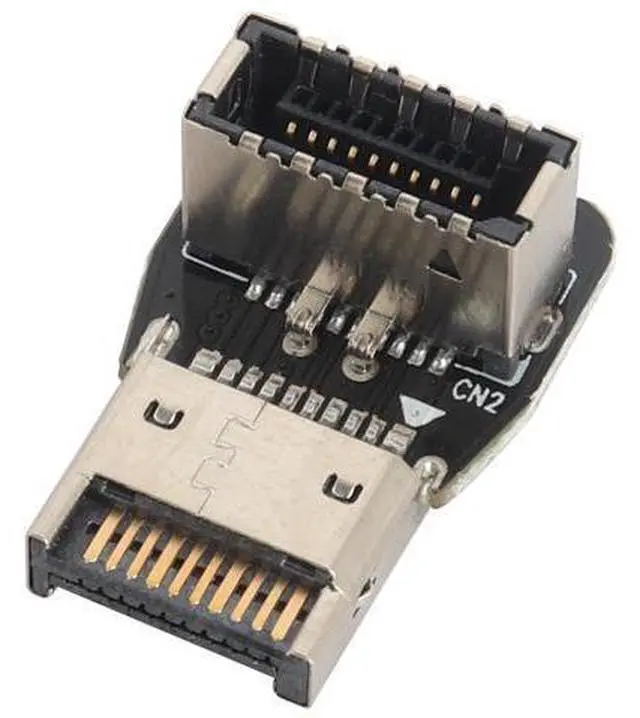
    1Pack 90 Degree USB 3.2 Front Panel Internal Connector Down-Right Angle Type-E USB 3.1 Female to Male Front Panel Socket Adapter for Type-E Motherboard Extension Data Adapter(Type-E/Down)

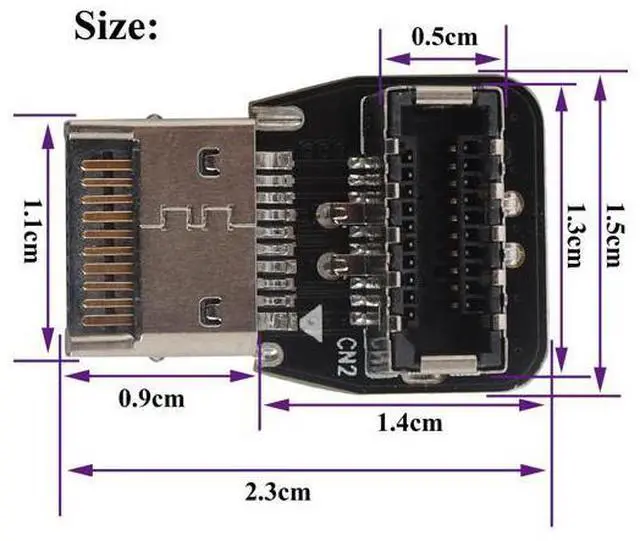
    • Quantity:(1-Pack) Size:Length, width, height(2.2cm*1.5cm*1cm) Material:Plastic+metal . Color:(Black).
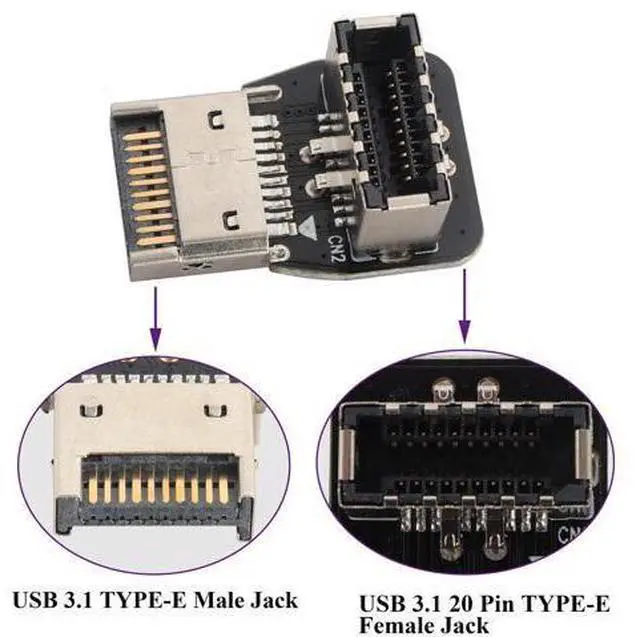
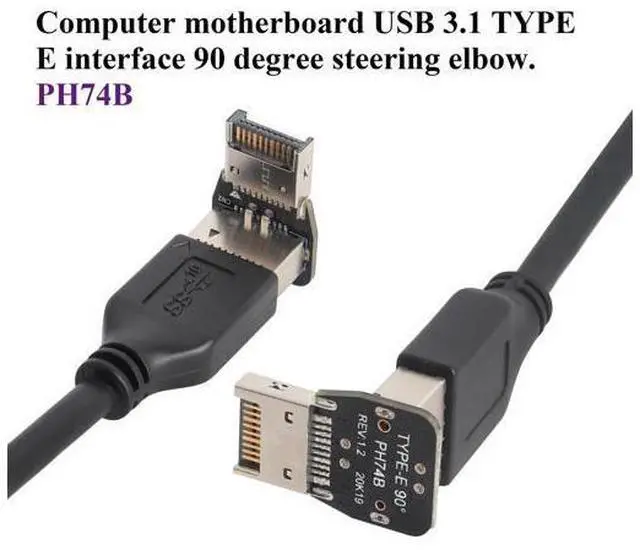
    • Connectors 1: (PH74B) Down-90 degree Type-E male USB 3.1 Front Panel Header(10Gbps).Connectors 2: 90 degree Type-E Female USB 3.1 Front Panel socket(10Gbps).
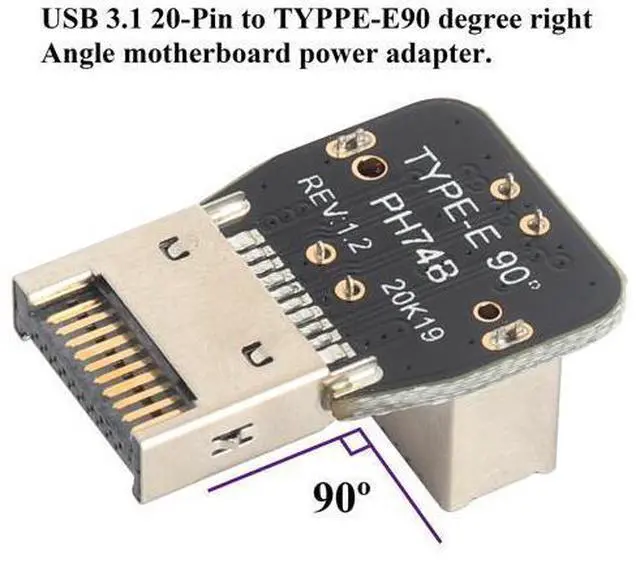
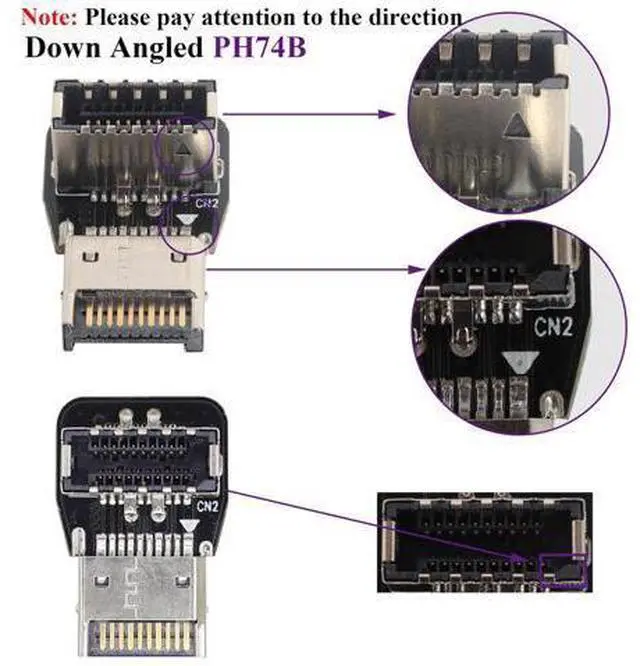
    • [Solve Installation Direction]:Down angled - 90 degree Type-E USB 3.1 front panel header adapter provides a solution to change the installation direction of Type-E USB 3.1.
    • [Compatibility]:The adapter is standard 20 pin TYPE-E connector, so it will work with all of TYPE-E ports on the motherboard such as Gigabyte Msi Onda Inte DELL HP Motherboard, etc.
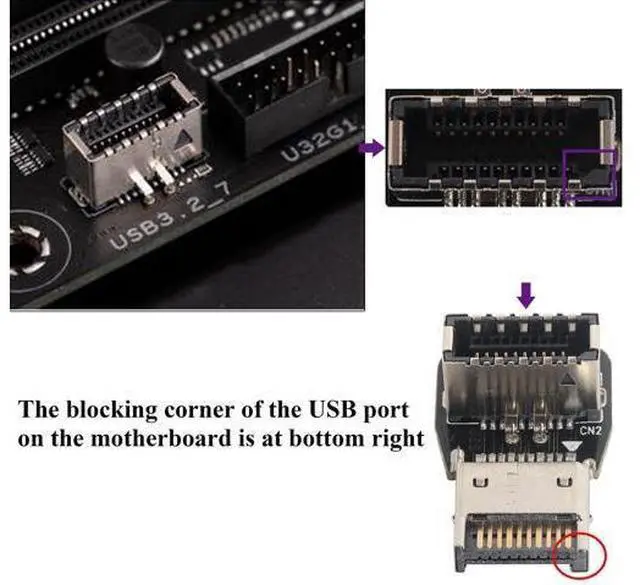
    • [Note]:lease unplug the power cord and wait 20 seconds before installing it. So as not to short-circuit the pins and the motherboard. Easy to connect and install, no need to install drivers, plug and play. Please pay attention to (PH74A-Up angled) or (PH74B-Down angled) when purchasing and installing.

    +
    +
    Overview
    Specs
    Reviews
    avatar

    Any questions? Our AI beta will help you find out quickly.

    Quantity: (1-Pack)
    Size: Length, width, height( 2.2 cm* 1.5 cm*1cm)
    Material: Plastic+metal.
    Color: (Black)..
    Connectors 1: (PH74B) Down-90 degree Type-E male USB 3.1 Front Panel Header (10Gbps). Connectors 2: 90 degree Type-E Female USB 3.1 Front Panel socket (10Gbps)..
    [Solve Installation Direction]: Down angled - 90 degree Type-E USB 3.1 front panel header adapter provides a solution to change the installation direction of Type-E USB 3.1..
    [Compatibility]: The adapter is standard 20 pin TYPE-E connector, so it will work with all of TYPE-E ports on the motherboard such as Gigabyte Msi Onda Inte DELL HP Motherboard, etc..
    [Note]: lease unplug the power cord and wait 20 seconds before installing it. So as not to short-circuit the pins and the motherboard. Easy to connect and install, no need to install drivers, plug and play. Please pay attention to (PH74A-Up angled) or (PH74B-Down angled) when purchasing and installing.

    Warranty & Returns

    Warranty, Returns, And Additional Information

    Warranty

    • Please contact the Seller directly for warranty information. Warranty information may also be found on the Manufacturer's website.
    • CONTACT

    Return Policies

    Manufacturer Contact Info

    LOADING...