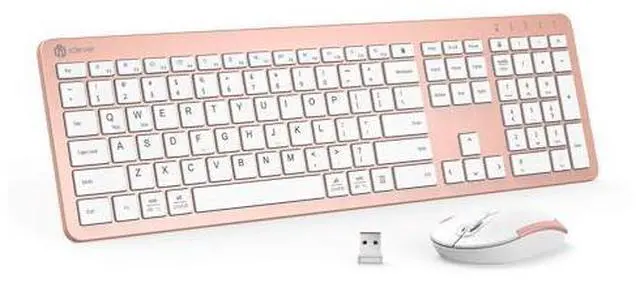
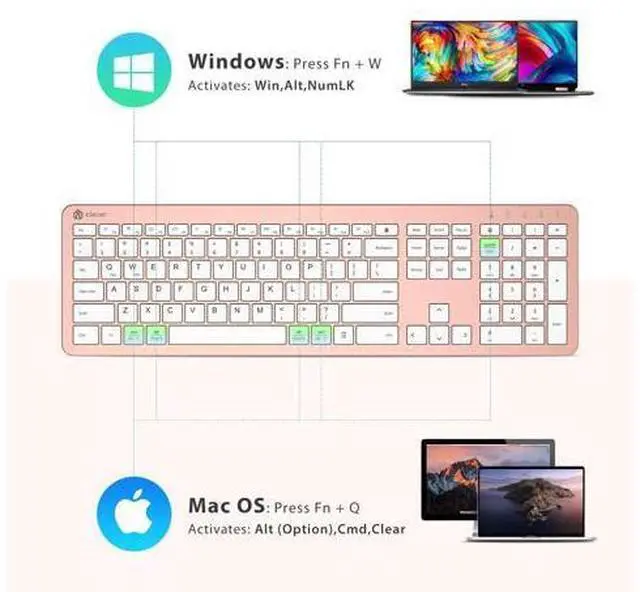
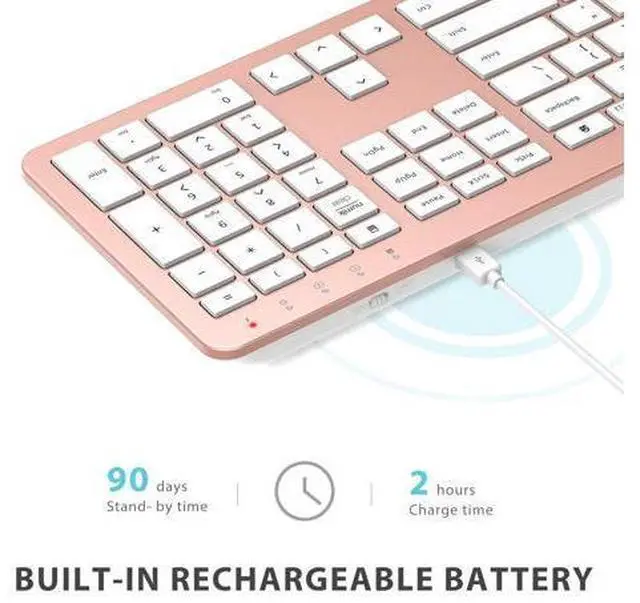
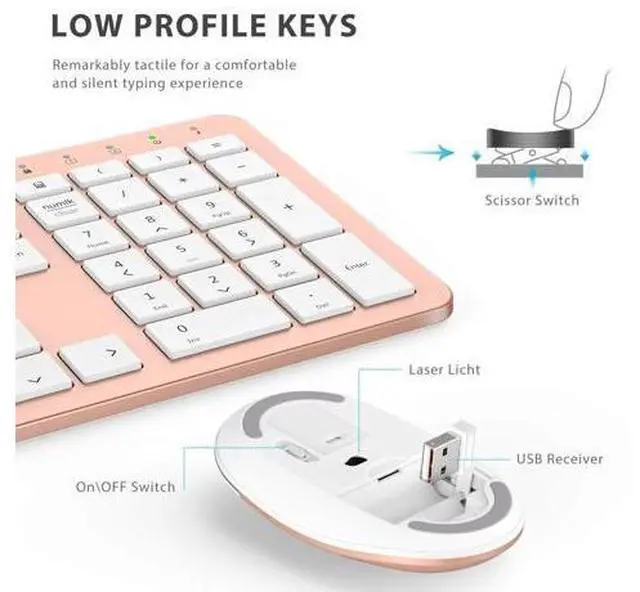
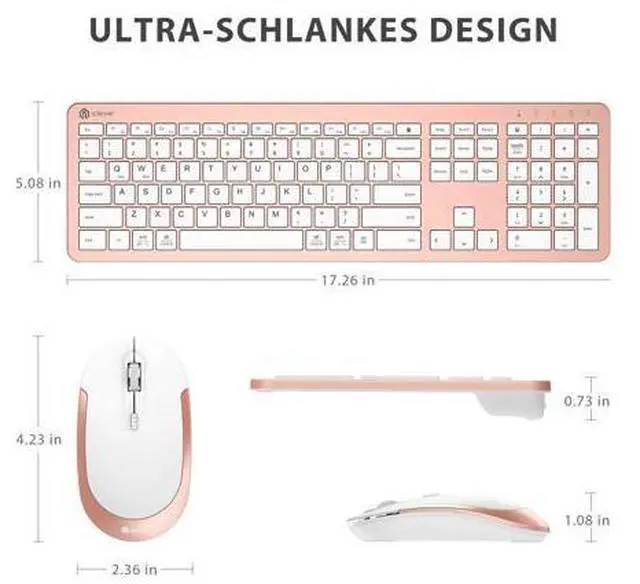
Previous page WorkMate FoldMate NumMate SilentTap Next page Previous page Ultra-Slim Design Only 0.7 in edge height with a natural typing tiltideal for hot-desking, co-working spaces, and compact desks. True 110-Key Desktop Layout Full numpad and standard spacing keep Excel, coding, and data entry fast for office veterans and finance pros. USB-C Fast Charge No AA batteries needed Next page Previous page Low-Profile Keys, All-Day Ease Scissor switches deliver the smooth, familiar feel Apple fans love while cutting hand fatigue in long sessions. Next page Previous page? /Ctrl Keys Auto-Switch Native? for Mac, Full Ctrl for Windows One USB Receiver, 33 ft Range Plug into PC/Mac USB-A portkeyboard and mouse pair instantly and keep a rock-solid link up to 33 ft.
Next page Previous page Next page How long does a full charge last? Up to 45 days of 8-h daily use for the keyboard and 20 days for the mouse. The battery LED flashes below 10 %; recharge fully with the included USB-C cable ( 2 h). The keyboard or mouse stopped respondingwhat should I do? 1. Verify the power switch is ON. 2. Plug the USB-A receiver into a native port (avoid hubs). 3) Recharge or restart the device. Why am I getting double characters or typos? Low battery or 2.4 GHz interference can cause this.
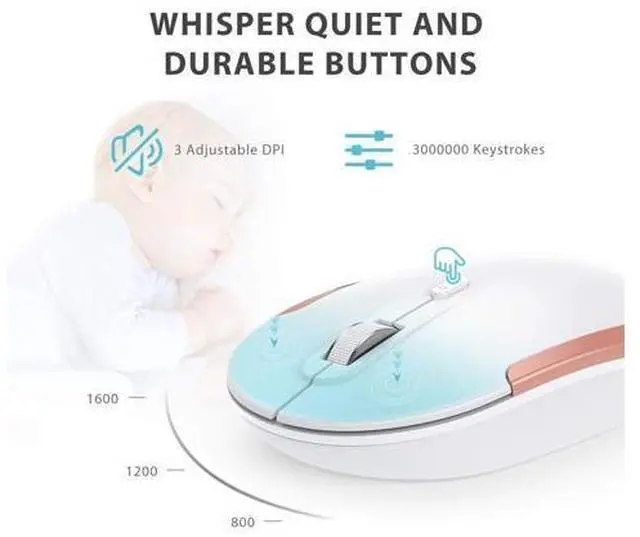
Fully recharge, then keep the receiver in a front USB-A port away from Wi-Fi routers or metal surfaces. Will it work with my Mac? Yesany macOS desktop / laptop with a USB-A port (e. g., iMac 2017-2020, MacBook Air/Pro = 2017). Macs with only USB-C require a USB-A adapter. How do I fix occasional cursor lag? Stay within 10m line-of-sight, remove metal obstructions, and press the DPI button to cycle 800 / 1200 / 1600 DPI for instant True 110-Key Desktop Layout USB-C Fast Charge Ultra-Slim Design Full numpad and standard spacing keep Excel, coding, and data entry fast for office veterans and finance pros.
No AA batteries needed Only 0.7 in edge height with a natural typing tiltideal for hot-desking, co-working spaces, and compact desks. Low-Profile Keys, All-Day Ease Scissor switches deliver the smooth, familiar feel Apple fans love while cutting hand fatigue in long sessions.? /Ctrl Keys Auto-Switch One USB Receiver, 33 ft Range Native? for Mac, Full Ctrl for Windows Plug into PC/Mac USB-A portkeyboard and mouse pair instantly and keep a rock-solid link up to 33 ft. How long does a full charge last? Up to 45 days of 8-h daily use for the keyboard and 20 days for the mouse.
The battery LED flashes below 10 %; recharge fully with the included USB-C cable ( 2 h). The keyboard or mouse stopped respondingwhat should I do? 1. Verify the power switch is ON. 2. Plug the USB-A receiver into a native port (avoid hubs). 3) Recharge or restart the device. Why am I getting double characters or typos? Low battery or 2.4 GHz interference can cause this. Fully recharge, then keep the receiver in a front USB-A port away from Wi-Fi routers or metal surfaces. Will it work with my Mac? Yesany macOS desktop / laptop with a USB-A port (e.
g., iMac 2017-2020, MacBook Air/Pro = 2017). Macs with only USB-C require a USB-A adapter. How do I fix occasional cursor lag? Stay within 10m line-of-sight, remove metal obstructions, and press the DPI button to cycle 800 / 1200 / 1600 DPI for instant WorkMate FoldMate NumMate SilentTap Product information Brand iClever Color Rose Gold Connectivity Technology 2.4 GHz wireless USB-A nano receiver (33ft range) Special Feature Full-size 110-key, USB-C rechargeable, Quiet typing < 50 dB, Plug-and-play, Dual Mac/Windows layout, 10-min auto-sleep Compatible Devices Windows 10/11 PC & laptop; macOS desktops / notebooks with USB-A port (e.
g., iMac Retina 4K/5K, MacBook Air/Pro 2017) Product Dimensions 17.83 x 5.67 x 1.61 inches Item Weight 1.54 pounds Item model number GK08 Batteries 1 Lithium Ion batteries required. Date First Available October 10, 2020 Manufacturer iClever