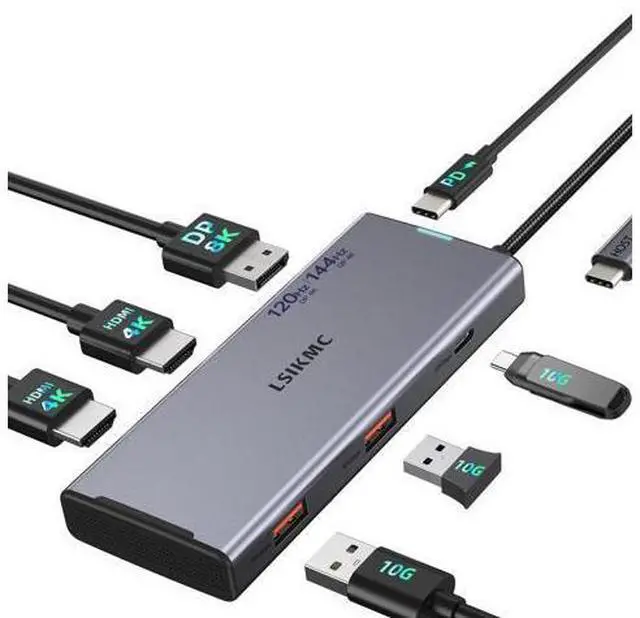
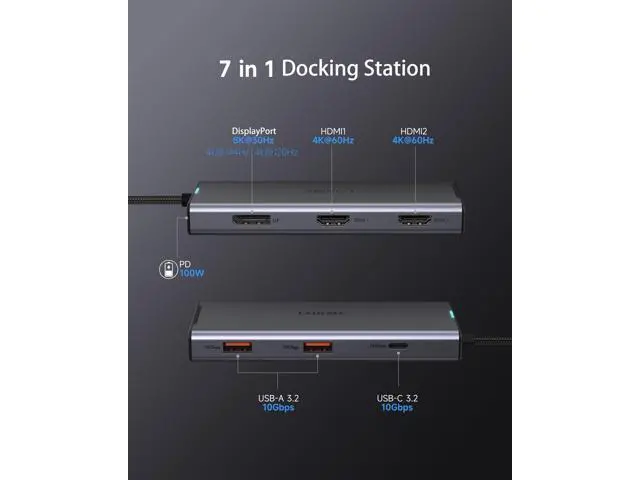
Previous page Next page 1 Single display 2 Single DP 4K@144Hz 3 Single DP 8K@30Hz 4 Resolution (Max) Previous page Next page 1 USB-C charging 2 For Windws OS 3 For Mac OS Previous page Next page 1 Data transfer 2 Compatibility 3 Compatible interface Previous page Next page Please read carefully before purchasing 1: This laptop docking station is compatible with Thunderbolt 4/3 or USB-C 3.1 Gen 2 or higher ports with full-featured USB Type-C ports supporting Power Delivery, DisplayPort and Alternate Mode. These full-featured USB-C ports should support display, charging and data transfer protocols. But not all USB-C devices are compatible with this laptop docking station, please check if your laptop's USB-C port supports the above functions before purchasing.
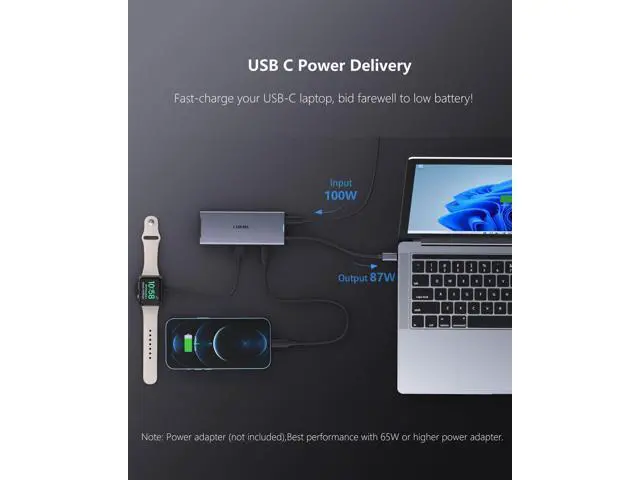
2: The docking station does not include a charger or cable. To power your computer, you need to connect an external charger to the PD charging port on the docking station.
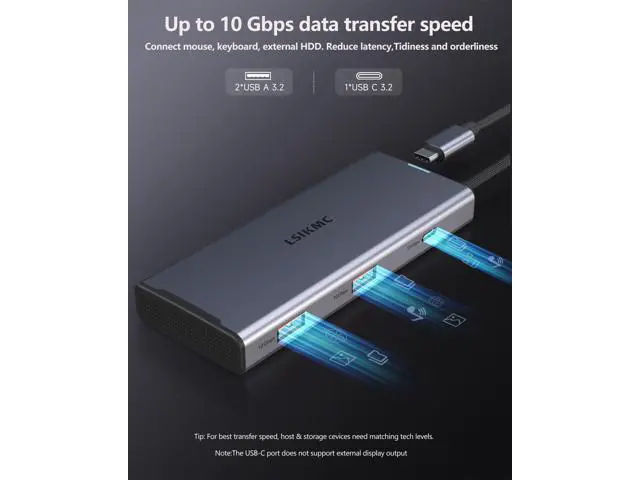
Note: USB C PD power supply and USB C 5Gbps data transmission port do not support video extension; The USB-C hub requires 6-7W of power to ensure the other ports function properly. It's best to keep the hub charged for optimal performance. If you see a slow charging warning, you can ignore it. To enable fast charging, use a power supply of 65W or higher.
3: This triple monitor docking station cannot be used with converters (such as HDMI to DVI, HDMI or USB to USB-C to VGA, etc. ). The length of the video cable must not exceed 3 meters.
4: Only when your laptop is a DP 1.4 source can the screen resolution reach its best. Make sure your device supports 4K displays (both the external monitor and the laptop) and uses an HDMI 2.0 or higher cable.
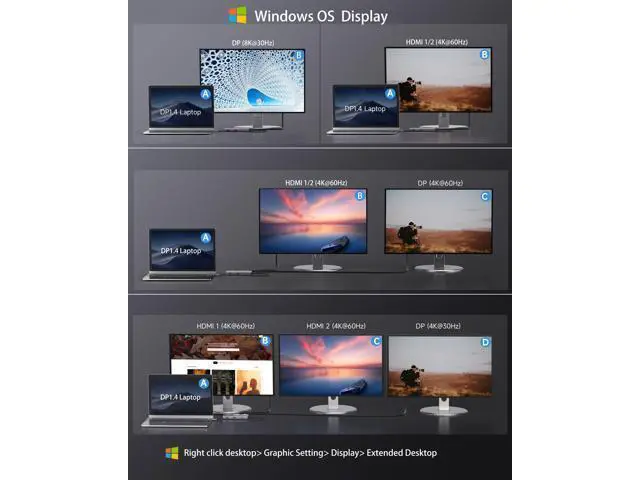
---- Windows OS Guide: Right click desktop> Graphic Setting> Display> Extended Desktop> Resolution Settings ------
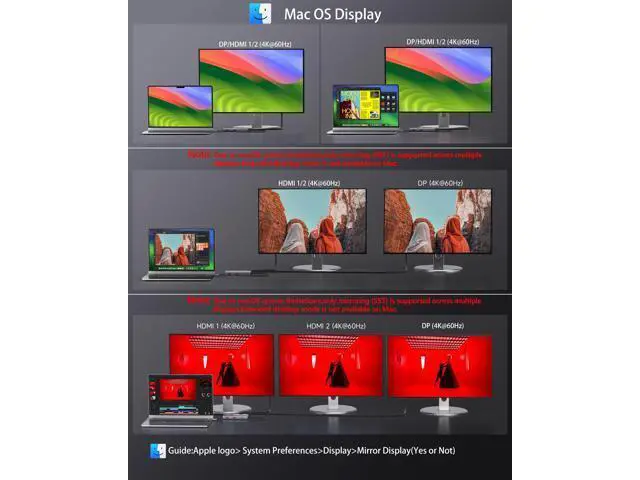
Mac OS Guide: Apple logo>System Preferences>Display>Mirror Display (Yes or Not) >Resolution
Settings 5: Windows OS Laptop GPU source
DP 1.4 single display: A--DisplayPort ( 8K@30Hz or 4K@144Hz/4K@120Hz/4K@60Hz ), A--HDMI1/HDMI2 ( 4K@60Hz ); 2. Windows OS Laptop GPU source
DP 1.2 single display: A--DisplayPort /HDMI1/HDMI2 ( 4K@30Hz/1080P@60Hz ) 6: Windows OS Laptop GPU source DP 1.4
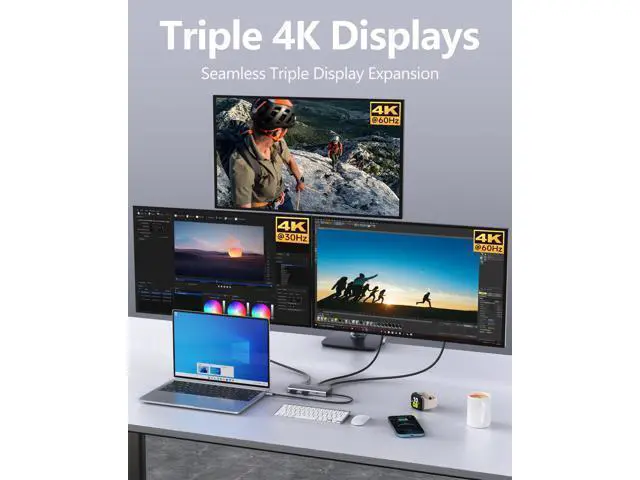
Dual display: A--HDMI1/HDMI2+DisplayPort ( 4K@60Hz+4K@60Hz )); Windows OS Laptop GPU source DP 1.2
Dual display: A--HDMI1/HDMI2+DisplayPort ( 1080P@60Hz+1080P@60Hz ); 7: Windows OS Laptop GPU source
DP 1.4T riple display: A--HDMI1+HDMI2+DisplayPort ( 4K@60Hz+4K@60Hz+4K@30Hz ); Windows OS Laptop GPU source DP 1.2
Triple display: A--HDMI1+HDMI2+DisplayPort ( 1080P@60Hz+1080P@60Hz+1080P@60Hz ); 8: Mac OS Laptop GPU source
DP 1.4 single display: A--DisplayPort ( 4K@144Hz/4K@120Hz/4K@60Hz), single display Dual display Triple display A--HDMI1/HDMI2/DisplayPort ( 4K@60Hz ); Mac OS Laptop GPU source DP 1.2 single display Dual display
Triple display: A--HDMI1+HDMI2+DisplayPort
( 4K@30Hz ) 9: All Mac devices only support
Mirror Mode: AA, AAA, AAAA and
Extend Mode: AB, ABB, ABBB. It does not support A-B+C or A-B+C+D, which are only supported on Windows laptops. If mirroring displays on a Windows system, the monitor's resolution will always match that of the laptop. LSIKMC Docking station Compatibility with Device Models (Non-Exhaustive List) For Dell Laptops Dell Precision 3470/3480/3570/3571/3580/3581/5470/5480/5570/5680/7780/7770/7680/7670/7750/7730/3551; Dell Vostro 5620/5410; XPS 9380/13/15/17; Dell G15-5530/G16-7630; Dell Inspiron 7420/7425/7430/7435/7506 /7610/7620/7630/7635/7791/3420/5420/5425/5430/5620/5625/5630/5635; Dell Latitute /3420/3440/3445/3510 /3520 /3540/9420/9430/9440/7230/7280/7300/7330/7320/7340/7400/7410/7420/7430/7440/7480/7490/7530/7640/5310 /5340 /5411/5420 /5421 /5430 /5400 /5440 /5491/5510/5520/5540/5530/5580; For Dell Laptops Precision Workstation Model 3591/3581/3480/3580/3590/3490/5570/5680/5690/5490/7780/7680/5480; Inspiron 16 2-in-1 Laptop 7630/7635 2-IN-1; Inspiron 14 2-in-1 Laptop Model 7435; Inspiron 16 Plus 7630/7640; Inspiron 16 5630; Inspiron 14 Model5430/3420; x16/x16 R2 Gaming/