Previous page MST for Windows USB C Hub MacBook Adapter Docking Station Power Bank Next page Ensure your computer supports Thunderbolt protocol or full-featured USB-C ports.
Please note before purchasing: 1. Docking stations require a Thunderbolt or full-featured USB-C port 2. MacOS only supports mirror mode (SST) /system restrictions, not a product defect. 3. Full dual monitor extended mode (MST) requires Windows DP 1.4. You can ask us for help with confirming compatibility Video Player is loading. Play Video Play Skip Backward Skip Forward Mute Current Time 0:00 /
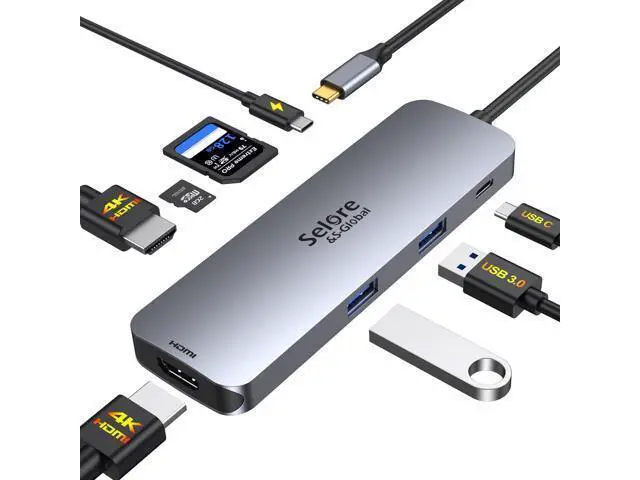
Duration 0:34 Loaded: 35.33 % 0:00 Stream Type LIVE Seek to live, currently behind live LIVE Remaining Time - 0:34 1x Playback Rate Chapters Chapters Descriptions descriptions off, selected Captions captions settings, opens captions settings dialog captions off, selected Audio Track Fullscreen This is a modal window. Beginning of dialog window. Escape will cancel and close the window. Text Color White Black Red Green Blue Yellow Magenta Cyan Opacity Opaque Semi-Transparent Text Background Color Black White Red Green Blue Yellow Magenta Cyan Opacity Opaque Semi-Transparent Transparent Caption Area Background Color Black White Red Green Blue Yellow Magenta Cyan Opacity Transparent Semi-Transparent Opaque Font Size 50% 75% 100% 125% 150% 175% 200% 300% 400% Text Edge Style None Raised Depressed Uniform Drop shadow Font Family Proportional Sans-Serif Monospace Sans-Serif Proportional Serif Monospace Serif Casual Script Small Caps Reset restore all settings to the default values Done Close Modal Dialog End of dialog window. USB C Docking Station Dual HDMI Monitor Merchant Video All in One Station - Selore&S-Global Premium 8 in 1 USB C Docking Station One device to 8 ports, all
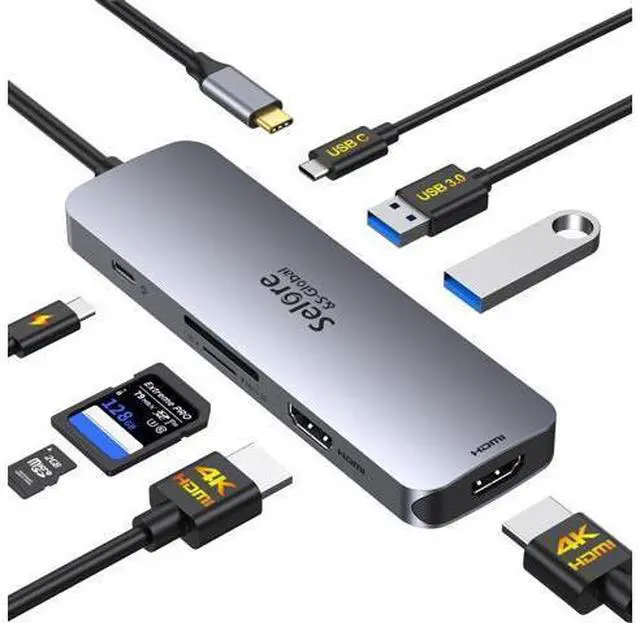
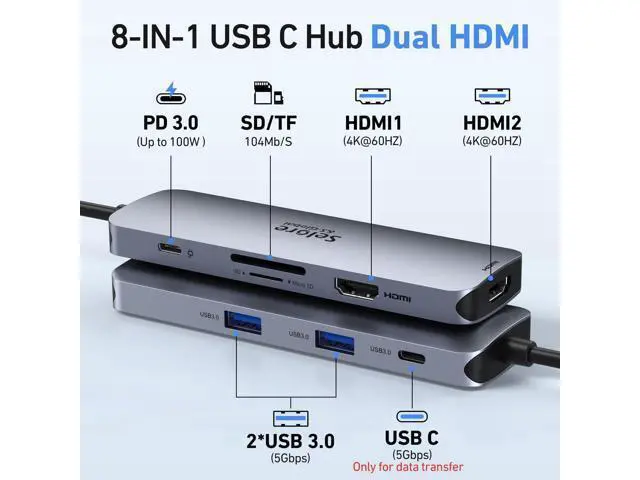
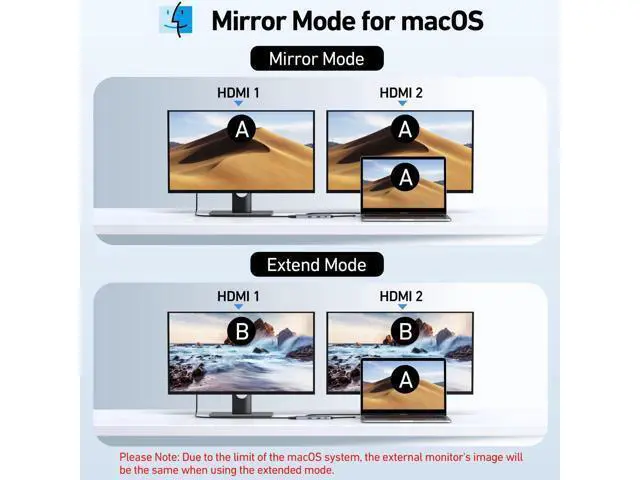
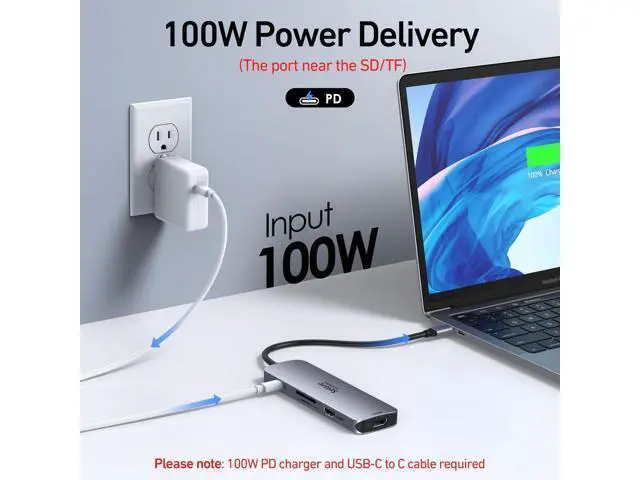
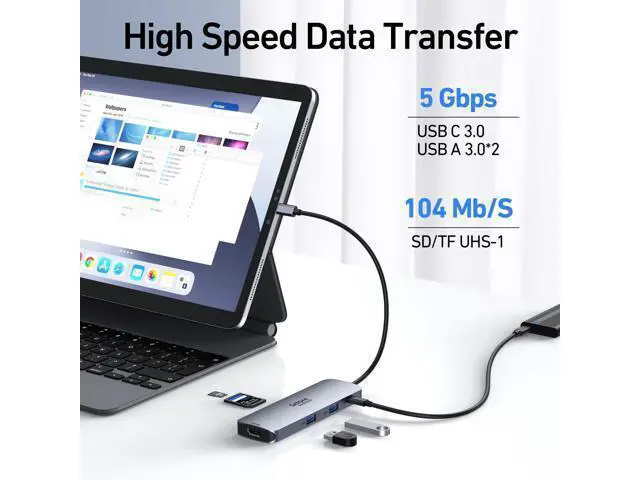
wirelessly: Dual 4K60HZ HDMI ports+a 100W PD charging port+a USB-C port up to 5Gbps+two USB 3.0 ports up to 5Gbps + TF/SD card slot up to 104 Mbps USB-C data port does not support video transmissiononly for charging/data transfer For Mac OS (SST) For Mac OS (SST) ----Dual Display (4K@60Hz | 4K@60Hz ) [Mirror A+A A] + [Extend
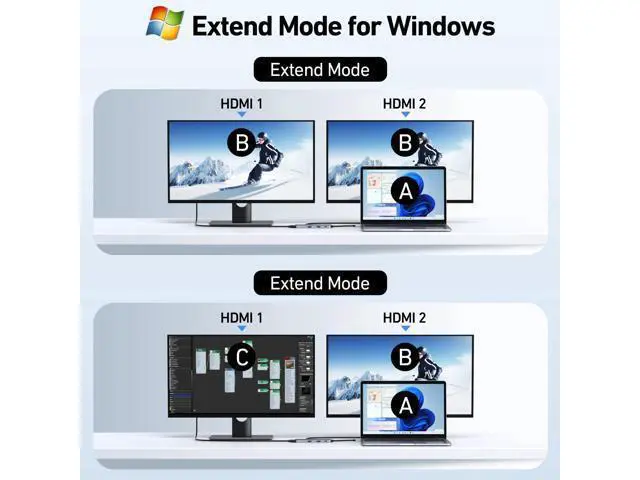
A+BB] Attention: For Mac OS, extended displays are supported only via SST mode (A+BB), Can't extend two different Screen, due to Mac OS limitation (NO A+BC) For Windows DP 1.4 (MST) *For Windows DP 1.4 (MST) - ---Single Display (4K@60Hz) [Mirror A+A]/[Extend A+B]; Dual Display (4K@60Hz | 4K@60Hz) [Mirror A+AA]/[Extend A+BB]/[Extend A+BC] * For Windows DP 1.2 (MST) - ---Single Display(4K@30Hz); Dual Display(1080P@60Hz | 1080P@60Hz ) Previous page Any part not working? No worries, we'll help you to solve it. We have a tech team standing by and we got solution for every situation. Next page 1 Widely Compatible 2 Compatible Laptop 3 Vivid 3D Video Sync 4 100W Power Delivery 5 5Gbps Data Transfer&SD/TF Why is my HDMI port not working Docking stations require a Thunderbolt or full-featured USB-C port. If the USB C port you are using only has data function or charging function, then the video function will not be available Can I use this dock with a Mac at all? Yes, but only in mirror mode (SST). How do I achieve dual 4K@60Hz output with this docking station? - Your Windows PC must support DisplayPort 1.4 (DP 1.4 )
or HDMI 2.0 protocols. - Use HDMI 2.0 or DP 1.4 -certified cables. Why cant I get dual 4K@60Hz to work?
Common reasons include: -
Incompatible GPU: Older GPUs may not support dual 4K@60Hz.
- Low-Quality Cables: Non-certified cables may cap resolution at 4K@30Hz.
- System Settings: Check display settings to ensure refresh rate is set to 60Hz. Key Notes for Buyers -
Windows Users: Full support for dual 4K@60Hz + MST extended mode.
- Mac Users: Mirror mode only; check our [Mac-compatible solutions]. - Need Help? Contact support for personalized troubleshooting. Ensure your computer supports Thunderbolt protocol or full-featured USB-C ports.
Please note before purchasing: 1. Docking stations require a Thunderbolt or full-featured USB-C port 2. MacOS only supports mirror mode (SST) /system