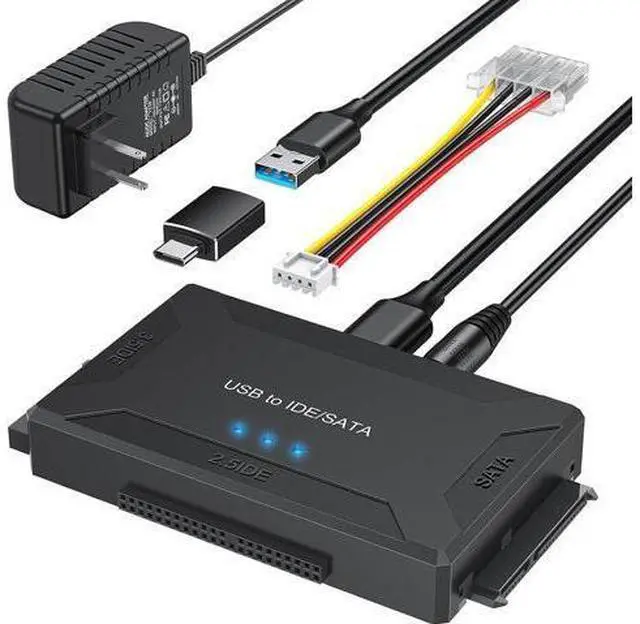
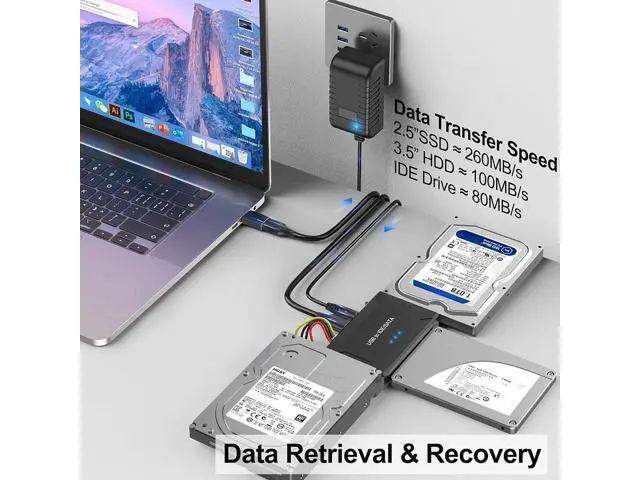
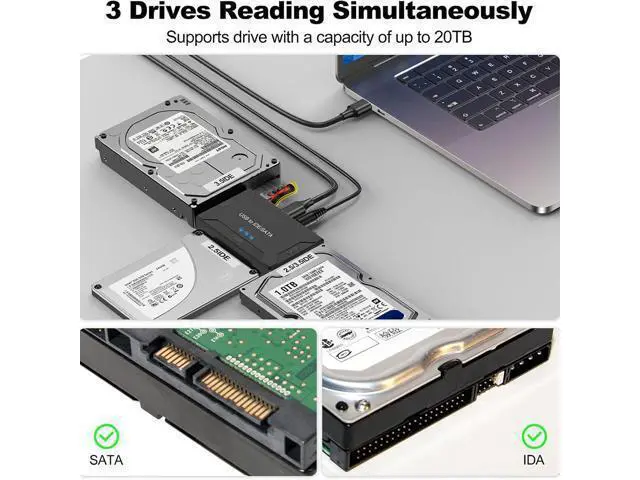
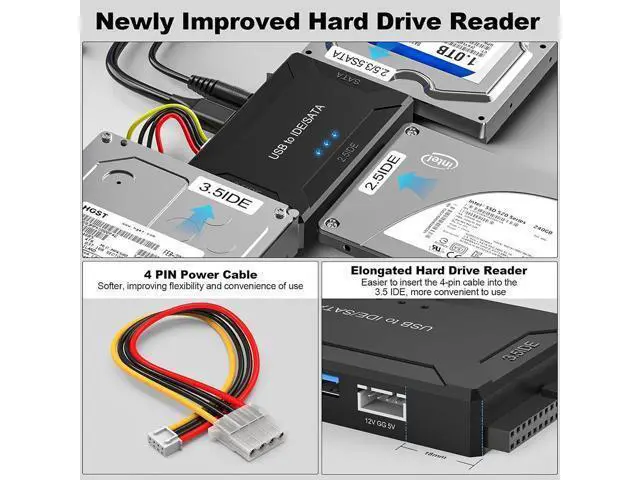
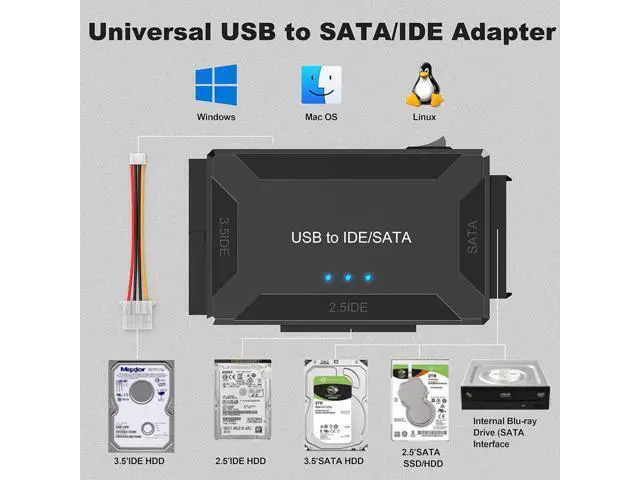
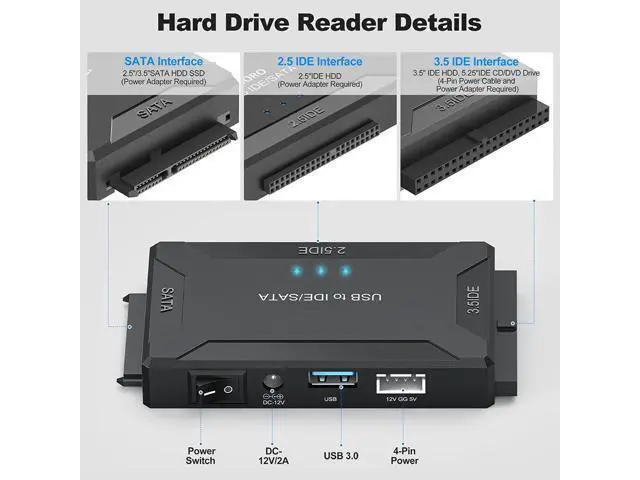
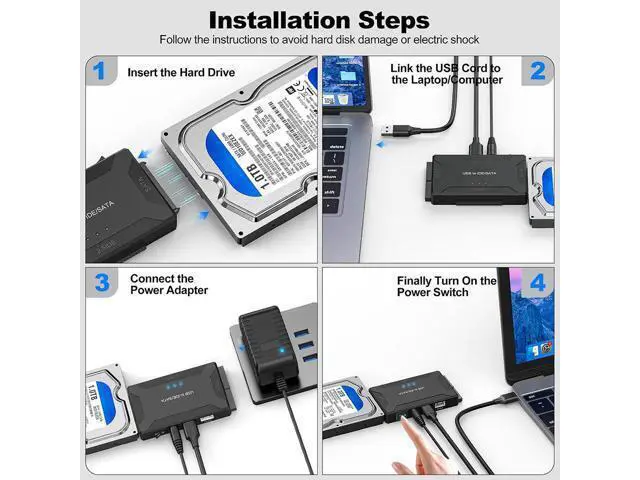
The SATA/IDE to USB 3.0 /USB C adapter supports 2.5" / 3.5" HDD/SSD, 2.5" / 3.5" IDE, SATA Internal Blu-ray Drive; Hard drive converter is retrieve old files, backup, cloning and data recovery device tools. This converter allowing connect to three hard disk drives simultaneously. Notice 1. For 3.5" IDE drivers and old SATA HDD, you need to connect 12V 2A power adapter and 4-pin power cable provided. Attention please turn on the switch on IDE adapter in the last step. 2. Please try to use the 1 meter USB 3.0 data cable provided instead of the other long data cable.
3. If the device cannot be read, try connecting the data cable to your computer's rear USB port. For 2.5" / 3.5" / 5.25" SATA Device Please make sure on/off switch is off before connecting to HDD, incorrect connection may cause damage to your hard drive or electrical shock. No external power required for 2.5" SATA HDD. For 3.5" / 5.25" PATA (IDE) Device Built-in IDE power connector, for easy access of 3.5" or 5.25" IDE Driver. Plug IDE power connector to the IDE hard drive. Set drive jumper to master single drive mode.
For jumper settings, please refer to your hard drive manufacturer's documentation. For 2.5"PATA (IDE) Device External power is not required for most 2.5" IDE HDD. You Will Get Hard Drive Reader USB C Adapter*1 12V/2A Power Adapter*1 4-Pin Power Cable*1 USB 3.0 Cable*1 Manual*1 Notice 1. For 3.5" IDE drivers and old SATA HDD, you need to connect 12V 2A power adapter and 4-pin power cable provided. Attention please turn on the switch on IDE adapter in the last step. 2. Please try to use the 1 meter USB 3.0 data cable provided instead of the other long data cable.
3. If the device cannot be read, try connecting the data cable to your computer's rear USB port. For 2.5" / 3.5" / 5.25" SATA Device Please make sure on/off switch is off before connecting to HDD, incorrect connection may cause damage to your hard drive or electrical shock. No external power required for 2.5" SATA HDD. For 3.5" / 5.25" PATA (IDE) Device Built-in IDE power connector, for easy access of 3.5" or 5.25" IDE Driver. Plug IDE power connector to the IDE hard drive. Set drive jumper to master single drive mode.
For jumper settings, please refer to your hard drive manufacturer's documentation. For 2.5"PATA (IDE) Device External power is not required for most 2.5" IDE HDD. You Will Get Hard Drive Reader USB C Adapter*1 12V/2A Power Adapter*1 4-Pin Power Cable*1 USB 3.0 Cable*1 Manual*1