Your Browsing History
Meet Your Seller
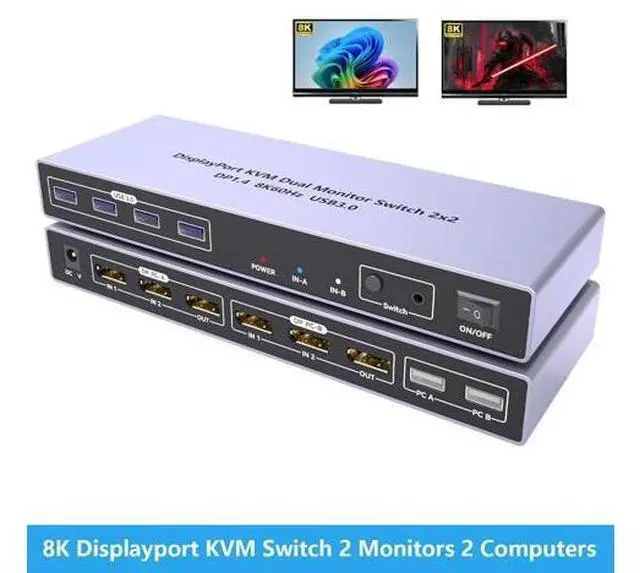
DIXSG 8K@60Hz Displayport KVM Switch 2 Monitors 2 Computers, Dual Monitor DP KVM Switches 4 USB 3.0 Selecter Share Keyboard Mouse Printer, Support Ultra HD (7680 * 4320)@60Hz,4K@120Hz/144Hz
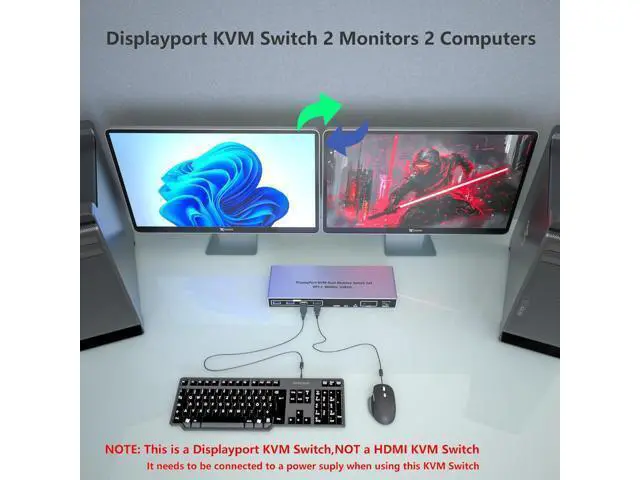
- KVM Switch 2 Monitor 2 Computers: This KVM Switch allows control of 2 Computers, enabling them to share a single monitor along with keyboard and mouse.any desktop pc with DP output like laptop,gaming console,office pc,network server computer,mini pc can share same keyboard monitor mouse,cut costs and keep desktop room tidy.
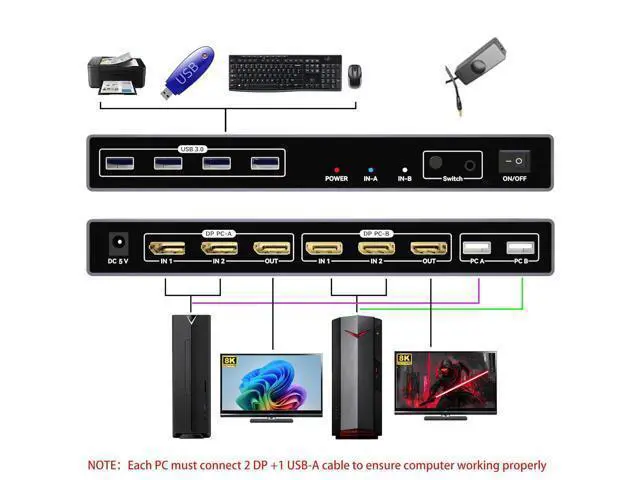
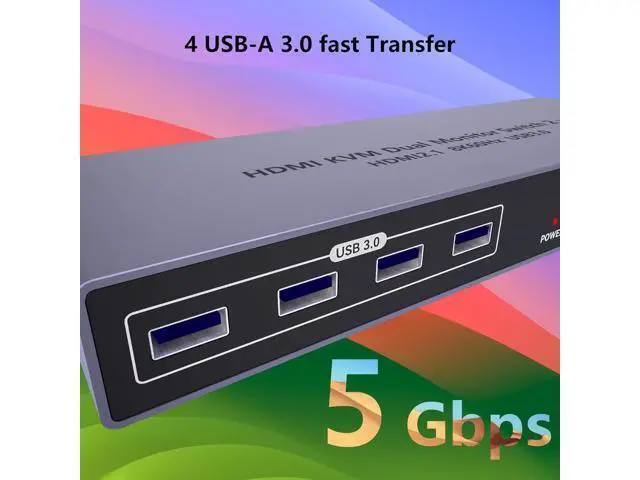
- USB Switch - Share 4 USB3.0 devices,support usb wireless keyboard mouse,printer, portable SSD drive.plug & play,drive-free,compatible all os ,windows, dos, mac os, android,kinds of linux.Notice: Only the use of the computer USB3.0 port output can ensure the 3 USB ports of the KVM OUT port is the rate of USB3.0
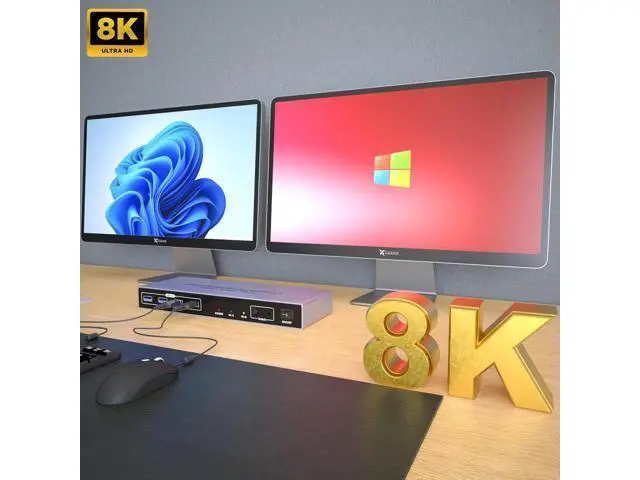
- 8K@60Hz - This DP 1.4 KVM Switch for 2 computers supports resolution up to 8k@60Hz(7680 × 4320@ 60Hz )and backward compatible with lower resolution.
- 2 ways to switch - desktop controller and faceplate button. you can use the controller or push the button to swaping the pc. the Led lights indicate working computer. usb powered no addtional dc adpter
- NOTE: 1
+
+
Overview
Specs
Reviews
Any questions? Our AI beta will help you find out quickly.
Try me now
Features: KVM Switch 2
Monitor 2 Computers: This Displayport KVM Switch with 2 Displayports allows control of 2 Computers, enabling them to share a single monitor along with keyboard and mouse. any desktop pc with hdmi output like laptop, gaming console, office pc, network server computer, mini pc can share same keybord monitor mouse, cut costs and keep desktop room tidy. Fast switching between 2 computers (2-5 seconds depending on resolution) USB Switch - Share 4 USB 3.0 devices, support usb wireless keyboard mouse, printer, scanner, U disk, portable SSD drive, flash drive. plug & play, drive-free, compatible all os, windows, dos, mac os, android, kinds of linux.
Notice: Only the use of the computer USB 3.0 port output can ensure the 3 USB ports of the KVM OUT port is the rate of USB 3.0 8K@60Hz - This DP 1.4 KVM Switch for 2 computers supports resolution up to 8k@60Hz(7680 × 4320@ 60Hz )and backward compatible with lower resolution. Enjoy the convinent without losing the high quality color, video and audio 2 ways to switch - desktop controller and faceplate button. you can use the controller or push the button to swaping the pc. the Led lights indicate working computer. usb powered no addtional dc adapter
What You Get: 1* 8K KVM Switch, 2* USB A Cables, 1* Desktop Controller, 1* User Guide.
NOTE:
1. This KVM switch is not compatible with those host devices that have only USB C ports and do not have any USB A ports.
2. Not supported for use with docking station.
3. If you connect a wireless keyboard and mouse, please ensure that its working range meets the product requirements (within 1m/ 3.3 ft for a single USB device, and within 0.3 m/ 0.98 ft for multiple USB devices). Notice of resolution - The Displayport KVM switch does support 8K, 4K and other resolutions, KVM is just a pass-through switch, so if we want 8K, 4K resolution, the computer, monitor and cable need to support 8K, 4K at the same time. There is no DP cable in the package, it is recommended to use a high-quality 8K DP 1.4 cable. After connecting the KVM keyboard and mouse, it is best to refresh the keyboard and mouse drivers for each PC to ensure that the keyboard and mouse of a single computer work normally after connecting to KVM. This way, the keyboard and mouse can be used correctly when switching between two computers.
Note: 1. EDID emulation is not supported.
2. Please make sure that each of your computers supports dual-screen simultaneous display.
3. Please make sure that your computer has 2 DP interfaces + 1 USB-A interface.
4. Each computer must be connected to 2 DP cables + 1 USB-A cable to work properly.
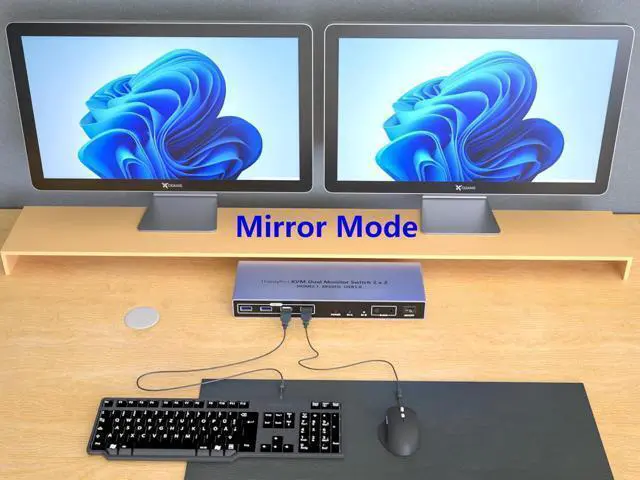
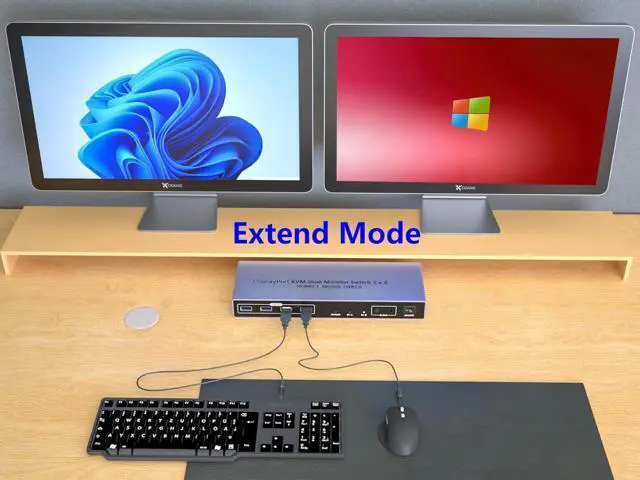
5. The two monitors can only output the video source of one computer, and cannot output the signal source of PC1 and PC2 at the same time.
6. To ensure normal use, please be sure to connect the power supply through the power adapter.

Monitor 2 Computers: This Displayport KVM Switch with 2 Displayports allows control of 2 Computers, enabling them to share a single monitor along with keyboard and mouse. any desktop pc with hdmi output like laptop, gaming console, office pc, network server computer, mini pc can share same keybord monitor mouse, cut costs and keep desktop room tidy. Fast switching between 2 computers (2-5 seconds depending on resolution) USB Switch - Share 4 USB 3.0 devices, support usb wireless keyboard mouse, printer, scanner, U disk, portable SSD drive, flash drive. plug & play, drive-free, compatible all os, windows, dos, mac os, android, kinds of linux.
Notice: Only the use of the computer USB 3.0 port output can ensure the 3 USB ports of the KVM OUT port is the rate of USB 3.0 8K@60Hz - This DP 1.4 KVM Switch for 2 computers supports resolution up to 8k@60Hz(7680 × 4320@ 60Hz )and backward compatible with lower resolution. Enjoy the convinent without losing the high quality color, video and audio 2 ways to switch - desktop controller and faceplate button. you can use the controller or push the button to swaping the pc. the Led lights indicate working computer. usb powered no addtional dc adapter
What You Get: 1* 8K KVM Switch, 2* USB A Cables, 1* Desktop Controller, 1* User Guide.
NOTE:
1. This KVM switch is not compatible with those host devices that have only USB C ports and do not have any USB A ports.
2. Not supported for use with docking station.
3. If you connect a wireless keyboard and mouse, please ensure that its working range meets the product requirements (within 1m/ 3.3 ft for a single USB device, and within 0.3 m/ 0.98 ft for multiple USB devices). Notice of resolution - The Displayport KVM switch does support 8K, 4K and other resolutions, KVM is just a pass-through switch, so if we want 8K, 4K resolution, the computer, monitor and cable need to support 8K, 4K at the same time. There is no DP cable in the package, it is recommended to use a high-quality 8K DP 1.4 cable. After connecting the KVM keyboard and mouse, it is best to refresh the keyboard and mouse drivers for each PC to ensure that the keyboard and mouse of a single computer work normally after connecting to KVM. This way, the keyboard and mouse can be used correctly when switching between two computers.
Note: 1. EDID emulation is not supported.
2. Please make sure that each of your computers supports dual-screen simultaneous display.
3. Please make sure that your computer has 2 DP interfaces + 1 USB-A interface.
4. Each computer must be connected to 2 DP cables + 1 USB-A cable to work properly.
5. The two monitors can only output the video source of one computer, and cannot output the signal source of PC1 and PC2 at the same time.
6. To ensure normal use, please be sure to connect the power supply through the power adapter.
Warranty & Returns
Warranty, Returns, And Additional Information
Warranty
- Please contact the Seller directly for warranty information. Warranty information may also be found on the Manufacturer's website.
- CONTACT
Return Policies
- Return for refund within: 30 days
- Return for replacement within: non-replaceable
- This item is covered by TechMax Depot Return Policy
Manufacturer Contact Info
- For a directory of all our manufacturers, please click below.
- Manufacturers Directory
LOADING...