

• $44.99
  • Price alert

    Shipped by MoChenShangMao

    Shop it at NeweggBusiness.

    Meet Your Seller

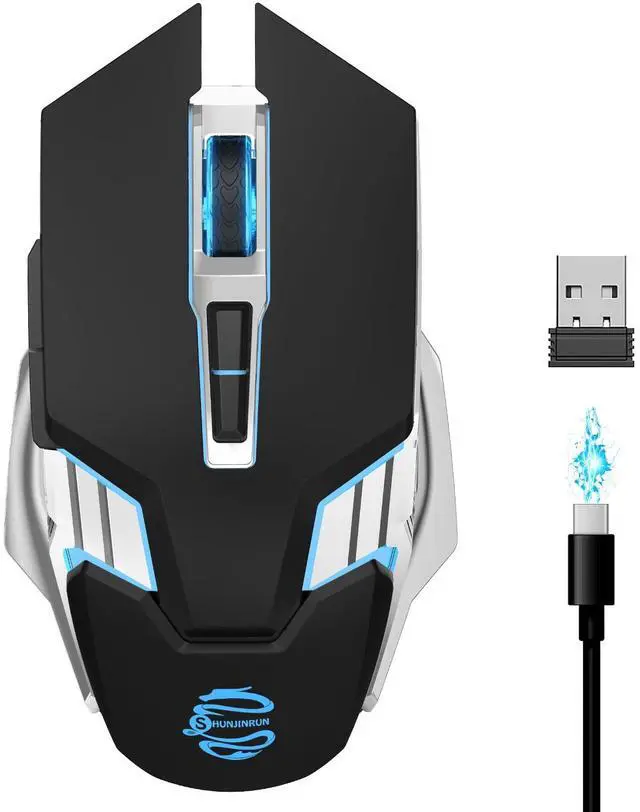
    Bluetooth Gaming Mouse, RGB Rechargeable USB Wireless Mouse, Quiet Click, LED Backlit, Ergonomic, with Side Button, 6 Button, DPI Adjustable, Computer Mice for Laptop PC MacBook Chromebook - Black

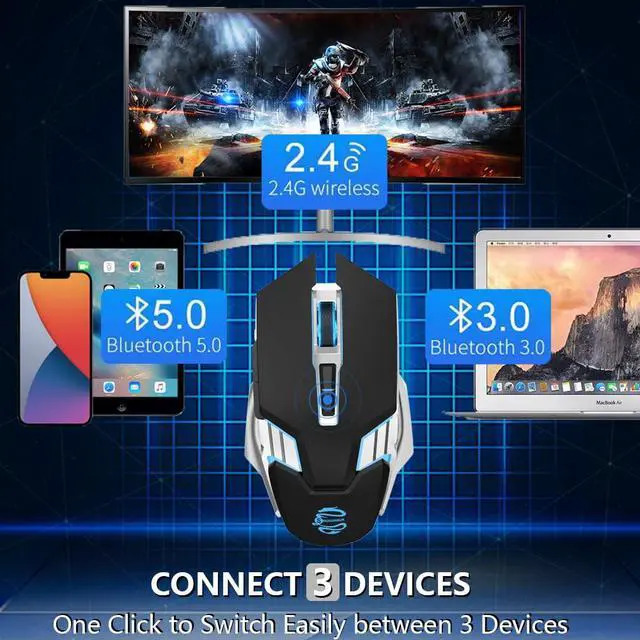
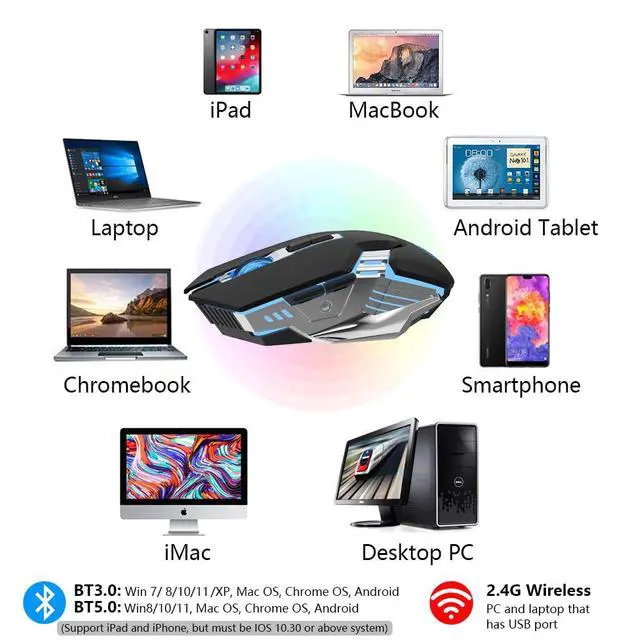
    • Tri-mode Wireless Connectivity: Experience seamless connectivity with our Tri-mode wireless mouse, supporting 2.4G and Bluetooth BT3.0 and BT 5.0 connections. Switch effortlessly between your desktop, laptop and tablet for a flexible and convenient user experience
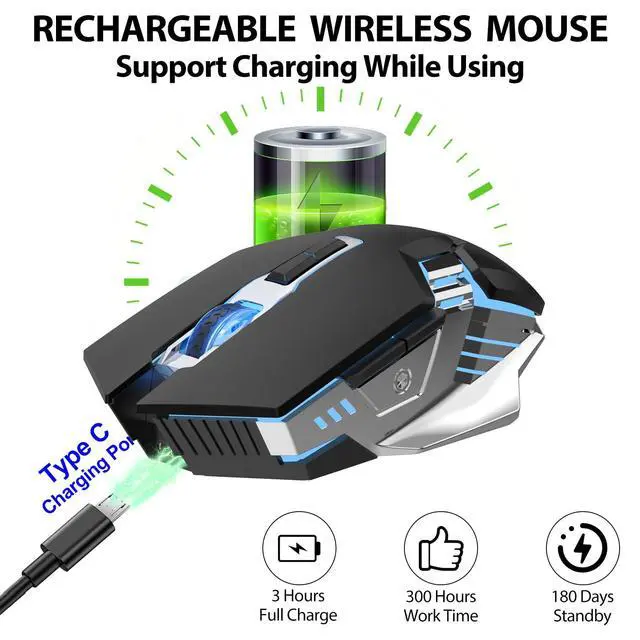
    • 800mAh Rechargeable Battery: Super long battery life and easy charging with the included USB cable. Mouse enters sleep mode after 10 minutes of inactivity and can be easily awakened with a single click
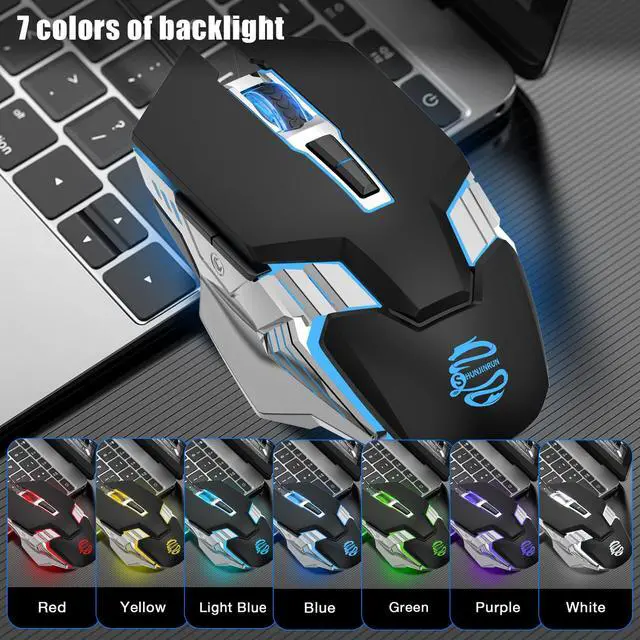
    • 7-Color Changeable Backlight: 7 different LED light colours that change while in use, providing soothing ambient lighting (NOTE: The LED cannot be programmed and will change automatically with 7 colours)
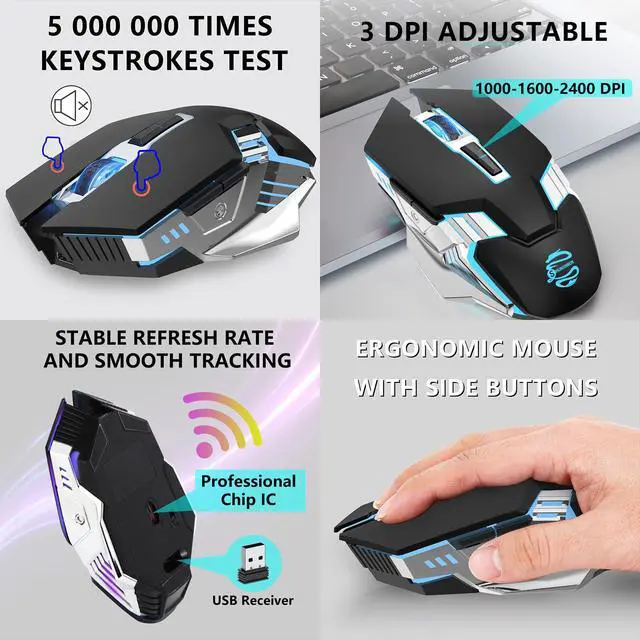
    • Adjustable DPI: Our mouse offers four adjustable DPI levels (1000-1600-2400) for customized precision. the mouse features forward and backward buttons on the side, enhancing your workflow and browsing efficiency
    • Ergonomic Design for Comfort: Eliminates fatigue and discomfort. It provides a comfortable grip that reduces strain and distraction, allowing you to work efficiently and comfortably. Fits perfectly in your hand, minimising fatigue even during prolonged use
    +
    +
    Overview
    Specs
    Reviews
    avatar

    Any questions? Our AI beta will help you find out quickly.

    wireless bluetooth mouse
    bluetooth gaming mouse

    3 DPI ADJUSTABLE MOUSE

    DPI ADJUSTABLE 1000/1600/2400

    5,000,000 TIMES KEYSTROKES TEST MOUSE

    Silent click

    ergonomic mousea

    Ergonomic Design

    bluetooth gaming mousea

    How to connect to Bluetooth mode?

    1. Make sure your mouse is turned on

    2. Click the Mode button to switch to BT3.0 or BT5.0 mode.

    -BT3.0: The mouse wheel flashes green

    -BT5.0: The mouse wheel flashes blue

    3. Search for "M343-BT3.0" or "M343-BT5.0" through your devices, and then click to match.

    System Requirement your devices, and then click to match.

    wireless bluetooth mouse
    bluetooth gaming mouse

    3 DPI ADJUSTABLE MOUSE

    DPI ADJUSTABLE 1000/1600/2400

    5,000,000 TIMES KEYSTROKES TEST MOUSE

    Silent click

    ergonomic mousea

    Ergonomic Design

    bluetooth gaming mousea

    How to connect to Bluetooth mode?

    1. Make sure your mouse is turned on

    2. Click the Mode button to switch to BT3.0 or BT5.0 mode.

    -BT3.0: The mouse wheel flashes green

    -BT5.0: The mouse wheel flashes blue

    3. Search for "M343-BT3.0" or "M343-BT5.0" through your devices, and then click to match.

    System Requirement your devices, and then click to match.

    Bluetooth Gaming Mouse, RGB Rechargeable USB Wireless Mouse, Quiet Click, LED Backlit, Ergonomic, with Side Button, 6 Button, DPI Adjustable, Computer Mice for Laptop PC MacBook Chromebook - Black

    Warranty & Returns

    Warranty, Returns, And Additional Information

    Warranty

    • Please contact the Seller directly for warranty information. Warranty information may also be found on the Manufacturer's website.
    • CONTACT

    Return Policies

    Manufacturer Contact Info

    LOADING...