


![Main image of Wireless Bluetooth Mouse,[Upgraded] Rechargeable Computer Mice (BT 5.0/4.0+2.4G Hz) with Visible Battery Level, 4 Adiustable DPl, Portable PC Mouse for MacBook Chromebook](https://c1.neweggimages.com/productimage/nb640/C5MSD2603090H3JVG3B.jpg)
![Alt view image 2 of 7 - Wireless Bluetooth Mouse,[Upgraded] Rechargeable Computer Mice (BT 5.0/4.0+2.4G Hz) with Visible Battery Level, 4 Adiustable DPl, Portable PC Mouse for MacBook Chromebook](https://c1.neweggimages.com/productimage/nb640/C5MSD2603090H3JYT8B.jpg)
![Alt view image 3 of 7 - Wireless Bluetooth Mouse,[Upgraded] Rechargeable Computer Mice (BT 5.0/4.0+2.4G Hz) with Visible Battery Level, 4 Adiustable DPl, Portable PC Mouse for MacBook Chromebook](https://c1.neweggimages.com/productimage/nb640/C5MSD2603090H3K0G32.jpg)
![Alt view image 4 of 7 - Wireless Bluetooth Mouse,[Upgraded] Rechargeable Computer Mice (BT 5.0/4.0+2.4G Hz) with Visible Battery Level, 4 Adiustable DPl, Portable PC Mouse for MacBook Chromebook](https://c1.neweggimages.com/productimage/nb640/C5MSD2603090H3K3PB2.jpg)
![Alt view image 5 of 7 - Wireless Bluetooth Mouse,[Upgraded] Rechargeable Computer Mice (BT 5.0/4.0+2.4G Hz) with Visible Battery Level, 4 Adiustable DPl, Portable PC Mouse for MacBook Chromebook](https://c1.neweggimages.com/productimage/nb640/C5MSD2603090H3K7WDE.jpg)
![Alt view image 6 of 7 - Wireless Bluetooth Mouse,[Upgraded] Rechargeable Computer Mice (BT 5.0/4.0+2.4G Hz) with Visible Battery Level, 4 Adiustable DPl, Portable PC Mouse for MacBook Chromebook](https://c1.neweggimages.com/productimage/nb640/C5MSD2603090H3K9N90.jpg)
![Alt view image 7 of 7 - Wireless Bluetooth Mouse,[Upgraded] Rechargeable Computer Mice (BT 5.0/4.0+2.4G Hz) with Visible Battery Level, 4 Adiustable DPl, Portable PC Mouse for MacBook Chromebook](https://c1.neweggimages.com/productimage/nb640/C5MSD2603090H3KHY07.jpg)


UINEER
Bluetooth Mouse,Multi-Device (BT 5.0/4.0+2.4G Hz)

50CM extended Type-C interface charging cable
Equipped with a 50CM long Type-C charging cable, offering greater flexibility and convenience whether your desktop space is limited or you need to charge and use simultaneously.Recommended to use the USB interface on your computer to charge the wireless mouse.

Battery indicator light
With an intuitive battery indicator light, you can always keep track of the mouse's battery status, saying goodbye to battery anxiety and allowing you to focus more during daily use or work.
- Tip: When 1 battery bar is left, the mouse will enter "low - battery warning". Recharge promptly.


How to connect the mouse
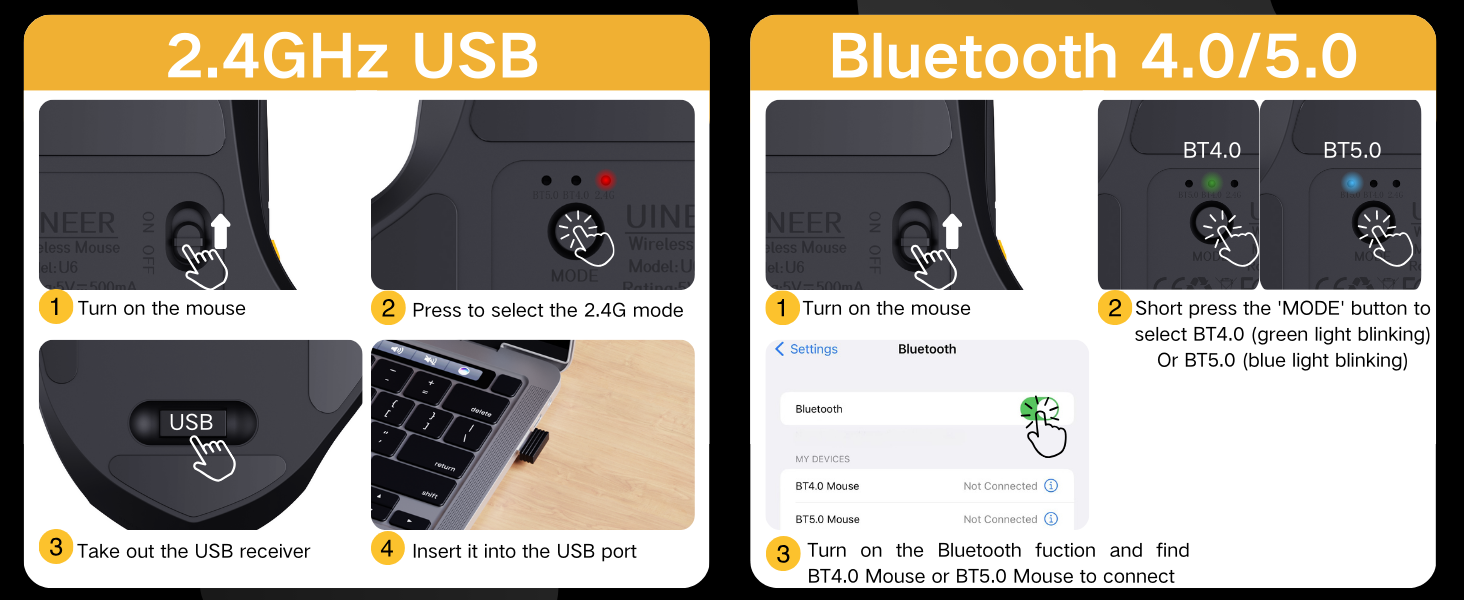


Compare with these products
 Tri mode Bluetooth Mouse |  wired mouse |  Wireless Mouse |  Tri mode Bluetooth Mouse |  wired mouse | |
|---|---|---|---|---|---|
Customer Reviews | — | — | — | — | — |
Price | — | — | — | — | — |
Connectivity | 2.4GHz USB?BT5.0?BT4.0 | USB Wired | 2.4GHz USB | 2.4GHz USB?BT5.0?BT4.0 | USB Wired |
DPI | 800-1200-1600-2400 | 1200-2400-4800-7200 | 800-1200-1600-2400 | 800-1200-1600-2400 | 1200-2400-4800-7200 |
Number of buttons | 6 | 6 | 6 | 6 | 6 |
Rechargeable | ? | ? | ? | ? | ? |
Power Indicator | ? | ? | ? | ? | ? |

UINEER
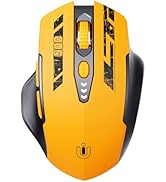
![Uineer Bluetooth Mouse,[Upgraded] Rechargeable Wireless Mouse Tri-Mode (BT 5.0/4.0+2.4G Hz),Visib...](//c1.neweggimages.com/sellingpilot/modules/product/a-plus/e2a9274d654cf151a36b59d2c91dc8bc32dd4d4032d76f31f34fd0b7c91d74f6.jpg)
![Uineer Wireless Mouse, [Upgraded] Visible Battery Display,Rechargeable Laptop Mouse Wireless 2.4G...](//c1.neweggimages.com/sellingpilot/modules/product/a-plus/79c95601f448587ebd8e13c8c460587e057cae6a58b727008708bdb88682ca33.jpg)
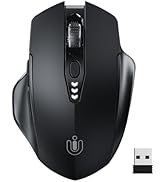
Wireless Mouse
![Uineer Rechargeable Wireless Mouse,[Upgraded] 2.4GHz Wireless Mouse(Battery Level Visible) Ergono...](//c1.neweggimages.com/sellingpilot/modules/product/a-plus/4f1afb53010cd9eff3de1191477dc3d970474a5f927d968d8ddbed2125935324.jpg)
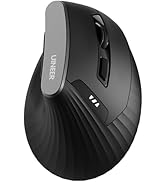
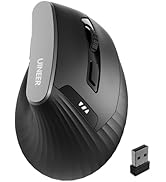
![Uineer Bluetooth Mouse,[Upgraded] Multi-Device Wireless Mouse,Visible Battery Level,Tri-Mode (BT ...](//c1.neweggimages.com/sellingpilot/modules/product/a-plus/92015f9adef0b08f2a538c0c8477558f36d26e9632384a02d3220b1a53b79f82.jpg)
Wireless Mouse
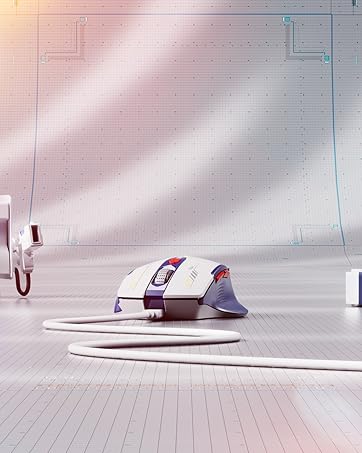

![Uineer Wireless Mouse,[Upgraded] Rechargeable Mouse 2.4GHz (Battery Level Visible) Ergonomic Comp...](//c1.neweggimages.com/sellingpilot/modules/product/a-plus/98acb6bde1e6d166ac5748b21a14689a3389f45f244b3f9bc42e10181ab2bcd6.jpg)
Wired Mouse

About UINEER
Founded in 2016,started out as a small retailer store in local.Later,our founder changed our name to Uineer. We strive to become an outstanding input devices peripheral company.
Now,We has expanded our customer base to the worldwide market.We know that our story is an ordinary one, but without the customer like you, we wouldn't be able to share our experience with the world.
What’s our top concerns ?
We create our Brand with two things in mind,Service and Quality.
Our Value
Uineer’s culture is driven by respect, Cooperation and direct feedback. We treat every customer with attention, consideration and respect.We love listen, feedback and improvements, and believe that success is measured by the value we create for our users.
Our Mission
Provide more valuable and more user-friendly products for many people. To help customers work faster and more conveniently.
![Uineer Bluetooth Mouse,[Upgraded] Rechargeable Wireless Mouse Tri-Mode (BT 5.0/4.0+2.4G Hz),Visib...](http://c1.neweggimages.com/sellingpilot/modules/product/a-plus/e2a9274d654cf151a36b59d2c91dc8bc32dd4d4032d76f31f34fd0b7c91d74f6.jpg)
![Uineer Wireless Mouse, [Upgraded] Visible Battery Display,Rechargeable Laptop Mouse Wireless 2.4G...](http://c1.neweggimages.com/sellingpilot/modules/product/a-plus/79c95601f448587ebd8e13c8c460587e057cae6a58b727008708bdb88682ca33.jpg)
![Uineer Rechargeable Wireless Mouse,[Upgraded] 2.4GHz Wireless Mouse(Battery Level Visible) Ergono...](http://c1.neweggimages.com/sellingpilot/modules/product/a-plus/4f1afb53010cd9eff3de1191477dc3d970474a5f927d968d8ddbed2125935324.jpg)
![Uineer Bluetooth Mouse,[Upgraded] Multi-Device Wireless Mouse,Visible Battery Level,Tri-Mode (BT ...](http://c1.neweggimages.com/sellingpilot/modules/product/a-plus/92015f9adef0b08f2a538c0c8477558f36d26e9632384a02d3220b1a53b79f82.jpg)
![Uineer Wireless Mouse,[Upgraded] Rechargeable Mouse 2.4GHz (Battery Level Visible) Ergonomic Comp...](http://c1.neweggimages.com/sellingpilot/modules/product/a-plus/98acb6bde1e6d166ac5748b21a14689a3389f45f244b3f9bc42e10181ab2bcd6.jpg)

Bluetooth Mouse,Multi-Device (BT 5.0/4.0+2.4G Hz)
50CM extended Type-C interface charging cable
Equipped with a 50CM long Type-C charging cable, offering greater flexibility and convenience whether your desktop space is limited or you need to charge and use simultaneously.Recommended to use the USB interface on your computer to charge the wireless mouse.
Battery indicator light
With an intuitive battery indicator light, you can always keep track of the mouse's battery status, saying goodbye to battery anxiety and allowing you to focus more during daily use or work.
- Tip: When 1 battery bar is left, the mouse will enter "low - battery warning". Recharge promptly.


How to connect the mouse
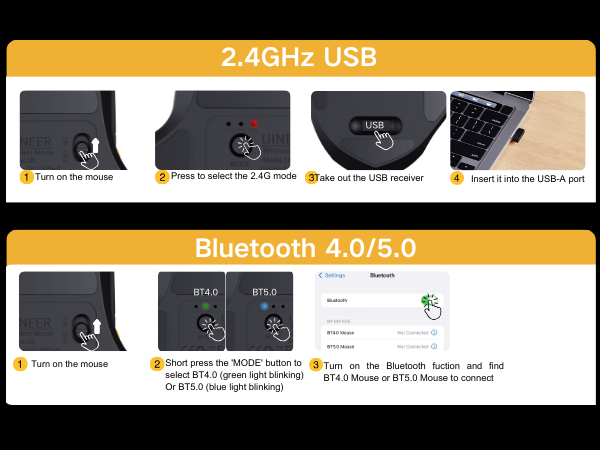


Warm reminder: Our mouse and the receiver are precisely matched one-to-one. Each receiver only serves the corresponding mouse and cannot be used universally with other mice. Please keep it properly to avoid loss.
Compare with these products
Tri mode Bluetooth Mouse | wired mouse | Wireless Mouse | Tri mode Bluetooth Mouse | wired mouse |
|---|---|---|---|---|
| Customer Reviews | ||||
| — | — | — | — | — |
| Price | ||||
| — | — | — | — | — |
| Connectivity | ||||
| 2.4GHz USB?BT5.0?BT4.0 | USB Wired | 2.4GHz USB | 2.4GHz USB?BT5.0?BT4.0 | USB Wired |
| DPI | ||||
| 800-1200-1600-2400 | 1200-2400-4800-7200 | 800-1200-1600-2400 | 800-1200-1600-2400 | 1200-2400-4800-7200 |
| Number of buttons | ||||
| 6 | 6 | 6 | 6 | 6 |
| Rechargeable | ||||
| ? | ? | ? | ? | ? |
| Power Indicator | ||||
| ? | ? | ? | ? | ? |
UINEER
Wireless Mouse
Wireless Mouse
Wired Mouse
About UINEER
Founded in 2016,started out as a small retailer store in local.Later,our founder changed our name to Uineer. We strive to become an outstanding input devices peripheral company.
Now,We has expanded our customer base to the worldwide market.We know that our story is an ordinary one, but without the customer like you, we wouldn't be able to share our experience with the world.
What’s our top concerns ?
We create our Brand with two things in mind,Service and Quality.
Our Value
Uineer’s culture is driven by respect, Cooperation and direct feedback. We treat every customer with attention, consideration and respect.We love listen, feedback and improvements, and believe that success is measured by the value we create for our users.
Our Mission
Provide more valuable and more user-friendly products for many people. To help customers work faster and more conveniently.