



Halpilt Q23S Dual mode wireless mouse--(White)

Instructions on the design and use of this wireless mouse
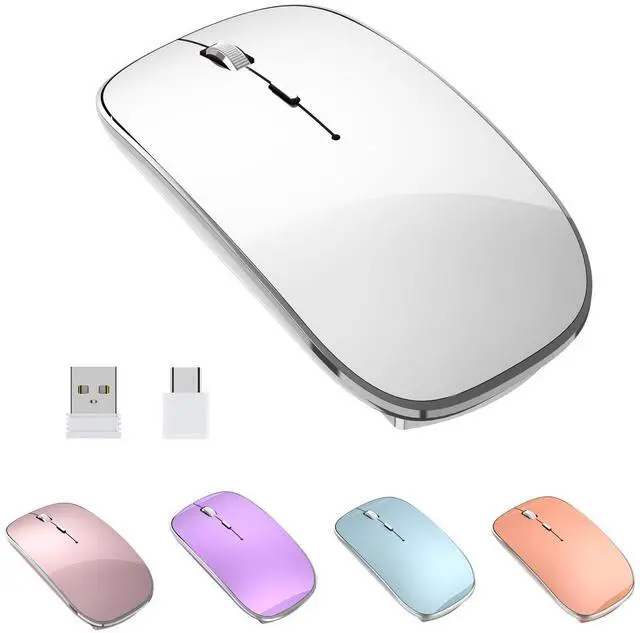
- Halpilt-Q23s The Wireless Mouse (Note: This mouse does not come with Bluetooth) is a rechargeable mouse, with two receivers (Type-C and USB).
- Steps for use
- Select one of the USB-A or Type-c receivers to plug into your computer's port. (Note: The receiver is first plugged into the computer interface, the computer will automatically install the driver, the installation process takes 3-5 seconds, please wait for the completion of the installation before connecting the mouse)
- Open the mouse power switch to connect the mouse receiver, available when the red light at the bottom of the mouse is on(wireless mouse first docking needs to be placed between the mouse and the receiver distance of 10-20 centimeters)
- Charging a wireless mouse (Note: charging when the mouse wheel place has a red indicator light, fully charged Green light on Red light off)
- Thank you very much for choosing it!

Q23S wireless mouse Product specifications:
- WIFI frequency band: 2.4 G
- Connection range: 33 feet
- Mouse DPI: 1000-1200-16000
- Click life: good (5 million times)
- Ports: USB-A and USB Type-C
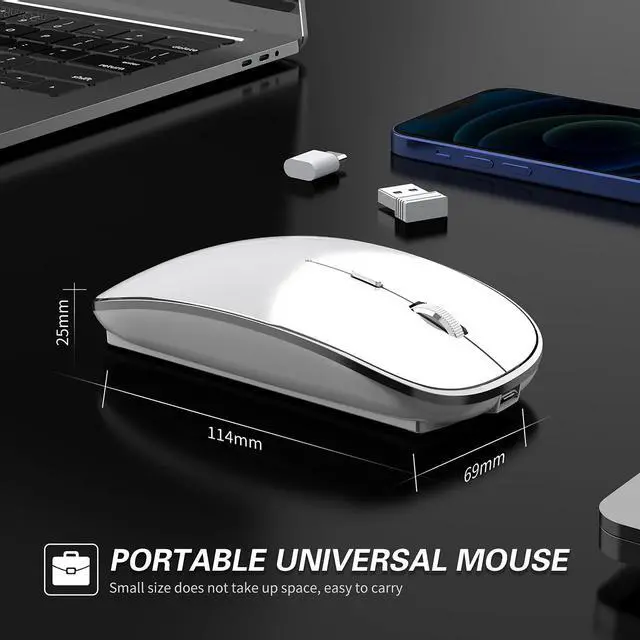
- Size: 4.3×2.3×0.9 inches
- Weight: 2.1 ounces
- Battery capacity: 450mAh250 Hz
- Charging cable: USB-Mirco 20in
Type-C and USB-A Dual mode
(USB + C type receiver) wireless mouse
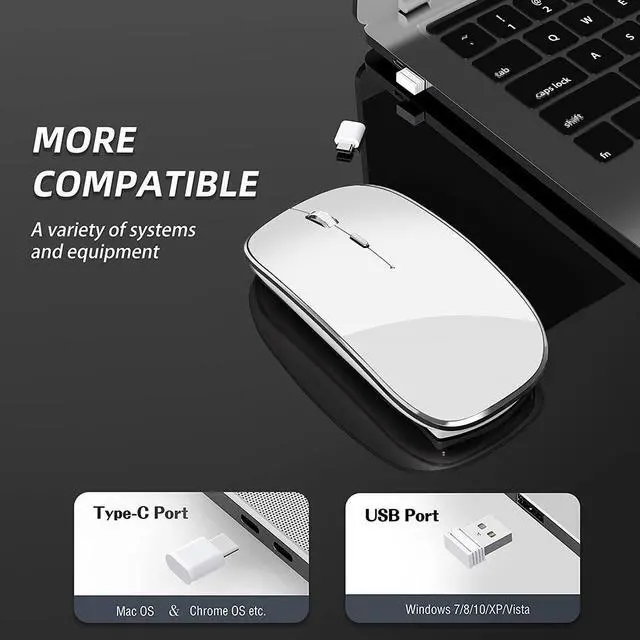
The connected USB and Type-C nano receiver (Type-C does not need to switch) plug and play. It is directly applicable to all computer devices with Type-c and USB-A interfaces, and is compatible with laptopcomputers.
Note: In these two modes, only one mode can be selected to work.Cannot be used at the same time.
Q23S wireless mouse Compatible systems:
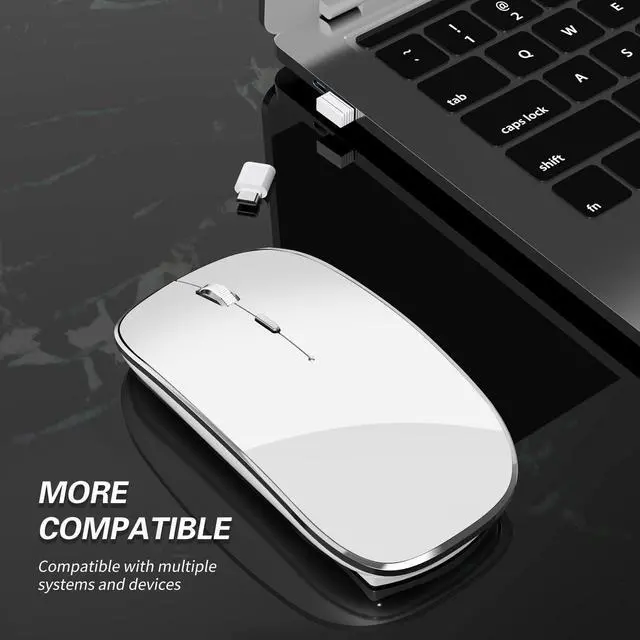
compatible Windows XP / 7/8/10 +, Mac OS X 10.10+. Very suitable for computers with USB or Type-C ports, such as MacBook Pro, MacBook air, Google ChromeBook, laptops, desktops, PCs, etc.
The package includes:
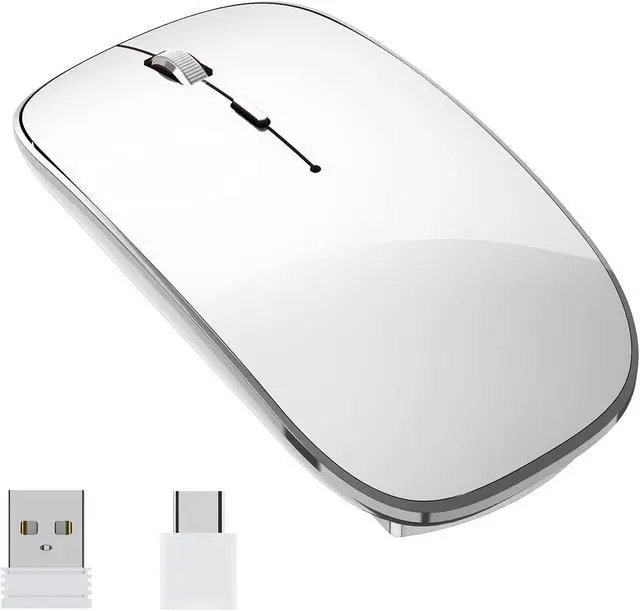
1 wireless mouse 1 USB receiver 1 type C receiver 1 USB charging cable and 1 user manual
Q23S-Rechargeable wireless mouse function introduction

Wireless mouse with charging function and rechargeable battery
The Q23S wireless mouse is a rechargeable wireless mouse product. It has a built-in 450mAh lithium-ion rechargeable battery, which can be easily charged with the included 20-inch USB cable, eliminating the trouble of replacing the battery. It supports charging during use and use while charging.
It is recommended that you charge the product for 1-2 hours before using the product for the first time. When charging, a red light will appear in the gap between the rollers, and when the battery is fully charged, the red light will go out, which means the charging cycle.

High-precision, smart,ving wireless mouse
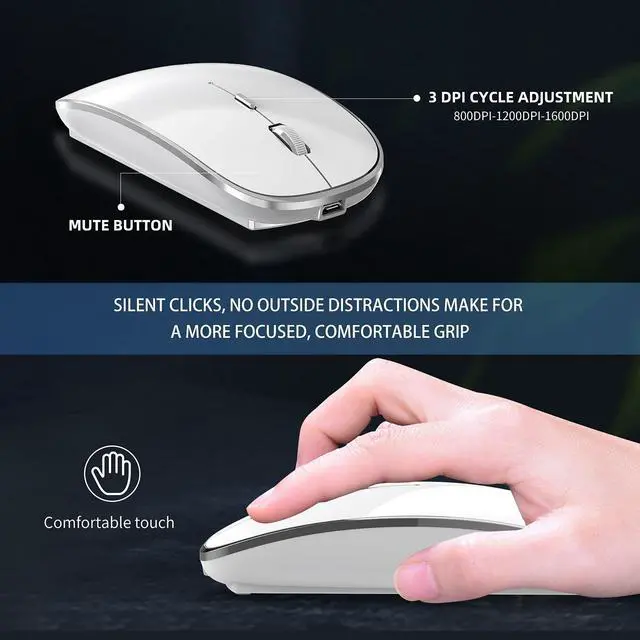
Q23S wireless mouse It is a 3-speed wireless mouse with adjustable DPI With 3 adjustable DPI levels of 1000-1200-1600, you can precisely control the cursor speed you need, which is suitable for learning, work and games.
Design for Low Power Consumption :
The computer mouse will enter auto-sleep mode after 10mins of inactivity, and can be waken up by clicking any button. The on/off switch design also helps save energy and extends battery life.

Silent click and comfortable use-silent wireless mouse
Q23S wireless mouse It is a Mute wireless mouse The left, right and scroll wheel buttons are filled to reduce noise. The design allows you to focus on work, study or games without worrying about disturbing others.
Smooth matte surface, skin-friendly and ergonomic grip design can provide excellent hand feeling, even if you work for a long time, you can maintain a comfortable feeling. The compact portable size also makes it very convenient to store it in a computer bag when traveling.
Q23S Portable Wireless Mouse Function Introduction

Delicate and cabinet
Q23S white wireless mouse It is an ultra-thin wireless mouse. Exquisite, compact, stylish appearance, unique vacuum silver plating process, unique temperament, skin-like matte texture, looking forward to your choice.

Meet Your Multiple Needs
Q23S portable wireless mouse meets your various needs,
Support Type-c port equipment. Whether your device is equipped with a USB port or a Type-C port, you can use it.
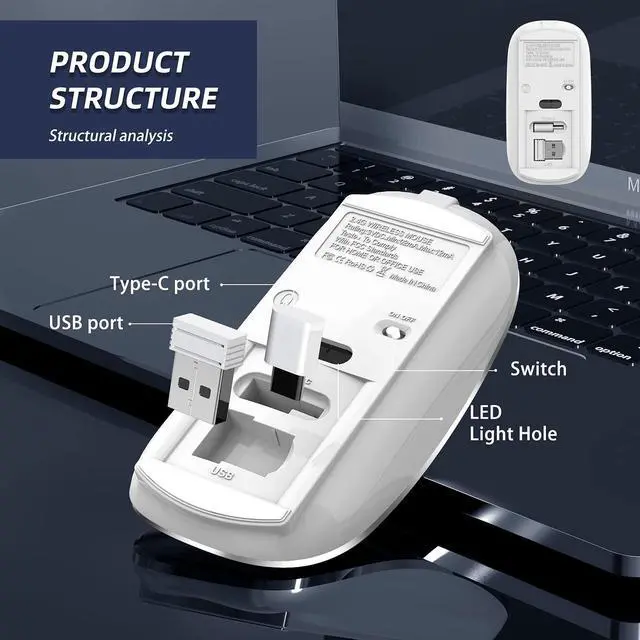
The USB + Type-c receiver is stored on the bottom of the mouse

Symmetry Design wireless mouse
Q23S wireless mouse It is a wireless mouse suitable for both left and right hands Slim ergonomic design and smooth surface for an incredible user experience. Symmetrical design allows it to fit both hands, you can choose it as you like, easy to master.
Q23S Rechargeable Wireless Mouse Mute Wireless Mouse Portable Wireless Mouse Reality Show

Simple troubleshooting
- The mouse cannot be used
- Please first confirm whether the mouse receiver is inserted into the USB port of the computer and whether the contact is good.
- Open the computer Device Manager and check whether the computer has automatically installed and recognized the mouse receiver driver (Note: When plugging or unplugging the receiver, the device Manager will prompt to insert a new device and whether the driver is installed correctly).
- Turn on the power switch of the C mouse and check if there is a red light at the bottom of the mouse. If the light is on or off, it indicates that the power supply is normal, but it is not correctly connected to the receiver. You need to recheck whether the recipient has been recognized by the computer. You can try plugging and unplugging the receiver or reselect the computer port to insert the receiver. The red light at the bottom of the mouse has been on all the time, but the computer still cannot detect the mouse. Please restart the computer and try the pairing again.
- There is a delay in mouse usage
The reason is that the battery power of the mouse is insufficient. It needs to be fully charged before use
- This wireless mouse adopts an unlimited pairing method and requires no buttons. If any abnormal phenomenon occurs during use, you can turn off the mouse power switch again, unplug and plug the mouse receiver again, turn on the mouse power switch, pair the receiver again, reset the mouse pairing code, and restore the factory Settings.
Halpilt Q23S Dual mode wireless mouse--(White)
Instructions on the design and use of this wireless mouse
- Halpilt-Q23s The Wireless Mouse (Note: This mouse does not come with Bluetooth) is a rechargeable mouse, with two receivers (Type-C and USB).
- Steps for use
- Select one of the USB-A or Type-c receivers to plug into your computer's port. (Note: The receiver is first plugged into the computer interface, the computer will automatically install the driver, the installation process takes 3-5 seconds, please wait for the completion of the installation before connecting the mouse)
- Open the mouse power switch to connect the mouse receiver, available when the red light at the bottom of the mouse is on(wireless mouse first docking needs to be placed between the mouse and the receiver distance of 10-20 centimeters)
- Charging a wireless mouse (Note: charging when the mouse wheel place has a red indicator light, fully charged Green light on Red light off)
- Thank you very much for choosing it!
Q23S wireless mouse Product specifications:
- WIFI frequency band: 2.4 G
- Connection range: 33 feet
- Mouse DPI: 1000-1200-16000
- Click life: good (5 million times)
- Ports: USB-A and USB Type-C
- Size: 4.3×2.3×0.9 inches
- Weight: 2.1 ounces
- Battery capacity: 450mAh250 Hz
- Charging cable: USB-Mirco 20in
Type-C and USB-A Dual mode
(USB + C type receiver) wireless mouse
The connected USB and Type-C nano receiver (Type-C does not need to switch) plug and play. It is directly applicable to all computer devices with Type-c and USB-A interfaces, and is compatible with laptopcomputers.
Note: In these two modes, only one mode can be selected to work.Cannot be used at the same time.
Q23S wireless mouse Compatible systems:
compatible Windows XP / 7/8/10 +, Mac OS X 10.10+. Very suitable for computers with USB or Type-C ports, such as MacBook Pro, MacBook air, Google ChromeBook, laptops, desktops, PCs, etc.
The package includes:
1 wireless mouse 1 USB receiver 1 type C receiver 1 USB charging cable and 1 user manual
Q23S-Rechargeable wireless mouse function introduction
Wireless mouse with charging function and rechargeable battery
The Q23S wireless mouse is a rechargeable wireless mouse product. It has a built-in 450mAh lithium-ion rechargeable battery, which can be easily charged with the included 20-inch USB cable, eliminating the trouble of replacing the battery. It supports charging during use and use while charging.
It is recommended that you charge the product for 1-2 hours before using the product for the first time. When charging, a red light will appear in the gap between the rollers, and when the battery is fully charged, the red light will go out, which means the charging cycle.
High-precision, smart,ving wireless mouse
Q23S wireless mouse It is a 3-speed wireless mouse with adjustable DPI With 3 adjustable DPI levels of 1000-1200-1600, you can precisely control the cursor speed you need, which is suitable for learning, work and games.
Design for Low Power Consumption :
The computer mouse will enter auto-sleep mode after 10mins of inactivity, and can be waken up by clicking any button. The on/off switch design also helps save energy and extends battery life.
Silent click and comfortable use-silent wireless mouse
Q23S wireless mouse It is a Mute wireless mouse The left, right and scroll wheel buttons are filled to reduce noise. The design allows you to focus on work, study or games without worrying about disturbing others.
Smooth matte surface, skin-friendly and ergonomic grip design can provide excellent hand feeling, even if you work for a long time, you can maintain a comfortable feeling. The compact portable size also makes it very convenient to store it in a computer bag when traveling.
Q23S Portable Wireless Mouse Function Introduction
Delicate and cabinet
Q23S white wireless mouse It is an ultra-thin wireless mouse. Exquisite, compact, stylish appearance, unique vacuum silver plating process, unique temperament, skin-like matte texture, looking forward to your choice.
Meet Your Multiple Needs
Q23S portable wireless mouse meets your various needs,
Support Type-c port equipment. Whether your device is equipped with a USB port or a Type-C port, you can use it.
The USB + Type-c receiver is stored on the bottom of the mouse
Symmetry Design wireless mouse
Q23S wireless mouse It is a wireless mouse suitable for both left and right hands Slim ergonomic design and smooth surface for an incredible user experience. Symmetrical design allows it to fit both hands, you can choose it as you like, easy to master.
Q23S Rechargeable Wireless Mouse Mute Wireless Mouse Portable Wireless Mouse Reality Show
Simple troubleshooting
- The mouse cannot be used
- Please first confirm whether the mouse receiver is inserted into the USB port of the computer and whether the contact is good.
- Open the computer Device Manager and check whether the computer has automatically installed and recognized the mouse receiver driver (Note: When plugging or unplugging the receiver, the device Manager will prompt to insert a new device and whether the driver is installed correctly).
- Turn on the power switch of the C mouse and check if there is a red light at the bottom of the mouse. If the light is on or off, it indicates that the power supply is normal, but it is not correctly connected to the receiver. You need to recheck whether the recipient has been recognized by the computer. You can try plugging and unplugging the receiver or reselect the computer port to insert the receiver. The red light at the bottom of the mouse has been on all the time, but the computer still cannot detect the mouse. Please restart the computer and try the pairing again.
- There is a delay in mouse usage
The reason is that the battery power of the mouse is insufficient. It needs to be fully charged before use
- This wireless mouse adopts an unlimited pairing method and requires no buttons. If any abnormal phenomenon occurs during use, you can turn off the mouse power switch again, unplug and plug the mouse receiver again, turn on the mouse power switch, pair the receiver again, reset the mouse pairing code, and restore the factory Settings.