• $198.77
  • Free 30-day Returns
  • Ships from China.
    Price alert
    Shop it at NeweggBusiness.

    4Kx2K@60Hz DP 1.2 Dual Port Displayport KVM Switch with Audio and Cables for 2 Computers 1 Monitor Support Keyboard Mouse Switching

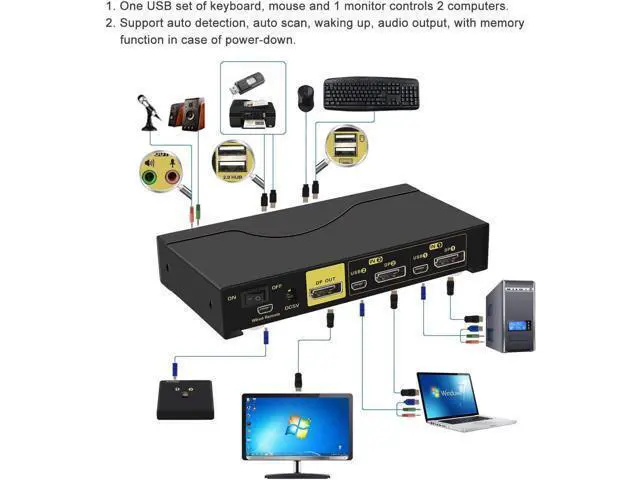
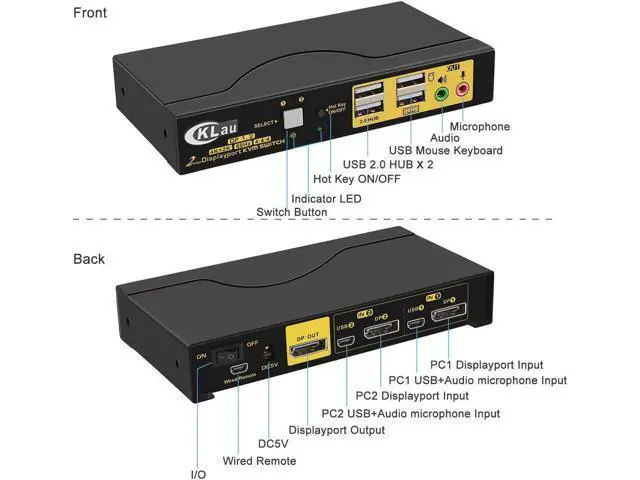
    • 1. 4K KVM Switches: 2 displayport-interface computers sharing one set of keyboard, mouse, 1 monitor and 2 pcs USB 2.0 peripheral. (this KVM switch is DP 1.2 version, it doesn?t compatible DP 1.4 devices and 144Hz, 120Hz, 100Hz refresh rate)
    • 2. 2 Port KVM for Mac: Support wireless keyboard and mouse, Apple keyboard. Supports 16:9 widescreen and 21:9 ultra-wide monitors. Compatible HDCP 2.2, HDR10.
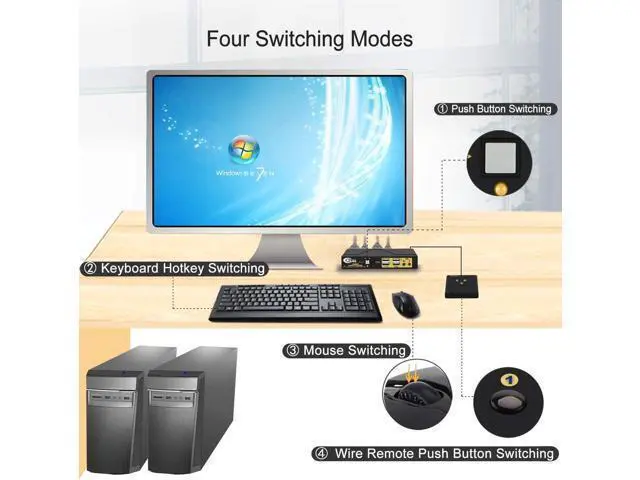
    • 3. Displayport Switch 4K KVM Switch: Four switching way optional: Hotkey switching(NumLock + NumLock + 1 / 2 + Enter, or Ctrl + Ctrl + 1 / 2 + Enter, or ScrollLock + ScrollLock + 1 / 2 + Enter), mouse switching(click mouse wheel 2 times), manual button switching, wired remote push button switching.
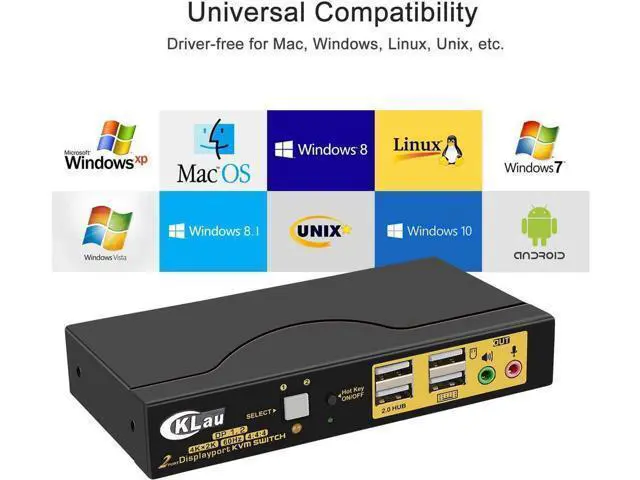
    • 4. Monitor Switch for 2 Computers: Space Saving Design with minimal footprint. Drive-free for Windows 10/7/2000/XP/Vista, Linux, Mac, Debian, Ubuntu, Fedora, Raspbian, Ubuntu and other operating system.
    • 5. 2 Port KVM Switch: Resolution up to 4096x2160@60Hz 4:4:4, compatible 3840x2160@60hz and
    +
    +
    Overview
    Specs
    Reviews
    avatar

    Any questions? Our AI beta will help you find out quickly.

    Display Port Switch KVM Switch Displayport Switcher KMV Switches Computer Switch for 2 Computers KVM USB 2.0 KVM Switch 2 Computers Displayport Switch 2 In 1 Out Two Computers One Monitor Switch Installation Step; 1. Turn off all devices and unplug all the cables; 2. Plug DC5V 2A power adaper into KVM switch and AC socket; 3. Plug special USB cables and displayport cables into KVM switch and computers; 4. Plug mouse into mouse slot of KVM switch, plug keyboard into keyboard slot of KVM switch; 5. Plug displayport cable into KVM switch and your monitor; 6.

    Plug speaker or microphone into KVM switch if needed; 7. Turn on KVM switch; 8. Turn on computers.
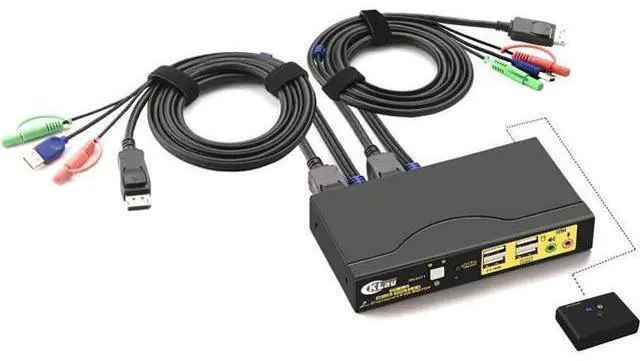
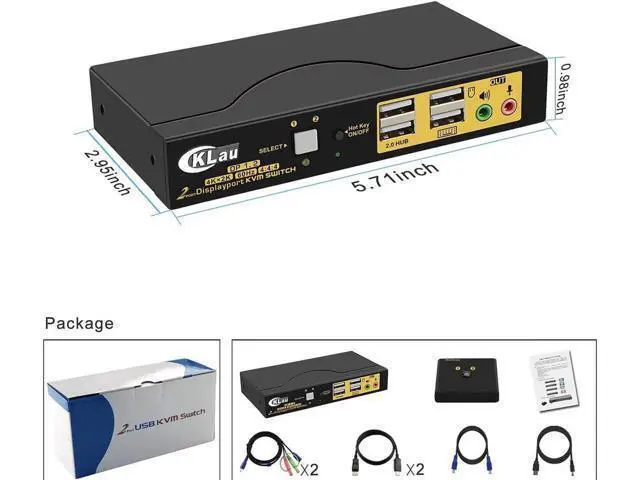
    Package: 1 x 2 port displayport KVM switch 2 x special USB cables 2 x displayport cables 1 x DC 5V 2A Power adapter 1 x manual 1 x wire remote push button switch
    Warm Tips: If your computer without displayport port, we suggest you buy the converter with chip. The quality of converter will affect the function of KVM switch.

    Warranty & Returns

    Warranty, Returns, And Additional Information

    Warranty

    • Please contact the Seller directly for warranty information. Warranty information may also be found on the Manufacturer's website.
    • CONTACT

    Return Policies

    Manufacturer Contact Info

    LOADING...